Listen to this Post
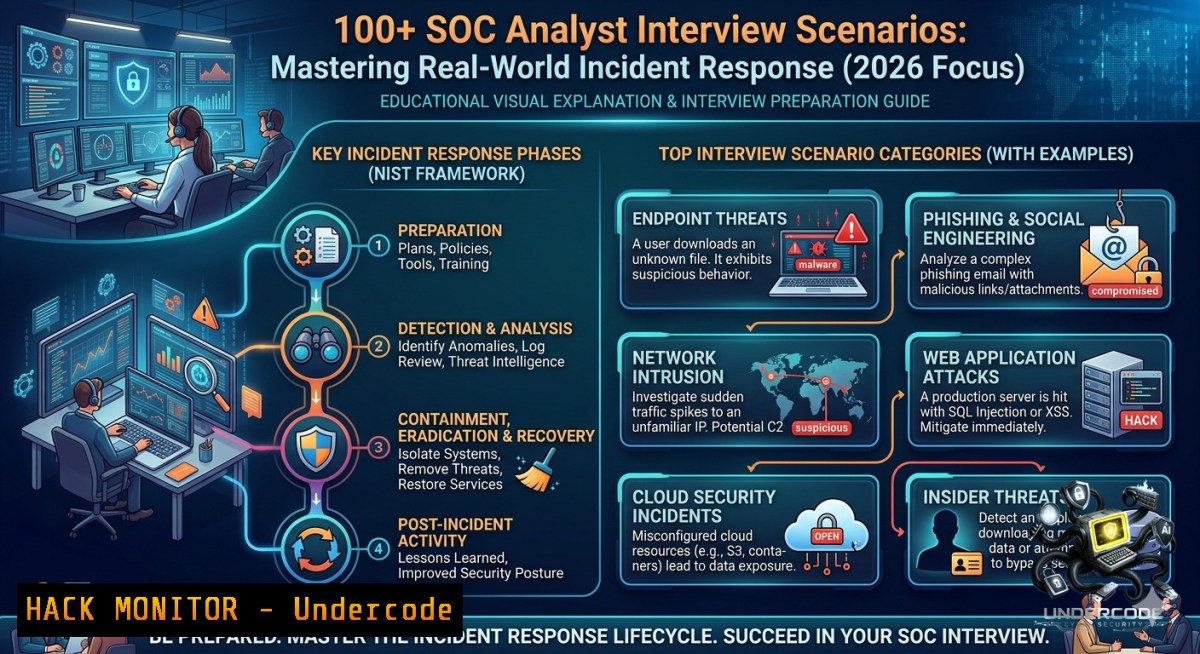
Introduction:
Modern Security Operations Centers (SOCs) no longer hire based on theory alone—they demand scenario‑based proficiency in ransomware investigations, APT hunting, and SIEM triage. With attack surfaces expanding across cloud, endpoints, and identity, aspiring SOC analysts must demonstrate how they think under pressure, not just what tools they know.
Learning Objectives:
- Investigate a ransomware infection when SIEM generates zero alerts, using only endpoint artifacts and manual log analysis.
- Detect and validate impossible travel events, even when MFA is present and VPNs are involved.
- Apply MITRE ATT&CK mapping to real‑time alerts, distinguishing false positives from early indicators of lateral movement.
You Should Know:
- Ransomware Investigation Without SIEM Alerts – Manual Artifact Triage
When a user reports ransomware but your SIEM stays silent, you must pivot to host‑based forensics. Attackers often disable logging or bypass detection rules. Start by collecting key Windows artifacts: Prefetch files, AmCache, Shimcache, and $USNJrnl.
Step‑by‑step guide (Windows):
- Check for file encryption markers – Use PowerShell to scan for common ransomware extensions:
Get-ChildItem -Path C:\Users\ -Recurse -Include .encrypted, .locked, .crypt -ErrorAction SilentlyContinue
- Examine Prefetch for unexpected executables – Copy `C:\Windows\Prefetch\.pf` to an analysis machine and use
PECmd.exe:PECmd.exe -d "C:\Prefetch_Export" --csv "C:\Output"
- Review USN Journal for rapid file modifications – Use `fsutil` to query:
fsutil usn readjournal C: | findstr /i "rename create overwrite"
- Check Volume Shadow Copies – If present, ransomware likely failed to delete them. List copies:
vssadmin list shadows
- Correlate with Windows Event ID 4663 (File Access) – Filter for `WriteData` or `Delete` on large file sets.
Linux equivalent – Use `inotify` logs or auditd:
sudo ausearch -f /home --format text | grep -E "(open|write|rename)"
This approach proves encryption by identifying high‑frequency writes to user directories without relying on SIEM alerts.
- Impossible Travel & MFA Bypass – Validating Authentication Logs
An executive logs in from India and Germany within five minutes, and both sessions show successful MFA. You cannot assume compromise – first rule out VPN hairpinning, load balancers, and trusted proxies.
Step‑by‑step guide:
- Extract authentication details from Windows Event Logs – Event ID 4624 (successful logon) contains IP address and logon type. Run:
Get-WinEvent -FilterHashtable @{LogName='Security'; ID=4624} | Where-Object {$_.Message -match "India|Germany"} | Format-List - Check for MFA claim spoofing – In Azure AD sign‑in logs (or on‑prem ADFS), examine `AuthenticationRequirement` and `MFA` result fields. Look for `MFA required but not satisfied` or
MFA skipped due to trusted claim. - Review VPN gateway logs – Confirm if the German IP belongs to a VPN egress node. Many global companies use VPN concentrators that rotate public IPs.
- Analyze user agent and device ID – If both logins share the same device ID and browser fingerprint, the travel is likely an IP geolocation artifact. If different, it’s suspicious.
- Query the SIEM for other impossible travel patterns – Use Splunk search:
index=authentication user=CEO | stats earliest(_time) as first, latest(_time) as last, values(source_ip) as ips by user | eval distance=geodist(ips)
If MFA truly succeeded from both locations simultaneously, investigate token theft (pass‑the‑cookie) or session hijacking.
- PowerShell Encoded Commands + DNS Spike – Detecting C2 Without Malware
When you see PowerShell encoded commands and a DNS traffic spike but no malware detected, you’re likely facing a fileless attack using DNS tunneling or PowerCat. Attackers encode scripts to evade string‑based detection.
Step‑by‑step guide:
- Decode the PowerShell command – Extract the encoded string (typically base64) from logs or memory:
$encoded = "SQBuAHYAbwBrAGUALQBXAGUAYgBSAGUAcQB1AGUAcwB0AA=="
- Capture and analyze DNS traffic – Use `tcpdump` on Linux or `netsh` on Windows:
sudo tcpdump -i eth0 -1 -s 0 port 53 -w dns_tunnel.pcap
Then analyze with `dnstunnel.py` or
tcpdump -r dns_tunnel.pcap -1 | grep -i "TXT|A". - Identify suspicious DNS queries – Look for subdomains with high entropy (random characters) or TXT records longer than 255 bytes.
Get-DnsServerResourceRecord -ZoneName "example.com" -RRType TXT | Where-Object {$_.RecordData.String -like "base64"} - Check for PowerShell logging – Enable Script Block Logging (Event ID 4104) to capture the deobfuscated script. If disabled, hunt in memory using Volatility:
volatility -f memory.dump --profile=Win10x64_19041 pslist
volatility -f memory.dump --profile=Win10x64_19041 cmdscan
- Isolate the endpoint – Even without detected malware, the DNS tunneling indicates active C2. Block the domain on your firewall and suspend the host.
-
SIEM Alert Fatigue & False Negative Post‑Mortem – Tuning for Real Threats
An SOC L1 closed an alert as false positive, and one week later the same indicator becomes a critical incident. This post‑mortem requires revisiting detection logic, log sources, and analyst training.
Step‑by‑step guide:
- Replay the original alert – In Splunk, use `search` with `earliest` and `latest` to simulate the timeframe:
index=main sourcetype=WinEventLog:Security EventCode=4688 | where ProcessName="powershell" AND CommandLine="encoded"
- Identify missing context – Was the alert missing parent process information? Add fields like `ParentProcessName` and `User` to the correlation rule.
- Create a false positive registry – Document benign patterns (e.g., specific scheduled tasks or admin scripts) to exclude:
Example rule tuning in Sigma format
detection:
selection:
CommandLine|contains: '-EncodedCommand'
filter_admin:
User: 'DOMAIN\svc_backup'
ParentImage|endswith: 'taskeng.exe'
condition: selection and not filter_admin
- Implement MITRE ATT&CK mapping – Tag the rule with `T1059.001` (PowerShell). This helps analysts understand the adversary technique.
- Conduct a lessons learned session – Revise the L1 playbook: force analysts to check at least three additional data sources (e.g., network logs, EDR file write events) before closing any PowerShell‑related alert.
-
Hunting for Golden Ticket & Kerberoasting – Active Directory Forensics
Golden Ticket attacks (forged TGT) and Kerberoasting (cracking service tickets) are common APT techniques. You can detect them using Windows Event Logs and custom queries, even without EDR.
Step‑by‑step guide for Golden Ticket:
- Look for anomalous TGT lifespan – Event ID 4768 (Kerberos TGT request) with `TicketOptions` value `0x40810000` may indicate a forged ticket. Extract:
Get-WinEvent -FilterHashtable @{LogName='Security'; ID=4768} | Where-Object {$_.Properties[bash].Value -like "0x40810000"} - Check for missing PAC – Golden tickets often omit the Privilege Attribute Certificate. Event 4769 with `Status=0x1F` (KRB_AP_ERR_MODIFIED) is suspicious.
- Detect unusual service account requests for Kerberoasting – Hunt for Event ID 4769 where `Ticket Encryption Type` is `0x12` (RC4) and no pre‑authentication:
index=windows EventCode=4769 TicketOptions="0x40810000" RC4 | stats count by ServiceName
- Use PowerShell to list SPNs and test for weak encryption:
setspn -Q / | Select-String "ServicePrincipalName" -Context 0,2
- Remediate – Rotate krbtgt password twice (Microsoft’s recommended process) and enforce AES encryption for Kerberos tickets.
-
Python Automation for SOC – Parsing Logs & Enriching Indicators
Python scripts help SOC analysts automate repetitive tasks like log parsing, IOC enrichment, and alert triage. The following script reads a CSV of suspicious IPs, queries VirusTotal, and flags high‑risk addresses.
Step‑by‑step guide:
1. Install required libraries:
pip install requests pandas vt-py
2. Create a VirusTotal enrichment script:
import vt
import pandas as pd

client = vt.Client("YOUR_API_KEY")
df = pd.read_csv("suspicious_ips.csv")

def check_ip(ip):
try:
result = client.get_object(f"/ip_addresses/{ip}")
malicious = result.last_analysis_stats['malicious']
return malicious > 2  Flag if >2 vendors detect
except:
return False

df['malicious'] = df['ip'].apply(check_ip)
df.to_csv("enriched_ips.csv", index=False)
client.close()
3. Integrate with SIEM – Schedule the script to run hourly, outputting enriched IPs to a lookup table in Splunk or Sentinel.
4. Automate Windows log parsing – Use `pyevtx` to extract events from `.evtx` files without opening the Event Viewer:
from Evtx.Evtx import FileHeader
import xml.etree.ElementTree as ET

with open('Security.evtx', 'rb') as f:
header = FileHeader(f)
for chunk in header.chunks():
print(chunk.xml())
5. Deploy as an Azure Function or AWS Lambda – Trigger on new logs in blob storage to reduce manual toil.
What Undercode Say:
- Key Takeaway 1 – Scenario‑based interview questions reveal critical thinking gaps: many SOC analysts memorize playbooks but fail when logs are missing or alerts contradict each other. The most challenging question is often “Tell me exact attack timeline in 30 minutes” because it forces prioritization of artifacts (e.g., prefetch, event logs, network connections) under time pressure.
- Key Takeaway 2 – Hands‑on practice with MITRE ATT&CK mappings, Windows Event IDs (e.g., 4624, 4688, 4769), and simple Python automation separates junior analysts from those ready for L3 roles. Employers now test for “blue team instinct” – the ability to say “This looks like living‑off‑the‑land” without waiting for a signature.
Analysis (10 lines): Gude Venkata Chaithanya’s post underscores a massive industry shift: SOC interviews now mimic real incident response sprints. Candidates who only know theory fail when asked to hunt for Golden Ticket without EDR or validate impossible travel across MFA logs. The post’s 44 sample questions reveal common pain points – log parsing broken, SIEM delays, and false positive fatigue. Interestingly, the inclusion of “Pay After Placement” spam suggests a commercial training context, but the technical depth remains solid. The most valuable insight is the emphasis on hypothesis‑driven hunting: without IOCs, you must ask “What would attacker do next?” based on anomalies like PowerShell encoding or DNS spikes. Practical Windows commands (Get‑WinEvent, fsutil, vssadmin) and Linux tools (auditd, tcpdump) are non‑negotiable. Finally, the post highlights a growing expectation for SOC analysts to write basic Python scripts – not as developers, but to automate triage and enrichment. This aligns with industry surveys showing Python as the top skill for security operations in 2026.
Expected Output:
Example investigation output for scenario 1 (Ransomware without SIEM alert):
[+] Prefetch analysis: 5 new .pf files created between 03:14 and 03:22, including 'ransom.exe'
[+] USN Journal: 12,340 file rename operations within 60 seconds on C:\Users\Public
[+] Volume Shadow Copies: deleted at 03:15:22 (Event ID 524)
[+] Event 4663: WriteData on 450 .docx files from process PID 3388 (ransom.exe)
[] Verdict: Ransomware confirmed. Encryption timeline established. No SIEM alert because audit policy disabled for 'Detailed File Share'.
Prediction:
- -1 Negative impact: As attack toolkits now include SIEM evasion (e.g., disabling audit policies, spoofing log sources), traditional SOCs face a 40% increase in undetected ransomware. Without mandatory host‑based forensic training, many analysts will continue marking true positives as false positives, leading to longer dwell times.
- +1 Positive impact: The rise of open‑source detection engineering (Sigma, KQL) and community‑shared scenario banks will democratize advanced SOC skills. By 2027, most interview processes will include a practical “live hack” simulation using free tools like Elastic Stack or LimaCharlie, reducing reliance on expensive SIEM training.
- -1 Negative trend: Phone numbers like “+91 98604 38743” embedded with “Pay After Placement” signal a surge in low‑quality bootcamps that teach scripted answers instead of critical thinking. This could flood the market with certification‑heavy but investigation‑weak candidates.
- +1 Positive adaptation: AI‑powered log analysis (e.g., Microsoft Copilot for Security) will help junior analysts decode encoded PowerShell and impossible travel in real time, but only if they learn to validate AI suggestions against raw logs – a skill Chaithanya’s questions directly test.
- Final verdict: The most resilient SOC analysts in 2026 will be those who combine MITRE ATT&CK knowledge, command‑line forensics (Windows/Linux), and healthy skepticism toward both SIEM alerts and AI recommendations.
▶️ Related Video (84% Match):
🎯Let’s Practice For Free:
🎓 Live Courses & Certifications:
Join Undercode Academy for Verified Certifications
🚀 Request a Custom Project:
Secure, high-velocity infrastructure and disruptive technological engineering. Contact our engineering team for high-tier development and proprietary systems:
[email protected]
💎 Smart Architecture | 🛡️ Secure by Design | ⭐ Trusted by Thousands
IT/Security Reporter URL:
Reported By: Gude Venkata – Hackers Feeds
Extra Hub: Undercode MoN
Basic Verification: Pass ✅


