Listen to this Post
Introduction:
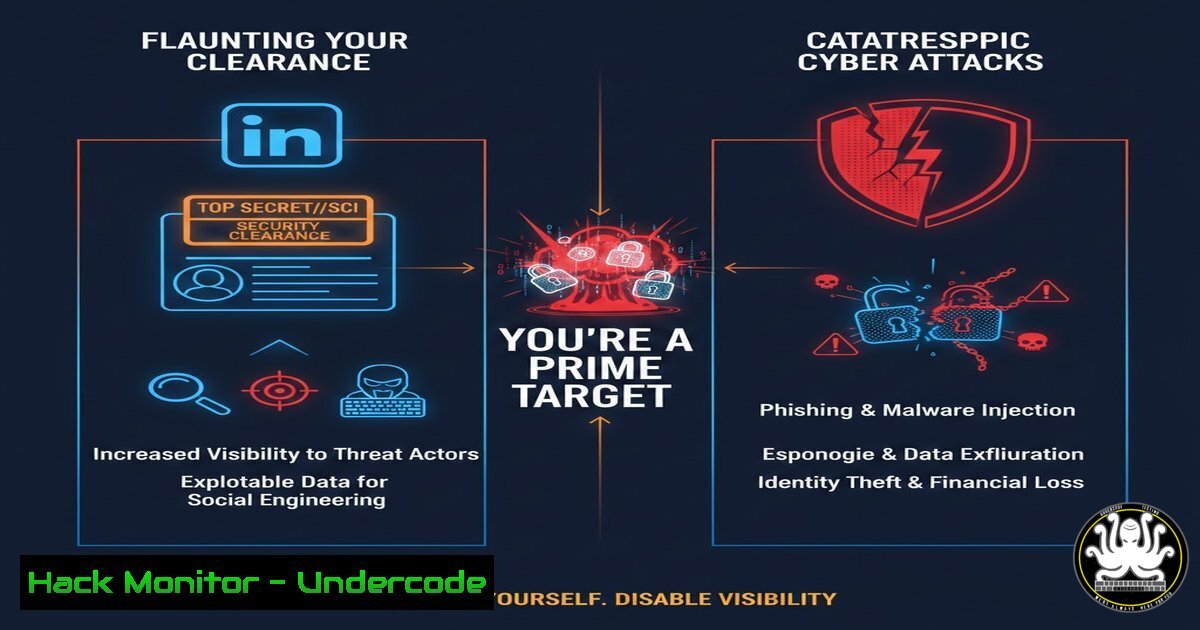
In the digital age, operational security (OPSEC) is the first line of defense for national security personnel. A recent outcry from security professionals highlights a critical failure: individuals publicly listing their security clearances on platforms like LinkedIn. This act is not a professional flex; it’s a beacon for advanced persistent threats (APTs), foreign intelligence services, and cybercriminals who use this open-source intelligence (OSINT) to profile, target, and compromise sensitive networks. This article delves into the technical and human risks, providing a hardening guide for clearance holders and security officers.
Learning Objectives:
- Understand the technical methodology threat actors use to exploit publicly available clearance data.
- Learn immediate steps to sanitize your digital footprint across social media and professional networks.
- Implement enterprise-level controls and monitoring to protect cleared personnel from targeted attacks.
You Should Know:
- The OSINT Goldmine: How Adversaries Map Clearance Holders
Step‑by‑step guide explaining what this does and how to use it.
Listing a clearance (e.g., “PV,” “NV2,” “Top Secret”) creates a high-value target list. Adversaries automate the scraping of LinkedIn profiles using OSINT tools, correlating data with other breaches to build detailed profiles for social engineering or spear-phishing campaigns.
Technical Tutorial: Simulating Adversary Recon (For Educational Purposes)
 Using linkedin2username (OSINT tool) to find potential usernames from a company
git clone https://github.com/initstring/linkedin2username.git
cd linkedin2username
pip3 install -r requirements.txt
python3 linkedin2username.py -c "Defence Contractor" -o potential_users.txt

Cross-referencing with breach data using Sherlock
git clone https://github.com/sherlock-project/sherlock.git
cd sherlock
python3 sherlock --users-file ../potential_users.txt --output found_profiles.json
This demonstrates how easily usernames are aggregated. A security officer can run similar audits to see what is publicly accessible.
2. Hardening Your LinkedIn and Social Media Presence
Step‑by‑step guide explaining what this does and how to use it.
Immediate sanitization is required. Remove any mention of clearance levels, specific project names, and sensitive workplace details. Adjust privacy settings to limit visibility.
Actionable Steps:
- Go to your LinkedIn profile, click “View profile,” then “Edit public profile & URL.” Restrict visibility to “Your connections” only.
- Edit the “About,” “Experience,” and “Licenses & Certifications” sections. Remove any classified or clearance-related terminology.
- In LinkedIn Settings > “Visibility,” turn off “Share profile updates with your network” during this cleanup to avoid broadcasting changes.
-
Email Security & Spear-Phishing Mitigation for Cleared Personnel
Step‑by‑step guide explaining what this does and how to use it.
Cleared individuals are prime targets for spear-phishing. Adversaries craft emails impersonating security officers or colleagues using gathered OSINT.
Technical Configuration (Microsoft 365 / Defender):
- Enable Advanced Threat Protection (ATP): Set up anti-phishing policies to protect key personnel.
Example PowerShell command to check if ATP policies are applied (Exchange Online)
Get-PhishFilterPolicy -Identity Default | Select-Object Enabled, AdminDisplayName
- Implement DMARC, DKIM, and SPF: Prevent email spoofing.
Example DNS record check for SPF
dig TXT example.com +short | grep spf
- Mandatory Multi-Factor Authentication (MFA): Enforce MFA using hardware tokens or authenticator apps, not SMS.
4. Endpoint Hardening for Government-Issued and BYOD Devices
Step‑by‑step guide explaining what this does and how to use it.
Assume your identity is known. Endpoint detection and response (EDR) is critical.
Windows Security Baseline (Example Commands):
 Enable BitLocker for disk encryption
Manage-bde -on C: -RecoveryPassword -UsedSpaceOnly
 Harden PowerShell execution policy
Set-ExecutionPolicy Restricted -Force
 Audit enabled services
Get-Service | Where-Object {$_.Status -eq 'Running'} | Select-Object Name, DisplayName
Linux Security Hardening (Example Commands):
 Check for unnecessary open ports
sudo ss -tulpn
 Install and configure auditd for command auditing
sudo apt install auditd
sudo auditctl -a always,exit -F arch=b64 -S execve  Logs all executed commands
5. Security Officer Actions: Proactive Clearance Holder Management
Step‑by‑step guide explaining what this does and how to use it.
Security Officers must transition from passive policy distributors to active hunters of exposure.
Step-by-Step Guide:
- Automate OSINT Monitoring: Use tools like SpiderFoot or commercial services to continuously scan for exposed clearance details related to your organization.
- Conduct Mandatory, Practical Training: Move beyond checkbox training. Run simulated phishing campaigns against cleared staff.
- Enforce Technical Controls: Implement Data Loss Prevention (DLP) rules that flag outbound communications containing clearance-related keywords.
- Leverage AI for Anomaly Detection: As suggested in the thread, use SIEM/SOAR platforms to baseline normal network behavior for cleared users and alert on anomalies (e.g., unusual login times, data access patterns).
6. Understanding the “M.I.C.E.R.” Motivational Model in Counter-Intelligence
Step‑by‑step guide explaining what this does and how to use it.
The post references M.I.C.E.R. (Money, Ideology, Coercion/Complience, Ego, Recognition). Publicly flaunting a clearance directly appeals to Ego and Recognition, marking an individual as potentially vulnerable to more direct approaches using other motivators. Security briefings must frame OPSEC in this context: your public profile is a direct measure of your discretion and a key indicator to hostile services assessing your susceptibility to recruitment.
What Undercode Say:
- The Human Firewall is Critically Breached: The most advanced technical controls are undermined when personnel voluntarily identify themselves as high-value targets. This is a fundamental failure in security culture and training.
- Compliance is Not Security: Adhering to the PSPF 0050 (as cited) or organizational policy is the bare minimum. True security requires proactive threat modeling based on the assumption that adversaries are already gathering intelligence on your staff.
The analysis is stark: this behavior reveals a dangerous disconnect between cleared personnel and the reality of persistent cyber threats. It indicates a security program that may be overly focused on technical checkbox compliance at the expense of cultivating a robust, intelligence-driven security mindset. The call for automated AI monitoring by security officers is apt; human behavior is the new primary attack surface, and it must be monitored with the same rigor as network logs.
Prediction:
In the next 12-24 months, we will see a measurable increase in sophisticated, multi-vector attacks directly correlated to OSINT-gathered clearance data. AI will not only be used defensively, as suggested, but offensively by threat actors to automate the profiling, targeting, and personalized social engineering of cleared individuals at scale. Incidents will force governments and prime contractors to mandate continuous, verified digital footprint scans as a condition of clearance maintenance, shifting personnel security from periodic reviews to real-time behavioral monitoring. The era of the “quiet professional” must become a cybersecurity imperative, not just a cultural norm.
▶️ Related Video (78% Match):
🎯Let’s Practice For Free:
IT/Security Reporter URL:
Reported By: Andrea Gynn – Hackers Feeds
Extra Hub: Undercode MoN
Basic Verification: Pass ✅


