Listen to this Post
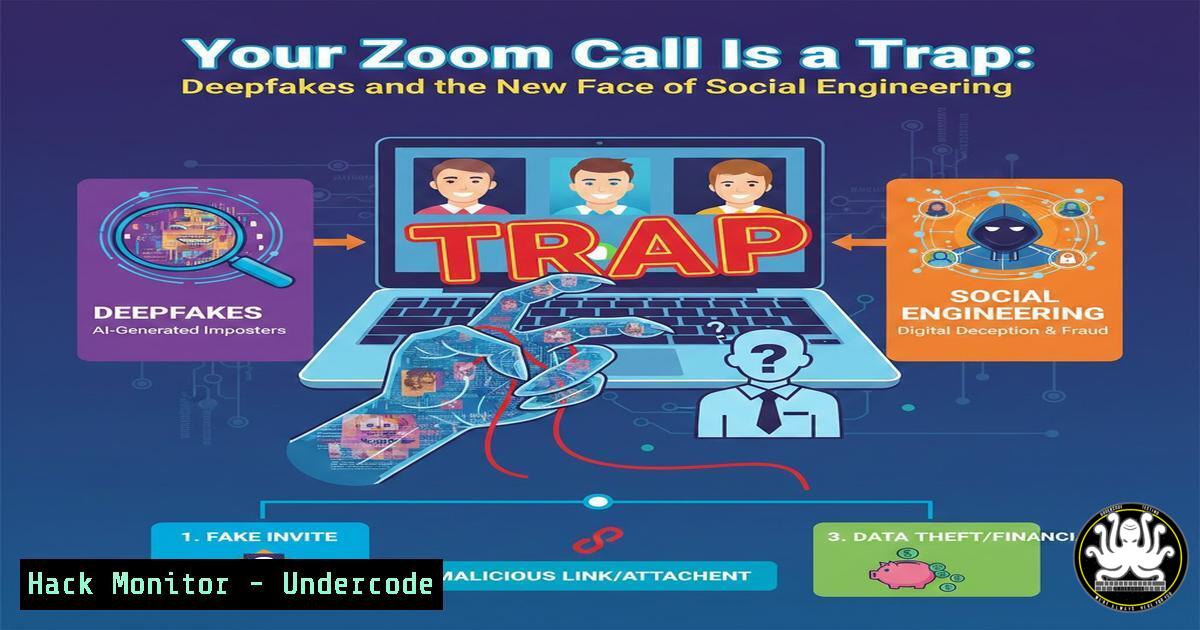
Introduction:
The line between a legitimate tech support call and a sophisticated cyber heist has officially vanished. A recently uncovered campaign leverages a trifecta of modern deception—spoofed Zoom meetings, AI-generated deepfake audio of executives, and a fake “troubleshooting” utility—to bypass traditional security perimeters. This attack doesn’t exploit a software vulnerability; it exploits human psychology under pressure, marking a significant evolution in social engineering where trust signals are synthetically manufactured in real-time.
Learning Objectives:
- Understand the anatomy of an AI-assisted, multi-channel social engineering attack.
- Identify the technical indicators of a spoofed video call and malicious troubleshooting software.
- Implement out-of-band verification protocols and endpoint defense mechanisms against live attack scenarios.
You Should Know:
1. Anatomy of the Deepfake Tech Support Scam
This attack typically begins with a seemingly legitimate calendar invite or a direct message containing a link to a “Zoom” call. Upon joining, the target is met with a convincing video loop or a deepfake avatar of a C-level executive. The audio, synthesized using AI voice cloning, instructs the user that there is a critical system issue requiring immediate remediation. The attacker, posing as IT support on the same call, pressures the target to download and run a “troubleshooting fix” (e.g., Zoom_Troubleshooter_v2.exe). In reality, this executable is a Remote Access Trojan (RAT) or information stealer.
2. The Windows Command Line: Investigating the “Fix”
If a user suspects they have downloaded a malicious file, they must analyze it before execution. On Windows, PowerShell provides immediate insight.
– Check File Signatures: Right-click the file > Properties > Digital Signatures. If the file is unsigned or signed by an unknown entity, treat it as hostile.
– Analyze Strings (Linux/Mac/Windows with Git Bash): Extract readable text to see if it’s invoking suspicious network connections.
strings SuspiciousInstaller.exe | findstr /i "http cmd.exe powershell download"
– Network Check (PowerShell): Before running any tool, check for existing suspicious outbound connections.
Get-NetTCPConnection -State Established | Where-Object {$<em>.RemoteAddress -notlike "192.168." -and $</em>.RemoteAddress -notlike "10."}
3. Linux Response: Identifying Outbound Callback Attempts
If the malicious software is executed on a Linux workstation (e.g., a developer’s machine targeted via a similar ruse), system administrators need to identify the beaconing traffic immediately.
– Monitor Live Connections:
sudo netstat -tunap | grep ESTABLISHED
– Inspect Process Tree: Find if a suspicious process (like a fake Zoom update) spawned a shell.
ps aux | grep -i "zoom|troubleshoot"
pstree -p [bash]
– Check DNS History: Look at resolved domains that don’t match corporate traffic.
cat /var/log/syslog | grep "query:" | grep -v "yourcompany.local"
4. Verifying Identity Out-of-Band (The Kill Chain Breaker)
The most critical technical control against this attack is a hard-coded policy of “Out-of-Band Verification.”
– The Protocol: If an executive requests sensitive action via a call or chat, the user must terminate the digital communication channel and initiate a new one via a verified method (e.g., calling the executive’s official mobile number, already stored in contacts).
– Deepfake Detection Tools: Emerging tools analyze audio for artifacts. However, a simpler technical control is a shared secret or a “code word” policy for high-value transactions that is never transmitted electronically.
5. Hardening Against Privilege Escalation
The malicious “fix” often requires admin rights to install persistence mechanisms (like Windows Services or scheduled tasks). By stripping admin rights from daily drivers, the blast radius is contained.
– Windows: Ensure users are part of the Users group, not Administrators. Implement LAPS (Local Administrator Password Solution) to manage local admin passwords for those rare occasions when elevation is needed.
– Linux: Utilize `sudo` with strict `tty_tickets` and timestamp timeouts. Avoid running browsers or collaboration tools as root or with excessive privileges.
6. Tool Configuration: Simulating the Attack for Defense
Blue teams should simulate this attack to test user resilience.
– Deepfake Audio Generation (Offensive/Defensive): Tools like Resemble AI or ElevenLabs can be used in controlled labs to generate fake executive audio.
– Phishing Framework Integration: Use frameworks like GoPhish or SET (Social-Engineer Toolkit) to clone a Zoom login page, sending the link to employees. Combine this with a simulated vishing (voice phishing) call to mirror the pressure tactics described in the real attack.
What Undecode Say:
- Trust is now a cryptographic problem: In an era of deepfakes, we can no longer trust our eyes and ears. Verification must shift from “what we see” to “what we can cryptographically prove,” moving towards hardware tokens and out-of-band confirmation as the default.
- Policies must automate friction: The success of this scam relies on bypassing a user’s logic through urgency. Organizations must implement technical controls (e.g., requiring a manager’s digital signature for any `.exe` download, or automatic quarantining of executables delivered via chat) that enforce a “cooling-off” period, effectively automating the security habit the user failed to execute.
Prediction:
We will see a convergence of AI-driven social engineering with Business Email Compromise (BEC) 2.0. Attackers will soon use real-time deepfake voice modulation during live video calls to not only impersonate executives but also to dynamically respond to a victim’s questions, making the scam interactive. This will necessitate a move toward decentralized identity verification (like blockchain-based executive signatures for verbal commands) as a standard corporate control within the next 18 months.
▶️ Related Video (80% Match):
🎯Let’s Practice For Free:
IT/Security Reporter URL:
Reported By: Troyasimon Cybersecurity – Hackers Feeds
Extra Hub: Undercode MoN
Basic Verification: Pass ✅


