Listen to this Post
Introduction:
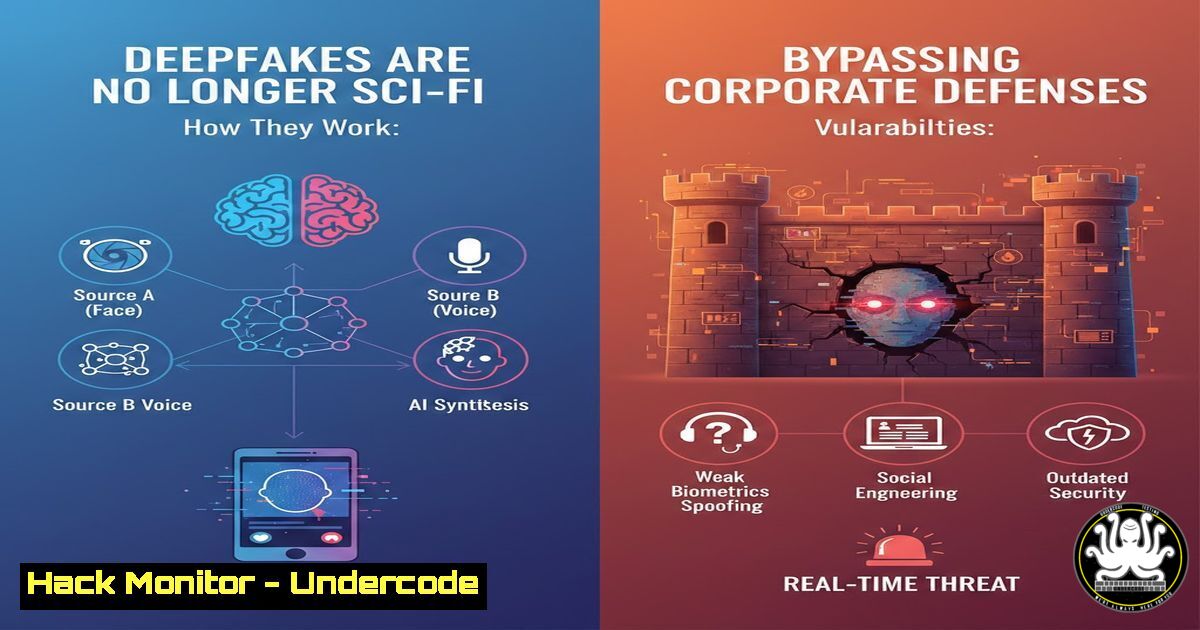
The convergence of Artificial Intelligence and social engineering has given rise to a new class of cyber threats that target the one thing security controls often cannot protect: human perception. As generative AI models become more accessible, threat actors are weaponizing deepfake audio and video to infiltrate organizations, not by breaking encryption, but by breaking trust. The era where a phone call or a video message could be considered a primary source of verification is officially over; cybersecurity professionals must now treat every communication channel as potentially compromised.
Learning Objectives:
- Understand the mechanics of deepfake social engineering attacks and their psychological triggers.
- Identify technical indicators of synthetic media across audio and video formats.
- Implement operational verification protocols and technical controls to mitigate AI-driven impersonation risks.
You Should Know:
- Anatomy of the “Urgent Executive Call” (Vishing 2.0)
In this scenario, an employee receives a phone call that algorithmically mimics the CEO’s voice. Attackers typically harvest short voice samples from earnings calls, public speeches, or social media stories to train AI models. The goal is to bypass standard financial controls by creating a fabricated sense of urgency.
Step‑by‑step guide: What to do when receiving a high-pressure verbal request for funds/data
1. Isolate the Channel: If you receive a suspicious urgent call, do not respond on that same line. Hang up and initiate a callback on a verified, pre-existing company number.
2. Use Out-of-Band Verification: Implement a policy where any financial transfer or sensitive data release requested verbally must be confirmed via a separate, secondary communication method (e.g., a ticketing system or a dedicated secure messaging app).
3. Windows/Linux Command: If the call is made via a VoIP system or a computer, check for active network connections to identify potential call-back servers.
– Windows (Command Prompt): `netstat -an | findstr “ESTABLISHED”`
– Linux: `ss -tunap | grep ESTABLISHED`
4. Log Analysis: Check the call logs. If it came through a collaboration tool, use administrative dashboards to trace the IP origin of the caller, often revealing mismatches in geographic locations.
2. Technical Analysis of the “Fake Video Message”
Attackers are now using deepfake software like DeepFaceLab or FaceSwap to create realistic video messages. While visually convincing, these videos often contain digital artifacts that are invisible to the naked eye but detectable with forensic tools.
Step‑by‑step guide: How to inspect a suspected deepfake video file
1. Check Metadata: Use tools like `exiftool` to examine the video file’s creation data, software used, and editing history.
– Command (Linux/macOS): `exiftool suspicious_video.mp4`
– Look for “Creator Tool” fields listing AI generation libraries (e.g., TensorFlow, PyTorch) or inconsistent creation dates.
2. Analyze Audio Consistency: Extract the audio stream and run it through spectrogram analysis. Deepfake audio often lacks the natural noise floor or shows unnatural frequency gaps.
– Tool: Use Audacity or `spek` (CLI) to view the spectrogram.
– Linux: `apt install spek` then `spek audio_stream.wav`
3. Check for Physiological Signals: Advanced deepfakes often struggle to replicate consistent blinking patterns or pulse-induced color changes in the face. While manual analysis is subjective, tools like Microsoft Video Authenticator can provide probability scores.
- The “Family Emergency” Voice Note and Emotional Manipulation
This scenario moves beyond the corporate world into personal devices, but the spillover effect can compromise BYOD (Bring Your Own Device) environments. If an executive’s personal device is compromised through a family impersonation scam, corporate credentials stored on that device are at risk.
Step‑by‑step guide: Hardening devices against audio-based scams
- Enable “Unknown Caller Silencing”: On iOS and Android, send unknown numbers directly to voicemail to filter automated or spoofed calls.
- Network Traffic Analysis (MITM防御): If you suspect a device is receiving malicious media, monitor for outbound data leaks.
– Tool: Wireshark. Set a capture filter for the device’s IP and look for unusual TLS handshakes or large data transfers to unknown IPs after media playback.
– Filter: `ip.src == [bash] && tls.handshake.type == 1`
3. Voice Biometrics: For high-risk employees, enroll them in voice biometric systems that analyze vocal cadence and pitch to flag anomalies during calls.
4. Vendor Impersonation and Payment Fraud
Attackers compromise a vendor’s email, then escalate to a deepfake video call to “confirm” new bank details. This bypasses standard invoice verification processes.
Step‑by‑step guide: API Security and Email Hardening to prevent initial compromise
1. Harden OAuth 2.0: Ensure that third-party apps connected to your email platform (which attackers use to read mail silently) have limited scope.
– Azure AD / Microsoft 365: Review app permissions via `Get-AzureADServicePrincipal` and revoke any with excessive mail read permissions.
2. Implement DMARC Rejection: Don’t just monitor DMARC; set it to `p=reject` to prevent spoofed vendor emails from reaching the inbox.
– DNS TXT Record: `v=DMARC1; p=reject; rua=mailto:[email protected]`
3. Certificate Pinning: If you have a dedicated vendor portal, implement certificate pinning to prevent man-in-the-middle attacks that could intercept video call traffic for training datasets.
5. Cloud Hardening: Protecting AI Training Data
Many of these deepfakes are created by scraping cloud storage buckets for photos and audio. If your organization stores employee media publicly or semi-publicly, you are fueling the attackers.
Step‑by‑step guide: Securing S3 Buckets and Cloud Data
- Audit Public Buckets: Use cloud CLI tools to check for public access.
– AWS CLI: `aws s3api get-bucket-acl –bucket your-company-bucket-name`
– Look for `URI=”http://acs.amazonaws.com/groups/global/AllUsers”` which indicates public read access.
2. Enable Data Loss Prevention (DLP): Use cloud-native DLP tools to scan for and block the upload of sensitive biometric data (like voice prints or high-res face photos) to unauthorized external services.
3. Implement Conditional Access: Restrict access to internal collaboration tools (where employee faces/voices are stored) to compliant and managed devices only, preventing attackers from downloading media from compromised personal devices.
What Undercode Say:
- Trust is not an authentication factor: The core takeaway is that cybersecurity architecture must evolve to treat biometrics and voice as usernames, not passwords. Since these can be cloned, they cannot be the sole proof of identity.
- The “Human Firewall” needs technical ammunition: While training employees to “slow down” is crucial, they need immediate access to forensic verification tools and out-of-band communication methods embedded in the workflow.
- Attack Surface Expansion: The proliferation of employee images and voices on LinkedIn, YouTube, and company websites is now a primary attack surface. Security teams must work with marketing to assess the risk of publicly available executive media.
Prediction:
The next 12 to 18 months will see the rise of “Deepfake-as-a-Service” (DfaS) on dark web forums, dramatically lowering the technical barrier for entry. Consequently, we will witness a shift toward hardware-rooted verification and behavioral biometrics (keystroke dynamics, gait analysis) as the only reliable methods of remote identity assurance. Organizations that fail to adopt zero-trust communication principles will face a significant increase in successful BEC (Business Email Compromise) losses, redefined as BVC (Business Video Compromise).
▶️ Related Video (80% Match):
🎯Let’s Practice For Free:
IT/Security Reporter URL:
Reported By: Umar Yakhyaev – Hackers Feeds
Extra Hub: Undercode MoN
Basic Verification: Pass ✅


