Listen to this Post
Introduction:
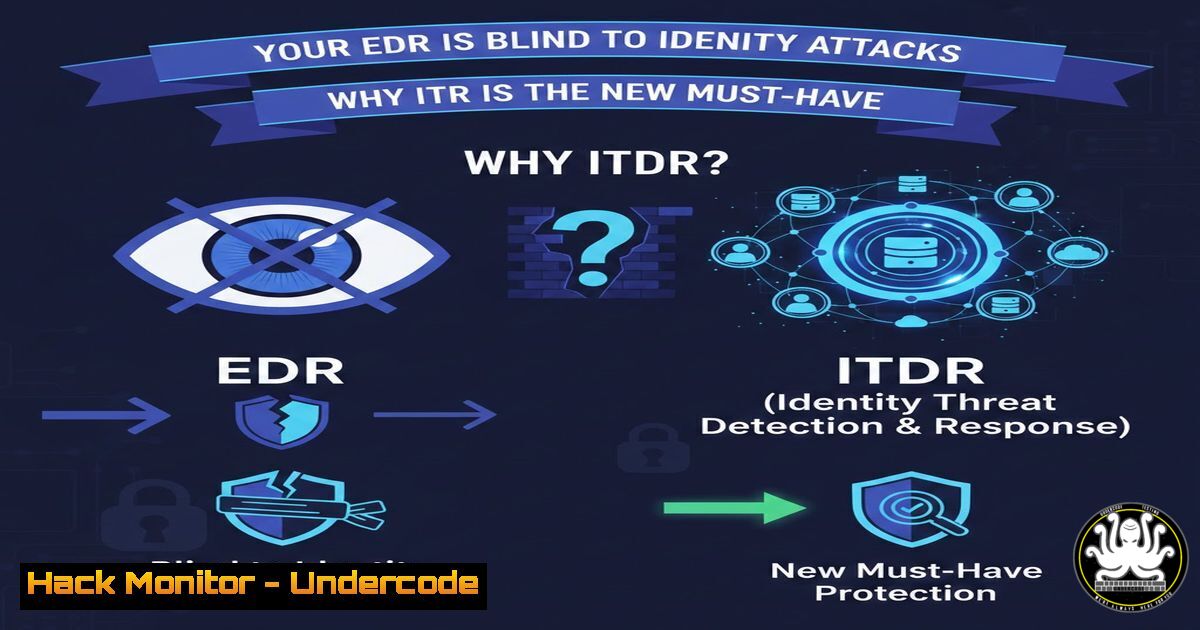
In the modern threat landscape, attackers have realized a fundamental truth: why deploy complex malware when you can simply steal a password? Traditional security stacks are built to protect endpoints, but they are notoriously blind to attacks that happen at the identity layer. Once a threat actor compromises a privileged credential, they can bypass endpoint defenses entirely by using legitimate administrative tools to move laterally and establish persistence. Identity Detection and Response (ITDR) has emerged as a critical discipline to fill this visibility gap, focusing on the abuse of authentication mechanisms rather than just malicious files.
Learning Objectives:
- Understand the core differences between Endpoint Detection (EDR) and Identity Detection (ITDR).
- Learn how to identify common Active Directory attacks like Golden Tickets and DCSync.
- Gain practical knowledge on deploying identity-focused defenses, including honeytokens and exposure management.
You Should Know:
1. The Shift from Endpoint-Centric to Identity-Centric Security
The LinkedIn post by Myles Edwards highlights a critical flaw in most corporate security postures: the exclusive focus on the “box” (laptops, servers) rather than the “who.” When an attacker obtains privileged credentials, they do not need to trigger EDR alerts with malware; they simply authenticate. This is the “Sign-In” button risk. To combat this, we must understand that identity is the new perimeter. EDR monitors for processes, files, and behaviors on a host. ITDR, conversely, monitors the authentication and authorization protocols themselves, specifically within directories like Active Directory (AD) or Entra ID.
2. Detecting the “Silent” Takeover: Advanced Attack Monitoring
ITDR solutions go beyond checking password correctness. They analyze the behavior of authentication requests. For a security professional, understanding the mechanics of these attacks is vital for detection.
- DCSync Attacks: This is a technique where an attacker with appropriate privileges (like Domain Admin or specific Replication rights) mimics a Domain Controller and requests password hashes from the target Domain Controller via the Directory Replication Service Remote Protocol (MS-DRSR).
- Detection (Windows/Event Logs): You can monitor for this by enabling and auditing specific Windows event IDs.
- Event ID 4662: (An operation was performed on an object). Look for this event where the object type is `domainDNS` and the access mask includes `DS-Replication-Get-Changes` (1131f6ad-9c4e-4c7e-9d3f-c01f6c5b7b6a) and `DS-Replication-Get-Changes-All` (1131f6ad-9c4e-4c7e-9d3f-c01f6c5b7b6a).
- Detection (PowerShell): You can audit who has these permissions.
Check who has DCSync rights on the domain $domain = "yourdomain.com" Get-ObjectAcl -DistinguishedName "dc=yourdomain,dc=com" -ResolveGUIDs | ? {($<em>.ObjectType -like "1131f6ad-9c4e-4c7e-9d3f-c01f6c5b7b6a") -or ($</em>.ActiveDirectoryRights -like "Replication")} -
Golden Ticket Attacks: This involves stealing the KRBTGT account hash and forging Ticket Granting Tickets (TGTs) to access any resource in the domain.
- Detection: A key indicator is when a TGT has an abnormally long lifetime (the default is 10 hours). ITDR solutions correlate these anomalies. You can also monitor Event ID 4768 (A Kerberos authentication ticket was requested) for unusual ticket encryption types or flags that don’t match standard behavior.
3. Exposure Management: Auditing the Identity Layer
You cannot protect what you cannot see. Exposure management within ITDR involves proactively scanning for misconfigurations that act as open doors for attackers. These are often legacy accounts or settings overlooked by system administrators.
- Finding “Orphaned” Admin Accounts: These are accounts with administrative privileges belonging to former employees or service accounts that are no longer managed.
- Command (PowerShell – ActiveDirectory Module):
Find privileged users whose accounts haven't been used in 90 days $90DaysAgo = (Get-Date).AddDays(-90) Get-ADUser -Filter {(LastLogonTimeStamp -lt $90DaysAgo) -and (Enabled -eq $true)} -Properties LastLogonTimeStamp, MemberOf | Where-Object { ($<em>.MemberOf | Where-Object {$</em> -match "Domain Admins|Enterprise Admins|Administrators"}) } | Select-Object Name, LastLogonTimeStamp -
Identifying Non-Expiring Passwords: This is a common finding in environments with legacy service accounts, creating a permanent credential risk.
- Command (PowerShell):
Find all users with passwords that never expire
Get-ADUser -Filter {PasswordNeverExpires -eq $true} -Properties Name, PasswordNeverExpires, PasswordLastSet | Select-Object Name, PasswordNeverExpires, PasswordLastSet
4. Deceptive Defense: Deploying Honey Tokens
If an attacker is inside the network, they will often scan the directory for high-value targets. Honey tokens are fake, highly-monitored accounts designed to be attractive to an attacker (e.g., svc_SA_ERP, admin-jenkins). These accounts should never be used for legitimate authentication.
- Step-by-Step Guide to Deploy a Honey Token (Active Directory):
- Create a Fake User: In Active Directory Users and Computers (ADUC), create a new user. Name it something enticing like `backup_domain_admin` or
sql_cluster_svc. - Assign “Attractive” Attributes: Populate the `Description` field with something like “Do not delete – Primary DR Admin” or add it to a high-privilege group (like a fake “Backup Operators” group) to make it look valuable. Do not give it real permissions.
- Set a Complex, Non-Usable Password: Set a password that is long, complex, and known only to the security team, but ensure it is not used elsewhere.
- Enable Logging: Ensure advanced auditing is enabled. The key Event IDs to monitor for this specific user are:
– Event ID 4624: (Account Logon) – This should never happen for this account. If it does, it’s a high-fidelity alert.
– Event ID 4738: (A user account was changed) – An attacker might try to modify the account to escalate privileges.
5. Deploy the Detection: Configure your SIEM or ITDR platform to trigger a CRITICAL alert whenever this specific user account is referenced in any authentication or modification event.
5. Integrating ITDR with IAM and MFA
As noted in the comments by Samuel Mullaney, ITDR is not a replacement for strong Identity and Access Management (IAM). It is a safety net. The goal is to layer defenses: prevent with IAM, detect with ITDR.
- Prevention: Enforce phishing-resistant MFA (e.g., FIDO2 security keys or Windows Hello for Business) and Conditional Access policies that require a compliant device.
- Detection: Even with MFA, attackers can use techniques like “Token Theft” (passing the cookie/session token after the user has authenticated). ITDR monitors for impossible travel (a sign-in from New York and London within 5 minutes) or anonymous IP addresses using a valid session token.
- Linux/Windows Hardening for Identity:
- Windows: Disable NTLM where possible, as it is vulnerable to pass-the-hash attacks. `secpol.msc` -> Local Policies -> Security Options -> “Network security: Restrict NTLM: Incoming NTLM traffic”.
- Linux (if integrated with AD via SSSD/Realm): Ensure that offline authentication is limited, and that Kerberos ticket lifetimes are properly enforced. Check `/etc/krb5.conf` for accurate ticket management.
6. The Role of a 24/7 Identity SOC
A managed ITDR service provides a dedicated team to hunt for identity-based lateral movement. This involves looking for patterns that automated rules might miss, such as an account performing a `DCSync` operation from a non-domain controller, or a user adding themselves to a sensitive group via a PowerShell script (Add-ADGroupMember).
- Hunting Query Example (KQL – for Microsoft Sentinel/Defender):
This query hunts for mass group membership changes, which could indicate an attacker granting themselves privileges.IdentityDirectoryEvents | where ActionType == "Group Membership updated" | where Protocol == "Active Directory" | summarize TargetGroup = make_set(TargetAccountUpn), Changes = count() by AccountUpn, IPAddress | where Changes > 5
7. Practical Hardening Checklist for Identity Resilience
To implement the principles discussed, a security team should immediately:
1. Clean up Privileges: Implement a tiered administration model (Tier 0/1/2). Admin accounts should only be used on secure, hardened admin workstations.
2. Monitor Critical Groups: Configure alerts for modifications to Domain Admins, Enterprise Admins, Schema Admins, and Backup Operators.
3. Protect the KRBTGT Account: Periodically (e.g., every 12-24 months) reset the KRBTGT password twice to invalidate any existing Golden Tickets.
4. Enable PAC (Privileged Attribute Certificate) Validation: Ensure domain controllers are configured to validate the PAC in Kerberos tickets to prevent privilege escalation.
What Undercode Say:
- Identity is the unpatched vulnerability of the modern era. While we diligently patch operating systems, the human and procedural flaws in identity management—like service accounts with eternal passwords—remain wide open. ITDR addresses this by treating identity as a first-class citizen in the detection stack.
- ITDR is the “canary in the coal mine” for the post-perimeter world. As Zero Trust architectures eliminate implicit trust based on network location, the credential itself becomes the ultimate weapon. ITDR, combined with deception technology, ensures that the moment an adversary breathes on a “honeytoken” admin account, the defensive response is immediate and surgical, preventing the ransomware deployment phase.
Prediction:
In the next 24 months, Identity Detection and Response will cease to be a “nice-to-have” and will become a mandatory component of cyber insurance policies, much like MFA is today. As AI-generated deepfake voices and automated phishing kits make credential theft cheaper and easier, we will see a surge in “identity-less” attacks. The future of security will pivot from securing “what you have” (the device) to securing “who you are” and “how you authenticate” in real-time, with ITDR and Identity Governance (IGA) merging into a single, continuous control plane.
▶️ Related Video (82% Match):
🎯Let’s Practice For Free:
IT/Security Reporter URL:
Reported By: Myles Edwards – Hackers Feeds
Extra Hub: Undercode MoN
Basic Verification: Pass ✅


