Listen to this Post
Introduction:
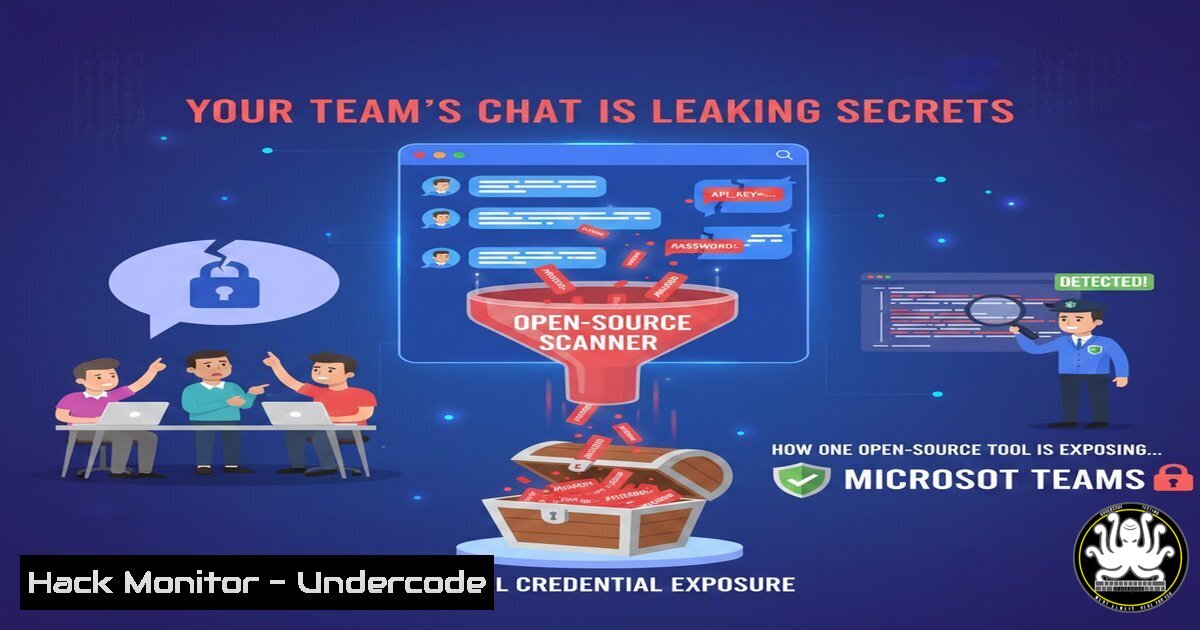
In the era of hybrid work, collaboration platforms like Microsoft Teams have become the central nervous system of organizations, but they also represent a sprawling, often overlooked attack surface for credential and secret leakage. A new open-source tool, HadesHunter, is now empowering security professionals to systematically scan Teams conversations for exposed passwords, API keys, and tokens, turning a manual hunt into an automated audit to quantify internal risk.
Learning Objectives:
- Understand the mechanism and risks of credential exposure within Microsoft Teams chats.
- Learn how to configure and deploy the HadesHunter tool for authorized security assessments.
- Implement defensive measures to detect and prevent the sharing of secrets via collaboration platforms.
You Should Know:
1. The Prerequisites: Setting Up Your Hunting Environment
Before launching HadesHunter, you need the proper authorization and setup. This tool is designed for authorized penetration tests, internal audits, or incident response where you have legal consent to analyze company data. You will need Python 3.8+ installed and valid Microsoft Azure credentials with the necessary API permissions.
Step-by-Step Guide:
First, clone the repository and install dependencies.
 Linux/macOS
git clone https://github.com/hamzakt/hadeshunter  Note: Actual repo link from the lnkd.in redirect
cd hadeshunter
pip3 install -r requirements.txt

Windows (PowerShell)
git clone https://github.com/hamzakt/hadeshunter
cd hadeshunter
pip install -r requirements.txt
Next, you must register an application in Azure Active Directory to interact with the Microsoft Graph API. Navigate to Azure Portal > Azure Active Directory > App Registrations > New Registration. Configure it with a redirect URI of http://localhost:8080` (for auth code flow) and note down your Client ID and Tenant ID. Under "API Permissions," add and grant admin consent forChannelMessage.Read.All,Chat.Read.All,User.Read, andoffline_access`.
- Acquiring the Keys to the Kingdom: Generating a Refresh Token
HadesHunter operates by using a Refresh Token to generate fresh Access Tokens for the Microsoft Graph API. This allows for sustained analysis without re-authentication. You will authenticate once to obtain this token.
Step-by-Step Guide:
Construct an authorization URL using your Azure App details. Open this URL in a browser where you can authenticate with the target account.
https://login.microsoftonline.com/<YOUR_TENANT_ID>/oauth2/v2.0/authorize?
client_id=<YOUR_CLIENT_ID>
&response_type=code
&redirect_uri=http://localhost:8080
&response_mode=query
&scope=https://graph.microsoft.com/.default offline_access
&state=12345
After logging in, the browser will redirect to http://localhost:8080?code=<AUTHORIZATION_CODE>. Capture that code. Now, exchange it for a Refresh Token using a `curl` command or tool like Postman.
 Linux/Windows (curl in PowerShell or bash)
curl -X POST 'https://login.microsoftonline.com/<YOUR_TENANT_ID>/oauth2/v2.0/token' \
-H 'Content-Type: application/x-www-form-urlencoded' \
--data 'client_id=<YOUR_CLIENT_ID>&scope=https://graph.microsoft.com/.default offline_access&code=<AUTHORIZATION_CODE>&redirect_uri=http://localhost:8080&grant_type=authorization_code'
The JSON response will contain a "refresh_token". Securely store this value—it is your persistent key for HadesHunter.
3. Launching the Hunt: Executing the Core Scan
With the refresh token in hand, you can initiate the primary scanning function of HadesHunter. The tool will use the token to access all accessible Teams conversations, scan message history, and apply pattern matching and entropy analysis to identify potential secrets.
Step-by-Step Guide:
Run the tool from the command line, providing your refresh token and client ID. The `-m` flag sets the mode to refresh_token.
 Basic scan
python3 hadeshunter.py -m refresh_token -r <YOUR_REFRESH_TOKEN> -c <YOUR_CLIENT_ID>

To also export the results to a JSON file for later analysis
python3 hadeshunter.py -m refresh_token -r <YOUR_REFRESH_TOKEN> -c <YOUR_CLIENT_ID> -o scan_results.json
The tool will authenticate, fetch conversations, and begin analysis. It scans for a wide range of secret types, including AWS keys (AKIA[0-9A-Z]{16}), Azure credentials, database connection strings, and generic API tokens.
4. Interpreting the Bounty: Analyzing Scan Results
HadesHunter outputs findings with a confidence level and entropy score. A high entropy score indicates a string is random and likely a cryptographic secret, while pattern matching (like recognizing a Slack bot token xoxb-) boosts confidence. Understanding this output is crucial for prioritizing risks.
Step-by-Step Guide:
The CLI output will list each finding with context. For a more detailed review, analyze the exported JSON file.
 Using jq on Linux to parse the JSON output and extract high-confidence secrets
jq '.[] | select(.confidence == "High")' scan_results.json

On Windows PowerShell, you can use ConvertFrom-Json
Get-Content scan_results.json | ConvertFrom-Json | Where-Object {$_.confidence -eq "High"}
Review the `message_preview` and `detection_context` fields. A finding with high confidence and entropy in a channel with hundreds of members is a critical incident. A lower-confidence finding in a private chat of two developers might be a false positive or a less-exposed secret.
- From Attack to Defense: Mitigating Secret Sprawl in Teams
The real value of a red team tool like HadesHunter is informing blue team strategy. Proactive measures must be implemented to prevent secrets from entering chat streams and to detect them if they do.
Step-by-Step Guide:
Implement Data Loss Prevention (DLP): In the Microsoft 365 Compliance Center, create a DLP policy for Teams. Configure rules to detect and block messages containing patterns of credentials (e.g., SSH private key headers, Azure subscription IDs).
Leverage Microsoft Purview Communication Compliance: Set up policies to scan Teams messages for sensitive information types. This provides a native, monitoring-focused approach.
Technical Enforcement with Pre-commit Hooks: Prevent secrets at the source. Use tools like `truffleHog` or `gitleaks` in developer CI/CD pipelines.
 Example pre-commit hook config for gitleaks
 .pre-commit-config.yaml
repos:
- repo: https://github.com/gitleaks/gitleaks
rev: v8.18.0
hooks:
- id: gitleaks
Security Training & Policy: Mandate training on the risks of sharing secrets via chat. Enforce the use of dedicated secret management tools like Azure Key Vault, HashiCorp Vault, or AWS Secrets Manager.
What Undercode Say:
- The Insider Threat Surface is Massive and Automated: HadesHunter crystallizes a sobering reality: well-intentioned employees are routinely creating critical security vulnerabilities in the most mundane way—asking for help in a chat. The tool’s power lies in automating the discovery of this “ambient exposure,” transforming an intangible risk into a tangible, actionable report.
- Offensive Tools Define Modern Defense: The release of such open-source tools creates a necessary pressure cycle. As red teamers automate exploitation, blue teams are forced to elevate their monitoring and hardening of platforms previously considered “trusted” internal spaces. The defensive playbook for collaboration apps must now include regular, automated secret scanning.
Prediction:
The release and adoption of tools like HadesHunter will accelerate a paradigm shift in how organizations secure collaboration ecosystems. Within two years, we predict that continuous, automated secret scanning for platforms like Teams, Slack, and Zoom will become a standard module in enterprise SIEM and XDR offerings, much like cloud security posture management (CSPM) is today. Furthermore, Microsoft and other vendors will be pressured to bake more advanced, real-time secret detection and user nudges (warning a user before sending a potential key) directly into their platforms. The cat-and-mouse game is moving decisively from infrastructure and endpoints into the core of human communication channels.
🎯Let’s Practice For Free:
IT/Security Reporter URL:
Reported By: Kondah Je – Hackers Feeds
Extra Hub: Undercode MoN
Basic Verification: Pass ✅


