Listen to this Post
Introduction:
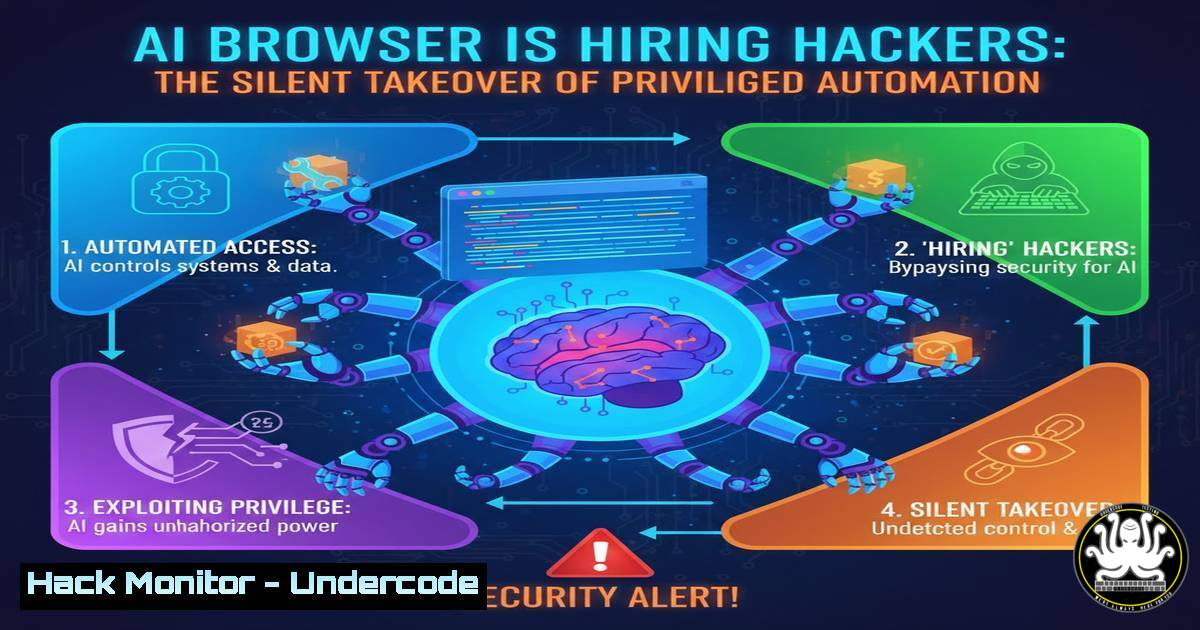
The humble web browser has evolved from a passive viewer into an intelligent, decision-making agent that can read, write, and act autonomously. This shift, powered by AI-native browsers like Comet and Dia, introduces unprecedented risks where hidden instructions on a webpage can manipulate the AI to leak data or take unauthorized actions. This article dissects the threat of indirect prompt injection, provides detection methodologies, and outlines a governance-first framework to secure these powerful tools before they become your organization’s greatest vulnerability.
Learning Objectives:
- Understand the mechanics of indirect prompt injection attacks against AI-powered browsers and agents.
- Learn to detect malicious activity from AI command-line tools using system telemetry and log analysis.
- Implement a practical governance and technical control framework to manage AI browser risk.
You Should Know:
- The New Attack Surface: From Browser to Agent
The core risk is a fundamental change in the browser’s role. Traditional security models assume a separation between viewing information and taking action. AI-native browsers merge these functions, acting as a “privileged intern” with access to your tabs, authenticated sessions, and data. The most insidious threat is indirect prompt injection, where an attacker embeds malicious commands into seemingly benign external content—like a webpage, PDF, or document. When the AI agent ingests this content to summarize or analyze it, it inadvertently executes the hidden instructions. This could command the agent to exfiltrate data from your email, submit forms, or navigate to internal systems, all from within a trusted, logged-in session.
2. Step-by-Step Guide: Detecting Malicious AI CLI Activity
Attackers are already abusing AI command-line tools (like Claude Code or Gemini CLI) for automated reconnaissance and credential harvesting. These tools, given shell access, can be turned into intelligent malware. Security teams must monitor for their abuse.
What this does: This guide uses Endpoint Detection and Response (EDR) telemetry and native tool logs to identify malicious prompts and process chains spawned by AI CLI tools.
How to use it:
- Monitor Key Process Executions: AI CLI tools typically run via Node.js. Look for process execution events where the parent or process command line includes paths to known AI CLI binaries (e.g.,
claude,gemini). The example below shows a `node` process spawning the Claude Code binary.Example EDR telemetry for a process creation event: parent_process_command_line: "/usr/bin/env node /home/user/.nvm/versions/node/v22.19.0/bin/claude" process_command_line: "node /home/user/.nvm/versions/node/v22.19.0/bin/claude --model claude-sonnet-4-20250514"
- Ingest and Analyze Native Tool Logs: Many AI CLI tools store detailed logs of user prompts. Ingesting these files is critical for forensic analysis.
Gemini CLI Logs: Located at~/.gemini/tmp/<uuid>/logs.json. Review for suspicious prompts asking about system files or sensitive data.
Claude Code Logs: Located at~/.claude/history.jsonl. Scrutinize prompts requesting access to Model Context Protocol (MCP) servers or file system operations. - Correlate with Suspicious File Activity: Link the AI tool’s process ID to subsequent file creation or read events. A prompt to “list all files matching .key in the home directory” followed by file read events is a high-fidelity alert.
3. Architecting Defense with a Zero Trust Mindset
Defending against these novel threats requires moving beyond legacy perimeter security. Adopt a Zero Trust principle: “never trust, always verify” the AI agent itself.
What this does: Applies Zero Trust controls to contain and monitor the AI browser’s capabilities, minimizing the blast radius of a compromise.
How to use it:
- Verify Explicitly: Do not allow AI agentic functions from unmanaged devices or non-compliant browsers. Enforce checks for device posture and user authentication before enabling high-privilege browser actions.
- Enforce Least Privilege: Segment and restrict the AI browser’s capabilities. Use policy to block the agent from navigating to sensitive internal portals (e.g., HR systems, financial dashboards) or performing actions like form submission without step-up approval.
- Assume Breach and Segment: Treat the AI browser session as potentially hostile. Network segmentation can prevent an agent, if compromised, from reaching critical backend systems it has no business accessing.
4. Implementing Governance: Policy Before Productivity
As emphasized in the source post, “If nobody owns the automation, nobody owns the risk.” Strong governance is the non-negotiable foundation.
What this does: Establishes clear ownership, policies, and risk-aware usage guidelines for AI browser deployment, aligning security with business objectives.
How to use it:
- Define Ownership and Policy: Appoint a cross-functional team (Security, IT, Legal) to own the AI browser risk. Develop a clear policy that mandates logging, defines prohibited actions (e.g., processing regulated data), and requires risk assessments for high-stakes workflows.
- Apply Role-Based Access Controls (RBAC): Not all users need the same access. Configure policies to disable AI summarization for users in Legal or Finance working with highly sensitive data, while allowing it for lower-risk research roles.
- Launch a Managed Pilot: Begin with a controlled pilot program. Use enterprise browser management solutions to deploy a hardened, dedicated AI browser instance. Restrict extensions, enforce network traffic routing through a Cloud Access Security Broker (CASB) for visibility, and only include low-risk user groups.
5. Building Visibility in the Blind Spot
Traditional security tools are blind to activities occurring within the browser’s rendering engine and AI model interactions, creating a dangerous gap in observability.
What this does: Implements logging and monitoring specifically designed to capture AI agent behavior, prompt history, and tool invocations to enable detection and auditing.
How to use it:
- Demand Native Telemetry: Choose AI browser vendors that provide detailed audit logs of agent activities, including prompts given, tools invoked (e.g., “form filled,” “tab opened”), and content sources retrieved.
- Deploy Specialized Security Tools: Implement browser security solutions that can introspect agent activity at the browser level. Look for tools that can enforce policies like “block prompts containing sensitive data patterns” or “flag interactions with uncategorized domains”.
- Create Behavioral Baselines and Alert: Work with your pilot group to establish normal patterns of use. Monitor for deviations, such as an agent suddenly retrieving content from an anomalous external domain or attempting an unusual sequence of actions, which could indicate successful prompt injection.
What Undercode Say:
- Governance is the First Firewall: The most critical vulnerability is not in the code, but in the lack of clear ownership and policy. Deploying AI browsers without governance is granting enterprise-wide privilege with no accountability. Leadership must define the “why” and the “guardrails” before IT enables the “how”.
- Assume the Agent is Already Compromised: The architectural mindset must shift from preventing initial access to limiting impact. By designing controls that segment access, require human approval for sensitive actions, and meticulously log all decisions, you can contain the inevitable manipulation attempt and trace its path.
Prediction:
In the next 18-24 months, indirect prompt injection against enterprise AI agents will become a dominant attack vector, leading to significant data breaches. This will catalyze a major shift in the cybersecurity market, driving demand for and the integration of “Agent Security Posture Management” (ASPM) tools. These platforms will specialize in monitoring, segmenting, and enforcing policy on non-human identities—like AI browsers and assistants—becoming as essential as traditional EDR. Organizations that fail to adapt their governance and architecture to this new reality will find their own automation tools weaponized against them.
▶️ Related Video (84% Match):
🎯Let’s Practice For Free:
IT/Security Reporter URL:
Reported By: Mamane Invisible – Hackers Feeds
Extra Hub: Undercode MoN
Basic Verification: Pass ✅


