Listen to this Post
Introduction:
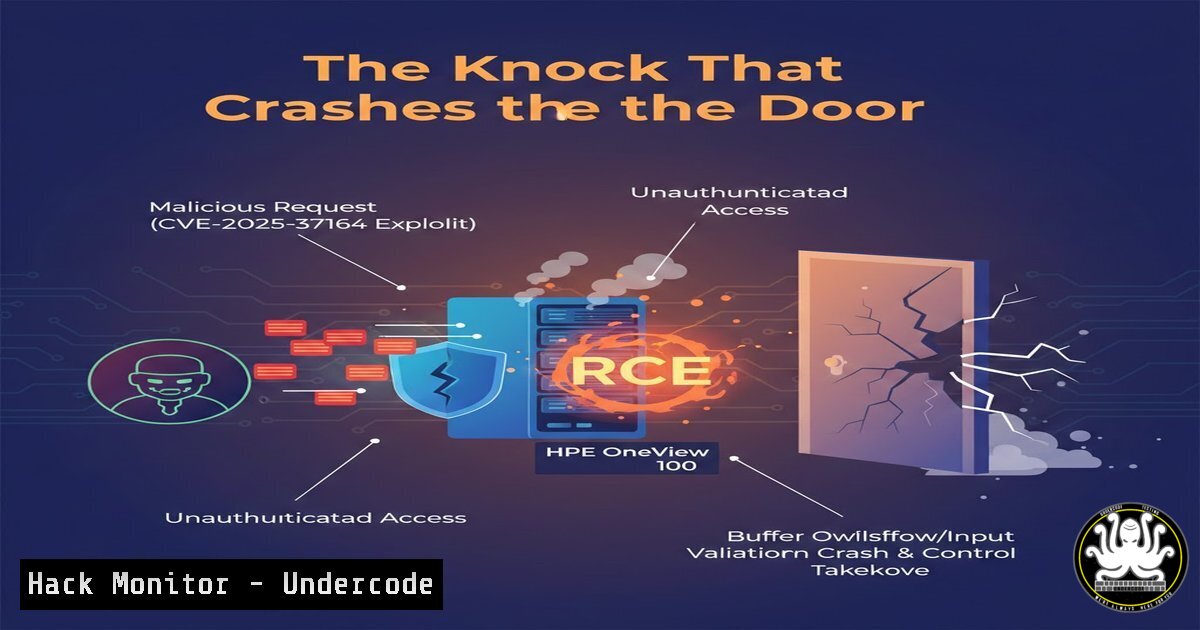
A critical, unauthenticated remote code execution (RCE) vulnerability, CVE-2025-37164, has been disclosed in HPE OneView, carrying the maximum CVSS score of 10.0. This flaw allows a remote attacker to execute arbitrary code on affected systems without any credentials, posing an extreme risk to data centers and IT infrastructure management. Security researcher Nguyen Quoc Khanh of Viettel Cyber Security has publicly warned administrators to upgrade immediately, highlighting the urgent need for patching and environment isolation.
Learning Objectives:
- Understand the technical mechanism and critical impact of CVE-2025-37164 in HPE OneView.
- Learn how to detect, mitigate, and remediate this vulnerability in your environment.
- Gain insights into security hardening practices for enterprise management appliances.
You Should Know:
1. Understanding the Vulnerability and Its Attack Surface
The core of CVE-2025-37164 lies in a failure to properly validate or sanitize user input within a specific component of HPE OneView’s web interface or API. HPE OneView is a comprehensive infrastructure management platform used to provision, manage, and monitor compute, storage, and network resources. An attacker can craft a malicious network request—often a specially formatted HTTP POST or GET request containing code—and send it to a vulnerable endpoint. Because the flaw is “unauth,” no login or session tokens are required, making every internet-exposed instance an immediate target. The successful exploit grants the attacker code execution with the privileges of the OneView application service, which is typically high-level system access.
Step-by-Step Guide to Initial Detection:
Step 1: Identify Affected Systems. Immediately inventory all deployments of HPE OneView. The vulnerability is reported in version 10.0; however, always check HPE’s official security bulletin for exact version ranges.
Step 2: Check External Exposure. Use network scanning tools to determine if your OneView management interface is accessible from untrusted networks (e.g., the internet).
Linux Command (using nmap): `nmap -p 443,8443
Action: The presence of an HPE OneView login page on an internet-facing IP is a critical finding.
Step 3: Review Logs for Anomalies. Examine HPE OneView and web server logs for signs of exploitation attempts, such as unusual HTTP requests to non-standard API endpoints or requests containing patterns like {jndi:ldap://, bash -c, or curl | sh.
2. Immediate Mitigation and Containment Steps
Before patching, you must contain the threat. The goal is to sever the attacker’s access path while preserving evidence and system state for analysis.
Step-by-Step Containment Guide:
Step 1: Network Segmentation. Implement strict firewall rules to block all inbound traffic to the HPE OneView management interface from any network except a designated, secured administrative VLAN or jump host. This is the most critical temporary fix.
Example Linux iptables rule: `iptables -A INPUT -p tcp –dport 443 -s
Windows Advanced Firewall: Create a new inbound rule to block ports 443/TCP and 8443/TCP for all profiles, then create an allow rule for specific source IPs.
Step 2: Isolate the Host. If compromise is suspected, disconnect the physical or virtual host from the network. Take a snapshot of the virtual machine (if applicable) for forensic analysis before making changes.
Step 3: Credential Rotation. Assume credentials stored or used by the HPE OneView system may be compromised. Rotate passwords and API keys for all integrated systems (iLO, SAN switches, storage arrays) and associated service accounts.
3. Patching and Official Remediation
Applying the official patch from HPE is the definitive solution. Do not rely on workarounds as a permanent fix.
Step-by-Step Patching Guide:
Step 1: Source the Patch. Navigate to the official HPE Support Portal and locate the security bulletin for CVE-2025-37164. Download the recommended software update package for your specific OneView version. Never use patches from unofficial sources.
Step 2: Review Release Notes. Carefully read the patch release notes for any prerequisites, known issues, or required steps for a successful update (e.g., pre-upgrade backups, specific firmware levels for managed devices).
Step 3: Execute in Maintenance Window. Apply the update during a scheduled maintenance window. Follow HPE’s documented upgrade procedure exactly. This typically involves uploading the patch file through the OneView web interface and initiating the update, which will restart services.
Step 4: Validate. After the reboot, verify the software version has incremented. Re-test the system’s functionality to ensure core provisioning and management tasks operate correctly.
4. Post-Exploitation Forensic Analysis and System Hardening
After containment and patching, investigate for evidence of compromise and harden the system against future attacks.
Step-by-Step Hardening Guide:
Step 1: Forensic Log Collection. Securely archive all logs from the period before isolation.
Linux Command: Use `tar czvf oneview_logs_forensic.tar.gz /var/log/oneview/ /var/log/apache2/ /var/log/syslog` and transfer the archive to a secure analysis workstation.
Step 2: Hunt for Artifacts. Search for common post-exploitation payloads, reverse shells, and cryptocurrency miners.
Command to look for unusual processes (Linux): `ps auxf | grep -E ‘(sh|bash|curl|wget|\.py|\.php|minerd|xmrig)’`
Command to check for unauthorized listeners (Linux): `netstat -tunlp | grep -vE ‘(:443|:8443|:22|ESTABLISHED)’`
Step 3: Harden the Deployment.
Enforce TLS 1.2/1.3: Disable older, vulnerable protocols like SSLv3 and TLS 1.0/1.1 in the web server configuration.
Implement Web Application Firewall (WAF): Deploy a WAF in front of the management interface with rules to block RCE and injection patterns.
Principle of Least Privilege: Audit and minimize the permissions of the OS and service accounts used by HPE OneView.
5. Leveraging the Incident for Proactive Security Posture
Use this critical event as a catalyst to improve your overall security governance and incident response (IR) capabilities.
Step-by-Step Guide for Proactive Improvement:
Step 1: Update IR Playbooks. Document the steps taken during this event (detection, containment, eradication, recovery) and formalize them into an Incident Response Playbook for “Critical RCE in Management Appliances.”
Step 2: Initiate a Vulnerability Management Review. Assess why this critical patch needed external disclosure to prompt action. Improve processes to ensure timely ingestion of vendor advisories and automated asset tracking for all management platforms.
Step 3: Conduct Purple Team Exercises. Simulate an attack leveraging a similar unauthenticated RCE flaw against other management systems in your environment (e.g., vCenter, SCCM, network controller APIs) to test detection and response.
What Undercode Say:
- Critical Infrastructure is a Prime Target: Management platforms like HPE OneView are “crown jewels” because they control vast swathes of infrastructure. A single flaw provides attackers with a powerful pivot point. The trend of critical vulnerabilities in data center management software is accelerating and demands prioritized security focus.
- The “Unauth” Qualifier is a Force Multiplier: The lack of an authentication requirement fundamentally changes the risk calculus. It enables automated, wormable exploitation. Defenders must assume any internet-exposed, vulnerable instance will be compromised within hours, not days.
Analysis: The disclosure of CVE-2025-37164 follows a concerning pattern of high-severity flaws in enterprise management tools. It underscores a persistent failure in secure development lifecycle (SDL) practices for complex appliance software. The researcher’s public “knock knock” warning signals a shift towards more forceful disclosure tactics to prompt lagging enterprises into action. For defenders, this is a stark reminder that internally trusted management planes must be treated with the same defensive rigor as external-facing systems—segmented, monitored, and patched with extreme urgency. The financial and reputational damage from a compromised OneView system, leading to data exfiltration or ransomware deployment across managed infrastructure, would be catastrophic.
Prediction:
The future impact of this specific hack will catalyze a short-term surge in opportunistic scanning and exploitation attempts against HPE OneView, leading to targeted ransomware incidents in vulnerable organizations. In the broader landscape, it will further erode trust in monolithic infrastructure management platforms, accelerating the adoption of zero-trust architectural principles within data centers. This event will pressure other vendors to undergo intensive security audits of their similar products, potentially leading to a wave of analogous disclosures. Ultimately, it reinforces the inevitable convergence of IT operations (ITOps) and security operations (SecOps), making comprehensive vulnerability management for all software, not just customer-facing applications, a non-negotiable business imperative.
▶️ Related Video (78% Match):
🎯Let’s Practice For Free:
IT/Security Reporter URL:
Reported By: Nguyen Quoc – Hackers Feeds
Extra Hub: Undercode MoN
Basic Verification: Pass ✅


