Listen to this Post
Introduction:
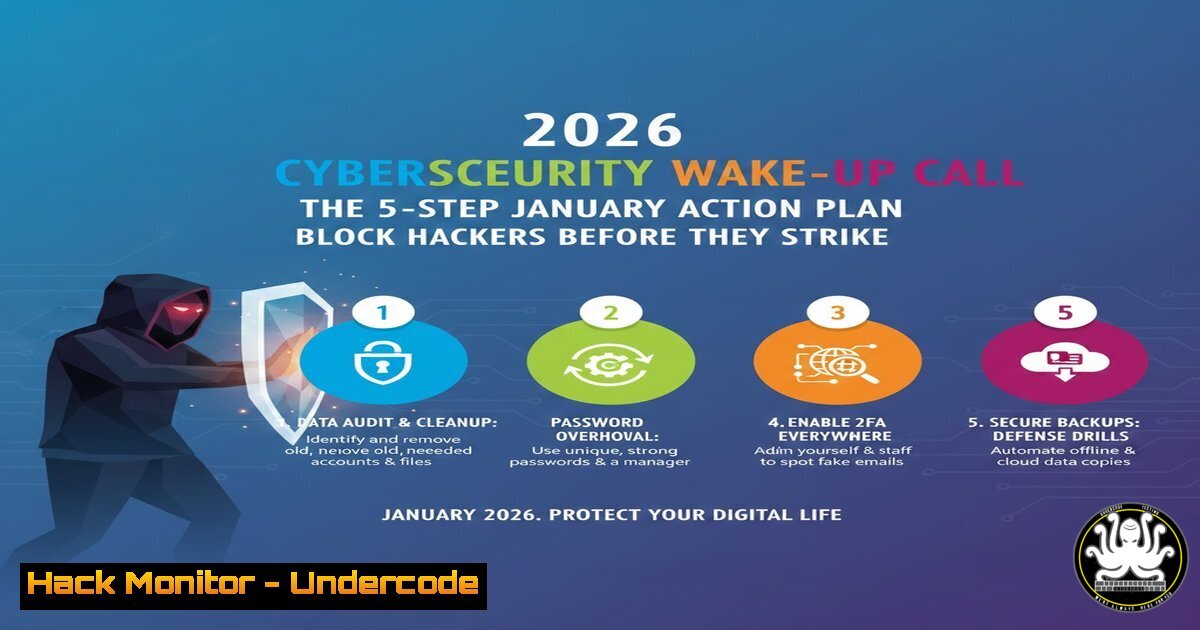
As we enter 2026, cyber threats are more sophisticated and automated than ever. A single weak password or unpatched system can be the entry point for a devastating breach, derailing your business goals before the first quarter ends. This article translates the critical New Year’s cybersecurity resolutions into a concrete, actionable technical guide for IT professionals and security-conscious leaders, moving beyond advice to implementation.
Learning Objectives:
- Implement and enforce Multi-Factor Authentication (MFA) across core infrastructure and cloud services.
- Establish a systematic, verifiable patch management process for OS and software.
- Deploy and manage enterprise-grade password hygiene and credential management.
- Construct and test an effective internal phishing awareness and reporting protocol.
- Initiate a fundamental data protection review focusing on classification and access controls.
You Should Know:
- Architecting Robust Multi-Factor Authentication (MFA) Beyond the Basics
Simply “enabling MFA” is not enough; it must be correctly configured and mandated. The goal is to eliminate reliance on SMS-based codes (vulnerable to SIM-swapping) and move towards phishing-resistant factors.
Step-by-step guide:
Audit & Prioritize: Inventory all user-facing systems (Azure AD/Entra ID, AWS IAM, Google Workspace, VPN, SSH gateways, critical SaaS apps). Prioritize admin and privileged access accounts first.
Enforce Phishing-Resistant MFA: In your identity provider (e.g., Microsoft Entra ID), navigate to Security > Authentication methods > Policy. Disable weaker methods and enable FIDO2 security keys (like Yubikey) or Certificate-based authentication as the primary method for admins. For general users, enforce Microsoft Authenticator app or similar TOTP generators.
Configure Conditional Access (Azure AD Example): Create a policy that blocks legacy authentication and requires MFA from untrusted networks.
 Example: Check for legacy auth protocols being used (sign-in logs)
Get-MgAuditLogSignIn -Filter "clientAppUsed eq 'exchangeActiveSync'" -Top 50
For Linux Servers (SSH): Enforce MFA using Google Authenticator (PAM module).
 On Ubuntu/Debian
sudo apt install libpam-google-authenticator
 Edit /etc/pam.d/sshd and add:
auth required pam_google_authenticator.so
 Edit /etc/ssh/sshd_config and set:
ChallengeResponseAuthentication yes
 Restart SSH: sudo systemctl restart sshd
2. Implementing a Verifiable Patch Management Cycle
“Update everything” requires a strategy, not just clicking “Check for updates.” The core is establishing a cadence and validation process.
Step-by-step guide:
Inventory & Assess: Use a tool like apt, yum, or Windows native commands to list outdated packages/software.
 Linux (Debian/Ubuntu)
sudo apt update && sudo apt list --upgradable
 Linux (RHEL/CentOS)
sudo yum check-update
 Windows (PowerShell as Admin)
Get-HotFix | Sort-Object InstalledOn -Descending | Select-Object -First 20
Get-WmiObject -Class Win32_QuickFixEngineering | Select-Object HotFixID, InstalledOn
Prioritize: Cross-reference with databases like the NVD (National Vulnerability Database) or your vulnerability scanner (e.g., Nessus, OpenVAS) to prioritize patches with Critical/High CVSS scores.
Test & Deploy: Use a staged rollout. Deploy patches to a test group (non-critical servers/devices) first. Use automation:
 Linux automated security updates (unattended-upgrades)
sudo apt install unattended-upgrades apt-listchanges
sudo dpkg-reconfigure --priority=low unattended-upgrades
For Windows, configure Windows Server Update Services (WSUS) or Microsoft Intune to approve and schedule updates.
Verify: Post-patch, verify system stability and run a vulnerability scan again to confirm remediation.
3. Enforcing Enterprise Password Hygiene with Technical Controls
Password changes are ineffective if old habits persist. You must enforce complexity and eliminate password reuse through technology.
Step-by-step guide:
Implement a Password Manager: Deploy an enterprise solution (e.g., 1Password Teams, LastPass Enterprise, Bitwarden). Onboard all users and mandate its use for business credentials.
Configure Active Directory Password Policy (or equivalent): Enforce technical complexity.
 Set via Group Policy Management Console (GPMC) or PowerShell
Set-ADDefaultDomainPasswordPolicy -Identity yourdomain.com -MinPasswordLength 14 -ComplexityEnabled $true -LockoutThreshold 5 -LockoutDuration 00:30:00
Deploy Credential Screening: Use tools like Microsoft’s “Banned Password List” (in Azure AD Password Protection) or HaveIBeenPwned’s API via custom scripts to prevent the use of known compromised passwords.
Monitor for Credential Exposure: Utilize Azure AD Identity Protection or Dark Web monitoring services to alert if corporate emails appear in new data dumps.
- Building a Proactive Human Firewall with Phishing Simulations
Awareness is built through consistent, measured training. Move from “alerting your team” to testing and reinforcing their vigilance.
Step-by-step guide:
Craft a Realistic Phishing Template: Mimic common post-holiday lures: “Your delivery failed,” “Q1 expense reports,” or “Updated company handbook.”
Use a Simulation Platform: Tools like KnowBe4, ProofPoint Security Awareness, or Microsoft Attack Simulation Training (in Defender for Office 365) allow you to send controlled phishing emails.
Segment Your Audience: Start with a small, informed group (like the IT team), then roll out to the entire organization.
Provide Immediate Feedback: When a user clicks a simulated phishing link, immediately present a brief, constructive training page explaining the red flags they missed.
Track Metrics & Re-train: Measure click-through and report rates. Departments with high failure rates should be enrolled in mandatory additional training modules.
5. Initiating a Foundational Data Protection Audit
“Protect your data” starts with knowing what data you have, where it lives, and who can access it.
Step-by-step guide:
Classify Data: Define categories (Public, Internal, Confidential, Restricted). Use tools like Microsoft Purview Information Protection or Amazon Macie (for AWS S3) to automatically discover and classify sensitive data (PII, PCI, IP).
Review Access Controls: For key file servers (e.g., NAS, SharePoint) and databases, audit user permissions. Use the Principle of Least Privilege.
 Linux: Review permissions recursively for a critical directory
find /path/to/data -type f -exec ls -la {} \;
 Or use getfacl for detailed ACLs
getfacl /path/to/data
 Windows: Audit NTFS permissions
Get-Acl C:\CorporateData | Format-List
Enable Logging & Monitoring: Ensure audit logs are enabled for access to sensitive data repositories. Forward these logs to a SIEM (e.g., Splunk, Sentinel, QRadar).
Plan for Encryption: Document where data is encrypted at rest (full disk, database TDE) and in transit (TLS). Prioritize encrypting any identified sensitive data stores that are currently unencrypted.
What Undercode Say:
Cybersecurity is a Process, Not a Resolution: The five actions are not a one-time checklist but the core components of a continuous security hygiene program. Automation and policy enforcement are key to sustaining them.
The Human Layer is Your Critical Attack Surface: Technical controls (MFA, patching) are rendered useless if a user hands over credentials via a sophisticated phishing attack. Continuous, measured security awareness training is as critical as any firewall rule.
Prediction:
The convergence of AI-driven attack automation and an expanding attack surface (IoT, hybrid work) will make 2026 a pivotal year. Businesses that treat these foundational hygiene practices as a mandatory, monitored operational rhythm will significantly raise their defensive baseline. Those that do not will face near-inevitable breaches, not from advanced zero-days, but from exploited, known vulnerabilities and stolen credentials—incidents that are entirely preventable with the disciplined execution of this January plan. The gap between the secure and the vulnerable will widen dramatically, dictated by the rigor applied to these fundamental controls.
▶️ Related Video (76% Match):
🎯Let’s Practice For Free:
IT/Security Reporter URL:
Reported By: Sammieobayagbona Cybersecurity – Hackers Feeds
Extra Hub: Undercode MoN
Basic Verification: Pass ✅


