Listen to this Post
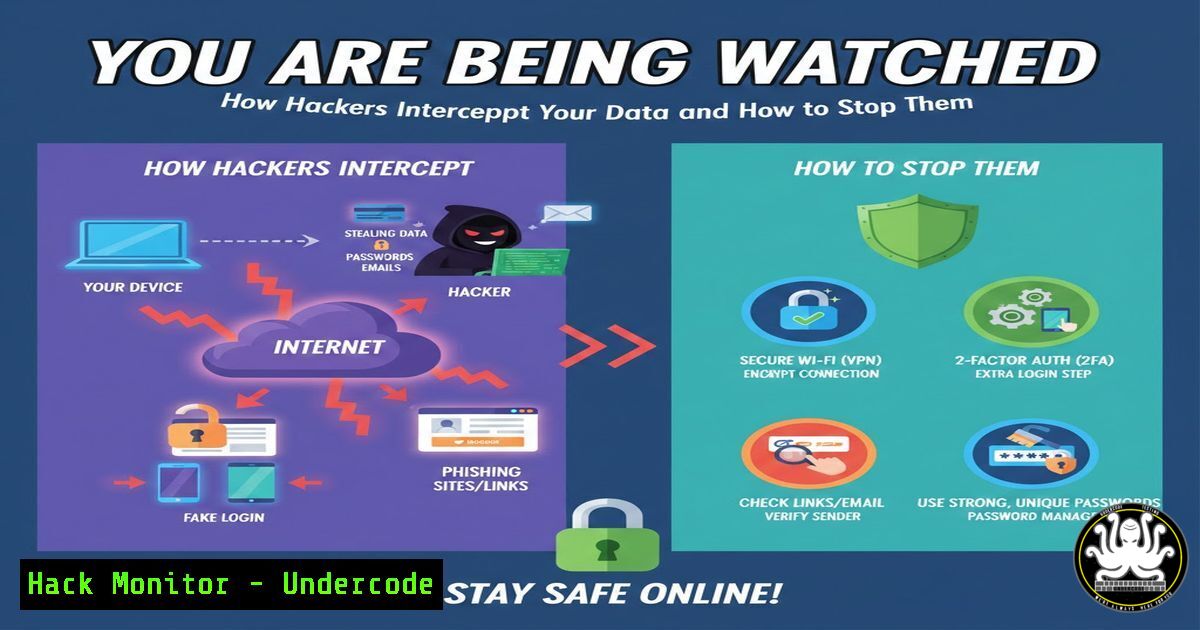
Introduction:
Cybersecurity transcends the mere knowledge of tools; it demands a deep understanding of the attacker’s mindset, the defender’s methodology, and the underlying science of secure networks. This article delves into the core technical concepts from an intensive cybersecurity bootcamp, demystifying Man-in-the-Middle (MITM) attacks, ARP Poisoning, and the critical defensive skills needed to detect and mitigate these threats in real-time. We will bridge the gap between theoretical knowledge and practical, hands-on execution.
Learning Objectives:
- Understand the mechanics and execution of ARP Poisoning and Man-in-the-Middle attacks.
- Learn to use Wireshark for detecting malicious network activity and Ettercap for penetration testing.
- Master fundamental Linux security commands and grasp the cryptographic principles that underpin digital trust.
You Should Know:
1. The Anatomy of an ARP Poisoning Attack
ARP (Address Resolution Protocol) is the trust-based system that maps IP addresses to MAC addresses on a local network. ARP Poisoning exploits this trust by flooding the network with forged ARP replies, tricking devices into sending their data to the attacker’s machine instead of the legitimate gateway.
Step-by-step guide explaining what this does and how to use it.
Step 1: Network Reconnaissance. First, identify your target and the network gateway. On Linux, use the `arp-scan` command to discover hosts on the network.
`sudo arp-scan –localnet`
Step 2: Enable IP Forwarding. To avoid disrupting network traffic and making the attack less obvious, enable IP forwarding on your machine. This allows the attacker to relay packets between the victim and the gateway.
`echo 1 > /proc/sys/net/ipv4/ip_forward`
Step 3: Execute the Poisoning. Using a tool like `arpspoof` (part of the dsniff suite), send forged ARP replies to both the target and the gateway, convincing each that your MAC address is associated with the other’s IP.
`arpspoof -i eth0 -t 192.168.1.105 192.168.1.1`
`arpspoof -i eth0 -t 192.168.1.1 192.168.1.105`
(Replace `eth0` with your interface, and the IPs with your target and gateway).
2. Intercepting Traffic with Ettercap
Ettercap is a comprehensive suite for MITM attacks. It automates ARP poisoning and provides a user-friendly interface (text or GUI) to intercept, log, and modify traffic on the fly.
Step-by-step guide explaining what this does and how to use it.
Step 1: Launch Ettercap. Start Ettercap in text mode with sudo privileges.
`sudo ettercap -T`
Step 2: Scan for Hosts. Discover all hosts on the network.
Press `H` to bring up the host list, then select Scan for hosts.
Step 3: Select Targets. Add the target IP to `Target 1` and the gateway IP to Target 2. This defines the communication stream you want to intercept.
`:-> //192.168.1.105/ //192.168.1.1/`
Step 4: Start ARP Poisoning. From the menu, navigate to `Mitm` -> ARP poisoning. Select “Sniff remote connections” and confirm. Ettercap will now begin poisoning the ARP tables and intercepting all traffic between the two targets.
3. Detecting Malicious Activity with Wireshark
A defender’s primary tool is a network protocol analyzer like Wireshark. It allows SOC analysts to inspect every packet traversing the network and identify anomalies indicative of an attack.
Step-by-step guide explaining what this does and how to use it.
Step 1: Capture Traffic. Start a packet capture on your network interface.
Step 2: Filter for ARP Traffic. To spot ARP poisoning, use the display filter: arp.duplicate-address-detected or arp.option.type == 0x002. A flood of ARP packets from a single MAC address claiming to be multiple IPs is a major red flag.
Step 3: Analyze for Unusual Patterns. Look for a high volume of ARP requests/replies, or a single IP address having two different MAC addresses associated with it in a short time frame—a clear sign of ARP table manipulation.
4. Cryptography Fundamentals: Hashing vs. Encryption
Cryptography is the bedrock of security. Hashing is a one-way function that converts data into a fixed-size string (a digest), used for verifying integrity (e.g., checking file hashes). Encryption is a two-way process that scrambles data using a key, allowing it to be decrypted later for confidentiality.
Step-by-step guide explaining what this does and how to use it.
Hashing in Linux: Use `sha256sum` or `md5sum` to verify file integrity.
`sha256sum important_document.pdf`
This generates a unique fingerprint. If the file is altered, the hash will change completely.
Symmetric Encryption with OpenSSL: Encrypt and decrypt a file using a password.
`openssl enc -aes-256-cbc -salt -in secret.txt -out secret.enc -k MyPassword`
`openssl enc -d -aes-256-cbc -in secret.enc -out secret_decrypted.txt -k MyPassword`
5. Essential Linux Security Commands for Every Analyst
Linux is the operating system of choice for cybersecurity operations. Proficiency in the terminal is non-negotiable.
Step-by-step guide explaining what this does and how to use it.
File Permissions: Control access to files. Use `chmod` to change permissions and `chown` to change ownership.
`chmod 600 private_key.pem` (Only the owner can read/write)
`chmod 755 script.sh` (Owner can read/write/execute, everyone else can read/execute)
`sudo chown root:root sensitive_file.conf`
Network Diagnostics: Use `netstat` or `ss` to see open ports and connections.
`sudo netstat -tulnp` (List all listening ports and the associated processes)
`ss -tunlp` (A modern, faster alternative to netstat)
Process Management: Identify and manage running processes with `ps` and kill.
`ps aux | grep ettercap` (Find the Ettercap process)
`sudo kill -9 [bash]` (Forcefully terminate a process by its PID)
What Undercode Say:
- The Illusion of a Safe LAN: The most dangerous attacks often originate from inside the network perimeter. ARP Poisoning demonstrates that a local network connection is not a security guarantee.
- Visibility is Defense: The single most critical skill for a blue teamer is the ability to read and interpret network traffic. Tools like Wireshark turn an opaque stream of data into a readable narrative of network health and threat.
The bootcamp’s approach correctly frames cybersecurity as a battle of intellect and process, not just software. The immediate practical application of launching an attack with Ettercap creates a visceral, unforgettable understanding of the vulnerability, which in turn builds a more competent defender. By coupling the “how to attack” with the “how to detect,” students develop a holistic view of the security lifecycle. This method of teaching—forcing students to first break in order to learn how to build and defend—is what creates true analytical thinkers capable of anticipating novel threats rather than just responding to known ones.
Prediction:
As IoT devices and BYOD (Bring Your Own Device) policies proliferate, Layer 2 attacks like ARP Poisoning will see a resurgence. These devices are often poorly secured and rarely monitored, making them perfect pawns for attackers seeking a foothold inside a network. Furthermore, the evolution of encrypted protocols (like DNS-over-HTTPS and pervasive TLS) will shift MITM attacks towards more sophisticated endpoints, such as compromising client certificates or exploiting vulnerabilities in the TLS handshake itself. The future defender will need deep packet inspection capabilities and a robust Public Key Infrastructure (PKI) management strategy to maintain visibility and trust in an increasingly encrypted and device-saturated world.
🎯Let’s Practice For Free:
IT/Security Reporter URL:
Reported By: Maxwell Uchenna – Hackers Feeds
Extra Hub: Undercode MoN
Basic Verification: Pass ✅


