Listen to this Post
Introduction:
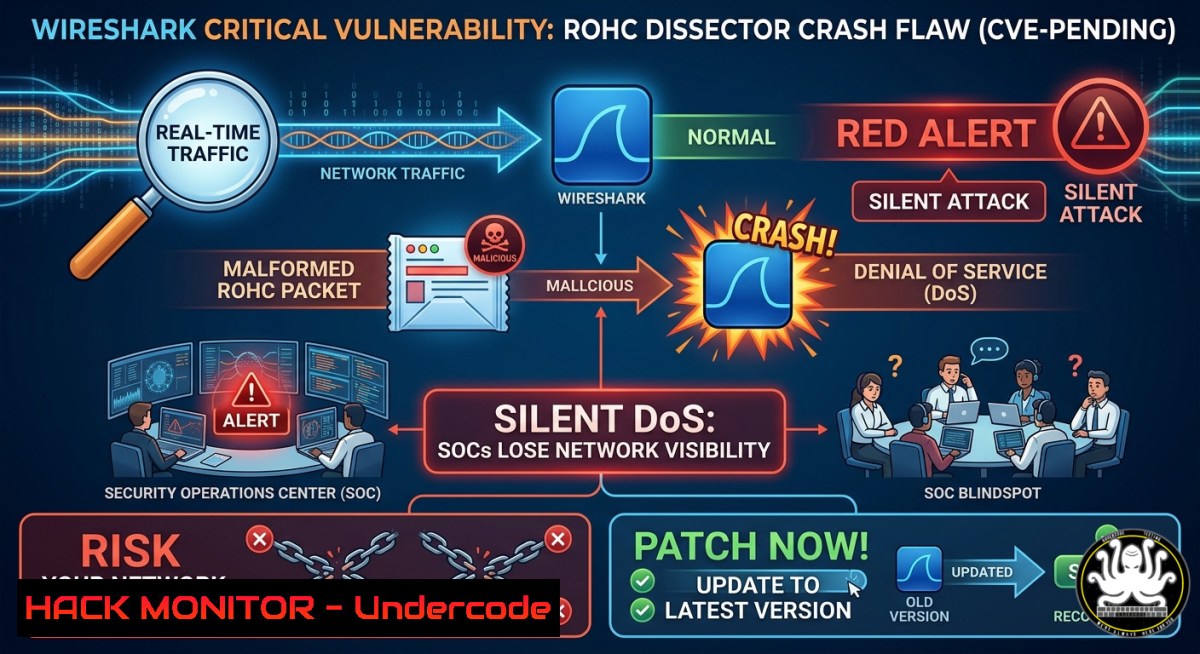
The world’s most popular network protocol analyzer, Wireshark, has just received a critical security update. Version 4.6.6 addresses a high-severity vulnerability (wnpa-sec-2026-51) in the Robust Header Compression (ROHC) dissector that allows an attacker to crash the entire application by injecting a single malformed packet. For Security Operations Center (SOC) analysts and incident responders relying on live captures and .pcap analysis, this flaw poses a tangible operational threat, turning a trusted diagnostic tool into a potential point of failure.
Learning Objectives:
- Understand the mechanics of the ROHC dissector crash, including the specific heap corruption scenario that leads to a denial-of-service (DoS) condition.
- Learn step-by-step procedures to verify your Wireshark version, implement the patch across Linux and Windows environments, and safely test the vulnerability using crafted PCAPs in an isolated lab.
- Explore advanced mitigation strategies, including dissector fuzzing techniques, whitelisting, and tool hardening to prevent future supply-chain or file-based attacks on analysis workstations.
You Should Know:
- Analyzing the ROHC Dissector Crash: A Deep Dive into the Vulnerability (wnpa-sec-2026-51)
The core issue, tracked as Issue 21243, resides in how the ROHC dissector handles memory allocation when processing a packet with a specific, unusual combination of parameters. This vulnerability is a logic flaw, not a simple buffer overflow, making it more subtle to detect via basic scanning.
What the Post Said (Expanded): The vulnerability is triggered when the dissector processes a malformed ROHC packet that uses the “uncompressed profile” (profile=0) while the `large_cid_present` flag is set to true. In this specific scenario, the code attempts to allocate zero bytes of memory when the packet ends exactly at the CID field (len == val_len). The function `wmem_alloc(pool, 0)` returns a NULL pointer. Subsequent operations then attempt to write one byte of data to this NULL pointer, leading to a NULL pointer write and an immediate application crash.
Technical Impact: This is a classic Denial of Service (DoS) vulnerability with a CVSS v3 base score of 7.5 (High). An attacker can exploit this by injecting a single crafted ROHC packet into a live network stream or, more dangerously, by distributing a malicious `.pcap` file. When an unsuspecting analyst opens this file in a vulnerable version of Wireshark (4.4.x and 4.6.x before this patch), the application will crash instantly, potentially disrupting ongoing investigations or forensic analysis.
Verification Commands (Linux & Windows):
To verify your current Wireshark version, use the following commands:
On Linux:
 For systems using dpkg (Debian/Ubuntu)
dpkg -l | grep wireshark

For systems using rpm (RHEL/Fedora/CentOS)
rpm -qa | grep wireshark

Direct method: run wireshark --version
wireshark --version
On Windows:
 Open PowerShell and query the installed application
Get-ItemProperty "HKLM:\Software\Microsoft\Windows\CurrentVersion\Uninstall\" | Where-Object {$_.DisplayName -like "Wireshark"} | Select-Object DisplayName, DisplayVersion

Or use the command line from the installation directory
"C:\Program Files\Wireshark\tshark.exe" --version
If the output shows “Wireshark 4.6.5” or any 4.4.x version, your system is vulnerable to the ROHC crash and must be updated immediately.
2. Step-by-Step Patching Guide: Securing Your Wireshark Installation
Patching is the primary and most effective mitigation. Here is how to safely update your Wireshark deployment across different operating systems.
Step 1: Back Up Critical Configurations
Before making changes, preserve your personal settings and display filters. These are located at:
– Windows: `%APPDATA%\Wireshark`
– Linux/macOS: `~/.config/wireshark`
Step 2: Update via Package Manager (Linux)
This is the recommended method for Linux systems to maintain consistency.
 Debian/Ubuntu
sudo apt update && sudo apt upgrade wireshark

RHEL/Fedora/CentOS
sudo dnf update wireshark

Arch Linux
sudo pacman -Syu wireshark-cli wireshark-qt
Step 3: Update on Windows
- Option A (Manual): Download the official installer from the Wireshark download page. The Windows installer in version 4.6.6 has been updated to ship with Npcap 1.88, which is crucial for stable live captures.
- Option B (Command Line – Silent Install): For enterprise deployment, use PowerShell as an administrator:
Download the installer (adjust URL for latest version)
Invoke-WebRequest -Uri "https://2.na.dl.wireshark.org/win64/Wireshark-4.6.6-x64.exe" -OutFile "$env:TEMP\Wireshark-4.6.6-x64.exe"
Run silent installation
Start-Process "$env:TEMP\Wireshark-4.6.6-x64.exe" -ArgumentList "/S" -Wait
- Note: The update also resolves a critical bug where Wireshark 4.6.5 would fail to run on Windows 10 version 1809 (and its Server 2019 counterpart). This patch restores full functionality on these legacy but widely used platforms.
- Building a Lab Environment to Test and Fuzz the ROHC Vulnerability
For advanced security analysts and researchers, understanding how to replicate and test this bug in a sandbox environment is key to building robust defenses.
Step 1: Set Up a Safe Sandbox
Use a virtual machine (VM) with an isolated network to prevent accidental triggering on a production network. Install a vulnerable version of Wireshark (e.g., 4.6.5) inside this VM.
Step 2: Create a Proof-of-Concept (PoC) with Scapy
You can use the Python library `scapy` to craft the malformed packet. While a full exploit script is complex, the core idea involves constructing a ROHC packet with the specific parameters that trigger the NULL write.
from scapy.all import

This is a simplified example; the actual exploit requires a multi-packet sequence
 to establish the ROHC context (profile=0, large_cid=true).
 The goal is to generate a packet that will cause wmem_alloc(pool, 0) to return NULL.
 For a working PoC, refer to the official Wireshark GitLab issue 21243 for precise packet details.

def craft_malformed_rohc():
 Craft packet layers here to target the ROHC dissector
 Send the packet or save to a .pcap file
pass
A safer approach for testing is to use the official fuzz job output provided by the Wireshark developers. Fuzzing jobs are automated tests that throw random, malformed data at the dissectors to find crashes. The log for this specific vulnerability references a fuzz job crash file: fuzz-2026-05-18-14414274873.pcap. Using this PCAP in your lab will trigger the crash without requiring you to develop an exploit.
Step 3: Monitor for Crashes
Run a vulnerable version of `tshark` (the command-line version of Wireshark) against the malicious PCAP. The crash will be immediate.
 Run this on a vulnerable 4.6.5 installation in your lab
tshark -r malicious.pcap
 Expected output: Segmentation fault (core dumped) or an unhandled application crash
4. Advanced Mitigations and Analyst Hardening
While patching is the priority, these intermediate to advanced steps will strengthen your defense-in-depth strategy.
Extcap Plugin Path Changes (Linux):
Starting with Wireshark 4.6, the location for extcap binaries (plugins that capture from external interfaces) has changed. They are now found in `/usr/libexec/wireshark/extcap` by default, moving away from architecture-specific directories like /usr/lib64. This change aligns with standard UNIX conventions. For analysts, this means third-party extcap plugins must be installed in this new directory to function.
Setting the Extcap Path Override:
If you are on a distribution like Alpine Linux that does not use a `libexec` directory, or if you need to maintain compatibility with older plugins, you can override the search path using an environment variable:
export WIRESHARK_EXTCAP_DIR=/custom/path/to/extcap
wireshark
Integrating with EDR/Application Control:
Given that attackers can use malicious `.pcap` files as a vector, Security Operations Centers should implement application whitelisting or behavioral monitoring for network analysis tools. Restrict Wireshark’s ability to write crash dumps or execute child processes, and monitor for repeated, sudden terminations of `wireshark.exe` or tshark.
What Undercode Say:
- Immediate Patching is Non-Negotiable: “Wireshark is so widely used in SOCs and incident response that crashes from malformed packets are worth patching quickly.” Delaying this update directly exposes your network monitoring and forensic capabilities to a trivial but effective DoS attack.
- Broader Ecosystem Impact: The ROHC dissector crash is just one of over a dozen stability and security fixes in this release. Ignoring this patch means you also remain vulnerable to a global buffer overflow in the MACsec dissector and other memory corruption issues, creating a multi-vector risk for your analysis workstations.
Expected Output:
The primary expected output after patching is operational stability. When your updated Wireshark 4.6.6 processes the previously crashing `fuzz-2026-05-18-14414274873.pcap` file, it will no longer result in a segmentation fault. Instead, the dissector will safely handle the malformed packet, showing a protocol error in the expert info panel rather than crashing the entire application. This translates to uninterrupted network analysis and reliable incident response.
Prediction:
We will see a rise in “fileless” or “PCAP-based” attack vectors where adversaries use malformed packet captures as the initial exploit. As network analysis tools become more complex and integrated with AI-driven security orchestration, vulnerabilities in dissectors will become prime targets for supply-chain and lateral movement attacks. Consequently, organizations will need to treat protocol analyzers as high-value assets, implementing rigorous patch management, regular fuzzing of their own capture libraries, and running analysis tools in isolated, ephemeral sandbox environments. The era of trusting your analysis toolchain implicitly is ending—continuous validation and hardening are now mandatory.
▶️ Related Video (68% Match):
https://www.youtube.com/watch?v=5QTtQMwpncs
🎯Let’s Practice For Free:
IT/Security Reporter URL:
Reported By: Cybersecuritynews Wireshark – Hackers Feeds
Extra Hub: Undercode MoN
Basic Verification: Pass ✅


