Listen to this Post
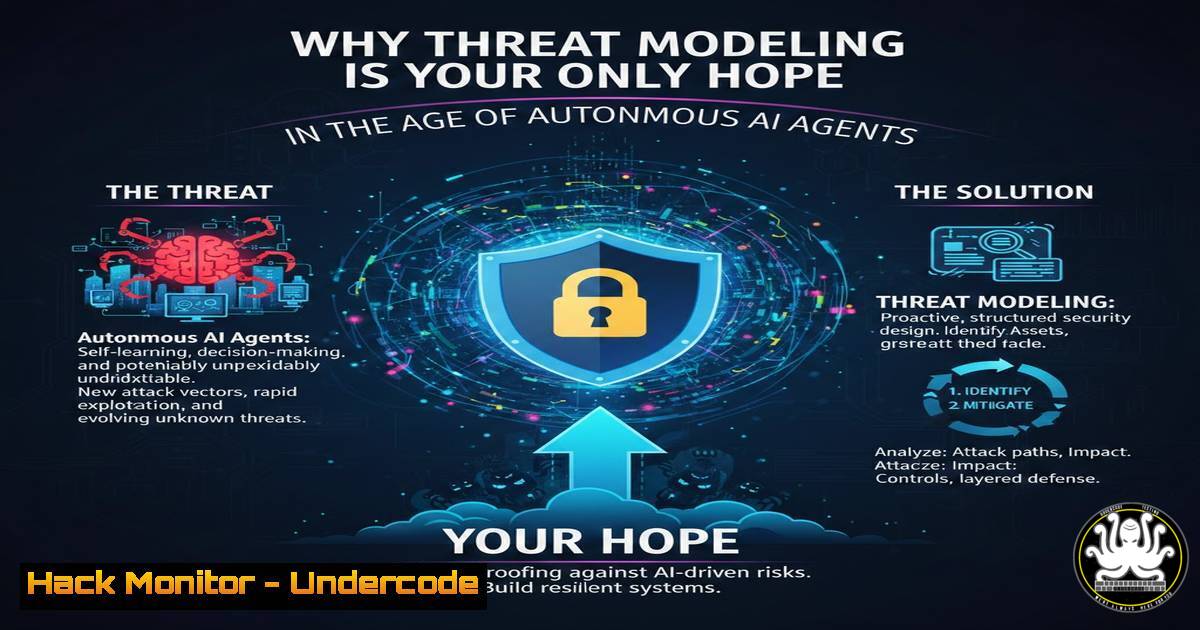
Introduction:
As large language models evolve from simple chatbots into autonomous “agentic systems,” they are being granted unprecedented access to tools, APIs, and sensitive data to make decisions on the fly. However, this leap in capability introduces complex new attack surfaces where traditional perimeter-based security falls short. To understand how data flows and permissions cascade through these non-deterministic environments, security teams must return to a foundational practice: threat modeling, now re-engineered for the era of AI.
Learning Objectives:
- Understand the unique security challenges introduced by agentic AI systems compared to traditional software.
- Learn how to map data, control, and authority planes within an AI agent architecture.
- Identify practical steps and commands to audit AI permissions and data flows in development environments.
You Should Know:
- Deconstructing the Agentic Triad: Control, Data, and Authority
Modern AI agents operate across three distinct logical layers, and conflating them is where most threats emerge. The Control Layer handles the logic and decision-making (the LLM). The Data Layer consists of the context, retrieval-augmented generation (RAG) databases, and conversation history. The Authority Layer manages the permissions and API keys used to execute actions.
When threat modeling, you must trace how a prompt injection attack in the Control Layer can manipulate the Authority Layer to exfiltrate data from the Data Layer. A simple way to visualize this is by mapping environment variables and API permissions.
Step‑by‑step guide: Auditing Current Agent Permissions (Linux/macOS)
If your agent uses environment variables for API keys (a common practice), you can audit what is exposed to the process:
 List all environment variables currently set (useful to see what an agent process might inherit)
printenv | grep -E "API_KEY|SECRET|TOKEN|PASSWORD"

If running a Python-based agent, you can inspect the permissions of the keys programmatically
 Example: Check the scope of a GitHub token (requires <code>jq</code>)
echo $GITHUB_TOKEN | gh api /user --method GET -H "Authorization: token $GITHUB_TOKEN" 2>&1 | head -n 20
This helps you understand the blast radius. If your agent’s token has `repo` and `admin:org` scopes, a prompt injection could lead to a full repository takeover.
- Mapping Data Flow Diagrams (DFDs) for LLM Apps
Before writing code, draw the data flow. In agentic systems, data doesn’t just travel from Point A to B; it loops back with modifications. A threat model must account for the “feedback loop.”
Step‑by‑step guide: Creating a Context Diagram
Using a tool like `draw.io` or even a markdown-based Mermaid chart, define the trust boundaries.
1. Identify External Entities: The user, third-party APIs (Slack, email, databases).
2. Identify Processes: The Orchestrator Agent, the Tool-using Agent, the Memory Agent.
3. Identify Data Stores: Vector databases, session history logs, configuration files.
4. Draw Trust Boundaries: A crucial boundary is between the LLM (untrusted, due to potential injection) and the Execution Engine (trusted, as it holds the keys).
Code Snippet: Visualizing a Boundary in Mermaid
graph TD
User((User)) -->|Prompt| Orchestrator;
subgraph Trust_Boundary_Execution [Execution Environment]
Orchestrator -->|Calls| ToolAgent[Tool Agent];
ToolAgent -->|Reads/Write| VectorDB[(Vector DB)];
ToolAgent -->|API Call (with Key)| ExternalAPI[External Service];
end
ExternalAPI -->|Data Return| ToolAgent;
ToolAgent -->|Response| Orchestrator;
Orchestrator -->|Output| User;
This visual forces you to ask: “If the Tool Agent is compromised, can it read all vectors? Can it rotate its own API key?”
3. Simulating a “Permission Confusion” Attack
One of the primary threats Joe Bollen highlights is the complexity of conditional scenarios. An agent might have permission to read an email but not to delete it. However, if the agent is tricked into writing a script that uses its email token, it might bypass that logic.
Step‑by‑step guide: Testing Least Privilege (Linux/Windows)
You can simulate this by creating a test agent with a service account and attempting to perform an action it shouldn’t. For a file-system based agent:
 Linux: Create a user with restricted access for the agent
sudo useradd -m -s /bin/bash agent_test_user

Give it read-only access to a specific directory
sudo setfacl -m u:agent_test_user:r /important/data/directory

Switch to the user and attempt to write (this should fail)
sudo -u agent_test_user bash
touch /important/data/directory/test.txt
 Expected output: touch: cannot touch '/important/data/directory/test.txt': Permission denied
On Windows (PowerShell):
 Create a test user
New-LocalUser -Name "AgentUser" -Password (ConvertTo-SecureString "P@ssw0rd123!" -AsPlainText -Force)

Set deny write on a folder
$Path = "C:\ImportantData"
$Acl = Get-Acl $Path
$Ar = New-Object System.Security.AccessControl.FileSystemAccessRule("AgentUser", "Write", "Deny")
$Acl.AddAccessRule($Ar)
Set-Acl $Path $Acl
If your agent logic attempts to write to `C:\ImportantData` using the `AgentUser` context and fails, your permission model is holding. If it succeeds because the agent is running as SYSTEM or because it dynamically escalates, you have a threat.
4. Auditing API Token Scopes and Lifecycles
Agentic systems often hold tokens for users (OAuth) and for themselves (Service Accounts). A threat model must consider token leakage via logs or model output.
Step‑by‑step guide: Scanning for Leaked Secrets in Logs (Linux)
If your agent logs its actions (which it should), ensure it isn’t logging the tokens it uses.
 Search through recent logs for common token patterns
sudo grep -E -r "api[<em>-]key|token|secret|eyJ[a-zA-Z0-9</em>-].[a-zA-Z0-9_-].[a-zA-Z0-9_-]" /var/log/my_agent_logs/
 The pattern "eyJ" is the start of a base64 encoded JWT header
If you see JWTs or API keys in your logs, you have a data leak threat. The fix involves redacting these patterns in the logging middleware of the agent.
- Infrastructure as Code (IaC) Scanning for AI Services
When deploying agents on cloud infrastructure, misconfigurations are the biggest threats. If your agent uses a vector database like Pinecone or Redis, or a compute instance like AWS Lambda, scan your IaC.
Step‑by‑step guide: Checking Terraform for AI Security (Linux)
Assuming you have Terraform configuration files for your agent’s backend:
 Install a static analysis tool like Checkov
pip install checkov

Run a scan specifically for AI/ML misconfigurations
checkov -d /path/to/terraform/ --framework terraform -c CKV2_AWS_  AWS specific checks
 Look for outputs related to public access to databases, or unencrypted storage.
For example, Checkov might flag an AWS SageMaker notebook or a Lambda function that has overly permissive IAM roles (like “ on s3:GetObject), which is a direct threat to the Data Layer.
6. Implementing Guardrails with Input/Output Validation
Threat modeling isn’t just about finding flaws; it’s about defining mitigations. For agentic systems, the mitigation is often a “Guardrails” layer that validates the agent’s output before an action is taken.
Step‑by‑step guide: Regex Filtering for Command Execution (Python)
If your agent has a tool to run basic system commands (highly dangerous, but used in some dev sandboxes), you must validate the command.
import subprocess
import re

Hypothetical function called by the agent
def run_system_command(user_query_cleaned_by_agent: str):
 GUARDRAIL: Block any command that tries to escape or chain
dangerous_patterns = ["&&", "||", ";", "|", "`", "$(", ">", "<", "rm -rf"]
for pattern in dangerous_patterns:
if pattern in user_query_cleaned_by_agent:
print(f"Threat blocked: Command contains forbidden pattern '{pattern}'")
return "Command blocked for security."

Whitelist allowed commands (e.g., only 'ls' and 'ping')
if not user_query_cleaned_by_agent.startswith(("ls ", "ping ")):
print(f"Threat blocked: Command '{user_query_cleaned_by_agent}' not in whitelist.")
return "Command type not allowed."

Execute (with timeout)
result = subprocess.run(user_query_cleaned_by_agent, shell=True, capture_output=True, text=True, timeout=5)
return result.stdout
This is a basic example of “Authority Layer” control, ensuring the agent’s autonomy doesn’t lead to arbitrary code execution.
What Undercode Say:
– Key Takeaway 1: The complexity of agentic systems makes ad-hoc security impossible; threat modeling provides the necessary structured approach to visualize data and permission flows across non-deterministic logic.
– Key Takeaway 2: Traditional application security tools must be augmented with checks specifically for LLM context (prompt injection, excessive agency) and cloud misconfigurations (over-privileged service accounts).
The emphasis on revisiting threat modeling is not a step backward, but a strategic pivot. As Joe Bollen’s work at Snyk illustrates, the industry is realizing that shiny new AI security tools cannot replace the rigorous, architectural thinking required to dissect how an adversary might traverse from a manipulated prompt to a critical database. By mapping the control, data, and authority layers, we shift from chasing unpredictable outputs to hardening the predictable infrastructure that supports them.
Prediction:
Within the next 18 months, regulatory frameworks like the EU AI Act will explicitly mandate threat modeling documentation for “high-risk” AI systems. This will force the industry to standardize threat libraries for LLM-enabled applications, turning what is currently a best practice into a compliance necessity, similar to how SOC2 mandated risk assessments for cloud infrastructure.
▶️ Related Video (80% Match):
🎯Let’s Practice For Free:
IT/Security Reporter URL:
Reported By: Joe Bollen – Hackers Feeds
Extra Hub: Undercode MoN
Basic Verification: Pass ✅


