Listen to this Post
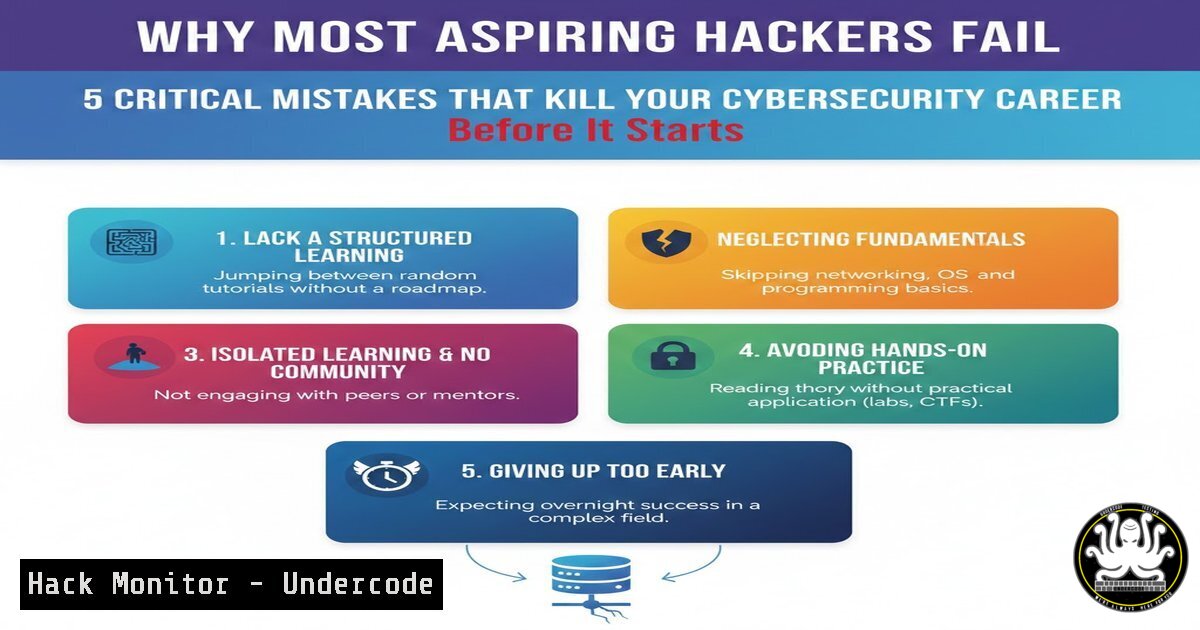
Introduction:
The path to becoming a cybersecurity professional is often romanticized through Hollywood depictions of hackers typing furiously to break into secure systems within minutes. The reality is far more mundane—and far more challenging. Many aspiring security enthusiasts crash and burn not because they lack intelligence, but because they fall into predictable behavioral traps that hinder genuine technical growth. Understanding these pitfalls is the first step toward building a sustainable and successful career in information security.
Learning Objectives:
- Identify the most common behavioral and technical errors made by cybersecurity beginners.
- Understand why theoretical knowledge of fundamentals outweighs tool proficiency.
- Learn how to transition from passive learning (watching) to active skill development (doing).
- Recognize the importance of documentation and professional communication in security roles.
- Differentiate between an ethical hacking mindset and reckless behavior.
You Should Know:
- The Tool Obsession Trap: Why Your Arsenal Means Nothing Without Fundamentals
One of the fastest ways to spot a script kiddie is their obsession with launching Metasploit or Burp Suite without understanding what happens under the hood. Beginners often download Kali Linux, typenmap -sV target.com, and expect instant admin access. When it fails, they have no idea why.
Step‑by‑step guide: Understanding what happens when you run a simple Nmap scan
Instead of just running the scan, break down the process:
1. DNS Resolution: Before scanning, your machine resolves the hostname to an IP. On Linux, you can manually test this with `dig target.com` or `nslookup target.com` (Windows/Linux).
2. The SYN Stealth Scan: When you run sudo nmap -sS target.com, you are sending a TCP packet with the SYN flag set.
– Linux Command to see this manually: You can use `hping3` to send a custom SYN packet: sudo hping3 -S -p 80 target.com.
– Windows Alternative: While Windows doesn’t natively send raw packets easily, tools like `Test-NetConnection` can test connectivity: Test-NetConnection target.com -Port 80.
3. Analyzing the Response:
- Open Port: You receive a SYN-ACK back.
- Closed Port: You receive a RST (Reset) packet.
- Filtered Port: You receive no response or an ICMP unreachable error.
- Why it matters: If you don’t understand the TCP Three-Way Handshake (SYN, SYN-ACK, ACK), you cannot interpret why a firewall might be dropping your packets or why a port shows as “filtered” versus “closed.”
-
Building Your Foundation: The Linux and Networking Bootcamp You Can’t Skip
Skipping the basics is like trying to build a skyscraper on sand. You cannot exploit a web application if you don’t understand HTTP methods. You cannot pivot through a network if you don’t understand routing tables.
Step‑by‑step guide: Master these 10 Linux commands before touching Metasploit
Set up a Ubuntu VM or use WSL (Windows Subsystem for Linux) and practice these until they are muscle memory:
1. File Permissions: chmod, chown, umask. Understand what `chmod 644` actually means (Owner: read/write, Group: read, Others: read).
2. Network Configuration: `ifconfig` (or ip a), `route -n` (view routing table).
3. Process Management: ps aux, kill, htop. Find a process and terminate it.
4. Text Manipulation: grep, awk, sed. Practice with: cat /var/log/syslog | grep "error" | awk '{print $1, $2, $5}'.
5. Log Analysis: `tail -f /var/log/auth.log` (Linux) or `Get-Content C:\Windows\Logs\SomeLog.log -Wait` (PowerShell) to monitor live logs.
6. Finding Files: `find / -name “.conf” 2>/dev/null`.
- Networking Tools: `netstat -tulpn` (see what ports are listening).
- Package Management: `apt update && apt upgrade` (Debian-based).
- SSH Tunneling: `ssh -L 8080:localhost:80 [email protected]` (Port forwarding).
10. Cron Jobs: `crontab -e` to schedule tasks.
- The “Tutorial Purgatory” Escape Plan: Moving from Viewer to Doer
Watching someone else solve a CTF (Capture The Flag) machine gives you a dopamine hit, but it teaches your brain to be a spectator, not a problem-solver. You must force yourself into situations where you are stuck and have to find the answer yourself.
Step‑by‑step guide: How to actually use a Walkthrough
- The 30-Minute Rule: Open a platform like TryHackMe or HackTheBox. Pick a room/machine.
- Enumeration Phase (No Walkthrough): Run your scans. Use `gobuster dir -u http://target.com -w /usr/share/wordlists/dirb/common.txt` to find directories. Look at the source code of the webpage (Ctrl+U).
- Stuck? Write it down: Open a text file. Write exactly what you tried and what the error message was.
- Consult the Walkthrough Strategically: Read only the next step in the walkthrough. Don’t scroll to the flag.
– Example: The walkthrough says, “I found a vulnerability in the upload form.”
– Your Action: Go back to your machine. Find the upload form. Try to upload a PHP reverse shell.
5. The Golden Rule: If you copy a command from a tutorial, do not press enter until you understand what every single flag in that command does. For a reverse shell, look up the difference between `bash -i` and nc -e.
- The Missing Link: Writing Like Your Career Depends On It
In the real world, your technical skills are only half the battle. If you find a critical vulnerability but cannot explain it to a CTO who doesn’t understand code, the vulnerability might as well not exist. Beginners ignore the “Art of the Report.”
Step‑by‑step guide: Structuring a Professional Vulnerability Disclosure
When you find a bug (e.g., a Local File Inclusion on a test server), document it immediately using this structure:
1. [Vulnerability Type] in [bash] leads to [bash]
- Bad: “Website broken”
- Good: “Local File Inclusion (LFI) in the ‘file’ parameter allows reading of /etc/passwd”
- Severity: Critical / High / Medium / Low (Justify why).
- Description: Explain the vulnerability in simple terms. “The application fails to sanitize user input in the ‘file’ parameter, allowing directory traversal attacks.”
4. Steps to Reproduce (Critical):
- Step 1: Navigate to `http://target.com/page?file=welcome.txt`
– Step 2: Modify the parameter to `http://target.com/page?file=../../../../etc/passwd`
– Step 3: Observe that the `/etc/passwd` file contents are displayed in the browser.
- Proof of Concept (PoC): Include a screenshot or a code snippet showing the output containing
root:x:0:0. - Remediation: Suggest a fix. “Implement a whitelist of allowed files or sanitize the input to remove `../` sequences.”
5. Operational Security (OPSEC) and the Ethical Line
Thinking like a hacker is necessary, but acting like one without authorization is a crime. Beginners often confuse “ability” with “permission.” Running `hydra` on a site that isn’t your own or in a controlled lab environment is a quick way to get your IP banned or worse, arrested.
Step‑by‑step guide: Setting Up a Legal Hacking Lab
To scratch that “hacking” itch safely:
1. Virtualization: Install VirtualBox or VMware.
- The Target: Download a deliberately vulnerable VM like DVWA (Damn Vulnerable Web Application) or Metasploitable 2.
- The Attack Machine: Use a Kali Linux VM.
- The Network Setup: Set both VMs to “Host-Only Adapter” or “NAT Network.” This ensures your attacks are confined to your physical computer and do not leak onto your home network or the internet.
- Execute: Now you can run
nmap,dirb, and `metasploit` to your heart’s content on the Metasploitable VM, learning the mechanics without legal repercussions.
What Undercode Say:
- Mastery over Tools: The market is saturated with people who can click buttons in Burp Suite. The market is starving for people who understand why a website is vulnerable to SQLi at the database level.
- Documentation is a Technical Skill: Treat your reporting skills as seriously as your coding skills. Your ability to communicate risk determines your value to an organization.
- Patience is a Weapon: Cybersecurity is a field of infinite depth. The beginners who rush past the fundamentals hit a brick wall at the intermediate level. Those who spend months mastering Linux, networking, and scripting build a career that lasts decades.
Prediction:
As Artificial Intelligence coding assistants become ubiquitous, the barrier to writing simple exploit scripts will vanish entirely. This will flood the entry-level market with “script kiddies 2.0” who can generate code but still cannot analyze network traffic or understand system architecture. Consequently, the industry will place an even higher premium on professionals with deep foundational knowledge—those who can troubleshoot, think critically, and communicate effectively. The AI will write the code, but humans will still need to understand the system.
▶️ Related Video (76% Match):
🎯Let’s Practice For Free:
IT/Security Reporter URL:
Reported By: Marwan Moustafa – Hackers Feeds
Extra Hub: Undercode MoN
Basic Verification: Pass ✅


