Listen to this Post
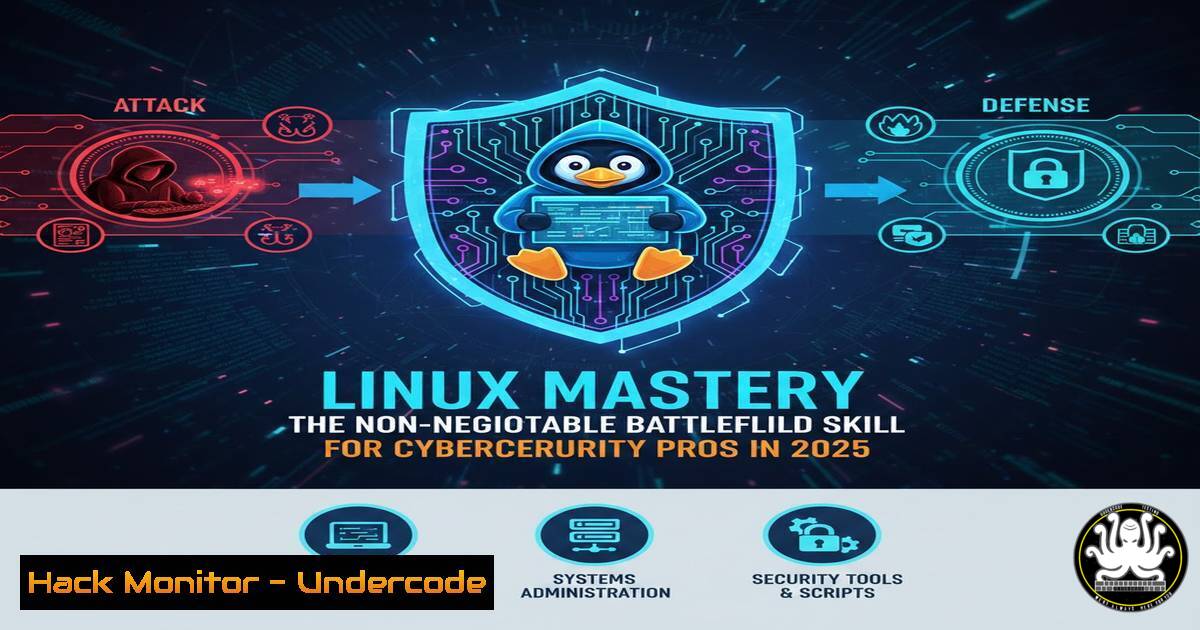
Introduction:
In the modern cybersecurity landscape, Linux is far more than just an operating system; it is the central nervous system of the security operations center (SOC), the penetration tester’s arsenal, and the cloud infrastructure backbone. While graphical interfaces offer convenience, the true power of investigation, automation, and defense lies within the Linux terminal. This article moves beyond theoretical knowledge to provide a practical, command-line deep dive into the essential Linux skills every security professional must possess to effectively defend networks, analyze malware, and harden systems.
Learning Objectives:
- Master critical Linux command-line utilities for log analysis, process monitoring, and network troubleshooting.
- Understand and manipulate Linux file permissions and special modes to enforce the Principle of Least Privilege.
- Execute practical commands for package management and system hardening to mitigate common vulnerabilities.
You Should Know:
- Command Line Mastery: The Art of Log Forensics and Process Control
In cybersecurity, the terminal is where incidents are investigated. It is not enough to simply know commands; you must understand how to chain them together to hunt for anomalies.
Step‑by‑step guide: Log Analysis for Intrusion Detection
Assume an attacker has gained access to a web server. Your first task is to analyze the access logs for malicious patterns.
- Navigate and Check Logs: Start in the log directory.
cd /var/log
ls -la | grep apache2  or nginx, depending on the service
- Real-time Monitoring: Use `tail -f` to watch live traffic. This is crucial for seeing an attack as it happens.
sudo tail -f /var/log/apache2/access.log
- Hunt for Attack Patterns: Use `grep` to filter for specific attack vectors like SQL injection or path traversal.
Search for common SQL injection attempts
cat access.log | grep -i "union select"

Find attempts to access sensitive files
cat access.log | grep -E "..\/|etc\/passwd"
-
Combine Commands for Deeper Analysis: Extract the most active IP addresses attempting SQLi, then investigate them further.
sudo grep "union select" access.log | awk '{print $1}' | sort | uniq -c | sort -nr | head -10This command pipeline searches for the SQLi pattern, extracts the IP address (first field), sorts and counts unique entries, and lists the top 10 attackers.
-
File Permissions & Privilege Control: Hardening Against Privilege Escalation
Linux security relies heavily on its permission model. Misconfigurations—like setting a file as SUID root when it shouldn’t be—are a primary vector for privilege escalation attacks.
Step‑by‑step guide: Auditing and Setting Secure Permissions
- Understanding Current State: List files with their permissions to identify potential weaknesses.
ls -la /path/to/directory
- Hunting for SUID/SGID Binaries: Attackers look for binaries with the SUID bit set to run programs with the owner’s permissions (often root).
Find all SUID files on the system
sudo find / -perm -4000 2>/dev/null
Find all SGID files
sudo find / -perm -2000 2>/dev/null
If you find an unusual binary with SUID set, it could be a backdoor or a misconfiguration that needs immediate remediation.
3. Applying the Principle of Least Privilege:
- Remove write access for the group and others on a sensitive configuration file:
sudo chmod 644 /etc/important-config.conf
- Change ownership of a directory to a specific service user, preventing root from writing to it directly (defense in depth):
sudo chown www-data:www-data /var/www/html/uploads
sudo chmod 750 /var/www/html/uploads  Owner: full, Group: read/execute, Others: none
3. Networking Fundamentals: Packet-Level Visibility and Troubleshooting
Security professionals must be able to see and interpret traffic. Network commands are the stethoscope for a system’s connections.
Step‑by‑step guide: Investigating Suspicious Connections
Imagine your IDS alerts on a beaconing activity to a known command-and-control (C2) server. You need to investigate the endpoint.
- Check Active Connections: Use `ss` (the modern replacement for
netstat) to view all current network sockets.sudo ss -tulpn
`-t` (TCP), `-u` (UDP), `-l` (listening), `-p` (process), `-n` (numeric). This shows you which processes are listening on ports and which connections are established.
- Trace the Route to the Malicious IP: Use `traceroute` to map the network path to the suspected C2 server.
traceroute -I 185.130.5.133 Example malicious IP
- Capture Live Traffic for Analysis: Use `tcpdump` to capture packets to and from the suspicious IP for deeper inspection in Wireshark.
sudo tcpdump -i eth0 host 185.130.5.133 -c 100 -w suspicious-traffic.pcap
-
Package & Patch Management: The First Line of Defense
Unpatched software is the low-hanging fruit for attackers. Understanding your system’s package manager is essential for vulnerability remediation.
Step‑by‑step guide: Patching and Auditing (Debian/Ubuntu Example)
-
Audit for Known Vulnerabilities: While not a native tool, integrating tools like `debsecan` is a best practice. However, a basic audit starts with seeing what’s installed.
List all manually installed packages (for inventory)
apt list --manual-installed

Check for upgradable packages (potential vulnerabilities waiting to be fixed)
sudo apt list --upgradable
- Simulate an Upgrade: Before applying patches to production, see what will change.
sudo apt update
sudo apt upgrade --dry-run
- Apply Critical Security Patches: Upgrade only security-related packages (if your repo supports it) or apply a full system upgrade.
sudo apt upgrade  Applies all available upgrades
Or to upgrade the entire distribution (kernel, etc.)
sudo apt dist-upgrade
5. Log Management and Journal Control
Modern Linux systems use systemd, and with it comes journalctl, a powerful tool for querying system logs.
Step‑by‑step guide: Querying the System Journal
- View logs for a specific service (e.g., SSH):
sudo journalctl -u ssh --since "1 hour ago"
- Follow logs in real-time for a service (like
tail -f):sudo journalctl -u apache2 -f
- Correlate Kernel messages with user-space events during an incident:
sudo journalctl -k -b 0 Show kernel messages from the current boot
6. Shell Scripting for Security Automation
Manual checks are slow. A security analyst should be able to automate repetitive tasks, such as scanning a list of IPs against a firewall blocklist.
Step‑by‑step guide: Automating an IP Blocklist Check
1. Create a script `check_blocklist.sh`:
!/bin/bash
BLOCKLIST="blocklist.txt"
SUSPECT_IPS="suspects.txt"

echo "Checking suspect IPs against blocklist..."

while read -r ip; do
if grep -q "^$ip$" "$BLOCKLIST"; then
echo "[bash] $ip is in the blocklist!"
else
echo "[bash] $ip is clean."
fi
done < "$SUSPECT_IPS"
2. Make it executable and run:
chmod +x check_blocklist.sh
./check_blocklist.sh
This basic logic can be expanded to query threat intelligence APIs, modify firewall rules, or generate incident reports.
What Undercode Say:
- Context Over Rote Memorization: The key takeaway is that understanding the architecture—how processes interact, how the kernel handles networking, how logs are generated—is infinitely more valuable than memorizing a hundred commands. When you understand the system, you can derive the correct command for any situation.
- Linux as the Universal Language: Whether you are securing a Kubernetes cluster in the cloud, reverse-engineering a Windows virus in a sandbox, or configuring a Cisco firewall, the underlying OS is almost always a variant of Linux. Mastering it provides a transferable skill set across all domains of cybersecurity.
Analysis:
The post’s emphasis on operational understanding over memorization is the correct pedagogical approach for cybersecurity. In the heat of an incident, an analyst doesn’t have time to recall a syntax cheat sheet; they must rely on muscle memory and a deep comprehension of system behavior. The commands listed are not just tools—they are the building blocks of digital forensics and incident response. From the `grep` that finds the needle of malicious code in a haystack of logs to the `chmod` that closes a privilege escalation pathway, these operations form the daily reality of blue and red teams alike. This foundational knowledge empowers professionals to move beyond using automated tools and instead understand what those tools are doing under the hood, enabling them to detect sophisticated attacks that evade signature-based detection. Ultimately, Linux proficiency transforms a security user into a security operator.
Prediction:
As infrastructure continues to shift towards ephemeral containers and serverless architectures, the core Linux skills outlined will become even more critical, not less. The underlying hosts running these containers are still Linux, and misconfigurations in the container’s file system permissions or base image packages will remain prime targets for exploitation. We will see a rise in “supply chain” attacks targeting container images, where a deep understanding of Linux package management (apt, yum, dnf) will be the only defense against malicious code baked into the build pipeline. The analyst who can navigate a compromised container back to its host by understanding process isolation (ps, nsenter) will be the one who stops the next major cloud breach.
▶️ Related Video (86% Match):
🎯Let’s Practice For Free:
IT/Security Reporter URL:
Reported By: Sh Alizafar – Hackers Feeds
Extra Hub: Undercode MoN
Basic Verification: Pass ✅


