Listen to this Post
Introduction:
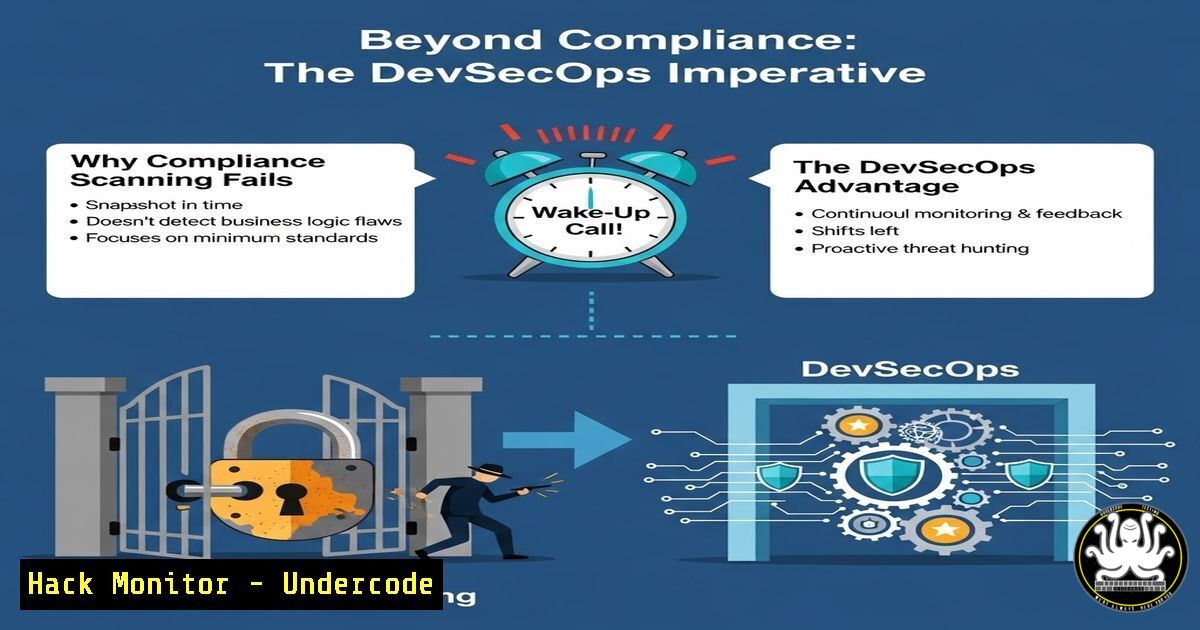
The all-too-familiar scramble to scan code just before auditors arrive has become a hollow ritual in many organizations. While compliance frameworks demand evidence of process, adversaries exploit the gap between a “passed scan” and a genuinely hardened environment. This disconnect—treating security as a checkbox rather than a continuous engineering discipline—is precisely why critical vulnerabilities persist despite clean audit reports. True DevSecOps requires shifting from artifact-driven approval to attack-driven resilience.
Learning Objectives:
- Differentiate between compliance-driven scanning and genuine security posture improvement.
- Implement open-source and enterprise-grade SAST/DAST tools within CI/CD pipelines.
- Execute hands-on hardening techniques for cloud, API, and endpoint environments.
You Should Know:
- Static Analysis Is Not a Silver Bullet: Extending SAST with Custom Rules
The post highlights managers triggering scans only for auditors. Default SAST configurations often miss business‑logic flaws and framework‑specific misconfigurations.
Step‑by‑step guide – Extending SonarQube for Spring Boot:
1. Install SonarQube and the SonarScanner.
 Linux (Docker)
docker run -d --name sonarqube -p 9000:9000 sonarqube:lts-community
2. Download the Spring Boot plugin or write custom XPath rules.
3. Create a custom rule to detect `@RequestMapping` without explicit HTTP method:
// Example XPath for XML analysis (pseudo‑rule)
// CompilationUnit//ClassOrInterfaceDeclaration[//Annotation/MarkerAnnotation/Identifier[@Image="RestController"]]
// //MethodDeclaration[//Annotation//Identifier[@Image="RequestMapping"] and not(//Annotation//MemberValuePairs//Identifier[@Image="method"])]
4. Import the rule via the SonarQube UI (Quality Profiles → Create → Add Custom Rule).
5. Run analysis:
sonar-scanner \
-Dsonar.projectKey=myapp \
-Dsonar.sources=. \
-Dsonar.host.url=http://localhost:9000 \
-Dsonar.login=your_token
Why this matters: Auditors see a “clean” report, but missing HTTP‑method restrictions can leave endpoints exploitable via CSRF or unintended state changes.
- Dynamic Analysis in CI: Catching What Static Misses
Compliance scans often stop at SAST. DAST simulates real attacker behavior against running applications.
Step‑by‑step guide – OWASP ZAP in GitHub Actions:
1. Create `.github/workflows/dast.yml`:
name: DAST Scan
on: [bash]
jobs:
zap_scan:
runs-on: ubuntu-latest
steps:
- name: Checkout
uses: actions/checkout@v3
- name: Start OWASP ZAP
run: |
docker run -d -p 8080:8080 --name zap owasp/zap2docker-stable
sleep 10
- name: Run ZAP Full Scan
run: |
docker exec zap zap-full-scan.py \
-t https://staging.example.com \
-r zap_report.html
- name: Upload Report
uses: actions/upload-artifact@v3
with:
name: zap-report
path: zap_report.html
2. Tune active scan policies to avoid false positives that compliance checkers ignore.
3. Fail the pipeline on critical risk alerts using `-m` (minimum alert severity) flag.
Why this matters: Auditors rarely run DAST. This step catches runtime flaws like missing `HttpOnly` flags or exposed stack traces.
3. Cloud Hardening Beyond CIS Benchmarks
Many compliance reports check “CIS Level 1” and stop. Attackers exploit the drift between benchmark and operational reality.
Step‑by‑step guide – Enforce IMDSv2 on AWS EC2:
 Linux (AWS CLI)
 Prevent use of vulnerable IMDSv1
aws ec2 modify-instance-metadata-options \
--instance-id i-1234567890abcdef0 \
--http-tokens required \
--http-endpoint enabled \
--region us-east-1

Verify with:
aws ec2 describe-instances \
--instance-ids i-1234567890abcdef0 \
--query 'Reservations[bash].Instances[bash].MetadataOptions'
Windows – Disable LLMNR to prevent spoofing attacks:
 Group Policy path: Computer Configuration\Administrative Templates\Network\DNS Client
 Set "Turn off Multicast Name Resolution" to Enabled
Set-ItemProperty -Path "HKLM:\SOFTWARE\Policies\Microsoft\Windows NT\DNSClient" \
-Name "EnableMulticast" -Value 0 -Type DWord
Why this matters: Auditors check “patch level”; they rarely check metadata service hardening or name resolution spoofing—common initial access vectors.
- API Security: From OpenAPI Validation to Runtime Protection
Compliance may require an OpenAPI specification; security requires enforcing it.
Step‑by‑step guide – Validate Requests with 42Crunch (VS Code):
1. Install 42Crunch VS Code extension.
2. Open your `openapi.yaml`.
- Run Audit to detect missing authentication schemas or exposed internal endpoints.
- Fix example – add security scheme to an unsecured endpoint:
paths:
/admin/users:
get:
security:</li>
</ol>

- bearerAuth: []
5. Deploy a firewall (e.g., AWS WAF with OpenAPI rule) to block non‑conformant requests.
Why this matters: Auditors verify a spec exists; they rarely test if the spec is enforced. Attackers send malformed requests to confuse parsers.5. Exploitation & Mitigation: SQL Injection in 2024
Compliance scanners often flag outdated libraries but ignore input validation logic.
Step‑by‑step guide – Manual SQLi Testing & Parameterized Queries:
Linux – sqlmap on a login form:
sqlmap -u "https://testapp.com/login.php" \
--data="user=admin&pass=123" \
--method POST \
--dbs \
--batch
Mitigation – C .NET Core parameterized query:
using (var cmd = new SqlCommand(
"SELECT  FROM Users WHERE Username = @user AND Password = @pass", conn))
{
cmd.Parameters.AddWithValue("@user", userInput);
cmd.Parameters.AddWithValue("@pass", hashedPassword);
// execute
}
Why this matters: Auditors see “no SQLi in SAST” but often miss dynamic SQL built in stored procedures. Manual verification closes that gap.
- Secrets Exposure: Not Just in Code, But in Build Logs
Compliance tools scan repos; they rarely scan CI build logs where tokens get printed.
Step‑by‑step guide – TruffleHog on Jenkins Console Logs:
 Install TruffleHog
pip3 install truffleHog

Analyze a log file captured from Jenkins
trufflehog --regex --entropy=False file://jenkins_build_123.log
Git pre‑commit hook to block secrets:
!/bin/sh
 .git/hooks/pre-commit
trufflehog --regex --entropy=True file://$(git diff --cached --name-only | tr '\n' ' ') || exit 1
Why this matters: The post’s “manager scans only for auditors” would miss a credential exposed in a build step. Attackers harvest these from public CI logs.
7. From Checkbox to Continuous: Threat Modeling Integration
The final step is moving from point‑in‑time scans to continuous threat modeling.
Step‑by‑step guide – OWASP Threat Dragon lightweight model:
1. Install OWASP Threat Dragon (desktop or web).
- Create a data flow diagram for a new feature.
3. Use STRIDE per element:
- Spoofing → enforce MFA.
- Tampering → signed requests.
- Generate a risk register and link findings to Jira tickets automatically.
Why this matters: Compliance asks for “evidence of threat modeling.” Real security uses it to drive proactive control design, not retrospective checkbox completion.
What Undercode Say:
- Key Takeaway 1: Compliance validates process adherence; security validates adversary resistance. Confusing the two creates a false sense of safety and a backlog of unaddressed business‑logic flaws.
- Key Takeaway 2: The most dangerous vulnerabilities are often invisible to compliance tools—missing HTTP method constraints, permissive cloud metadata, unenforced API contracts, and secrets in ephemeral build logs. Remediation requires shifting left and shifting deep: integrating dynamic, behavioral, and configuration‑driven testing throughout the SDLC.
The post correctly identifies the audit‑driven scramble as counterproductive. However, the solution isn’t to stop scanning—it is to scan with intent. Each scan should answer: “Would this stop a real attacker today?” If not, the process must be redesigned. Building to be safe means accepting that compliance is a baseline, not a finish line.
Prediction:
Over the next two years, we will see a sharp rise in “compliance bypass” breaches—incidents where organizations with perfect audit reports are compromised through configuration drift, ephemeral secrets, or API logic flaws. Regulators will respond by mandating not just evidence of scanning, but evidence of remediation workflows and adversarial testing (e.g., continuous automated red teaming). AI‑driven policy engines will begin to replace static audit checklists, dynamically validating security posture against emerging threat intelligence rather than annual control attestations. Organizations still treating security as a compliance exercise will find themselves both non‑compliant and breached.
▶️ Related Video (84% Match):
🎯Let’s Practice For Free:
IT/Security Reporter URL:
Reported By: Hamza Darghouth – Hackers Feeds
Extra Hub: Undercode MoN
Basic Verification: Pass ✅🔐JOIN OUR CYBER WORLD [ CVE News • HackMonitor • UndercodeNews ]
📢 Follow UndercodeTesting & Stay Tuned:
- Secrets Exposure: Not Just in Code, But in Build Logs


