Listen to this Post
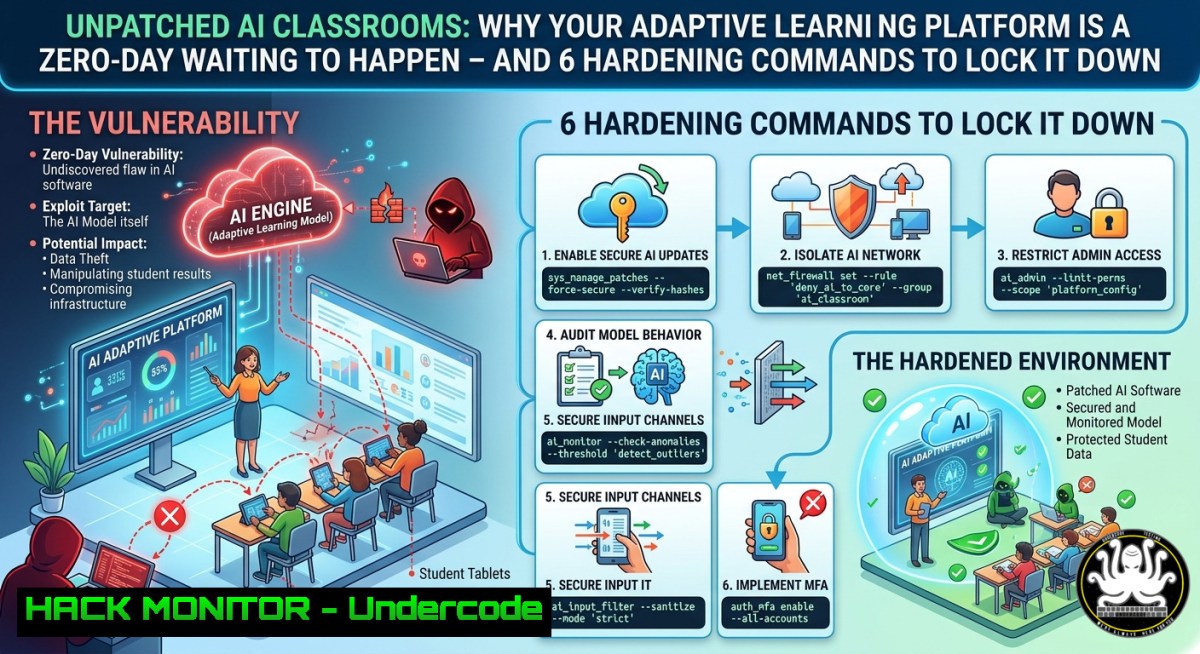
Introduction:
Adaptive learning systems leverage AI to personalize education, but their heavy reliance on student data streams and cloud APIs introduces critical cybersecurity risks. As schools rush to deploy platforms like those discussed at OpenTESOL 2026, they often overlook encryption gaps, misconfigured cloud storage, and inadequate access controls – turning personalized learning into a privacy nightmare. Without proactive hardening, these systems become prime targets for data exfiltration and model poisoning attacks.
Learning Objectives:
- Identify common API security flaws in AI-driven adaptive learning platforms.
- Apply Linux and Windows commands to audit data flows and restrict unauthorized access.
- Implement cloud hardening and vulnerability mitigation techniques for EdTech environments.
You Should Know:
- Auditing Real‑Time Data Streams from Adaptive Learning Systems
Adaptive platforms continuously collect student interactions (click patterns, response times, error rates) and feed them into AI models. This data often transits unencrypted internal networks or is logged in plaintext. To detect leakage, you must audit outbound traffic and local logs.
Step‑by‑step – Linux (monitoring API calls):
Use `tcpdump` to capture traffic to the AI endpoint, then filter for JSON payloads.
sudo tcpdump -i eth0 -A -s 0 'host api.adaptive-learning.com and port 443' | grep -E "student_id|grade|response"
For real‑time log inspection, tail the platform’s debug logs:
tail -f /var/log/adaptive-platform/audit.log | jq '.user_id, .submitted_answer'
Windows (PowerShell): Monitor outbound connections to suspicious IPs.
Get-NetTCPConnection | Where-Object {$<em>.RemotePort -eq 443 -and $</em>.State -eq "Established"} | Select-Object LocalAddress, RemoteAddress, OwningProcess
Then resolve processes:
Get-Process -Id (Get-NetTCPConnection -RemotePort 443).OwningProcess
- Hardening API Keys and Secrets in EdTech Codebases
Many AI platforms embed API keys in frontend JavaScript or environment files. Attackers can extract these keys to query student data directly or poison training pipelines.
Step‑by‑step – Linux (scanning for exposed secrets):
Use `grep` to find hardcoded secrets in the platform’s source directory:
grep -r --include=".js" --include=".env" "API_KEY|SECRET|PASSWORD" /var/www/adaptive-app/
Rotate keys immediately and enforce vault usage:
openssl rand -base64 32 generate new key
Configure `hashicorp/vault` to inject secrets via agent:
vault kv put secret/edtech/api_key value=<new_key>
Windows (detecting secrets in configuration files):
Get-ChildItem -Path C:\adaptive-platform -Recurse -Include .config,.json | Select-String "api_key|secret"
Remove hardcoded secrets and move to Windows Credential Manager:
cmdkey /generic:api.adaptive-platform /user:edtech /pass:"<new_key>"
- Cloud Hardening for Adaptive Learning Storage Buckets
Most AI‑driven platforms store student interaction data in AWS S3 or Azure Blob. Misconfigured public buckets have exposed millions of records. You must enforce private ACLs and enable server‑side encryption.
Step‑by‑step – AWS CLI (Linux):
List buckets and check public access:
aws s3api get-bucket-acl --bucket edtech-data-prod
Block public access:
aws s3api put-public-access-block --bucket edtech-data-prod --public-access-block-configuration BlockPublicAcls=true,IgnorePublicAcls=true,BlockPublicPolicy=true,RestrictPublicBuckets=true
Enable default encryption with AWS KMS:
aws s3api put-bucket-encryption --bucket edtech-data-prod --server-side-encryption-configuration '{"Rules":[{"ApplyServerSideEncryptionByDefault":{"SSEAlgorithm":"aws:kms"}}]}'
Azure CLI (Windows/Linux):
Set blob public access level to `private`:
az storage container set-permission --name student-data --account-name edtechstore --public-access off
Enforce HTTPS only:
az storage account update --name edtechstore --resource-group edtech-rg --https-only true
4. Mitigating Model Poisoning via Input Validation
Attackers can submit malicious training examples to adaptive systems (e.g., crafted JSON payloads) to skew recommendations or trigger unsafe content. Validate every incoming API payload against a strict schema.
Step‑by‑step – Linux (using `jq` to enforce schema):
Assume the platform accepts POST data at /api/event. Reject malformed entries:
if ! echo "$payload" | jq -e '. | has("student_id") and has("action_type") and (.action_type | type=="string")' > /dev/null; then
echo "Invalid payload" | logger -t adaptive-security
exit 1
fi
Implement rate limiting with `fail2ban` for suspicious POST bursts:
sudo fail2ban-client set adaptive-edtech addignoreip 192.168.1.100
sudo fail2ban-client set adaptive-edtech banip 203.0.113.45
Windows (PowerShell validation before forwarding to AI model):
$payload = Get-Content -Raw -Path .\incoming.json | ConvertFrom-Json
if ($payload.student_id -match '^\d{6,10}$' -and $payload.action_type -in 'submit','hint','next') {
 forward to model
} else {
Write-EventLog -LogName Application -Source "AdaptiveFilter" -EntryType Warning -EventId 100 -Message "Blocked malformed payload"
}
- API Security – Adding OAuth2 and mTLS for Educator Endpoints
Adaptive platforms expose dashboards where teachers view granular student insights. Without strong authentication, a leaked password grants access to entire cohorts. Enforce OAuth2 with short-lived tokens and mutual TLS (mTLS) for backend-to-backend calls.
Step‑by‑step – Linux (generate mTLS certificates):
openssl req -x509 -newkey rsa:4096 -keyout teacher_key.pem -out teacher_cert.pem -days 365 -nodes
Configure NGINX as reverse proxy to require client certificate:
server {
listen 443 ssl;
ssl_verify_client on;
ssl_client_certificate /etc/nginx/trusted_ca.crt;
location /api/teacher/ {
proxy_pass http://adaptive-backend:8080;
}
}
Windows (IIS mTLS configuration):
Using PowerShell, enable client certificate mapping:
Import-Module WebAdministration
New-WebConfigurationProperty -Filter "system.webServer/security/access" -Name sslFlags -Value "Ssl, SslRequireCert, Ssl128" -PSPath IIS:\Sites\EdTech
- Vulnerability Mitigation – Patching the “Human Element” via RBAC
The post’s comment noted that teachers lack time to act on AI insights, leading to shadow IT – educators copying data to unsecured spreadsheets. Implement Role‑Based Access Control (RBAC) and monitor for anomalous data exports.
Step‑by‑step – Linux (auditing data exports with `auditd`):
Watch the platform’s export directory:
sudo auditctl -w /var/lib/adaptive-platform/exports/ -p wa -k export_activity
Search for bulk CSV generation:
sudo ausearch -k export_activity | grep "csv"
Windows (SACL for export folders):
$path = "C:\adaptive-platform\exports"
$acl = Get-Acl $path
$rule = New-Object System.Security.AccessControl.FileSystemAuditRule("Everyone", "Delete,Write", "Failure")
$acl.AddAuditRule($rule)
Set-Acl $path $acl
Monitor Event ID 4663 (file access) for suspicious deletions:
Get-WinEvent -FilterHashtable @{LogName='Security'; ID=4663; Data='C:\adaptive-platform\exports'} | Where-Object {$_.Message -match "student_data"}
What Undercode Say:
- Key Takeaway 1: The “trust gap” mentioned by the Managed Service Providers Association is real – educators will bypass security if platforms feel opaque. Transparency dashboards (showing exactly what data is collected and who accessed it) reduce shadow IT.
- Key Takeaway 2: Adaptive AI introduces new attack surfaces (model inversion, membership inference) that traditional security scans miss. Teams must add adversarial validation to their CI/CD pipelines.
Analysis (10 lines): The OpenTESOL discussions celebrated personalization, but the technical reality is that most adaptive platforms are not built for zero‑trust classrooms. Comments from Toby J. Daniel highlight a critical operational risk: data overload without actionable security context. When teachers can’t interpret AI logs, they default to insecure workarounds. Meanwhile, the Association’s warning about surveillance – if data collection feels excessive, trust erodes – points to a compliance nightmare under FERPA and GDPR. The intersection of AI and EdTech demands a shift from perimeter security to data‑centric controls: encrypt at rest and in transit, enforce short‑lived API tokens, and monitor data exfiltration patterns. Without these steps, the “human element” becomes the weakest link, not the centre.
Expected Output:
Introduction: AI personalisation in education accelerates, but unhardened adaptive platforms leak student data via APIs, cloud misconfigurations, and teacher shadow IT – requiring immediate technical countermeasures.
What Undercode Say:
- Adaptive learning must balance personalisation with privacy – implement RBAC and export monitoring.
- Trust cannot be patched; build transparency into the platform’s core data flows.
Prediction:
By 2027, school districts will mandate third‑party penetration tests for any AI‑driven adaptive platform, mirroring PCI DSS for education. We will see the rise of “EdTech Security Frameworks” that require real‑time data lineage tracking and adversarial model validation. Platforms that fail to provide auditable, student‑controlled data vaults will lose federal funding. The convergence of AI and K‑12 cybersecurity will force a new role: the Educational Data Protection Officer (EDPO), blending pedagogical knowledge with cloud and API security expertise.
▶️ Related Video (62% Match):
🎯Let’s Practice For Free:
IT/Security Reporter URL:
Reported By: Heyhi Opentesol2026 – Hackers Feeds
Extra Hub: Undercode MoN
Basic Verification: Pass ✅


