Listen to this Post
Introduction:
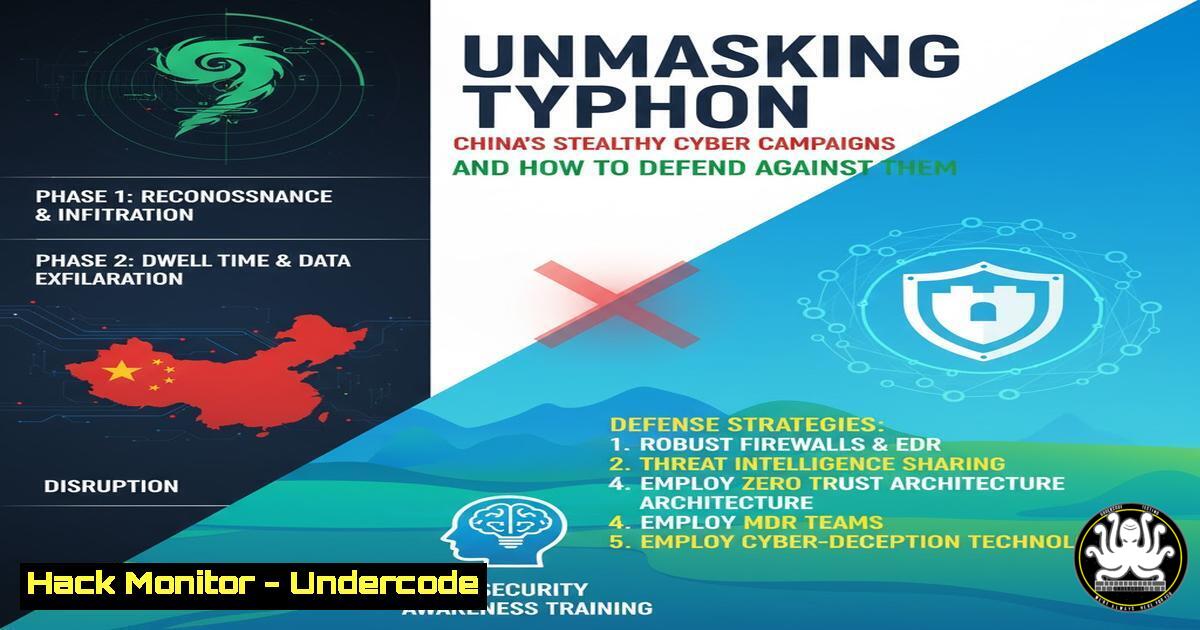
Nation-state cyber campaigns represent one of the most sophisticated and persistent threats to global critical infrastructure. The McCrary Institute’s “Code Red” report sheds light on China’s advanced persistent threat (APT) groups, collectively tracked under the “Typhoon” campaign, highlighting their systematic efforts in cyber espionage and pre-positioning for potential disruption. This article deconstructs the tactics, techniques, and procedures (TTPs) associated with such campaigns and provides a technical arsenal for detection and hardening.
Learning Objectives:
- Understand the common TTPs used by sophisticated APT groups in initial access and persistence.
- Learn actionable commands and configurations to detect and mitigate these techniques across Windows, Linux, and cloud environments.
- Develop a proactive defense posture through logging, system hardening, and network segmentation.
You Should Know:
1. Detecting Covert Persistence: Registry and Service Anomalies
Attackers frequently establish persistence by creating new services or modifying existing ones. The following commands help uncover these hidden footholds.
Windows (PowerShell):
 Get all non-Microsoft services
Get-WmiObject Win32_Service | Where-Object {$<em>.PathName -notlike "Windows" -and $</em>.PathName -notlike "Microsoft"} | Select-Object Name, State, PathName

Check for scheduled tasks created by non-SYSTEM users
Get-ScheduledTask | Where-Object {$_.Principal.UserId -ne "SYSTEM"} | Select-Object TaskName, Principal
Step-by-step guide:
The first PowerShell command queries the WMI for all services and filters out those from Microsoft, which are typically trusted. This reveals services installed by third-party software or potential malware. The second command lists scheduled tasks not owned by the SYSTEM account, a common technique for user-level persistence. Run these in an elevated PowerShell session to audit your environment for unauthorized auto-start mechanisms.
Linux:
 List all services and their associated scripts or binaries
systemctl list-unit-files --type=service --state=enabled,generated

Check for crontab entries for all users
for user in $(cut -f1 -d: /etc/passwd); do echo "Crontab for $user"; crontab -u $user -l 2>/dev/null; done
Step-by-step guide:
The `systemctl` command displays all enabled services, including those masked or generated dynamically, which can be abused. The `for` loop iterates through all users on the system and attempts to list their crontabs. Unexplained cron jobs are a classic sign of persistence. Run these commands as root to ensure you can read all user crontabs.
- Uncovering Lateral Movement: Network Share and Connection Analysis
Once inside, threat actors move laterally to locate valuable data and systems. Monitoring network connections and shares is critical.
Windows (Command Prompt & PowerShell):
 View established network connections
netstat -ano | findstr ESTABLISHED

List all shared folders
net share
 PowerShell alternative for detailed connection info
Get-NetTCPConnection | Where-Object {$<em>.State -eq "Established"} | Select-Object LocalAddress, LocalPort, RemoteAddress, RemotePort, OwningProcess
Get-Process | Select-Object Id, ProcessName | Where-Object {$</em>.Id -eq <OwningProcess>}
Step-by-step guide:
`netstat -ano` shows all active connections and the Process ID (PID) responsible. Piping to `findstr` filters for only established sessions. `net share` reveals all SMB shares, which are common vectors for lateral movement. The PowerShell commands provide a more detailed view, allowing you to link a connection back to a specific process. Investigate any unknown processes making connections to internal or external IPs.
Linux:
 Display network connections and the associated process
ss -tulpn

Check for NFS or Samba shares
showmount -e localhost
smbclient -L localhost -U%
Step-by-step guide:
The `ss -tulpn` command is a modern replacement for netstat, showing TCP/UDP connections, listening ports, and the process using them. `showmount` lists NFS exports, and `smbclient` lists Samba shares anonymously. Unauthorized shares or connections from unknown processes can indicate active lateral movement.
3. Hunting for Credential Access: Dumping and Caching
APT groups often dump credentials to expand their access. Hardening these areas is vital.
Windows (Command Prompt):
 Check WMI event filters for credential theft attempts
wmic /namespace:\root\subscription path __eventfilter get name,query

Verify LSA Protection (Requires Admin)
reg query HKLM\SYSTEM\CurrentControlSet\Control\Lsa /v RunAsPPL
Step-by-step guide:
Attackers use WMI event subscriptions for stealthy execution. This command lists all event filters. The `reg query` command checks if LSA Protection is enabled, which helps prevent tools like Mimikatz from dumping clear-text passwords from memory. A result of `0x1` or `0x2` indicates it’s enabled.
Linux:
 Check for recent SSH login attempts
grep "Accepted " /var/log/auth.log | tail -20

Search for suspicious files in /tmp and /dev/shm
find /tmp /dev/shm -type f -name ".key" -o -name ".pub" -o -name "pass" 2>/dev/null
Step-by-step guide:
The `grep` command filters the auth log for successful SSH logins, helping you identify unauthorized access. The `find` command searches temporary memory-backed filesystems (/dev/shm) and `/tmp` for files that may contain dumped keys or passwords, a common tactic to avoid writing to disk.
4. API Security: Auditing for Excessive Permissions
Cloud APIs are a prime target. Ensuring the principle of least privilege is applied is a core defense.
AWS CLI:
 List all IAM users and their attached policies
aws iam list-users
aws iam list-attached-user-policies --user-name <username>

Simulate policies to check for overly permissive actions
aws iam simulate-custom-policy --policy-input-list file://mypolicy.json --action-names "s3:GetObject" "ec2:RunInstances"
Step-by-step guide:
The `list-users` and `list-attached-user-policies` commands provide an inventory of IAM users and their permissions. The `simulate-custom-policy` command is crucial for testing a policy document (mypolicy.json) against specific API actions before attaching it, helping to identify if it allows more access than intended.
Azure PowerShell:
 Get Azure AD users with their assigned roles
Get-AzureADUser | Get-AzureADUserRoleAssignment | Select-Object DisplayName, RoleDefinitionName

Check for storage accounts with public blob access
Get-AzStorageAccount | Where-Object {$_.AllowBlobPublicAccess -eq $true}
Step-by-step guide:
The first cmdlet retrieves all users and their directory role assignments, highlighting users with privileged roles like “Global Administrator.” The second command lists all storage accounts that allow public access to blobs, a common misconfiguration that leads to data leakage.
5. Vulnerability Exploitation & Mitigation: Patch Management
Unpatched vulnerabilities are the primary entry point for groups like Typhoon.
Linux (Ubuntu/Debian):
 Check for available security updates
apt list --upgradable | grep -i security

Perform a dry-run of the upgrade to see what would be updated
apt upgrade --dry-run
Step-by-step guide:
These commands help maintain a proactive patch management strategy. The first lists only upgradable packages that have security updates. The second performs a simulation of an upgrade, showing what would be changed without actually doing it, allowing for change control.
Windows (PowerShell):
 List all installed KB (Hotfix) updates
Get-HotFix | Sort-Object InstalledOn -Descending | Select-Object HotFixID, InstalledOn

Use WUA to search for critical updates
Get-WUList -MicrosoftUpdate -Criteria "Type='Software' And IsInstalled=0"
Step-by-step guide:
`Get-HotFix` provides a quick inventory of installed patches. The `Get-WUList` command (from the PSWindowsUpdate module) queries Microsoft Update for available but not-yet-installed software updates, allowing you to audit your patch level against known critical vulnerabilities.
6. Logging and Auditing: Building a Definitive Timeline
Comprehensive logging is non-negotiable for post-incident analysis.
Linux:
 Enable process auditing to log every command
auditctl -a always,exit -F arch=b64 -S execve

Search the audit log for a specific user's activity
ausearch -ua <username> -i
Step-by-step guide:
The `auditctl` command adds a rule to the Linux audit daemon to log all execution of programs (execve system call). This creates a detailed record of command-line activity. The `ausearch` command is then used to query these logs for a specific user, which is invaluable for tracing an attacker’s steps after a breach is discovered.
Windows (PowerShell):
 Enable detailed PowerShell script block logging
Set-ItemProperty -Path "HKLM:\SOFTWARE\Policies\Microsoft\Windows\PowerShell\ScriptBlockLogging" -Name "EnableScriptBlockLogging" -Value 1

Get the top 10 most frequent event IDs from the Security log
Get-WinEvent -LogName Security | Group-Object Id | Sort-Object Count -Descending | Select-Object -First 10
Step-by-step guide:
The first command modifies the registry to enable script block logging, which captures the contents of all PowerShell scripts run on the system, a key source of evidence. The second command analyzes the Security log to identify the most common event types, helping to baseline normal activity and spot anomalies.
What Undercode Say:
- Assumption of Breach is the New Normal: Defense can no longer be based on the idea of keeping attackers out entirely. The sophistication of groups like Typhoon means security strategies must pivot to rapid detection, response, and containment, focusing on minimizing dwell time.
- The Human Element is the Critical Vector: While this article focuses on technical controls, the initial compromise often occurs through sophisticated social engineering. Continuous, engaging security awareness training that goes beyond simple phishing tests is as important as any firewall rule.
The technical commands provided are a powerful starting point, but they are reactive if used in isolation. The true lesson from the “Code Red” report is the need for a holistic, intelligence-driven defense. This involves integrating these technical checks into continuous monitoring solutions, correlating their outputs with threat intelligence on APT TTPs, and fostering a security culture that reduces the human attack surface. The goal is not to build an impenetrable wall, but to create a resilient environment where an attacker’s activities are quickly discovered and their impact severely limited.
Prediction:
The TTPs detailed in the “Code Red” report are not static; they are a preview of a future where AI-powered offensive operations become the standard for nation-states. We will see an increase in AI-driven social engineering campaigns with near-perfect impersonation and context-aware phishing lures. Furthermore, AI will be used to automate vulnerability discovery and exploit development at an unprecedented scale, drastically reducing the time between a patch release and a weaponized exploit. Defensively, AI will be forced into a primary role for behavioral analysis and anomaly detection to keep pace. The organizations that survive this escalation will be those that integrate AI-driven security platforms and threat intelligence into the very core of their IT operations, moving beyond signature-based tools to predictive, adaptive defense systems.
🎯Let’s Practice For Free:
IT/Security Reporter URL:
Reported By: Mthomasson Guide – Hackers Feeds
Extra Hub: Undercode MoN
Basic Verification: Pass ✅


