Listen to this Post
Introduction:
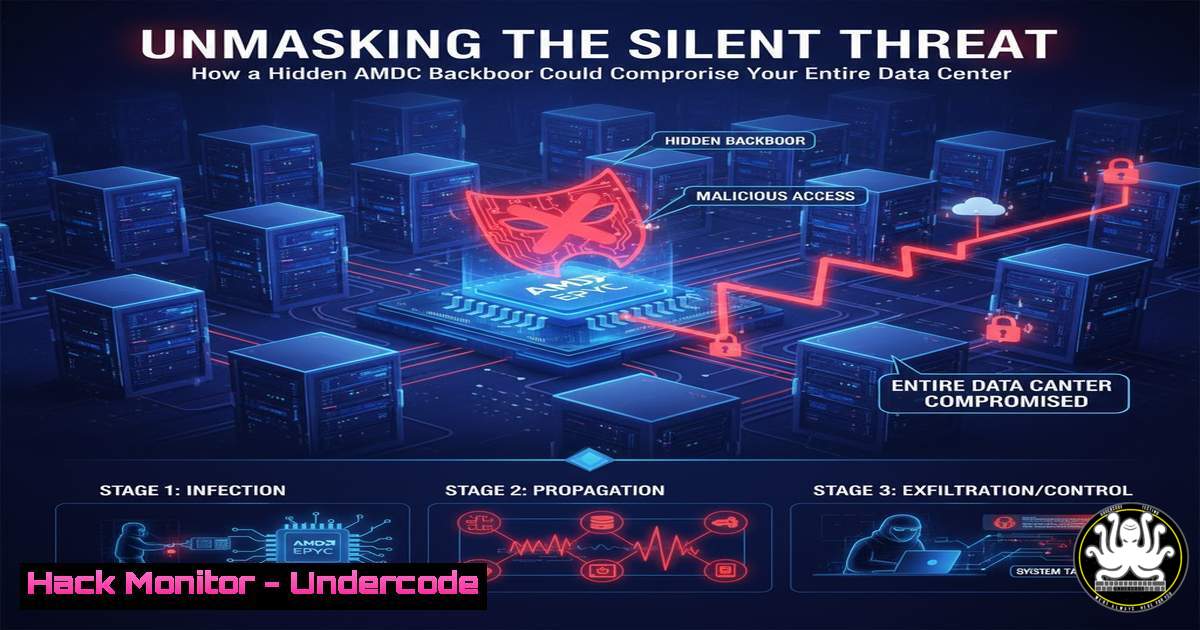
A critical security vulnerability has been identified within AMD’s EPYC server processors, revolving around an undocumented manufacturer backdoor known as the System Management Unit (SMU). This hidden subsystem, which operates independently of the main CPU cores, has the potential to allow persistent, undetectable access to servers, posing a grave risk to data center security, cloud infrastructure, and national security assets. This article provides a technical deep dive into the exploit and outlines essential mitigation strategies.
Learning Objectives:
- Understand the architecture and potential attack vectors of the AMD EPYC System Management Unit (SMU).
- Learn to detect potential unauthorized access or anomalous activity related to firmware and low-level system components.
- Implement hardening procedures to mitigate the risks associated with processor-level backdoors.
You Should Know:
1. The Anatomy of the AMD EPYC Backdoor
The core of the issue lies in the System Management Unit (SMU), a dedicated processor on the EPYC chip that manages power, thermal states, and other low-level functions. Because it has direct access to the system’s memory and hardware, it operates with higher privileges than the main operating system or hypervisor. An attacker with the ability to upload a malicious firmware payload to the SMU could achieve a rootkit-like presence on the server, completely invisible to traditional security software and capable of intercepting data, manipulating computations, or maintaining persistence through full system wipes and OS re-installations.
2. Detecting Anomalous Firmware Activity
The first line of defense is monitoring for signs of unauthorized firmware modifications or access. On Linux, the `dmesg` log and the `efivar` filesystem are critical sources of information.
Verified Linux Commands:
 1. Check for recent firmware-related events in the kernel ring buffer.
dmesg | grep -i "firmware|acpi|uefi"

<ol>
<li>List all EFI variables, which can reveal bootloader and firmware settings.
ls -l /sys/firmware/efi/efivars/</p></li>
<li><p>Use the `efivar` tool to read specific EFI variables (install package if needed).
efivar -l</p></li>
<li><p>Verify the integrity of the kernel and initial RAM disk.
sudo cat /proc/version
sudo lsinitramfs /boot/initrd.img-$(uname -r) | less</p></li>
<li><p>Check for unexpected kernel modules that could be interacting with low-level hardware.
lsmod | grep -i "amd|firmware|smc"
Step-by-step guide:
Regularly audit your system logs by running `dmesg` and filtering for firmware-related terms. Any unusual error messages or warnings could indicate a problem. The `efivars` directory should contain known, legitimate variables from your boot process; unfamiliar entries warrant investigation. The `lsmod` command helps you baseline which kernel modules are typically loaded; any new or suspicious modules related to the processor or firmware should be scrutinized.
3. Network-Level Monitoring for Command and Control
A compromised SMU would likely need to communicate with an external server. Rigorous network monitoring is essential to detect this covert exfiltration or command channel.
Verified Linux Commands:
 6. List all active network connections, including listening ports.
netstat -tulnpa
 7. Monitor network traffic in real-time for suspicious IPs.
sudo tcpdump -i any host <suspicious_ip>
 8. Check which processes have open network connections.
lsof -i
 9. Inspect iptables rules for any unauthorized redirections.
sudo iptables -L -n -v
 10. Use ss for a more modern view of socket statistics.
ss -tulnpa
Step-by-step guide:
Use `netstat` or `ss` to establish a baseline of normal network connections for your server. Any new, unexpected listening ports or outbound connections to unknown IP addresses should be treated as a high-severity alert. The `tcpdump` command can be used for deep packet inspection on traffic to and from a specific IP that has been flagged as suspicious.
4. Windows-Specific Firmware and Boot Integrity Checks
Windows environments are equally vulnerable. PowerShell provides powerful cmdlets to inspect the system’s firmware and boot configuration.
Verified Windows Commands:
 11. Get detailed information about the system firmware.
Get-WmiObject -Class Win32_BIOS
 12. Check the integrity of the boot configuration data.
bcdedit /enum all
 13. Use the Get-SecureBootUEFI cmdlet to verify Secure Boot status.
Get-SecureBootUEFI -Name PK, KEK, db, dbx
 14. List all system events related to the kernel and boot.
Get-WinEvent -LogName "System" | Where-Object {$<em>.LevelDisplayName -eq "Error" -or $</em>.LevelDisplayName -eq "Warning"} | Select-Object -First 20
 15. Check for hypervisor-related components that could be targeted.
Get-WindowsOptionalFeature -Online | Where-Object {$_.FeatureName -like "Hyper"}
Step-by-step guide:
In a Windows PowerShell (run as Administrator), use `Get-WmiObject -Class Win32_BIOS` to get firmware details like version and release date; compare this against known good values from your vendor. Regularly run `bcdedit` to ensure the boot configuration has not been maliciously altered. The `Get-SecureBootUEFI` command is critical for ensuring that Secure Boot, a key defense against bootkits, is active and properly configured.
5. System Hardening and Mitigation Strategies
Proactive hardening is the most effective way to counter this threat. This involves locking down firmware and implementing strict access controls.
Verified Linux/Windows Commands:
 Linux - BIOS/UEFI Write Protection
 16. Check if the SPI flash memory (where firmware resides) is write-protected.
sudo cat /sys/class/mtd/mtd/ro
 17. Ensure the kernel is configured with module signing enforcement.
cat /proc/sys/kernel/modules_disabled
 Windows - Group Policy for Driver Enforcement
 18. Enable code integrity policies to allow only signed drivers.
 (Configure via Group Policy: Computer Configuration -> Administrative Templates -> System -> Driver Installation -> "Code Signing for Device Drivers")
Step-by-step guide:
On Linux, check that the SysFS entries for the SPI flash memory show `ro` (read-only) as 1. If they are 0, the firmware is writable from the OS, which is a significant risk. On Windows, implement Group Policy to enforce driver signing, which prevents unauthorized kernel-level code from being loaded. This can mitigate some post-exploitation activities.
6. Cloud and Virtualization Hardening
In virtualized or cloud environments, the attack surface extends to the hypervisor. Ensure your cloud provider has patched this vulnerability and harden your guest OS configurations.
Verified Cloud CLI Commands:
 AWS CLI - Check for Nitro System Enrollment (Enhanced Security)
 19. Describe your EC2 instance attributes to confirm underlying security features.
aws ec2 describe-instance-attribute --instance-id i-1234567890abcdef0 --attribute sriovNetSupport
 20. Use AWS Security Hub to check for compliance with foundational security best practices.
aws securityhub get-findings --region us-east-1
 Azure CLI - Check Secure Boot and vTPM status
 21. Get details about a VM's security profile.
az vm show --name MyVm --resource-group MyResourceGroup --query "securityProfile"
Step-by-step guide:
For cloud deployments, contact your provider (AWS, Azure, GCP) to confirm they have applied microcode patches from AMD for their EPYC-based instances. Use the respective CLI tools to audit your instance configurations. Enable features like Secure Boot for VMs and virtual Trusted Platform Modules (vTPM) where available to add layers of integrity checking.
7. Advanced Memory Forensics and Persistence Hunting
If a breach is suspected, memory analysis can uncover rootkits that evade disk-based detection.
Verified Cybersecurity Commands (Using Volatility):
 22. List all running processes from a memory dump.
volatility -f memory.dump --profile=Win10x64_19041 pslist
 23. Scan for hidden processes using alternative methods.
volatility -f memory.dump --profile=Win10x64_19041 psscan
 24. Check for anomalies in the kernel's module list.
volatility -f memory.dump --profile=Win10x64_19041 modules
 25. Extract and scan for firmware-related objects in memory.
volatility -f memory.dump --profile=Win10x64_19041 svcscan
Step-by-step guide:
Acquire a physical memory dump from a potentially compromised system using a tool like FTK Imager or LiME (for Linux). Load the dump into the Volatility framework. Start with `pslist` and `psscan` to look for process list discrepancies that indicate a rootkit. The `modules` command is crucial for detecting unauthorized kernel modules that could be interacting with hardware at a low level.
What Undercode Say:
- The Trust Model is Broken: This vulnerability fundamentally challenges the assumption that hardware, particularly the CPU, is a trusted component of the computing stack. Security postures must now account for threats from the silicon layer itself.
- Persistence is the Primary Goal: The sophistication of this backdoor suggests its purpose is long-term, deep-level persistence for espionage or sabotage, not immediate financial gain. Defenders must shift their focus from detecting malware on disk to verifying the integrity of firmware and hardware states.
This incident represents a paradigm shift in the threat landscape. It is no longer sufficient to secure the operating system and applications; the underlying hardware must be included in the security scope. Organizations reliant on AMD EPYC processors for sensitive or critical workloads must engage in immediate dialogue with their hardware vendors and cloud providers to verify patch levels and implement the layered technical controls outlined above. The era of hardware-level trust is over, and our defensive strategies must evolve accordingly.
Prediction:
The public disclosure of the AMD EPYC backdoor will catalyze a new era of hardware-focused offensive security research and state-sponsored attacks. In the short term, we predict a surge in discovered vulnerabilities within the firmware and management engines of other processor brands and hardware components. Long-term, this will force the industry to adopt a “Zero-Trust” model for hardware, leading to the mainstream development and implementation of open-source silicon, hardware-based root-of-trust verification as a default cloud service, and more rigorous international standards for hardware security auditing. The race to own the deepest layer of the compute stack has just become the next major battlefield in cybersecurity.
🎯Let’s Practice For Free:
IT/Security Reporter URL:
Reported By: Alexey6 Amd – Hackers Feeds
Extra Hub: Undercode MoN
Basic Verification: Pass ✅


