Listen to this Post
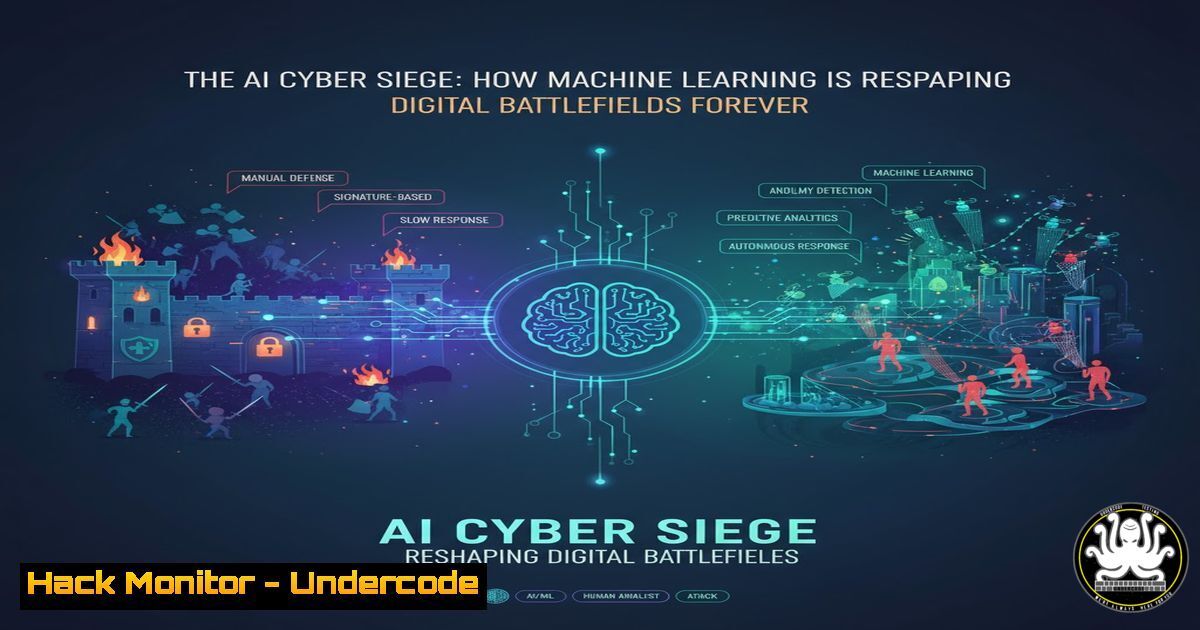
Introduction:
The integration of Artificial Intelligence into cybersecurity is no longer a future concept; it is the present-day reality of digital conflict. While organizations leverage AI for threat detection and response, adversaries are simultaneously weaponizing it to launch more sophisticated, scalable, and evasive attacks. This dual-use nature of AI is creating a new, hyper-accelerated arms race that is fundamentally altering security postures across the globe.
Learning Objectives:
- Understand the core offensive and defensive applications of AI in modern cybersecurity.
- Learn practical command-line techniques for analyzing potential AI-powered threats.
- Develop a mitigation strategy that incorporates AI-driven security tools and hardened configurations.
You Should Know:
1. AI-Powered Reconnaissance and Defense Evasion
Adversaries are using AI to automate target profiling and vulnerability discovery at an unprecedented scale. Defensively, AI can analyze logs and network traffic to identify these reconnaissance patterns.
Verified Command (Linux – Log Analysis):
journalctl --since "1 hour ago" | grep -i "failed|error" | awk '{print $1, $2, $3, $9}' | sort | uniq -c | sort -nr | head -20
Step-by-Step Guide: This command chain is a powerful first line of defense against automated scanning.
1. `journalctl –since “1 hour ago”` queries the systemd journal for logs from the last hour.
2. `grep -i “failed\|error”` filters these logs for lines containing “failed” or “error,” common indicators of exploit attempts or misconfigurations.
3. `awk ‘{print $1, $2, $3, $9}’` extracts the date, time, and process identifier, simplifying the output.
4. `sort | uniq -c | sort -nr` sorts the lines, counts occurrences of each unique line, and then sorts the results by count in descending order.
5. `head -20` displays the top 20 most frequent error messages, helping you quickly identify the most active threats or systemic issues.
Verified Command (Windows – PowerShell for Anomaly Detection):
Get-WinEvent -LogName Security -MaxEvents 1000 | Where-Object {$<em>.ID -eq 4625 -and $</em>.TimeCreated -gt (Get-Date).AddHours(-1)} | Group-Object -Property @{Expression={$_.Properties[bash].Value}} | Sort-Object -Property Count -Descending | Select-Object -First 10 Name, Count
Step-by-Step Guide: This PowerShell script identifies brute-force attacks by analyzing failed logons.
1. `Get-WinEvent -LogName Security -MaxEvents 1000` retrieves the last 1000 events from the Security log.
2. `Where-Object {…}` filters for events with ID 4625 (failed logon) from the last hour.
3. `Group-Object …` groups these failed logon events by the source IP address (found in Properties
</code>).
4. The final part sorts these groups by count and displays the top 10 offending IP addresses, a classic signature of automated credential stuffing, potentially guided by AI.

<h2 style="color: yellow;">2. Automating Phishing and Social Engineering at Scale</h2>

Generative AI models can create highly convincing and personalized phishing emails, bypassing traditional spam filters that look for grammatical errors and known malicious links.

Verified Command (Linux - Email Header Analysis with <code>dmarc</code>):
[bash]
curl -s "https://raw.githubusercontent.com/microsoft/DMARC-Aggregate-Parser-PowerShell/master/dmarc" | python - -f suspicious_email.eml --json
Step-by-Step Guide: Analyzing email authentication headers is critical to verifying an email's origin.
1. This command uses `curl` to fetch a DMARC analysis script from a trusted source (Microsoft's GitHub).
2. It pipes the script to `python` for execution.
3. The `-f suspicious_email.eml` flag specifies the file containing the suspicious email's raw source (including headers).
4. The `--json` flag outputs the DMARC, DKIM, and SPF validation results in a structured format, allowing you to programmatically check if the email passed authentication protocols or is likely spoofed.
3. AI-Driven Privilege Escalation and Persistence
AI can analyze system configurations and suggest the most likely successful privilege escalation paths. Defenders must proactively hunt for misconfigurations.
Verified Command (Linux - Vulnerability Hunting with linpeas):
curl -L https://github.com/carlospolop/PEASS-ng/releases/latest/download/linpeas.sh | sh
Step-by-Step Guide: LinPEAS is a renowned script that automates the search for privilege escalation vectors.
1. `curl -L` follows redirects to download the latest release of linpeas.sh from its GitHub repository.
2. The downloaded script is immediately piped to `sh` for execution.
3. LinPEAS will run dozens of checks on the system, examining SUID/GUID files, cron jobs, kernel versions, active processes, and more, outputting a color-coded report (red for high probable success) of potential weaknesses. Running this regularly helps you see your system through an attacker's (or an attacker's AI's) eyes.
Verified Command (Windows - Service Permissions Audit):
Get-WmiObject -Class Win32_Service | ForEach-Object { Get-Acl -Path ("HKLM:\SYSTEM\CurrentControlSet\Services\" + $<em>.Name) } | Where-Object {$</em>.AccessToString -match "Everyone"} | Format-List
Step-by-Step Guide: This command checks for weak service permissions, a common persistence mechanism.
1. `Get-WmiObject -Class Win32_Service` retrieves all services.
2. `ForEach-Object` loops through each service and uses `Get-Acl` to check the permissions on its registry key.
3. `Where-Object` filters for services where the "Everyone" group has any permissions, which is a severe misconfiguration.
4. `Format-List` presents the results clearly for investigation and remediation.
4. Data Exfiltration Camouflaged by AI
AI can learn normal network traffic patterns and generate exfiltration traffic that mimics legitimate behavior, making it harder for traditional IDS/IPS to detect.
Verified Command (Linux - Network Traffic Baseline with tshark):
tshark -i eth0 -a duration:600 -w baseline.pcap -f "not port 22"
Step-by-Step Guide: Establishing a baseline is key to detecting anomalies.
1. `tshark` (the command-line version of Wireshark) captures packets on interface eth0.
2. `-a duration:600` sets an automatic stop condition after 600 seconds (10 minutes).
3. `-w baseline.pcap` writes the captured packets to a file for later analysis.
4. `-f "not port 22"` applies a capture filter to ignore SSH traffic, which is often encrypted and noisy. Capturing this during a period of normal activity creates a baseline. Later, you can use tools like `zeek` (formerly Bro) or Suricata with AI-driven plugins to compare live traffic against this baseline and flag statistical outliers.
5. Hardening Cloud APIs Against AI-Fueled Attacks
Cloud APIs are a prime target for AI-driven attacks due to their standardized nature. Automated tools can rapidly probe for misconfigured endpoints.
Verified Command (AWS CLI - Check for Public S3 Buckets):
aws s3api list-buckets --query "Buckets[].Name" --output text | xargs -I {} aws s3api get-bucket-acl --bucket {} --query "Grants[?Grantee.URI=='http://acs.amazonaws.com/groups/global/AllUsers']" --output table --bucket-name {}
Step-by-Step Guide: This two-part command identifies S3 buckets with risky public "Read" access.
1. `aws s3api list-buckets` lists all S3 buckets in your account, outputting just the names.
2. This list is piped to xargs, which executes the next command for each bucket name.
3. `aws s3api get-bucket-acl` fetches the Access Control List for the specific bucket.
4. The `--query` parameter filters the output to only show grants where the grantee is "AllUsers" (the public). If this command returns any results, those buckets are exposed and must be reviewed immediately.
6. Mitigating AI-Enhanced Supply Chain Attacks
AI can automatically identify vulnerabilities in open-source dependencies. Defenders must integrate automated vulnerability scanning into their CI/CD pipelines.
Verified Command (Using `trivy` in a CI Pipeline):
trivy image --severity CRITICAL,HIGH your-application-image:latest
Step-by-Step Guide: Trivy is a simple yet powerful vulnerability scanner.
1. This command scans a Docker image named your-application-image:latest.
2. The `--severity CRITICAL,HIGH` flag tells Trivy to only report vulnerabilities with a Critical or High severity score, reducing noise and focusing on the most pressing issues.
3. Integrating this command into a CI pipeline (e.g., in a `.gitlab-ci.yml` or GitHub Actions workflow) will fail the build if critical vulnerabilities are found, preventing them from being deployed to production.
7. The Future: Autonomous Response with AI
The next frontier is AI systems that don't just detect but also autonomously contain threats, such as isolating a compromised host.
Verified Command (Linux - Isolate Host with iptables):
iptables -A INPUT -s <COMPROMISED_IP> -j DROP
iptables -A OUTPUT -d <COMPROMISED_IP> -j DROP
Step-by-Step Guide: This is a basic but effective containment action.
1. The first rule `iptables -A INPUT ...` appends a rule to the INPUT chain to drop all packets coming from the identified compromised IP address.
2. The second rule `iptables -A OUTPUT ...` appends a rule to the OUTPUT chain to drop all packets destined for the compromised IP, preventing any callback traffic.
3. In an AI-driven Security Orchestration, Automation, and Response (SOAR) platform, these commands could be executed automatically upon confirmation of a high-confidence compromise, drastically reducing the attacker's dwell time.
What Undercode Say:
- The Defender's Asymmetrical Advantage: AI in cybersecurity ultimately favors the defender. While attackers can automate exploitation, defenders can leverage AI to automate patching, hardening, and threat hunting across an entire enterprise, achieving a scale that is impossible manually.
- The New Critical Skill is AI Oversight: The future cybersecurity professional is not just a command-line wizard but an AI trainer and auditor. The ability to curate datasets, fine-tune models, and, most importantly, interpret and validate AI-generated alerts and actions will be the most valuable skill in the industry.
The paradigm has shifted. The discussion is no longer about if AI will be used in an attack against you, but when and how. The defensive use of AI is no longer a luxury for large enterprises; it is a necessity for all organizations. The commands and techniques outlined here provide a foundational, practical starting point. However, the strategic imperative is to build a security culture and infrastructure that is adaptive, data-driven, and leverages automation to stay ahead of the curve. The cost of playing catch-up in an AI-accelerated threat landscape is catastrophic breach.
Prediction:
Within the next 18-24 months, we will witness the first publicly attributed, fully autonomous cyber-attack orchestrated by a state-level AI. This event will trigger a fundamental re-architecting of network defense, moving from perimeter-based models to zero-trust frameworks enforced by continuous, AI-driven authentication and authorization systems. The market for AI-powered security solutions will consolidate around platforms that offer integrated autonomous response, forcing a "automate or perish" mentality across the industry.
🎯Let’s Practice For Free:
IT/Security Reporter URL:
Reported By: Karan1337 Everyones - Hackers Feeds
Extra Hub: Undercode MoN
Basic Verification: Pass ✅


