Listen to this Post
Introduction:
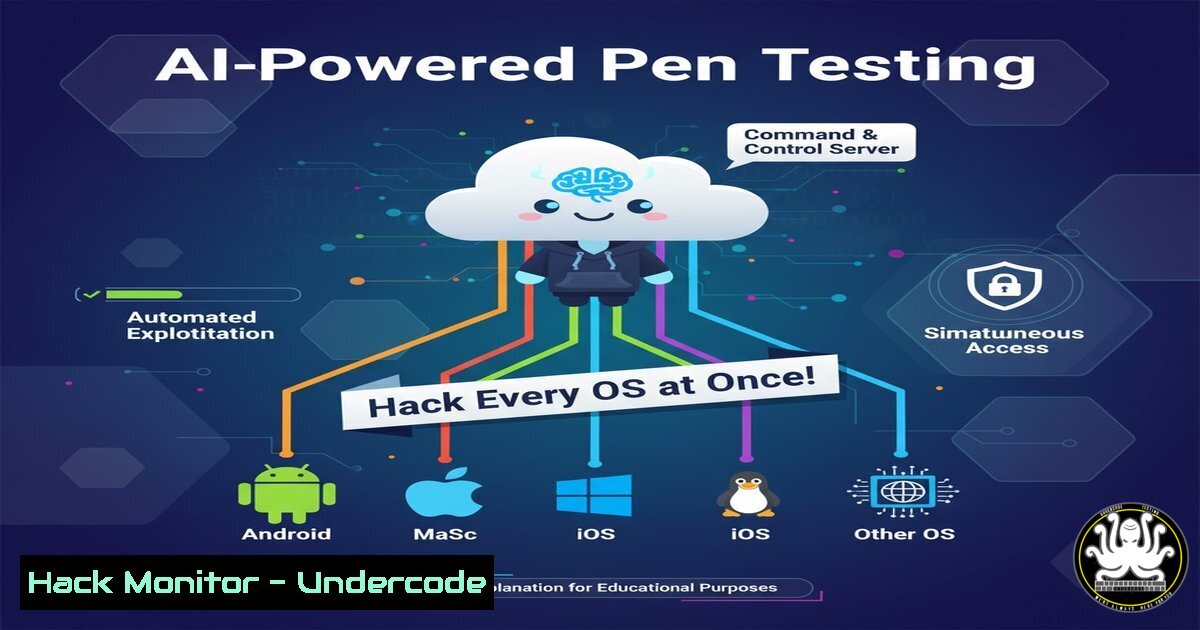
The landscape of adversary emulation and security validation is undergoing a radical transformation, moving from siloed, manually-correlated tests to AI-orchestrated, cross-platform campaigns. By leveraging the Model Context Protocol (MCP), security teams can now deploy a centralized AI to control Atomic Red Team tests across Windows, Linux, and macOS simultaneously, effectively turning a conversational AI into a sophisticated command-and-control (C2) center for purple teaming.
Learning Objectives:
- Understand how to deploy and configure MCP servers for Atomic Red Team on Windows, Linux, and macOS.
- Learn the verified commands to execute cross-platform atomic tests for common adversary techniques.
- Integrate AI-driven security testing with SIEM and ticketing systems like Splunk and Jira for closed-loop validation.
You Should Know:
1. Deploying Your Cross-Platform MCP Server Infrastructure
To orchestrate attacks, you first need a control plane. The Atomic Red Team MCP server acts as this brain, communicating with agents on different operating systems.
Verified Linux/macOS MCP Server Setup:
 Clone the repository
git clone https://github.com/your-repo/atomic-red-team-mcp.git
cd atomic-red-team-mcp

Install Python dependencies
pip install -r requirements.txt

Start the MCP server on Linux/macOS
python3 mcp_server_linux.py --host 0.0.0.0 --port 8080 --log-level INFO
Verified Windows MCP Server Setup (PowerShell):
 Clone the repository using Git in PowerShell
git clone https://github.com/your-repo/atomic-red-team-mcp.git
cd atomic-red-team-mcp

Create a virtual environment and install dependencies
python -m venv venv
.\venv\Scripts\Activate.ps1
pip install -r requirements.txt

Start the MCP server
python mcp_server_windows.py --host 0.0.0.0 --port 8080
Step-by-step guide: This sets up the central MCP server that will receive instructions from your AI controller (like Claude). The `–host 0.0.0.0` makes it accessible from other machines in your test network, while port 8080 serves as the communication channel. The logging ensures you can audit all AI-driven test executions.
2. Orchestrating Multi-OS Process Discovery Attacks
Process discovery (T1057) is a fundamental reconnaissance technique that adversaries use across all platforms. With AI orchestration, you can execute synchronized discovery.
Verified Windows Command (PowerShell):
 Atomic Test 1: Process Discovery - PowerShell
Get-Process | Format-Table Name, Id, Path, CPU -AutoSize

Atomic Test 2: Process Discovery - Command Line
tasklist /SVC | findstr "java|python|netcat"
Verified Linux/macOS Commands:
 Atomic Test 1: Process Discovery - ps command
ps aux | grep -E "(ssh|python|java|nginx)"

Atomic Test 2: Process tree discovery
pstree -p -u $(whoami)

Atomic Test 3: Process discovery with detailed information
ps -eo pid,ppid,cmd,%mem,%cpu --sort=-%cpu | head -20
Step-by-step guide: The AI controller sends these commands simultaneously to all registered endpoints. On Windows, `Get-Process` provides object-oriented process information while `tasklist` offers legacy compatibility. On Linux, `ps aux` shows all processes with details, `pstree` reveals parent-child relationships crucial for detecting process injection, and the sorted `ps -eo` helps identify resource-intensive processes that might indicate malware.
3. Cross-Platform Network Reconnaissance & Connection Enumeration
Network reconnaissance (T1046) helps adversaries map the network and identify lateral movement opportunities.
Verified Windows Network Commands:
 Atomic Test: Network Connections - PowerShell
Get-NetTCPConnection | Where-Object {$_.State -eq "Established"} | Format-Table LocalAddress, LocalPort, RemoteAddress, RemotePort, State

Atomic Test: Port scanning from Windows
Test-NetConnection -ComputerName 192.168.1.1 -Port 445 -InformationLevel Detailed

Atomic Test: ARP cache examination
arp -a | findstr "dynamic"
Verified Linux Network Commands:
 Atomic Test: Network Connections examination
netstat -tulpn | grep LISTEN

Atomic Test: Socket statistics with process mapping
ss -tulp | grep -E "(LISTEN|ESTAB)"

Atomic Test: Network interface configuration
ip addr show | grep inet

Atomic Test: Route table examination
ip route show | grep default
Step-by-step guide: These commands help identify active connections and listening services. On Windows, `Get-NetTCPConnection` is the modern PowerShell approach while `Test-NetConnection` enables port scanning. The Linux equivalents `netstat` and `ss` provide similar functionality with `ss` being more modern and efficient. The AI correlates this data across platforms to identify suspicious patterns like unexpected outbound connections.
4. AI-Driven Persistence Mechanism Deployment
Persistence techniques (T1543) ensure adversary access survives reboots and credential changes.
Verified Windows Persistence Commands:
 Atomic Test: Registry Run Key persistence
New-ItemProperty -Path "HKCU:\Software\Microsoft\Windows\CurrentVersion\Run" -Name "UpdateService" -Value "C:\fake\malware.exe" -PropertyType String -Force

Atomic Test: Scheduled Task persistence
schtasks /create /tn "SystemHealthCheck" /tr "C:\fake\malware.exe" /sc daily /st 09:00 /f

Atomic Test: Service creation persistence
sc.exe create "WindowsTimeSync" binPath="C:\fake\malware.exe" start=auto
Verified Linux Persistence Commands:
 Atomic Test: Cron job persistence
(crontab -l 2>/dev/null; echo "/5     /home/user/.config/.malware") | crontab -

Atomic Test: Systemd service persistence
sudo systemctl enable --now fake-service.service

Atomic Test: SSH authorized_keys persistence
echo "ssh-rsa AAAAB3NzaC1yc2E..." >> ~/.ssh/authorized_keys

Atomic Test: .bashrc backdoor persistence
echo "nohup /home/user/.config/.malware &" >> ~/.bashrc
Step-by-step guide: These commands establish various persistence mechanisms that the AI can deploy across the environment. The Windows commands target common autostart locations like Run keys, scheduled tasks, and services. The Linux commands use cron for scheduled execution, systemd for service persistence, SSH keys for remote access, and shell configuration files for user-login triggers. The AI monitors which methods successfully establish persistence and which get detected.
5. Cloudflare Tunnel Atomic Test Execution & Detection
The specific example mentioned requires testing Cloudflare tunnel deployment across platforms while checking for detection.
Verified Cloudflare Tunnel Test Commands:
 Linux/macOS: Download and execute Cloudflare tunnel
curl -L https://github.com/cloudflare/cloudflared/releases/latest/download/cloudflared-linux-amd64 -o cloudflared
chmod +x cloudflared
./cloudflared tunnel --url http://localhost:8080 --hello-world

Windows equivalent (PowerShell):
Invoke-WebRequest -Uri "https://github.com/cloudflare/cloudflared/releases/latest/download/cloudflared-windows-amd64.exe" -OutFile "cloudflared.exe"
.\cloudflared.exe tunnel --url http://localhost:8080 --hello-world
Verified Detection Queries (Splunk SPL):
 Detect Cloudflare tunnel execution
index= (cloudflared OR "cloudflare tunnel")
| transaction host src_ip dest_ip
| table _time, host, user, process, command_line

Detect suspicious outbound tunneling
index= dest_port=7844 OR dest_port=443
| stats count by src_ip, dest_ip, dest_port
| where count > 1000
Step-by-step guide: This test validates both the execution of Cloudflare tunnels (a legitimate tool that can be abused for tunneling) and the corresponding detection capabilities. The AI executes the tunnel client across platforms while simultaneously querying Splunk through its MCP integration to check if the activity triggered alerts. Any detection gaps are automatically documented for remediation.
6. Automated Jira Ticket Creation for Detection Gaps
When the AI identifies detection failures, it automatically creates remediation tickets.
Verified Python Code for Jira Integration:
import json
from jira import JIRA

def create_detection_gap_ticket(technique_id, host_os, description):
jira = JIRA(
server='https://your-company.atlassian.net',
basic_auth=('api-user', 'your-api-token')
)

issue_dict = {
'project': {'key': 'SOC'},
'summary': f'Detection Gap: {technique_id} on {host_os}',
'description': f'Atomic test execution for {technique_id} was not detected on {host_os}. \n\nDetails: {description}',
'issuetype': {'name': 'Bug'},
'priority': {'name': 'High'},
'labels': ['detection-gap', 'atomic-red-team', technique_id.lower()]
}

issue = jira.create_issue(fields=issue_dict)
return issue.key

Example usage when AI identifies a gap
ticket_key = create_detection_gap_ticket(
technique_id="T1057",
host_os="Windows 11",
description="Process discovery via Get-Process was not detected by any Splunk correlation search"
)
print(f"Created Jira ticket: {ticket_key}")
Step-by-step guide: This Python code integrates with Jira’s REST API to automatically create high-priority tickets when the AI’s Splunk queries return no results for executed atomic tests. The tickets include all relevant context—technique ID, operating system, and specific test details—enabling security engineers to quickly understand and address the detection gap.
7. Validating Defenses with Purple Team Workflows
The true power emerges when combining attack execution with immediate detection validation.
Verified Purple Team Validation Script:
!/bin/bash
 Purple Team Validation Wrapper
 Executes attack and validates detection simultaneously

ATTACK_TECHNIQUE=$1
OS_PLATFORM=$2

echo "[+] Executing Atomic Test for: $ATTACK_TECHNIQUE on $OS_PLATFORM"
 Execute the atomic test
python3 execute_atomic_test.py --technique $ATTACK_TECHNIQUE --os $OS_PLATFORM

echo "[+] Querying Splunk for detection events..."
 Query Splunk for relevant alerts
python3 query_splunk_mcp.py --technique $ATTACK_TECHNIQUE --timeframe "last_15_minutes"

echo "[+] Analyzing detection coverage..."
 AI analyzes results and determines if detection was adequate
python3 analyze_detection_coverage.py --technique $ATTACK_TECHNIQUE --os $OS_PLATFORM

Create Jira ticket if detection failed
if [ $? -ne 0 ]; then
echo "[!] Detection gap identified - creating Jira ticket"
python3 create_jira_ticket.py --technique $ATTACK_TECHNIQUE --os $OS_PLATFORM
fi
Step-by-step guide: This bash script orchestrates the complete purple team workflow—executing an atomic test, immediately querying for detection, analyzing the coverage, and creating remediation tickets for any gaps. The AI uses this framework to continuously test and improve detection capabilities across the entire environment.
What Undercode Say:
- The convergence of AI orchestration with atomic testing represents the most significant advancement in security validation since the introduction of the MITRE ATT&CK framework itself.
- Traditional BAS platforms have failed to keep pace with modern, heterogeneous environments, creating massive detection gaps that AI-driven testing can systematically identify and remediate.
The shift from manual, sequential testing to AI-driven, parallel execution fundamentally changes security maturity timelines. Where traditional purple teaming might require weeks to test a single technique across an enterprise, AI orchestration accomplishes this in minutes. However, this power demands rigorous controls—the same AI that tests your defenses could potentially be subverted to attack them. Organizations must implement strict segmentation, monitoring, and approval workflows around these testing frameworks. The future of security validation isn’t just automated; it’s intelligent, adaptive, and continuous, with AI not just executing tests but reasoning about what to test next based on evolving threat intelligence and environmental changes.
Prediction:
Within two years, AI-orchestrated security testing will become the standard for enterprise security programs, rendering traditional BAS solutions obsolete. This will create a new cybersecurity market segment focused specifically on AI testing governance and create regulatory frameworks for responsible AI-powered security automation. The same technology will inevitably be weaponized by adversaries, leading to an AI-versus-AI battleground where defense systems must continuously evolve against AI-generated attack variations.
🎯Let’s Practice For Free:
IT/Security Reporter URL:
Reported By: Activity 7391337164132782080 – Hackers Feeds
Extra Hub: Undercode MoN
Basic Verification: Pass ✅


