Listen to this Post
Introduction:
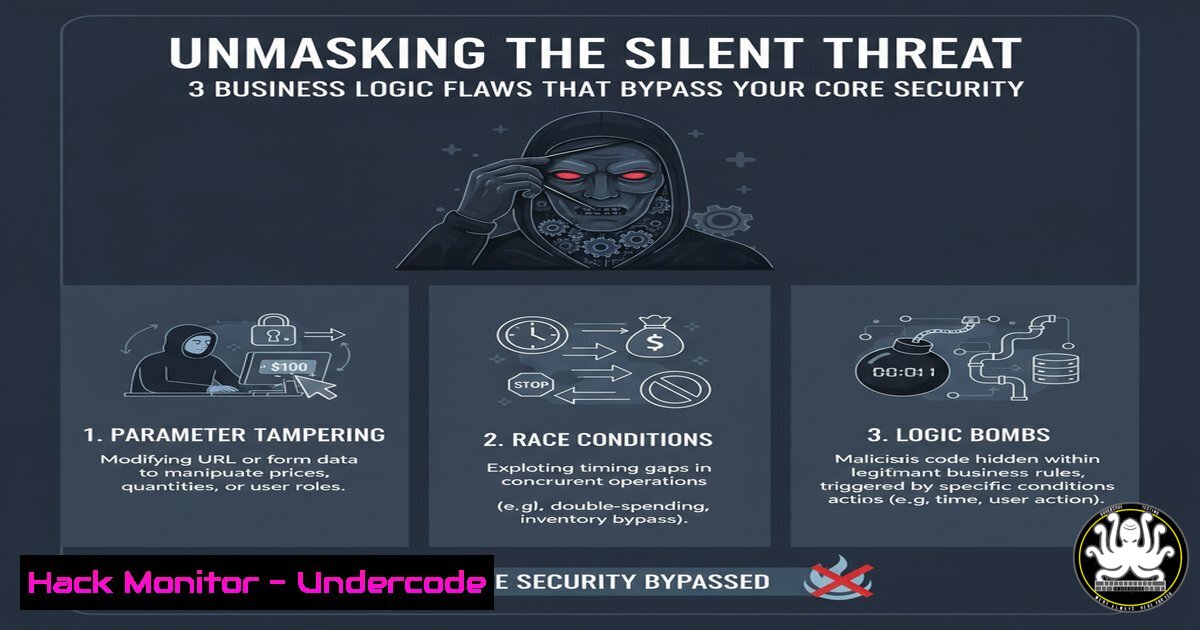
In the relentless pursuit of technical vulnerabilities like SQL injection and cross-site scripting, a more insidious class of weakness often goes undetected: business logic flaws. These are not coding errors in the traditional sense, but flaws in the application’s design and workflow that can be manipulated to achieve unauthorized outcomes. This article dissects three common, yet frequently overlooked, logic vulnerabilities that undermine account integrity and data protection.
Learning Objectives:
- Understand the mechanics and impact of business logic flaws in authentication and authorization workflows.
- Learn to identify and test for logic vulnerabilities related to email verification, password reset mechanisms, and client-side trust.
- Develop mitigation strategies to harden application workflows against these subtle attacks.
You Should Know:
1. Password Reset on Unverified Account Bypass
This flaw allows an attacker to fully verify an account without ever accessing the victim’s email inbox. The vulnerability arises when the password reset functionality, intended for verified users, incorrectly updates the account’s verification status.
Step-by-Step Guide:
Step 1: Identify a target application that requires email verification upon registration.
Step 2: Register a new account using a valid email address you control. Do not click the email verification link.
Step 3: Immediately navigate to the “Forgot Password” function and request a password reset link to the same, unverified email.
Step 4: Use the reset link to change the account’s password.
Step 5 (The Flaw): Observe if the password change is successful and, critically, if the account is now marked as “verified.” This indicates a broken trust boundary between the reset and verification workflows.
2. Password Reset Token Leakage via Referer Header
This information disclosure vulnerability exposes sensitive tokens through the HTTP Referer header when a user navigates from a password reset page to an external site.
Step-by-Step Guide:
Step 1: Initiate a password reset for a test account and open the unique reset link in your browser.
Step 2: On the reset page, identify any outbound links, such as social media icons (Facebook, Twitter, LinkedIn).
Step 3: Intercept the traffic using a proxy like Burp Suite. Click one of the external links.
Step 4: In the intercepted HTTP GET request to the external domain, examine the `Referer` header. You will likely see the full password reset URL, including the unique token, being leaked to the third-party site.
`Example Referer Header: Referer: https://vulnerable-app.com/reset-password?token=abc123def456`
Step 5: An attacker controlling the third-party site could log this header and use the token to compromise the account.
3. Missing Server-Side Validation for Terms Acceptance
This flaw demonstrates a critical over-reliance on client-side controls. The application fails to re-verify on the server that a user agreed to terms and conditions during registration.
Step-by-Step Guide:
Step 1: Navigate to the application’s registration page.
Step 2: Open your browser’s developer tools or use Burp Suite to intercept the POST request sent when clicking “Sign Up.”
Step 3: In the intercepted request, look for parameters like `terms_accepted=true` or policy=on.
Step 4: Modify the request by deleting or altering these parameters (e.g., change `true` to `false` or remove the parameter entirely).
`Original: username=john&[email protected]&password=pass123&terms_accepted=true`
`Modified: username=john&[email protected]&password=pass123`
Step 5: Forward the modified request. If the account is created successfully, the application lacks essential server-side validation, violating legal and ethical principles.
4. Automated Testing with ffuf for Endpoint Discovery
Before manual testing, it’s crucial to discover all application endpoints, including hidden administrative or debug pages.
Verified Command:
ffuf -w /usr/share/wordlists/seclists/Discovery/Web-Content/common.txt -u https://TARGET/FUZZ -mc 200,302,403 -e .php,.asp,.bak,.json
Step-by-Step Guide:
Step 1: Install `ffuf` (`go install github.com/ffuf/ffuf@latest`).
Step 2: The `-w` flag specifies the wordlist. The SecLists collection is a standard resource.
Step 3: The `-u` flag defines the target URL, with `FUZZ` marking where words are inserted.
Step 4: `-mc` filters for meaningful HTTP status codes (200 OK, 302 Redirect, 403 Forbidden).
Step 5: `-e` adds common file extensions to each word, increasing coverage.
5. Crafting a Custom Wordlist with CeWL
A targeted wordlist, generated from the application’s own content, can be more effective than generic lists for discovering sensitive files or parameters.
Verified Command:
cewl -d 2 -m 5 --with-numbers -w target_custom_words.txt https://TARGET
Step-by-Step Guide:
Step 1: CeWL (Custom Word List generator) is a Ruby tool that spiders a given URL.
Step 2: `-d 2` sets the spidering depth to 2 links.
Step 3: `-m 5` sets the minimum word length to 5 characters, filtering out common short words.
Step 4: `–with-numbers` includes words that contain numbers, which are often part of technical identifiers.
Step 5: `-w` writes the output to a specified file, which can then be used with `ffuf` or other fuzzing tools.
6. Intercepting and Modifying Traffic with Burp Suite
Burp Suite is the industry standard for manual web application testing, allowing you to intercept, inspect, and modify all HTTP/S traffic.
Step-by-Step Guide:
Step 1: Configure your browser to use Burp Suite as its HTTP proxy (typically 127.0.0.1:8080).
Step 2: Ensure “Intercept is on” in Burp’s Proxy tab.
Step 3: Perform any action in the browser (e.g., submit a form, click a link). The request will be captured in Burp.
Step 4: Right-click the request and send it to “Repeater” for manual, repeated modification and testing without using the browser.
Step 5: In Repeater, you can modify any part of the request (parameters, headers, body) and observe the application’s response, which is essential for testing the logic flaws described above.
7. Mitigation: Implementing Stateful Session Management
A primary mitigation for the account verification bypass is to implement robust server-side session and state management.
Conceptual Code Snippet (Pseudocode):
 PSEUDOCODE - Server-Side Logic for Password Reset
def handle_password_reset(token, new_password):
user = find_user_by_reset_token(token)
if user is None or token_expired(token):
return error("Invalid or expired token")

CRITICAL CHECK: Ensure account is verified before allowing password reset
if not user.is_verified:
log_security_event(f"Password reset attempted on unverified account: {user.email}")
return error("Please verify your email address before resetting your password.")

update_user_password(user, new_password)
invalidate_reset_token(token)
 DO NOT modify user.is_verified here
return success("Password updated")
Step-by-Step Guide:
Step 1: The server must maintain the verification status (is_verified) as a immutable property until the correct verification flow is completed.
Step 2: The password reset function must include an explicit check for this status.
Step 3: If the account is not verified, the reset must be denied, and the event should be logged as a potential security incident.
Step 4: The act of resetting a password should never alter the `is_verified` flag.
What Undercode Say:
- Low Severity Does Not Mean No Severity. Dismissing logic flaws as “low impact” creates a false sense of security. These vulnerabilities are often the first step in a complex attack chain, chaining together to escalate privileges or bypass multi-layered defenses.
- The Client-Side is an Untrustworthy Environment. Any validation performed solely in the user’s browser can be bypassed. Server-side validation is non-negotiable for enforcing business rules, legal compliance, and security boundaries.
The analysis from the original post’s comment thread highlights a common but dangerous mindset in application security. While a single flaw like an unverified password reset might seem low-risk in isolation, it erodes the foundation of trust in a system. In a multi-tenant application, this could allow an attacker to squat on and verify accounts without email access. When combined with other vulnerabilities, such as the token leak, the impact is magnified. Furthermore, missing server-side validation for terms of service is not just a technical bug; it’s a compliance and legal liability. The modern security posture must shift from solely hunting for high-severity technical exploits to critically analyzing every workflow for logical inconsistencies that violate the intended design.
Prediction:
The future of web application security will see a significant rise in automated and AI-driven tools specifically designed to hunt for business logic flaws. As traditional vulnerabilities like SQLi and XSS become harder to find due to improved frameworks and developer awareness, attackers will increasingly pivot to exploiting flawed logic. We will see more sophisticated chained attacks where a low-severity logic bug is used to set the stage for a data breach or system takeover, forcing a fundamental re-evaluation of what constitutes a “critical” vulnerability. Penetration testing and bug bounty programs will evolve to prioritize the human-centric analysis of application workflows, making logical reasoning the most valuable skill in a security researcher’s arsenal.
🎯Let’s Practice For Free:
IT/Security Reporter URL:
Reported By: Raguraman S – Hackers Feeds
Extra Hub: Undercode MoN
Basic Verification: Pass ✅


