Listen to this Post
Introduction:
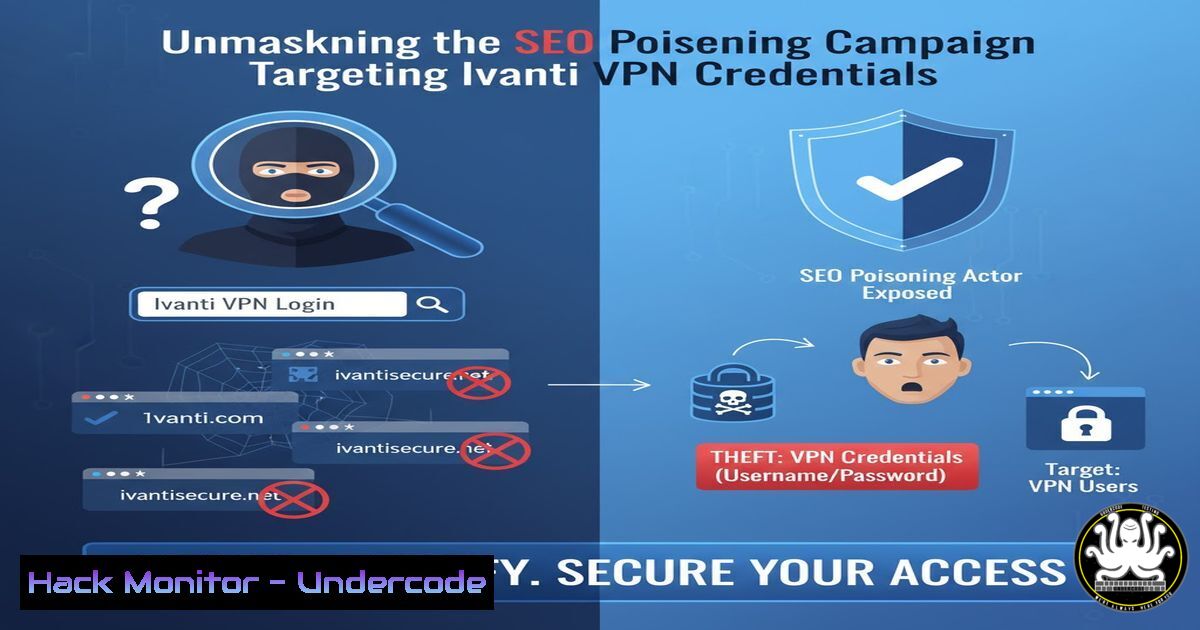
A sophisticated SEO poisoning campaign is actively targeting users seeking legitimate Ivanti Connect Secure VPN clients, distributing a backdoored version designed to steal credentials. This attack vector exploits user trust and search engine results rather than technical software vulnerabilities, marking a significant shift in threat actor tactics. Understanding the mechanics of this campaign and the associated indicators of compromise is critical for enterprise defense.
Learning Objectives:
- Identify the key indicators of a system compromised by the fake Ivanti VPN installer.
- Utilize command-line forensics to detect credential harvesting and persistence mechanisms.
- Implement mitigation strategies to prevent initial infection and lateral movement.
You Should Know:
1. Initial Compromise: Detecting the Malicious Installer
The threat actors used SEO poisoning to rank a malicious website highly for searches like “Ivanti Connect Secure VPN download.” The downloaded installer, while appearing legitimate, drops multiple malicious payloads.
Verified Commands & Analysis:
 Check for the malicious MSI package hash (Example SHA256 - replace with current IOCs)
Get-FileHash "C:\Users\Public\Downloads\IVANTI_VPN.msi" | Where-Object {$_.Hash -eq "A1B2C3..."}

Query Windows Event Logs for MSI installer activity
Get-WinEvent -FilterHashtable @{LogName='Application'; ProviderName='MsiInstaller'} | Where-Object Message -like "Ivanti"
Step-by-step guide: The initial infection vector is a trojanized MSI package. Security teams should immediately hash any Ivanti installer downloaded from unofficial sources and compare it against known-bad indicators from threat intelligence reports. Monitoring Windows Installer event logs for unexpected Ivanti package installations can provide an early detection signal.
2. Persistence Mechanism: Scheduled Task for Payload Execution
The backdoor establishes persistence through a scheduled task, ensuring the malicious payload is re-executed upon system reboot.
Verified Commands & Analysis:
 List all scheduled tasks and look for suspicious entries
schtasks /query /fo LIST /v | findstr /i "Ivanti"

PowerShell method to get detailed task information
Get-ScheduledTask | Where-Object {$_.TaskName -like "Ivanti"} | Get-ScheduledTaskInfo

Delete a identified malicious scheduled task
schtasks /delete /tn "MaliciousIvantiTask" /f
Step-by-step guide: The malware creates a scheduled task that points to a malicious script or executable. Regularly audit scheduled tasks, especially those with obscure names or those triggering at unusual intervals. The `schtasks` command provides a comprehensive view, and any task related to Ivanti that cannot be correlated with a legitimate installation should be investigated immediately.
3. Credential Harvesting: Dumping Browser Login Data
The primary goal of the malware is to harvest stored credentials from web browsers, particularly targeting VPN login information.
Verified Commands & Analysis:
 Check for suspicious processes accessing browser data directories
lsof +D ~/.config/google-chrome/Default
ps aux | grep -i [bash]hrome

On Windows, use Handle.exe from Sysinternals to see what files are accessed
handle.exe -p browserprocessname | findstr "Login Data"

Find recently modified browser database files
find /home/user/.mozilla/firefox -name "logins.json" -mtime -1
Step-by-step guide: The malware employs techniques to extract data from browser profiles, such as Chrome’s `Login Data` or Firefox’s `logins.json` files. Monitor process access to these sensitive locations. On Linux/macOS, `lsof` can reveal processes with open handles to these files. On Windows, Sysinternals’ `handle` utility is invaluable for this purpose.
4. Network Exfiltration: Identifying Beaconing Activity
Stolen credentials are exfiltrated to a command and control (C2) server, often using encrypted channels to blend with normal traffic.
Verified Commands & Analysis:
 Check for established connections to unknown external IPs
netstat -an | findstr ESTABLISHED
ss -tunp | grep ESTAB

Investigate specific IPs with whois and threat intelligence tools
whois 192.168.1.100
curl -s "https://otx.alienvault.com/api/v1/indicators/IPv4/1.2.3.4/"

Capture network traffic for analysis
tcpdump -i any -w suspect_traffic.pcap host 1.2.3.4
Step-by-step guide: Continuous network monitoring is essential. Use `netstat` or `ss` to review established connections, paying close attention to destinations on non-standard ports or in unfamiliar IP ranges. Correlate these IPs with threat intelligence feeds. Packet capture (tcpdump) allows for deeper analysis of the exfiltration method.
5. Memory Analysis: Hunting for Malicious Processes
The backdoor may reside in memory, making process analysis a critical component of detection.
Verified Commands & Analysis:
 List all running processes with full command line arguments
ps aux --forest
Get-WmiObject Win32_Process | Select-Object Name, ProcessId, CommandLine

Look for processes with unusual parent-child relationships
 Example: A child process of a browser or installer accessing sensitive system resources

Dump a suspicious process for later analysis (Linux)
gcore -o dump_file <PID>
Step-by-step guide: Analyze the process tree for anomalies. A process spawned by the legitimate installer that then launches scripting hosts (e.g., powershell.exe, wscript.exe) or attempts to make network connections is highly suspect. The `–forest` flag in `ps` helps visualize parent-child relationships. Dumping suspicious processes preserves evidence for malware analysis.
6. File System Artifacts: Locating the Dropped Payload
The installer drops additional executable files and scripts in various directories to maintain access.
Verified Commands & Analysis:
 Find files modified in the last 24 hours in common writable directories
find /tmp /var/tmp /home -type f -mtime -1 -ls
Get-ChildItem C:\Users\Public\ -Recurse -File | Where-Object LastWriteTime -gt (Get-Date).AddDays(-1)

Search for specific file extensions associated with the campaign
find . -name ".vbs" -o -name ".bat" -o -name ".scr"

Check for hidden files and directories
ls -la | grep "^."
Step-by-step guide: The malware often uses temporary or publicly writable directories to stage its payloads. Regularly scan these locations for recently created or modified files, particularly those with double extensions (e.g., document.pdf.exe) or script files (.vbs, .bat). On both Linux and Windows, the `find` and `Get-ChildItem` cmdlets are powerful tools for these hunts.
7. Mitigation and Hardening: Preventing Execution
Proactive measures can prevent the initial execution of the malware or limit its impact.
Verified Commands & Analysis:
 Apply Application Whitelisting via AppLocker (Windows)
Get-AppLockerPolicy -Effective | Test-AppLockerPolicy -Path "C:\malicious.exe"

Configure Windows Defender Attack Surface Reduction (ASR) rules
Set-MpPreference -AttackSurfaceReductionRules_Ids <RuleID> -AttackSurfaceReductionRules_Actions Enabled

Implement and enforce code signing policies for scripts
Get-ChildItem -Path . -Recurse -Include .ps1, .vbs | Get-AuthenticodeSignature
Step-by-step guide: Defense-in-depth is key. Application whitelisting solutions like AppLocker can block unauthorized executables. Enable ASR rules in Windows Defender to prevent common malware behaviors, such as running executable content from email. Enforcing code signing for PowerShell scripts ensures only authorized scripts run in your environment.
What Undercode Say:
- The shift from complex zero-day exploitation to social engineering and SEO poisoning demonstrates a pragmatic adaptation by threat actors, targeting the human element as the weakest link.
- This campaign highlights the critical need for robust software supply chain verification and user security awareness training that goes beyond traditional phishing.
The technical simplicity of this attack is its greatest strength. By forgoing the arms race of vulnerability research, the threat actors have chosen a highly reliable method with a lower barrier to entry. The focus on credential theft rather than network exploitation suggests a targeted interest in specific organizations using Ivanti VPN, potentially for initial access in a broader attack chain. Defenders must now prioritize monitoring for this low-and-slow technique as diligently as they hunt for exploit attempts, recognizing that the most significant threats can often be the most mundane.
Prediction:
This SEO poisoning campaign against a specific enterprise technology like Ivanti VPN is a harbinger of a new wave of highly targeted software supply chain attacks. We predict a significant rise in threat actors creating sophisticated fake download portals for a wider range of business-critical software, from CRM and accounting tools to security products themselves. This will force a fundamental shift in enterprise security policy, moving software acquisition and verification from an informal, user-driven process to a centrally managed, strictly controlled function, ultimately leading to the widespread adoption of digital signing and hash verification as a mandatory step for any software installation.
🎯Let’s Practice For Free:
IT/Security Reporter URL:
Reported By: Oxmar00 Seo – Hackers Feeds
Extra Hub: Undercode MoN
Basic Verification: Pass ✅


