Listen to this Post
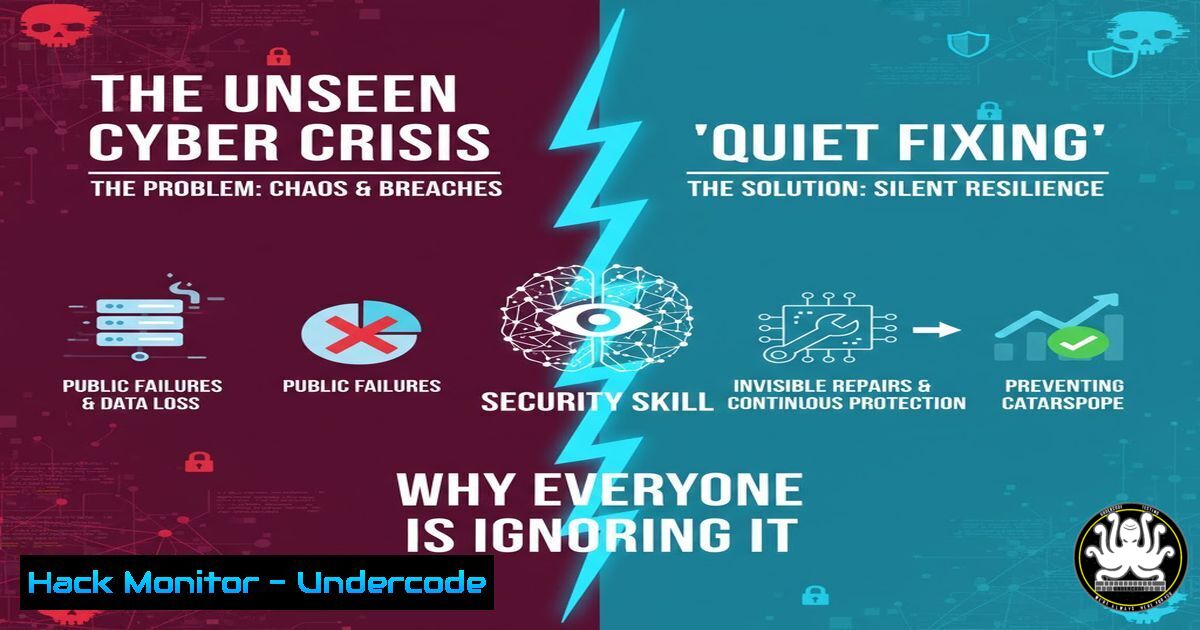
Introduction:
In an era of automated security tools and AI-driven threat detection, a dangerous culture of technological abdication is emerging. When a system fails or a breach occurs, the default response is often to blame the software, the vendor, or “a technical issue” rather than taking personal responsibility for resolution. This article explores the critical cybersecurity skills and manual verification processes that separate true security professionals from those who simply hide behind systems.
Learning Objectives:
- Master essential command-line tools for manual security verification across Linux and Windows environments
- Develop methodologies for forensic analysis and incident response without relying solely on automated tools
- Implement manual security controls and verification processes that complement automated systems
You Should Know:
1. Manual Network Forensic Analysis
 Capture and analyze network traffic manually
tcpdump -i any -w capture.pcap
tshark -r capture.pcap -Y "http.request" -T fields -e frame.time -e ip.src -e ip.dst -e http.host -e http.request.uri
netstat -tulnpa | grep ESTABLISHED
ss -tulnpa | grep LISTEN
lsof -i :443
This sequence allows you to manually verify network activity rather than relying solely on SIEM alerts. Start by capturing raw traffic with tcpdump, then analyze specific HTTP requests with tshark to identify suspicious patterns. The netstat and ss commands show active connections, while lsof helps identify what processes are using specific ports. This manual approach often reveals threats that automated systems miss.
2. Windows Security Verification Commands
 Manual security configuration verification
Get-LocalUser | Where-Object {$<em>.Enabled -eq "True"}
Get-NetFirewallRule | Where-Enabled | Format-Table Name,Enabled,Profile,Direction
Get-Service | Where-Object {$</em>.Status -eq "Running"} | Select-Object Name,Status
Get-WinEvent -FilterHashtable @{LogName='Security'; ID=4624,4625} -MaxEvents 50 | Format-Table TimeCreated,Id,LevelDisplayName,Message
These PowerShell commands enable manual verification of critical Windows security settings. Check active users, review firewall rules, identify running services, and examine authentication logs. This hands-on approach ensures you understand your environment beyond what automated security tools report, allowing you to spot anomalies that might indicate compromised accounts or misconfigurations.
3. Linux System Integrity Verification
 Manual system and file integrity checks
ps aux --sort=-%mem | head -10
find / -uid 0 -perm -4000 2>/dev/null
rpm -Va 2>/dev/null | grep '^..5'
awk -F: '($3 == 0) {print $1}' /etc/passwd
chkconfig --list | grep '3:on'
last -20
grep "Failed password" /var/log/auth.log | awk '{print $11}' | sort | uniq -c | sort -nr
This comprehensive Linux verification script manually checks multiple system integrity aspects. Monitor memory usage, identify SUID files, verify package integrity, check for privileged accounts, review enabled services, examine recent logins, and analyze failed authentication attempts. Manual verification provides context that automated integrity monitoring often lacks.
4. API Security Manual Testing
 Manual API security assessment
curl -H "Authorization: Bearer $TOKEN" https://api.example.com/v1/users \
-X GET -v 2>&1 | grep -E "(HTTP|Authorization|User-Agent)"
curl -H "Content-Type: application/json" -X POST https://api.example.com/v1/auth \
-d '{"username":"admin","password":"password"}' -v
nmap -sV --script http-auth-finder -p 443,8443 api.example.com
sqlmap -u "https://api.example.com/v1/users?id=1" --batch --level=3
Manual API testing ensures you understand the security posture beyond automated scanner reports. Test authentication mechanisms, examine headers, identify available authentication methods, and check for SQL injection vulnerabilities. This hands-on approach reveals subtle security issues that automated tools might classify as false positives or miss entirely.
5. Cloud Security Configuration Verification
 AWS security manual verification
aws iam list-users --query 'Users[].UserName'
aws ec2 describe-security-groups --query 'SecurityGroups[].[GroupName,GroupId]'
aws s3api list-buckets --query 'Buckets[].Name'
aws cloudtrail lookup-events --lookup-attributes AttributeKey=EventName,AttributeValue=ConsoleLogin
aws configservice describe-compliance-by-config-rule --config-rule-name required-tags
Manual cloud security verification provides immediate insight into your environment’s security posture. Check IAM users, review security groups, identify S3 buckets, examine CloudTrail logs for console logins, and verify compliance with configuration rules. This approach ensures you maintain visibility even when automated cloud security tools experience issues.
6. Database Security Assessment
-- Manual database security checks
SELECT user, host FROM mysql.user;
SHOW GRANTS FOR CURRENT_USER;
SELECT  FROM information_schema.table_privileges;
SELECT event_time, user_host, command_type, argument FROM mysql.general_log
WHERE command_type IN ('Connect','Query') ORDER BY event_time DESC LIMIT 50;
-- PostgreSQL security checks
\du
SELECT datname, usename, client_addr, query_start, query FROM pg_stat_activity;
Manual database security assessment provides direct visibility into access patterns and privileges. Check database users and hosts, review current user privileges, examine table-level permissions, monitor recent connections and queries, and in PostgreSQL, list roles and active queries. This manual approach catches security issues that automated database scanning tools might overlook.
7. Incident Response Manual Commands
 Manual incident response and analysis
journalctl --since "1 hour ago" | grep -i "error|fail|denied"
ls -la /tmp | grep -v "$(whoami)|root"
crontab -l ; ls -la /etc/cron ; systemctl list-timers
strings /usr/bin/sshd | grep -i "backdoor|shell"
find /var/www -name ".php" -exec grep -l "base64_decode|eval(|system(" {} \;
These manual incident response commands provide immediate visibility during security incidents. Check recent system logs, examine /tmp directory for suspicious files, review scheduled tasks and timers, search for backdoor strings in critical binaries, and scan web directories for malicious PHP code. This hands-on approach ensures you understand the scope of an incident beyond what automated IR tools report.
What Undercode Say:
- Manual verification and “quiet fixing” skills are becoming the ultimate differentiator in cybersecurity professionals
- The over-reliance on automated tools creates security gaps that only human expertise can identify and resolve
- True security maturity means taking ownership of incidents and understanding systems at a fundamental level
The cybersecurity industry’s increasing dependence on automated tools has created a dangerous skills gap. Professionals who can manually verify security controls, conduct hands-on forensic analysis, and take personal responsibility for incident resolution are becoming increasingly rare yet critically valuable. The incident described in the source material, where a team manually verified each failing payment case, exemplifies the mindset needed in modern security operations. This approach of “quiet fixing” rather than blaming systems represents the highest form of security maturity, where professionals maintain deep technical understanding rather than hiding behind automated solutions.
Prediction:
Within the next 2-3 years, organizations will face a critical shortage of cybersecurity professionals capable of manual verification and deep technical analysis. This skills gap will lead to increased undetected breaches and prolonged incident response times. Companies that invest in developing these “quiet fixing” capabilities will gain significant competitive advantage, while those relying solely on automated tools will experience more frequent and severe security incidents. The ability to manually verify and take ownership of security issues will become the defining characteristic of elite security teams.
🎯Let’s Practice For Free:
IT/Security Reporter URL:
Reported By: Tusharjejani We – Hackers Feeds
Extra Hub: Undercode MoN
Basic Verification: Pass ✅


