Listen to this Post
Introduction:
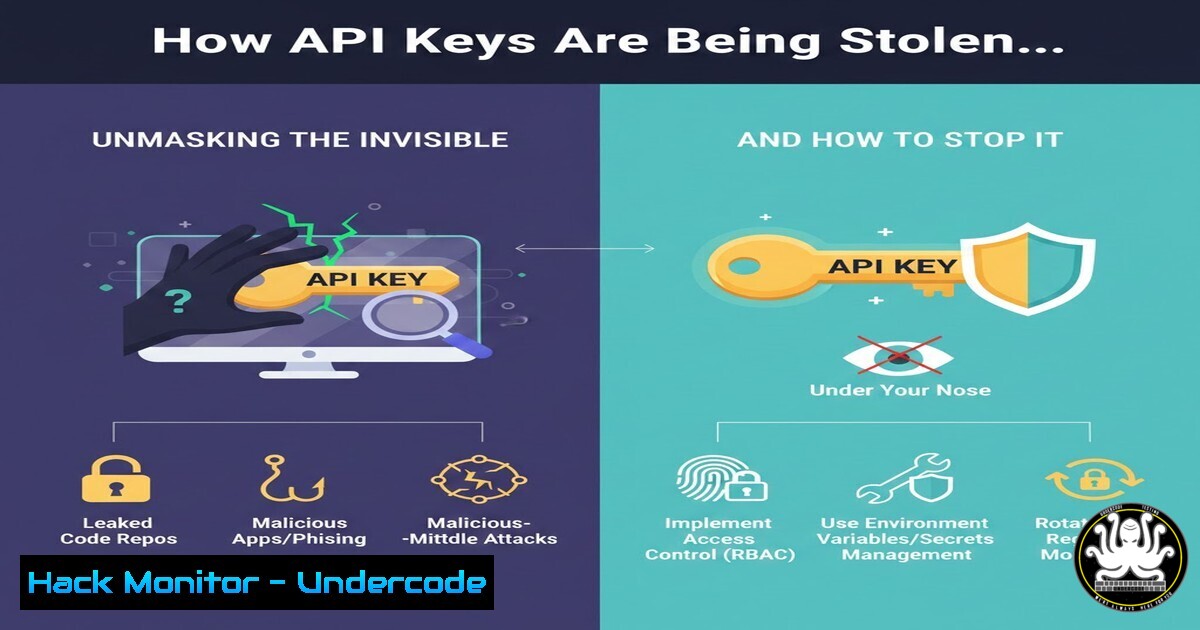
In the interconnected world of modern applications, API keys are the universal currency of access, silently authenticating machine-to-machine communication. However, their pervasive use has made them a prime target for attackers. This article delves into the stealthy techniques used to exfiltrate these critical secrets from development environments and production systems, moving beyond basic security hygiene to explore sophisticated detection and mitigation strategies.
Learning Objectives:
- Understand common vectors for API key leakage in both development and runtime environments.
- Learn practical, platform-specific commands to audit for exposed credentials.
- Implement defensive coding practices and tooling to prevent credential capture.
You Should Know:
- The Development Environment is the New Attack Surface
Modern integrated development environments (IDEs) and developer tools are rich targets. Attackers deploy malware designed to scan for configuration files, browser histories, shell histories, and even terminal memory for exposed keys.
Step‑by‑step guide explaining what this does and how to use it.
Audit Your Shell History: Your command history may contain past commands with keys in plaintext.
Linux/macOS: Use `grep -r “api[_-]key\|token\|secret” ~/.bash_history ~/.zsh_history` to search shell histories. To prevent this, always prepend commands with a space (if `HISTCONTROL=ignorespace` is set) or use environment variables.
Windows PowerShell: Check command history with Get-Content (Get-PSReadlineOption).HistorySavePath | Select-String "api-key", "token".
Scan Project Directories for Accidental Commits: Before pushing code, use secret-scanning tools.
Using TruffleHog or Gitleaks: Install and run a scan on your local repo.
 Using gitleaks (Docker example)
docker run -v ${PWD}:/src zricethezav/gitleaks:latest detect --source="/src" -v
Simple Grep for Local Files: `grep -r “AKIA[0-9A-Z]\{16\}” .` to find potential AWS keys.
2. Runtime Memory Scraping & Log Injection
Once an application is running, keys reside in process memory. Attackers can exploit vulnerabilities to dump memory or, more commonly, extract keys from poorly managed application logs.
Step‑by‑step guide explaining what this does and how to use it.
Simulating a Memory Dump (For Educational Purposes): On Linux, you can inspect a process’s memory maps.
1. Find your application’s PID: `pgrep -f myapp`.
2. View memory maps: `sudo cat /proc/
/maps`.</h2>

<ol>
<li>Use `gdb` to attach and examine memory (this requires deep expertise and should only be done in isolated environments).
Mitigation via Log Sanitization: Implement log filtering rules.</li>
</ol>

<h2 style="color: yellow;"> Example in Python (using structlog):</h2>

[bash]
import structlog
import re

def obfuscate_keys(_, __, event_dict):
for key, value in event_dict.items():
if isinstance(value, str):
 Obfuscate keys matching a pattern
value = re.sub(r'(api[_-]?key|token|secret)[\s=:]+([a-f0-9-]{40,})', r'\1=', value, flags=re.IGNORECASE)
event_dict[bash] = value
return event_dict

structlog.configure(processors=[obfuscate_keys, structlog.processors.JSONRenderer()])
logger = structlog.get_logger()
3. Exploiting Misconfigured Cloud Metadata Services
In cloud environments like AWS, Azure, and GCP, the Instance Metadata Service (IMDS) provides temporary credentials. If an application can be tricked into making a web request, these credentials can be stolen.
Step‑by‑step guide explaining what this does and how to use it.
Understanding the Attack: An SSRF flaw in your app allows an attacker to force it to request `http://169.254.169.254/latest/meta-data/iam/security-credentials/` from within the instance, returning temporary keys.
Hardening IMDS Access:
AWS – Use IMDSv2: Enforce the more secure version 2, which requires a session token.
 On the EC2 instance, disable IMDSv1 (use during launch)
aws ec2 modify-instance-metadata-options \
--instance-id i-1234567890abcdef \
--http-put-response-hop-limit 2 \
--http-endpoint enabled \
--http-tokens required
Azure & GCP: Similarly, restrict metadata service access to require special headers or run only on known, trusted networks.
4. Client-Side JavaScript and Public Repositories
Keys intended for server-side use are sometimes hard-coded into front-end JavaScript or accidentally pushed to public GitHub repositories. Bots constantly scrape for these.
Step‑by‑step guide explaining what this does and how to use it.
Client-Side Audit: Use browser developer tools (Network tab, Sources tab) to search all loaded JavaScript files for keywords.
Pre-commit Hooks: Automate secret detection.
Using `pre-commit` framework with `detect-secrets`:
1. Install: `pip install pre-commit detect-secrets`
2. Create `.pre-commit-config.yaml`:
repos:
- repo: https://github.com/Yelp/detect-secrets
rev: v1.4.0
hooks:
- id: detect-secrets
args: ['--baseline', '.secrets.baseline']
3. Scan and set baseline: `detect-secrets scan > .secrets.baseline`
4. Install hook: `pre-commit install`
5. Mitigation: The Principle of Zero Standing Privilege
The ultimate defense is to avoid long-lived API keys wherever possible. Use dynamic, short-lived credentials provided by your cloud provider’s IAM service.
Step‑by‑step guide explaining what this does and how to use it.
Implementing IAM Roles for Services (AWS Example):
- Create an IAM Role with the minimum necessary permissions.
- Attach this role to your EC2 instance, ECS task, or Lambda function.
- The SDK (e.g., Boto3) will automatically fetch temporary credentials from IMDS. No hard-coded keys are needed.
Correct way - SDK automatically uses instance role credentials
import boto3
s3 = boto3.client('s3')  Credentials are fetched automatically from IMDS
For External Services, Use Vaulted Secrets: Tools like HashiCorp Vault, AWS Secrets Manager, or Azure Key Vault generate dynamic secrets on-demand and audit all access.
Example using AWS Secrets Manager
import boto3
import json
from botocore.exceptions import ClientError</li>
</ol>

def get_secret():
client = boto3.client('secretsmanager')
try:
response = client.get_secret_value(SecretId='MyApiKey')
secret = json.loads(response['SecretString'])
return secret['api_key']
except ClientError as e:
raise e
What Undercode Say:
- There is No “Set It and Forget It”: API key security requires continuous vigilance, from the developer’s keyboard to the production server’s memory. Auditing must be automated and integrated into the CI/CD pipeline.
- Shift Left and Right: Security must “shift left” into development with pre-commit hooks and secret scanning, and “shift right” into runtime with robust logging controls and strict cloud service configurations. The weakest link is often the human element, mitigated by tooling.
- Analysis: The theft of API keys represents a fundamental breakdown in the separation between public and private trust boundaries. As attacks evolve from brute-forcing to sophisticated environment-aware exfiltration, defensive strategies must move beyond simple credential rotation. The future lies in eliminating long-lived secrets entirely, adopting identity-based, ephemeral credentials for every service and workload. The techniques outlined here are not just best practices; they are necessary layers in a defense-in-depth strategy where a single exposed key can lead to catastrophic data and financial loss.
Prediction:
The arms race around credential theft will intensify, with AI-powered tools used by both attackers and defenders. Attackers will employ AI to write more convincing phishing lures targeting developers and to automatically sift through stolen data for credentials. Defensively, AI will power advanced anomaly detection systems that baseline normal API key usage and flag deviations in real-time, moving us from static secret management to dynamic, behavior-based authentication systems. The concept of the “static secret” will become increasingly obsolete, replaced by cryptographic certificates and hardware-backed, attested identities for all machine communication.
▶️ Related Video (70% Match):
🎯Let’s Practice For Free:
IT/Security Reporter URL:
Reported By: Yotam Perkal – Hackers Feeds
Extra Hub: Undercode MoN
Basic Verification: Pass ✅🔐JOIN OUR CYBER WORLD [ CVE News • HackMonitor • UndercodeNews ]
📢 Follow UndercodeTesting & Stay Tuned:


