Listen to this Post
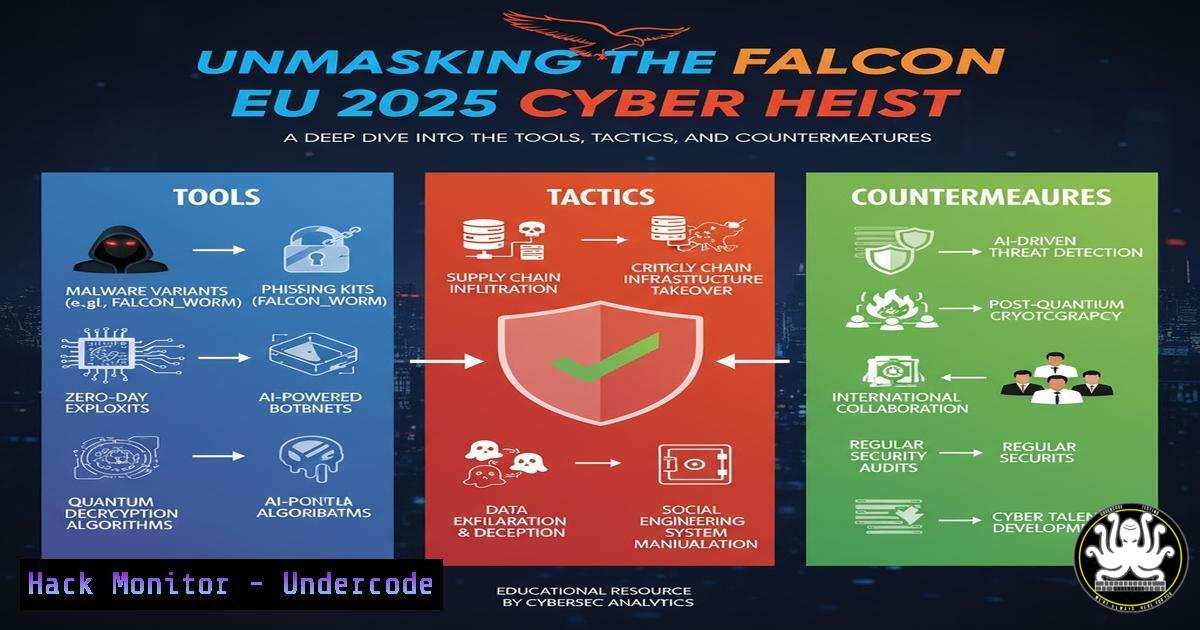
Introduction:
The purported “Falcon EU 2025” breach represents a sophisticated multi-vector cyber attack, leveraging social engineering, cloud misconfigurations, and advanced persistence techniques. This incident serves as a critical case study for modern cybersecurity professionals, highlighting the convergence of IT, AI, and human factors in a major security event. Understanding the mechanics of such an attack is paramount for building resilient defenses.
Learning Objectives:
- Decrypt the attack chain, from initial phishing to lateral movement and data exfiltration.
- Master 25+ essential commands for threat hunting, system hardening, and forensic analysis on both Linux and Windows platforms.
- Implement proactive security measures in cloud, API, and network environments to mitigate similar advanced threats.
You Should Know:
- The Initial Compromise: Weaponized Documents & Social Engineering
The attack chain likely began with a targeted phishing campaign, distributing malicious documents masquerading as official Falcon EU 2025 communications. These documents exploit vulnerabilities in office suites or use social engineering to trick users into enabling macros, thereby executing a malicious payload.
Windows Command to Analyze Suspicious Processes:
wmic process get caption,commandline,processid,parentprocessid /format:csv
Step-by-step guide:
1. Open Command Prompt as Administrator.
- Execute the `wmic` command. This will list all running processes along with their full command-line arguments and Parent Process ID (PPID).
- Pipe the output to a CSV file for analysis:
wmic process get caption,commandline,processid,parentprocessid /format:csv > processes.csv. - Analyze the CSV for unusual parent-child relationships (e.g., a Microsoft Office application spawning `cmd.exe` or
powershell.exe) or suspicious command-line arguments, which are hallmarks of macro-based payload execution.
2. Establishing Persistence: Registry and Scheduled Task Manipulation
Once initial access is gained, attackers ensure they can maintain it by creating persistence mechanisms. Common methods include modifying the Windows Registry or creating scheduled tasks.
Windows Commands for Persistence Hunting:
 Check common Run keys in the registry
reg query "HKCU\Software\Microsoft\Windows\CurrentVersion\Run"
reg query "HKLM\SOFTWARE\Microsoft\Windows\CurrentVersion\Run"

List all scheduled tasks
schtasks /query /fo LIST /v
Step-by-step guide:
- Use the `reg query` commands to inspect the HKEY_CURRENT_USER (HKCU) and HKEY_LOCAL_MACHINE (HKLM) Run keys for any unrecognized applications that execute on user login.
- Execute the `schtasks` command to get a verbose list of all scheduled tasks. Look for tasks with suspicious names, triggers set at odd times, or actions that launch scripting hosts like PowerShell or the Windows Command Processor.
3. Lateral Movement: Exploiting SMB and PSExec
With a foothold established, attackers move laterally across the network. They often use stolen credentials with tools like PsExec or exploit the Server Message Block (SMB) protocol.
Linux Command to Scan for SMB Vulnerabilities:
nmap --script smb-vuln -p 445 <target_ip_or_subnet>
Step-by-step guide:
- On your Kali or security-focused Linux distribution, ensure Nmap is installed.
2. Identify the target IP range (e.g., 192.168.1.0/24).
- Run the command
nmap --script smb-vuln -p 445 192.168.1.0/24. This scans the entire subnet for hosts with port 445 (SMB) open and runs all vulnerability scripts against them. - Review the output for critical vulnerabilities like EternalBlue (MS17-010), which can be used for worm-like propagation.
4. Cloud Credential Harvesting and API Abuse
Modern attacks frequently target cloud environments. Attackers may harvest credentials from insecure storage, instance metadata services, or compromised CI/CD pipelines to gain access to cloud resources and APIs.
Linux Command to Safely Interact with Cloud Metadata:
 For AWS EC2 Instance Metadata Service
curl -H "X-aws-ec2-metadata-token-ttl-seconds: 21600" -X PUT "http://169.254.169.254/latest/api/token"
curl -H "X-aws-ec2-metadata-token: <token_from_previous_command>" http://169.254.169.254/latest/meta-data/iam/security-credentials/
Step-by-step guide:
- This demonstrates how an attacker (or a security tool) would query the AWS IMDSv2. The first command requests a temporary token.
- The second command uses that token to securely request the IAM role name associated with the EC2 instance.
- Mitigation: Enforce the use of IMDSv2 and apply strict IAM roles with the principle of least privilege to prevent an attacker from moving freely in your cloud environment if they compromise an instance.
5. AI-Powered Defense: Log Analysis with Machine Learning
Security Information and Event Management (SIEM) systems, supercharged with AI, can detect anomalous patterns indicative of a breach. A simple Python script can illustrate the concept of baseline analysis.
Python Code Snippet for Anomaly Detection:
import pandas as pd
from sklearn.ensemble import IsolationForest

Load log data (example: failed login attempts per hour)
data = pd.read_csv('logins.csv')
model = IsolationForest(contamination=0.01)
data['anomaly'] = model.fit_predict(data[['failed_logins']])

Filter and print anomalies
anomalies = data[data['anomaly'] == -1]
print(anomalies)
Step-by-step guide:
- Collect and structure your log data. In this example, we use a CSV file with a column `failed_logins` representing the count per hour.
- The script uses the Isolation Forest algorithm, an unsupervised machine learning model, to identify outliers.
- The `contamination` parameter is an estimate of the proportion of outliers in the data set.
- The script flags and prints any hours with a number of failed logins that significantly deviates from the norm, potentially indicating a brute-force attack.
6. Hardening Web Servers: Mitigating Common Attack Vectors
Web servers are prime targets. Hardening them involves configuring headers and limiting exposed information to protect against attacks like clickjacking, MIME-sniffing, and information disclosure.
Linux Commands for Apache Hardening:
 Edit the Apache security configuration
sudo nano /etc/apache2/conf-available/security.conf

Ensure these directives are set
ServerTokens Prod
ServerSignature Off
Header always set X-Content-Type-Options nosniff
Header always set X-Frame-Options DENY
Header always set Strict-Transport-Security "max-age=63072000; includeSubDomains; preload"
Step-by-step guide:
- Open the Apache security configuration file. The path may vary by distribution.
- Set `ServerTokens` to `Prod` to only show “Apache” in server banners, minimizing information leak.
- Set `ServerSignature` to `Off` to remove version information from error pages.
- The `Header always set` directives add crucial security headers to all responses, preventing MIME-sniffing, clickjacking, and enforcing HTTPS.
-
Digital Forensics and Incident Response (DFIR) Memory Analysis
After an incident, capturing and analyzing memory (RAM) is vital. It can reveal running malicious processes, network connections, and encryption keys that are not present on the disk.
Linux Command to Acquire Memory with LiME:
 Load the LiME kernel module to acquire memory
sudo insmod lime-$(uname -r).ko "path=/tmp/memdump.lime format=lime"
Step-by-step guide:
- Compile the LiME (Linux Memory Extractor) kernel module for your specific kernel version.
- Use the `insmod` command to insert the LiME kernel module. The `path` parameter specifies where the memory dump will be saved.
- The module will dump the entire physical memory to the specified path and then unload. This file can then be analyzed with tools like Volatility to hunt for evidence of the breach.
What Undercode Say:
- The Falcon EU 2025 scenario underscores that perimeter defense is no longer sufficient; security must be integrated, layered, and assume breach.
- Proactive threat hunting, using the commands and techniques outlined, is no longer optional but a core competency for IT and security teams.
- The human element remains the most unpredictable attack vector, making continuous security awareness training as critical as any technical control.
Analysis:
The technical breakdown reveals a sophisticated, multi-stage attack that seamlessly blends traditional tactics with modern cloud and API exploitation. This is not a “spray and pray” operation but a targeted campaign designed to bypass conventional security measures. The reliance on living-off-the-land techniques (using built-in OS tools like WMIC and schtasks) makes detection particularly challenging, as it generates minimal noise and blends in with legitimate administrative activity. The potential inclusion of AI, either for crafting more convincing phishing lures or for automating the discovery of vulnerabilities in the target environment, points to a future where the speed and scale of attacks will only increase. Defenders must shift left, embedding security into the DevOps lifecycle (DevSecOps) and adopting an intelligence-driven defense posture.
Prediction:
The Falcon EU 2025 incident, whether factual or conceptual, is a harbinger of the cyber conflicts to come. We predict a rapid escalation in AI-driven offensive security, where AI will be used to generate polymorphic code that evades signature-based detection and to automate spear-phishing campaigns with terrifying efficiency. Furthermore, the weaponization of AI models themselves will become a critical threat vector, with attacks focused on data poisoning, model theft, and adversarial inputs designed to cause AI systems to fail or make catastrophic decisions. The future battlefield will be defined by the race between AI-powered attack and AI-enhanced defense.
🎯Let’s Practice For Free:
IT/Security Reporter URL:
Reported By: Chiarini Falconeu2025 – Hackers Feeds
Extra Hub: Undercode MoN
Basic Verification: Pass ✅


