Listen to this Post
Introduction:
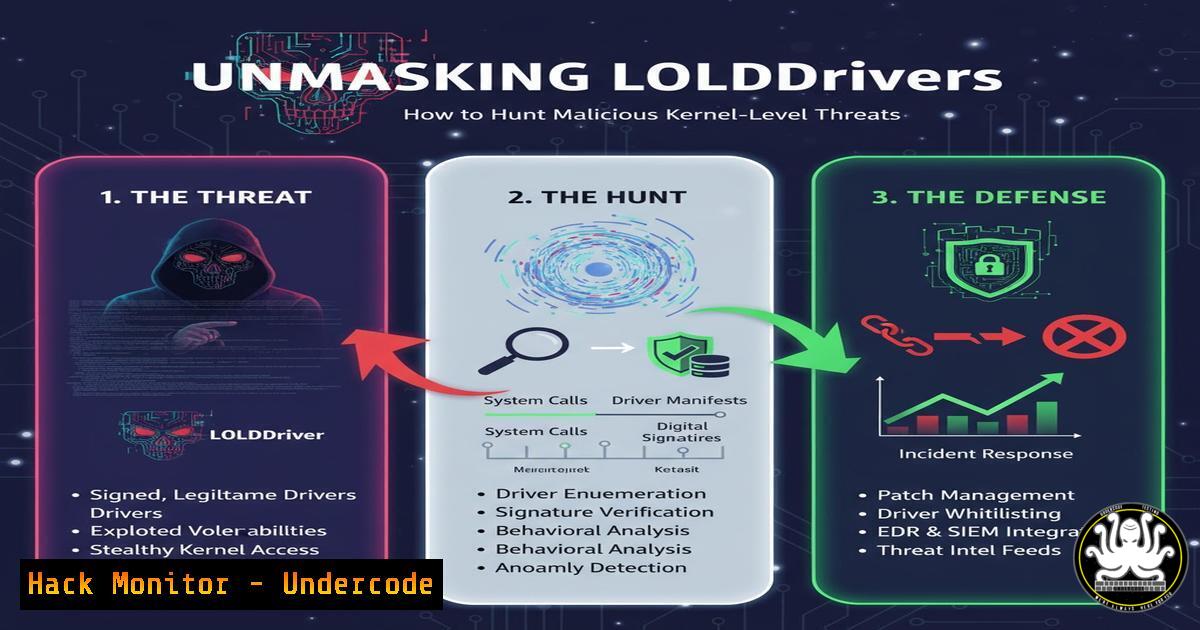
The battle for control over operating systems has moved into the kernel, the most privileged part of the OS. LOLDrivers (Living-Off-the-Land Drivers) represent a critical threat, where attackers weaponize signed, legitimate kernel drivers to bypass security controls. Understanding how to detect and hunt for these malicious drivers is paramount for modern defense.
Learning Objectives:
- Understand the LOLDrivers project and how to leverage its database for threat intelligence.
- Learn to differentiate between verified and unverified malicious drivers and the associated risks.
- Develop practical skills for hunting and detecting malicious driver activity using command-line and EDR tools.
You Should Know:
1. Leveraging the LOLDrivers GitHub Repository
The LOLDrivers project is a centralized repository of known malicious drivers, complete with hashes, signatures, and behavioral metadata. Security teams can use this data to enrich their detection pipelines.
 Clone the LOLDrivers repository to your local analysis machine
git clone https://github.com/mandiant/driverquery
 Use a tool like 'yq' to parse the YAML files for specific driver information
yq eval '.DriverName' /path/to/loldrivers/drivers/.yaml
Step-by-step guide: First, clone the repository using git clone. This gives you local access to the entire dataset of known malicious drivers. You can then use a YAML processor like `yq` to parse the individual driver files. The command shown extracts the driver names from all YAML files, allowing you to build a blocklist or feed the data into a SIEM for correlation. Regularly pulling updates from this repo ensures your detection lists remain current.
2. Enumerating Loaded Kernel Drivers on Windows
To hunt for malicious drivers, you must first establish a baseline of what is normally running on your systems. The built-in Windows command-line tool provides a comprehensive list.
C:> driverquery /v /fo table
Step-by-step guide: Execute `driverquery /v /fo table` from an elevated command prompt. The `/v` flag requests verbose output, including the display name and path, while `/fo table` formats it into a readable table. Regularly run this command on critical assets to capture a baseline. During an investigation, compare the output against this baseline and cross-reference the driver names and hashes with the LOLDrivers database to identify known-bad entries.
3. Calculating File Hashes for Driver Verification
Once a suspicious driver is identified, you need to calculate its cryptographic hash to verify it against threat intelligence feeds like LOLDrivers.
 Using PowerShell's Get-FileHash cmdlet
Get-FileHash -Path C:\Windows\System32\drivers\suspicious.sys -Algorithm SHA256
 Using CertUtil
certutil -hashfile C:\Windows\System32\drivers\suspicious.sys SHA256
Step-by-step guide: Use PowerShell’s `Get-FileHash` cmdlet, specifying the path to the driver file and the hashing algorithm (SHA256 is standard). Alternatively, the built-in `certutil` tool can perform the same function. Take the resulting hash and search for it in the LOLDrivers database or your SIEM’s threat intelligence platform. A match indicates a confirmed malicious driver that must be contained and eradicated.
4. Querying Driver Signature Information
A common LOLDriver technique involves using stolen or forged digital signatures to appear legitimate. Verifying the signature is a critical step.
 PowerShell command to get file signature
Get-AuthenticodeSignature -FilePath C:\Windows\System32\drivers\suspicious.sys
 Using Sigcheck from Sysinternals
sigcheck.exe -a -v -q C:\Windows\System32\drivers\suspicious.sys
Step-by-step guide: The `Get-AuthenticodeSignature` PowerShell cmdlet will return the signature status (Valid, NotSigned, HashMismatch, etc.). For more detailed information, use Sysinternals Sigcheck with the `-a` (show all version information) and `-v` (verbose) flags. A driver with a “Valid” signature from a known vendor but a hash matching the LOLDrivers list is a strong indicator of a compromised certificate.
- Hunting with EDR: EQL Query for Driver Loads
Modern Endpoint Detection and Response (EDR) platforms allow deep hunting using query languages like Event Query Language (EQL).
// EQL query to find rare driver loads
driver where not signature ~ "Microsoft." and
not image_path ~ ".\Windows\System32\drivers\." and
not image_path ~ ".\Program Files."
Step-by-step guide: This EQL query searches for driver load events where the signature is not from Microsoft, the path is not the standard `System32\drivers` directory, and it’s not from a common `Program Files` location. This helps identify anomalous drivers that are living in unexpected directories, a common tactic to avoid detection. Tune the `not image_path` filters based on your environment’s approved software list.
6. Monitoring for Unsigned Driver Loads with Sysmon
System Monitor (Sysmon) is a powerful Windows tool for logging system activity. Configuring it to log driver loads is essential.
<!-- Sysmon Configuration Snippet for Driver Loads -->
<RuleGroup name="" groupRelation="or">
<DriverLoad onmatch="include">
<Signature condition="is">Unsigned</Signature>
<ImageLoaded condition="contains">.sys</ImageLoaded>
</DriverLoad>
</RuleGroup>
Step-by-step guide: Integrate this XML snippet into your Sysmon configuration file. This rule will log an event (Event ID 6) every time an unsigned driver (.sys file) is loaded into the kernel. While some legitimate hardware may use unsigned drivers, these events are high-fidelity alerts that should be investigated, especially on servers and critical workstations where only signed drivers should be present.
7. Leveraging YAML Enrichment for Automated Pivoting
The LOLDrivers project uses YAML files to store rich metadata about each malicious driver. Automating the parsing of this data can supercharge your detection engineering.
 Python snippet to load LOLDriver YAML and search for a hash
import yaml
with open('drivername.yaml', 'r') as file:
driver_data = yaml.safe_load(file)
if driver_data['KnownVulnerableSamples']:
for sample in driver_data['KnownVulnerableSamples']:
print(sample['SHA256'])
Step-by-step guide: This simple Python script demonstrates how to open a specific driver’s YAML file from the LOLDrivers project and extract all the associated SHA256 hashes of known vulnerable samples. You can scale this to parse the entire repository and feed the hashes directly into your EDR or antivirus exclusion list for automated blocking, turning the project’s intelligence into immediate, operational defense.
What Undercode Say:
- The LOLDrivers project is not just a list; it’s a foundational intelligence feed that must be integrated directly into security operations.
- The distinction between “verified” and “unverified” drivers in the database is critical; unverified drivers may be false positives or pose a different risk, requiring different investigation workflows.
The emergence of LOLDrivers signifies a strategic shift by adversaries towards “valid” tools and components to achieve persistence and elevate privileges. This complicates defense, as traditional antivirus may whitelist these signed binaries. The primary value of the LOLDrivers project is its role as a collective defense mechanism, aggregating the findings of security researchers worldwide into an actionable format. Relying solely on default-deny driver block policies is no longer sufficient; a proactive hunting regimen, powered by the intelligence in this database and the technical commands outlined above, is required to identify and evict these stealthy threats. Operationalizing this intelligence through automated hash blocking, EQL/Sysmon hunting, and signature verification scripts closes the gap between threat intelligence and on-host detection.
Prediction:
The use of LOLDrivers will continue to escalate, particularly by state-sponsored and eCrime groups, as it provides a highly effective method for disabling EDR and antivirus solutions. We will see an increase in “dual-use” drivers—those with legitimate administrative purposes being repurposed for malice. This will force a paradigm shift in the software supply chain, placing greater scrutiny on certificate authorities and driver signing portals. In response, the security industry will likely develop more robust kernel-level protection mechanisms, such as Hypervisor-Protected Code Integrity (HVCI) becoming a default standard, and a new market for behavioral analysis of kernel-mode code will emerge to detect malicious activity post-exploitation, regardless of signature validity.
🎯Let’s Practice For Free:
IT/Security Reporter URL:
Reported By: Atomics On – Hackers Feeds
Extra Hub: Undercode MoN
Basic Verification: Pass ✅


