Listen to this Post
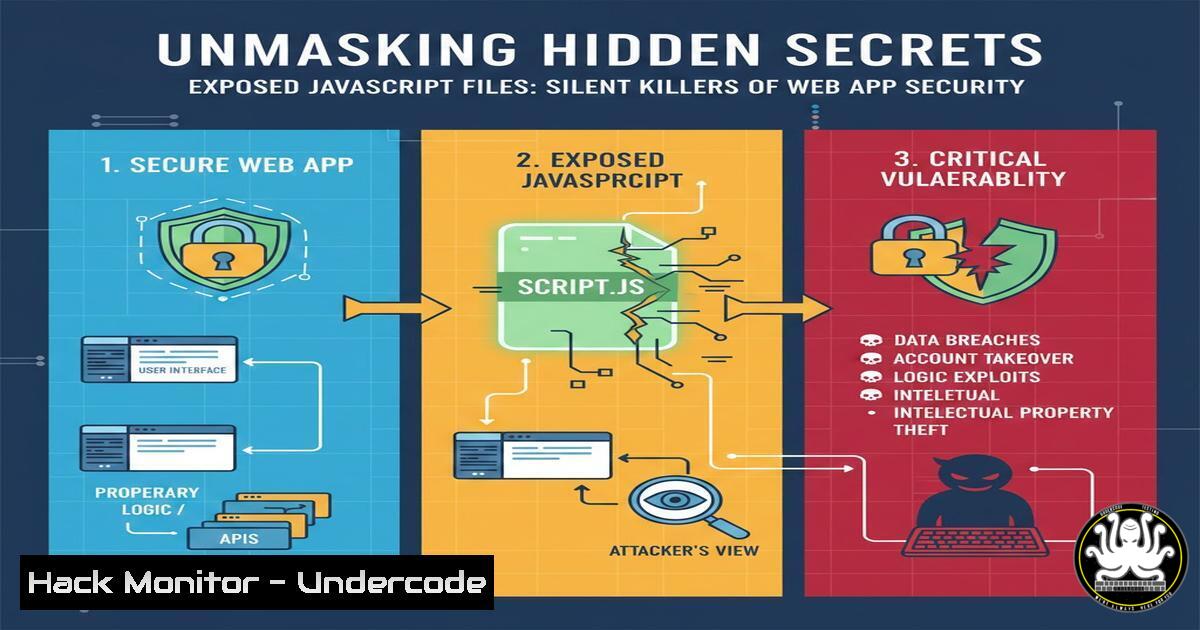
Introduction:
In the modern web ecosystem, JavaScript files are the lifeblood of dynamic functionality, but they often become troves of unintended sensitive information. For security professionals and bug bounty hunters, systematic analysis of these files is a non-negotiable reconnaissance phase. This article delves into the methodologies for extracting hidden endpoints, API keys, and internal paths from client-side code, transforming a routine enumeration task into a critical vulnerability discovery process.
Learning Objectives:
- Understand the types of sensitive data commonly leaked in JavaScript files and their impact.
- Master automated and manual techniques for enumerating and analyzing JavaScript files during reconnaissance.
- Learn to responsibly validate and report discovered information for bug bounty programs or internal security assessments.
You Should Know:
1. The Reconnaissance Phase: Enumerating JavaScript Files
Before analysis, you must first build a comprehensive inventory of all JavaScript files associated with a target application. Manual browsing is insufficient; automated tools are essential.
Step‑by‑step guide explaining what this does and how to use it.
Primary Tool: `gau` + `grep` (GetAllURLs). This tool fetches historical URLs from AlienVault’s OTX, Wayback Machine, and Common Crawl.
echo "target.com" | gau | grep -iE ".js$" | sort -u > js_files.txt
echo "target.com": Pipes the target domain into the tool.
gau: Fetches a massive list of known URLs.
grep -iE "\.js$": Filters output to show only lines ending with `.js` (case-insensitive).
sort -u: Sorts and removes duplicates, saving clean results to js_files.txt.
Alternative: `waybackurls` & katana. Use for deeper, more contemporary crawling.
waybackurls target.com | grep -E ".js($|\?)" > wayback_js.txt
katana -u https://target.com -jc -o katana_js.txt
Combine and deduplicate files: cat js_files.txt wayback_js.txt katana_js.txt | sort -u > all_js_files.txt.
2. Automated Content Analysis: Extracting High-Value Patterns
Manually reviewing hundreds of files is impractical. Use pattern matching to flag potential secrets.
Step‑by‑step guide explaining what this does and how to use it.
Tool: `grep` with Regular Expressions. Scan downloaded files for common sensitive patterns.
First, fetch the file content:
 Download all files for local analysis
cat all_js_files.txt | httpx -silent | while read url; do
filename=$(echo $url | sed 's|https\?://||;s|/|_|g')
curl -s "$url" -o "js_dumps/$filename"
done
Then, analyze:
grep -r -iE "(api[<em>-]?key|auth(?:entication|orization)?[</em>-]?token|secret|password|endpoint|path|internal|backend|admin|aws|storage|bucket)" js_dumps/ --include=".js"
`-r`: Recursive search.
`-i`: Case-insensitive.
-E: Extended regex for powerful pattern matching (e.g., api[_-]?key).
Advanced Tool: LinkFinder. Specifically designed to find endpoints and paths in JS files.
python3 LinkFinder.py -i https://target.com/path/to/file.js -o cli
For bulk analysis:
cat all_js_files.txt | while read line; do python3 LinkFinder.py -i $line -o cli; done >> found_endpoints.txt
3. Manual Deep-Dive Analysis: Context is King
Automation finds clues; manual analysis reveals vulnerabilities. Understand the context of discovered strings.
Step‑by‑step guide explaining what this does and how to use it.
Open the file in a code editor or browser’s developer tools (Sources tab).
Follow the Data Flow. Trace where a discovered variable (e.g., const apiEndpoint) is used. Is it used in an `fetch()` or `XMLHttpRequest` call?
Look for Debug/Development Code. Comments like // TODO: Remove before production, DEBUG = true, or unminified code often leak internal logic.
Check for Source Maps. Files ending with `.js.map` can be downloaded and deobfuscated to reveal original source code. Access them via curl -s https://target.com/app.min.js.map | jq.
4. Validating Discovered Endpoints and Keys
Finding a string is not a vulnerability. Proving its impact is crucial.
Step‑by‑step guide explaining what this does and how to use it.
For API Endpoints:
- Identify the HTTP method (look for
.get,.post, `fetch` parameters).
2. Test with `curl` or `httpx`:
 If an internal /api/v1/admin/users endpoint is found
curl -X GET "https://target.com/api/v1/admin/users"
 Try different methods if GET fails
curl -X POST "https://target.com/api/v1/admin/users" -d '{}'
Observe responses: 401 Unauthorized, 403 Forbidden, or `200 OK` with data.
For API Keys/Tokens:
Never test against the live provider’s API directly (e.g., hitting AWS with a found key could cause legal issues). Use local validation scripts or the provider’s validation endpoint if documented for this purpose.
Example check for a generic JWT: Use `jwt.io` offline to decode and check its algorithm, scope, and expiry.
5. Windows-Based Analysis: PowerShell Methodology
Not all researchers work in Linux. Windows environments are equally capable.
Step‑by‑step guide explaining what this does and how to use it.
Enumerate JS Files: Use `Invoke-WebRequest` in a PowerShell script.
$target = "target.com"
$urls = (Invoke-WebRequest -Uri "https://web.archive.org/cdx/search/cdx?url=.$target/&output=text&fl=original&collapse=urlkey").Content
$jsUrls = $urls -split "<code>n" | Select-String "\.js"
$jsUrls | Out-File -FilePath .\js_files_win.txt
<h2 style=”color: yellow;”> Content Analysis with Select-String (PowerShell’sgrep`):
Get-ChildItem -Path .\js_dumps\ -Filter .js -Recurse | ForEach-Object {
Select-String -Path $_.FullName -Pattern "apikey|secret|token|endpoint"
}
6. Responsible Disclosure and Reporting
Turning findings into a valid bug report requires precision.
Step‑by‑step guide explaining what this does and how to use it.
1. Document Everything: Take screenshots of the JS code, the network request revealing the sensitive data, and the response.
2. Prove Impact: Clearly articulate what the exposed data is (e.g., “This AWS S3 key permits write access to the static asset bucket”) and how an attacker could misuse it.
3. Follow Program Scope: Only report for in-scope assets on platforms like HackerOne or Bugcrowd. Do not test rate limits or disrupt services.
4. Craft the Report:
“Exposure of Internal API Keys via Unminified Production JavaScript File”
Steps to Reproduce: Clear, numbered steps from finding the JS file to demonstrating the leak.
Impact: CVSS vector, potential data breach, compliance violation.
7. Proactive Defense: Hardening Your JavaScript
For developers, preventing these leaks is critical.
Step‑by‑step guide explaining what this does and how to use it.
Build Process Integration: Use environment variables and ensure they are not embedded in client-side code. For Webpack, use `DefinePlugin` or `EnvironmentPlugin` cautiously.
Implement Server-Side Checks: All API keys must be validated server-side. Client-side keys are inherently insecure.
Code Review Checklist:
[ ] No hardcoded secrets, tokens, or internal URLs in front-end code.
[ ] Source maps (.js.map) are not deployed to production servers.
[ ] JavaScript files are minified and obfuscated for production.
Regular Audits: Run your own tools (like `grep` commands) against your production assets as part of your CI/CD pipeline.
What Undercode Say:
- The Gold is in the
.js: For attackers and defenders alike, JavaScript files are prioritized assets. They are the map to an application’s hidden treasure, both in features and flaws. - Automation Finds, Humans Exploit: Tools like
gau,LinkFinder, and `grep` are force multipliers, but the critical thinking required to chain a leaked endpoint into a functional exploit remains a uniquely human skill.
The trend of single-page applications (SPAs) and rich client-side logic will only increase the amount of sensitive data inadvertently pushed to the browser. We predict a rise in automated “JavaScript grapplers” that will continuously monitor and analyze client-side code of major platforms, leading to a new class of widespread, low-effort findings. However, the real future impact lies in chaining these information leaks with other logic flaws. A hidden endpoint alone might be low severity, but combined with a misconfigured CORS policy or a leaked internal path used in a server-side request forgery (SSRF) attack, it becomes critical. The industry must shift left, embedding secret detection and static analysis for client-side code directly into developer workflows to mitigate this expanding attack surface.
▶️ Related Video (78% Match):
🎯Let’s Practice For Free:
IT/Security Reporter URL:
Reported By: Anand Singh – Hackers Feeds
Extra Hub: Undercode MoN
Basic Verification: Pass ✅


