Listen to this Post
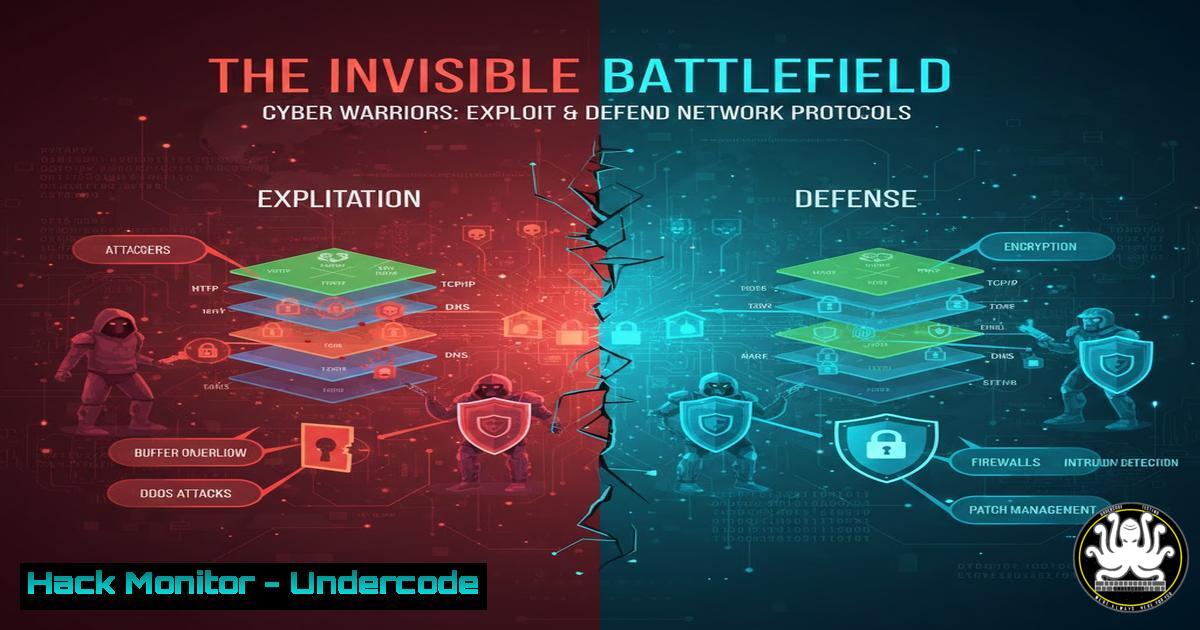
Introduction:
In the digital realm, network protocols are the foundational rules of engagement. While they enable seamless communication, their specific characteristics—from the reliable handshakes of TCP to the headless speed of UDP—create distinct vulnerabilities and defense opportunities that cybersecurity professionals must master. Understanding this landscape is critical for building resilient systems and thwarting sophisticated attacks.
Learning Objectives:
- Decode the security implications of core network protocols, including HTTP/3 (QUIC), WebSocket, TCP, UDP, and SMTP.
- Learn practical command-line and configuration techniques to analyze, harden, and monitor these protocols.
- Develop a tactical framework for both exploiting common protocol weaknesses and implementing effective countermeasures.
1. HTTP/HTTPS & HTTP/3 (QUIC): The Encrypted Surface
HTTP is the plaintext backbone of the web, making it susceptible to eavesdropping and man-in-the-middle (MitM) attacks. Its encrypted successor, HTTPS (HTTP over TLS), secures data in transit but introduces complexity in certificate management and potential weaknesses in TLS configuration. The modern HTTP/3, built on the QUIC protocol, integrates TLS 1.3 by default and runs over UDP to reduce connection latency, but its encryption can also blindside traditional security tools that inspect traffic.
Step-by-Step Guide: Analyzing & Hardening Web Traffic
Intercepting Plain HTTP Traffic:
 Use tcpdump to capture HTTP traffic on port 80
sudo tcpdump -i any -A 'tcp port 80 and (((ip[2:2] - ((ip[bash]&0xf)<<2)) - ((tcp[bash]&0xf0)>>2)) != 0)' -w http_capture.pcap
This command captures packets on port 80, displaying ASCII content (-A) and saving to a file for later analysis in Wireshark.
Testing TLS/HTTPS Configuration:
Use `nmap` and `testssl.sh` to audit the strength of your HTTPS implementation.
 Check for weak ciphers and TLS versions with nmap
nmap --script ssl-enum-ciphers -p 443 yourtarget.com
 Comprehensive audit using testssl.sh
./testssl.sh yourtarget.com:443
QUIC Detection & Enforcement:
Since QUIC (UDP port 443) can bypass TCP-based filters, ensure your firewall rules manage it explicitly.
 iptables rule to log QUIC connection attempts (UDP 443)
sudo iptables -A INPUT -p udp --dport 443 -j LOG --log-prefix "QUIC_Attempt: "
 To block QUIC if not required (e.g., for inspection)
sudo iptables -A INPUT -p udp --dport 443 -j DROP
2. WebSocket: The Persistent Backdoor
WebSocket (ws:// or wss://) establishes a full-duplex, persistent connection, ideal for real-time apps. This very persistence is a risk—it can bypass traditional request/response security models, maintain long-lived connections for command-and-control (C2) channels, and be leveraged for data exfiltration if the application logic is flawed.
Step-by-Step Guide: Securing & Monitoring WebSocket Connections
Intercepting and Inspecting Traffic:
Use Burp Suite or OWASP ZAP as a proxy. Configure your browser to use the proxy, then use the tool’s WebSocket tab to capture, inspect, and even manipulate handshake and data frames sent over `ws://` or wss://.
Server-Side Security Configuration (Example with Node.js & `ws` library):
Implement strict origin validation and rate limiting.
const WebSocket = require('ws');
const wss = new WebSocket.Server({ port: 8080 });

wss.on('connection', function connection(ws, request) {
// 1. Validate Origin (Critical!)
const origin = request.headers.origin;
if (!isAllowedOrigin(origin)) {
ws.close(1008, 'Origin not allowed');
return;
}

// 2. Implement Rate Limiting per connection
const messageQueue = [];
const MESSAGE_LIMIT = 100; // messages per minute
ws.on('message', function message(data) {
messageQueue.push(Date.now());
// Clean old messages
const oneMinAgo = Date.now() - 60000;
while(messageQueue.length > 0 && messageQueue[bash] < oneMinAgo) messageQueue.shift();

if (messageQueue.length > MESSAGE_LIMIT) {
ws.close(1008, 'Rate limit exceeded');
return;
}
// Process message...
});
});
- TCP & UDP: The Reliability vs. Stealth Dilemma
TCP’s connection-oriented nature (3-way handshake, acknowledgments) makes it reliable but predictable and susceptible to SYN flood attacks and session hijacking. UDP is connectionless and fast, ideal for DNS, VoIP, and QUIC, but its lack of verification makes it a prime vector for amplification DDoS attacks (e.g., using DNS or NTP servers) and data injection.
Step-by-Step Guide: Exploiting & Mitigating Transport Layer Attacks
Detecting SYN Flood Attacks:
Use `netstat` to monitor half-open connections, a sign of a SYN flood.
 Watch for a high number of SYN_RECV connections
watch -n 2 'netstat -tuna | grep SYN_RECV | wc -l'
Mitigating SYN Flood with iptables:
 Linux kernel mitigation using iptables
sudo iptables -A INPUT -p tcp --syn -m limit --limit 1/s --limit-burst 3 -j ACCEPT
sudo iptables -A INPUT -p tcp --syn -j DROP
 Enable kernel SYN cookies (permanent fix)
echo 'net.ipv4.tcp_syncookies = 1' | sudo tee -a /etc/sysctl.conf
sudo sysctl -p
Identifying UDP Amplification Sources:
Audit your servers to ensure they are not open reflectors.
 Check for open DNS, NTP, SNMP, etc. services
sudo nmap -sU -p 53,123,161 -oG udp_scan.txt your_server_ip
4. SMTP: The Phisher’s Gateway
The Simple Mail Transfer Protocol (SMTP) is crucial for email delivery but is often abused. Weak configurations can turn mail servers into open relays for spammers. SMTP is also the primary protocol targeted in phishing campaigns and business email compromise (BEC) attacks, as it lacks inherent authentication of the sender’s identity (though SPF, DKIM, and DMARC are add-ons).
Step-by-Step Guide: Auditing & Hardening Your Mail Server
Testing for Open Relay Vulnerability:
Use `telnet` or `swaks` to manually test if your server relays mail for unauthorized domains.
 Using telnet to test for open relay (Replace with your server IP)
telnet your.mail.server 25
HELO test.com
MAIL FROM: <a href="mailto:spammer@external.com">spammer@external.com</a>
RCPT TO: <a href="mailto:victim@anotherdomain.com">victim@anotherdomain.com</a>
If the server accepts the `RCPT TO` for a domain it doesn’t host, it’s likely an open relay.
Enforcing Security with Postfix Configuration:
Key directives in `/etc/postfix/main.cf` for a more secure setup:
smtpd_helo_restrictions = permit_mynetworks, reject_invalid_hostname
smtpd_sender_restrictions = reject_unknown_sender_domain
smtpd_relay_restrictions = permit_mynetworks, defer_unauth_destination
 Enable SPF checking
smtpd_recipient_restrictions = reject_unauth_pipelining, check_policy_service unix:private/policy-spf
Implementing SPF/DKIM/DMARC:
These DNS records are not SMTP commands but are critical for email security. Use online tools to validate your records after creation.
- Cloud & IoT Protocol Landscapes: The Expanding Attack Surface
Cloud environments and IoT devices heavily utilize protocols like QUIC for API communication (gRPC over HTTP/3) and lightweight UDP-based protocols (MQTT, CoAP). The default security posture of many IoT devices is poor, often using unencrypted MQTT or default credentials. In the cloud, the managed service mesh can obscure traffic flows, making protocol-level monitoring essential.
Step-by-Step Guide: Securing Cloud & IoT Communications
Sniffing MQTT Traffic (Unencrypted):
Use `tcpdump` to see plaintext MQTT messages (default port 1883), highlighting the risk.
sudo tcpdump -i any -A -nn 'port 1883' | grep -E "(CONNECT|PUBLISH|SUBSCRIBE)"
Hardening MQTT (Mosquitto Broker Example):
Always enforce authentication and TLS encryption.
 In /etc/mosquitto/mosquitto.conf
listener 8883
cafile /etc/mosquitto/ca.crt
certfile /etc/mosquitto/server.crt
keyfile /etc/mosquitto/server.key
require_certificate true
password_file /etc/mosquitto/passwd
Cloud Security Group Policy (AWS Example):
Craft policies that restrict protocol access by business need, not by default allow.
// A restrictive security group inbound rule for a web server
[
{
"IpProtocol": "tcp",
"FromPort": 443,
"ToPort": 443,
"IpRanges": [{"CidrIp": "0.0.0.0/0"}]
},
{
"IpProtocol": "tcp",
"FromPort": 22,
"ToPort": 22,
"IpRanges": [{"CidrIp": "203.0.113.0/24"}] // Your admin IP range only
}
]
// Notice: No rule for UDP 443 (QUIC) unless explicitly needed.
What Undercode Say:
- Protocols Dictate the Battlefield: Security is not an overlay; it’s defined by the inherent strengths and weaknesses of the chosen protocol. You cannot secure what you do not understand. Selecting UDP for speed trades off built-in reliability and order, which you must then account for in your application logic and threat model.
- Visibility is Non-Negotiable: The trend towards encryption (HTTPS, QUIC, WSS) is positive for privacy but challenges defensive security. The solution is not to block encryption but to shift monitoring left—to endpoints, service meshes, and application logs—and to aggressively manage certificates and cryptographic configurations.
The evolution towards fully encrypted, multiplexed protocols like QUIC represents a fundamental shift. Defenders can no longer rely on passive traffic inspection as a primary control. The future belongs to security models based on zero-trust principles, explicit application-layer policies, and pervasive certificate-based identity. Attackers will increasingly target the implementation flaws in these complex protocol stacks and the weak configurations in burgeoning IoT and cloud environments. The organizations that thrive will be those whose engineers and security teams possess a deep, tactical understanding of the protocols running their business.
▶️ Related Video (84% Match):
🎯Let’s Practice For Free:
IT/Security Reporter URL:
Reported By: Cybernara Networking – Hackers Feeds
Extra Hub: Undercode MoN
Basic Verification: Pass ✅


