
Listen to this Post
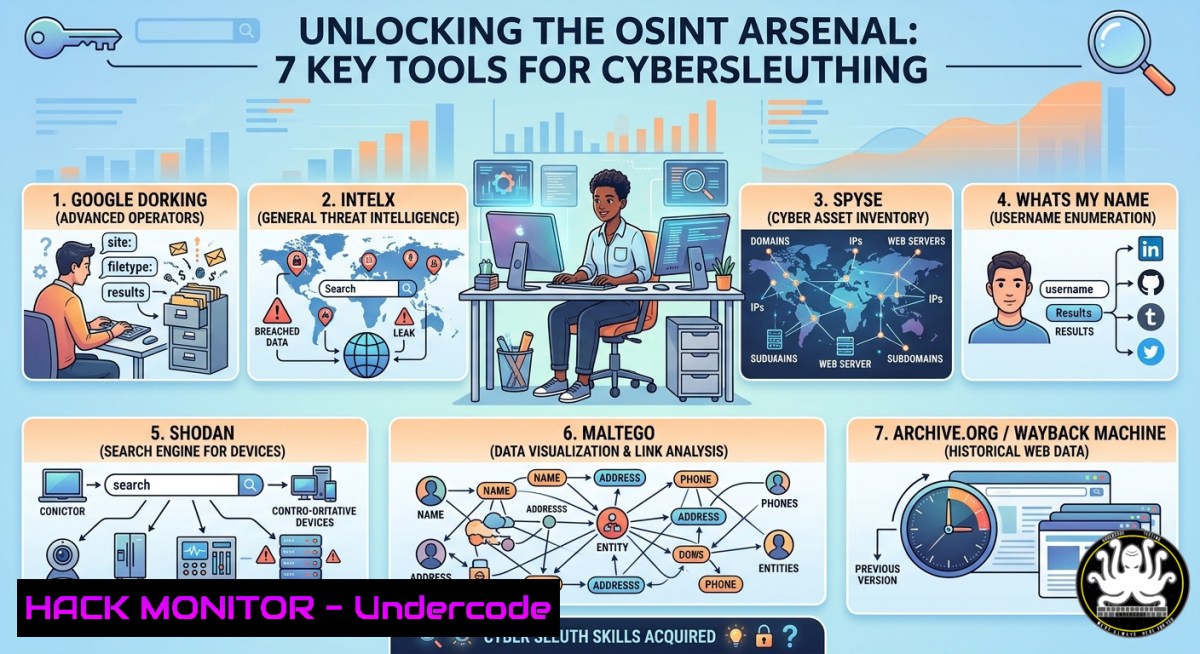
Introduction:
Open Source Intelligence (OSINT) leverages publicly available data to uncover hidden relationships, exposed assets, and potential security weaknesses—without ever touching a target’s internal network. As threat actors and red teams increasingly rely on OSINT for reconnaissance, mastering these techniques has become a core cybersecurity skill for both offense and defense.
Learning Objectives:
- Assemble a modular OSINT toolkit using free and open‑source utilities on Linux and Windows.
- Execute automated reconnaissance against domains, emails, usernames, and cloud assets.
- Apply OSINT findings to harden organizational exposure and simulate attacker reconnaissance paths.
You Should Know:
- Building Your OSINT Workbench – Core Tools & Installation
OSINT investigations require a mix of command‑line tools, web scrapers, and API‑powered frameworks. Below is a verified setup for both Linux (Debian/Ubuntu) and Windows (WSL or native PowerShell).
Linux (Ubuntu/Debian) installation:
sudo apt update && sudo apt install -y git python3-pip jq curl
 theHarvester – email/domain enumeration
git clone https://github.com/laramies/theHarvester.git
cd theHarvester && sudo python3 setup.py install
 Sherlock – username search across social networks
git clone https://github.com/sherlock-project/sherlock.git
cd sherlock && pip3 install -r requirements.txt
 Recon-ng – full recon framework
git clone https://github.com/lanmaster53/recon-ng.git
cd recon-ng && pip3 install -r REQUIREMENTS
Windows (PowerShell as Admin):
 Enable WSL for Linux tooling (recommended)
wsl --install -d Ubuntu
 Or install native Python tools
Set-ExecutionPolicy RemoteSigned -Scope CurrentUser
Invoke-WebRequest -Uri "https://raw.githubusercontent.com/OSINT-Toolkit/windows-setup/main/install.ps1" -OutFile "$env:TEMP\osint.ps1"
powershell -File "$env:TEMP\osint.ps1"
Step‑by‑step guide:
- Clone the repositories above to a dedicated `~/osint-lab` directory.
- Set up API keys for services like Shodan, Censys, and Hunter.io (export them as
SHODAN_API_KEY,HUNTER_API_KEY). - Verify each tool works by running
theHarvester -d example.com -b google,sherlock username123, and `recon-ng` (thenworkspaces create target).
2. Domain & Subdomain Discovery – Passive Reconnaissance
Attackers often find forgotten subdomains that expose internal applications or cloud storage. Use these commands to map a target’s external footprint.
Find subdomains with Sublist3r:
git clone https://github.com/aboul3la/Sublist3r.git
cd Sublist3r && pip install -r requirements.txt
python sublist3r.py -d target.com -o subdomains.txt
Passive DNS enumeration via Amass (OWASP):
sudo apt install amass
amass enum -passive -d target.com -o amass_target.txt
Windows alternative using PowerShell + Resolve-DnsName:
$domains = Get-Content subdomains_list.txt
foreach ($d in $domains) {
try { Resolve-DnsName $d -ErrorAction Stop | Select-Object Name, IPAddress }
catch {}
}
Step‑by‑step guide:
- Run Sublist3r and Amass on your target domain (ensure you have permission if not your own asset).
- Merge results, remove duplicates (
sort -u subdomains.txt amass_target.txt > all_subs.txt). - Probe live subdomains with `httpx` (
httpx -l all_subs.txt -o live_hosts.txt). - Cross‑reference IPs against Shodan (
shodan host IP) for open ports and banners. -
Username & Email OSINT – Tracking Digital Footprints
From data breaches to social media profiles, usernames and emails tie together disparate online personas.
Sherlock username enumeration:
cd sherlock
python3 sherlock --timeout 5 --print-found johndoe_example
Email breach check using holehe:
git clone https://github.com/megadose/holehe.git
cd holehe && python3 setup.py install
holehe [email protected]
Email extraction from web archives (Wayback Machine):
echo "https://target.com" | waybackurls | grep -E "mailto:|@[a-zA-Z0-9.-]+.[a-zA-Z]{2,}" | sort -u
Step‑by‑step guide (defensive perspective):
- Run Sherlock against your organisation’s generic usernames (e.g.,
admin,support) to see if they are reused on external platforms. - Use holehe with your own corporate email – any positive hit suggests that email was exposed in a third‑party breach.
- Enforce password rotation and enable MFA on all accounts found in leak databases (HaveIBeenPwned API integration).
-
Cloud & API OSINT – Exposed Secrets and Misconfigurations
Attackers scan public cloud buckets, Git repositories, and API documentation for hardcoded secrets. OSINT tools can detect these leaks before they are exploited.
GitHub secret scanning (truffleHog):
pip install truffleHog
trufflehog github --org target_org --concurrency 5 --only-verified
AWS S3 bucket enumeration (BucketStream):
git clone https://github.com/eth0izzle/bucket-stream.git
cd bucket-stream && pip install -r requirements.txt
python bucket-stream.py -b wordlist.txt -o aws_buckets.txt
 Then check public access:
for bucket in $(cat aws_buckets.txt); do
aws s3 ls s3://$bucket --no-sign-request || echo "Private: $bucket"
done
API endpoint discovery via Kiterunner:
git clone https://github.com/assetnote/kiterunner
cd kiterunner && make
./kr scan http://target.com -w routes-large.kite -o api_endpoints.txt
Step‑by‑step guide:
- Run truffleHog against your own GitHub organisation (using a personal token with repo access).
- For each discovered secret, rotate the credential immediately and revoke the exposed token.
- Use bucket‑stream with a custom wordlist containing your company name + common prefixes (
-backup,-logs,-dev). - Any world‑listable S3 bucket should be patched with a bucket policy denying
"Principal":"". -
Social Media & Geospatial OSINT – Profiling and Location Tracking
Where people post reveals infrastructure and operational patterns. Use these techniques for physical security assessments or social engineering simulations.
Twitter/X scraping with twint (archive version):
git clone https://github.com/twintproject/twint.git
pip3 install twint
twint -u target_handle -o tweets.json --json
Instagram location extraction (OSINTgram):
git clone https://github.com/Datalux/Osintgram.git
cd Osintgram && pip install -r requirements.txt
python main.py target_username -c location
EXIF metadata extraction from images:
 Linux
exiftool -GPSPosition -CreateDate downloaded_image.jpg
 Windows (PowerShell)
Get-Item .jpg | ForEach-Object { $<em>.Name; exiftool $</em>.FullName | Select-String "GPS" }
Step‑by‑step guide:
- Gather public posts from a target handle and extract any location tags or GPS coordinates.
- Plot these coordinates using Google Maps API or a simple Python script (
pip install gmplot). - For red teaming, use this data to craft realistic phishing lures (e.g., referencing a recent conference the target attended).
- Defensively, instruct employees to strip metadata before uploading images (
exiftool -all= image.jpg). -
OSINT Automation & Reporting – Putting It All Together
Manual OSINT is time‑consuming. Use Python to chain the tools above into a single reconnaissance pipeline.
Example Python orchestrator (save as `osint_runner.py`):
import subprocess, json, sys
domain = sys.argv[bash]
 Run theHarvester
subprocess.run(["theHarvester", "-d", domain, "-b", "bing,google", "-f", "harvester.json"])
 Run sublist3r
subprocess.run(["python3", "Sublist3r/sublist3r.py", "-d", domain, "-o", "subs.txt"])
 Open subs.txt and check live hosts
with open("subs.txt") as f:
subs = [line.strip() for line in f]
print(f"[+] Found {len(subs)} subdomains. Now run httpx for live ones.")
Reporting with Maltego (transform integration):
Install Maltego CE and add the sublist3r, twint, and `shodan` transforms for visual link analysis.
Step‑by‑step guide:
- Schedule a weekly cron job (Linux) or Task Scheduler (Windows) to run the orchestrator against your own domains.
- Diff the output against previous runs to detect new subdomains or exposed emails.
- Feed diff results into a SIEM or ticketing system for remediation.
- Use Maltego to map relationships – for example, a discovered email address owning an exposed S3 bucket that shares a name with a subdomain.
What Undercode Say:
- Key Takeaway 1: OSINT is not about “hacking” but about connecting public dots – anyone can do it, which is why organizations must monitor their own digital exhaust.
- Key Takeaway 2: Most breaches begin with OSINT‑gathered credentials or subdomains; preventing them requires continuous scanning and employee awareness (metadata stripping, social media hygiene).
Analysis (10 lines):
The OSINT Tools Library highlighted by Mohit Soni compiles dozens of resources, but true mastery comes from automating these free tools into repeatable workflows. Traditional security often ignores public‑facing artifacts like GitHub comments or forgotten Slack channels, which leak more than corporate VPNs. Red teams routinely use Sherlock and theHarvester to build convincing pretexts, while blue teams remain reactive. The commands and scripts above demonstrate that a single defender with a Linux VM can outpace an entire SOC by proactively mapping exposure. However, OSINT’s biggest risk is false positives – not every subdomain is vulnerable, and not every email in a breach database is still active. Combining automated tool output with manual validation (e.g., checking if an exposed subdomain actually serves sensitive content) remains critical. Moreover, using OSINT against third‑party services may violate terms of service; always obtain permission or work within your own environment. The future lies in AI‑augmented OSINT, where LLMs summarize thousands of query results and even recommend mitigations. For now, the toolkit above provides a solid, battle‑tested foundation for any cybersecurity professional.
Prediction:
Within 18 months, AI‑driven OSINT agents will automatically correlate leaked credentials, subdomain takeovers, and cloud misconfigurations – then generate patch‑ready infrastructure‑as‑code (IaC) fixes. Offensively, threat actors will use large language models to craft hyper‑personalised phishing emails based on social media OSINT, bypassing traditional email filters. Consequently, defensive OSINT will shift from manual reconnaissance to continuous, agent‑based monitoring platforms that compete with attack speed, making real‑time exposure management a mandatory compliance control.
▶️ Related Video (78% Match):
🎯Let’s Practice For Free:
IT/Security Reporter URL:
Reported By: 0xfrost Osint – Hackers Feeds
Extra Hub: Undercode MoN
Basic Verification: Pass ✅


