Listen to this Post
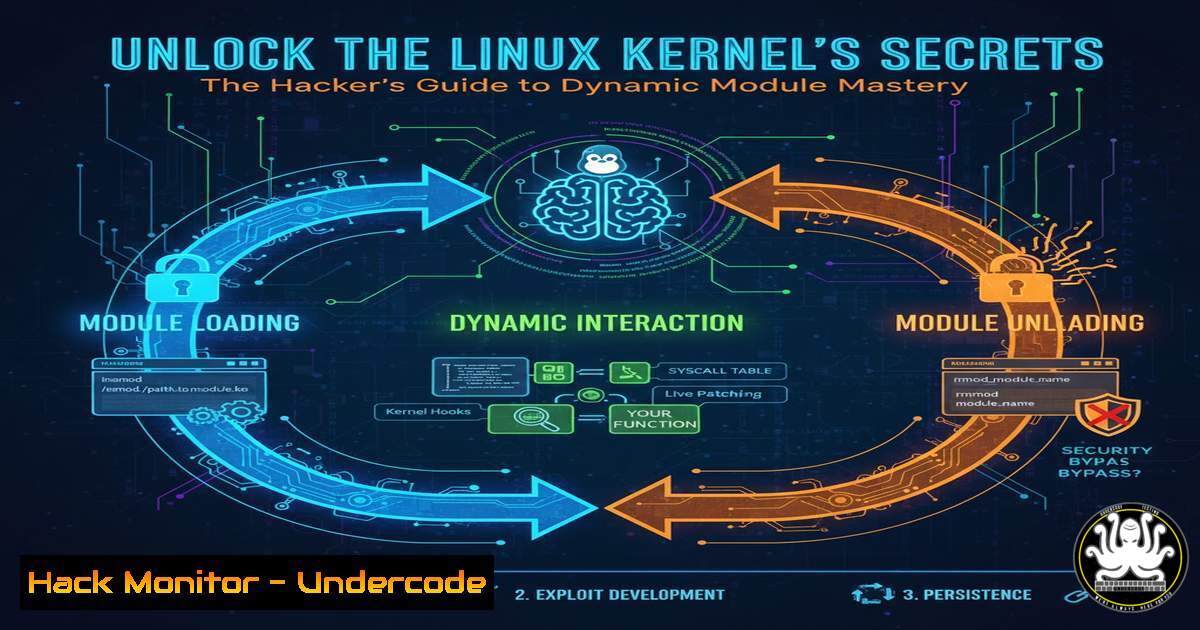
Introduction:
The Linux kernel serves as the core of every Linux system, controlling everything from hardware interaction to process scheduling. Kernel modules are pieces of code that can be loaded and unloaded into the kernel on demand, extending its functionality without requiring a system reboot or a full kernel recompile. For cybersecurity professionals, system administrators, and developers, understanding kernel module programming is crucial for tasks ranging from writing custom drivers and performing deep system analysis to identifying rootkits that operate at this privileged level.
Learning Objectives:
- Understand the fundamental workflow of writing, compiling, loading, and unloading a Linux kernel module.
- Differentiate between the user-space and kernel-space execution environments and their security implications.
- Learn to interact with kernel subsystems like /proc, sysfs, and manage character devices.
- Implement modern kernel concurrency mechanisms like workqueues and tasklets.
- Apply kernel debugging techniques and understand basic vulnerability patterns at the kernel level.
You Should Know:
1. Your First “Hello, World” Kernel Module
The most basic yet critical first step in kernel development is creating a simple module. This teaches the essential structure, compilation process, and the module lifecycle managed by commands like `insmod` and rmmod.
A kernel module must have at least an initialization function (called when the module is loaded) and an exit function (called when the module is unloaded). These are defined using the `module_init()` and `module_exit()` macros.
Step-by-step guide:
Write the Code: Create a file named hello.c.
include <linux/init.h> // For module_init, module_exit macros
include <linux/module.h> // For core kernel module macros and functions
include <linux/kernel.h> // For printk log levels (KERN_INFO)

MODULE_LICENSE("GPL");
MODULE_AUTHOR("Your Name");
MODULE_DESCRIPTION("A simple Hello World kernel module");

static int __init hello_init(void) {
printk(KERN_INFO "Hello, world! Kernel module loaded.\n");
return 0; // A non-zero return means load failed.
}

static void __exit hello_exit(void) {
printk(KERN_INFO "Goodbye, world! Kernel module unloaded.\n");
}

module_init(hello_init);
module_exit(hello_exit);
Create a Makefile: The kernel build system is complex; a Makefile simplifies compilation.
obj-m += hello.o

all:
make -C /lib/modules/$(shell uname -r)/build M=$(PWD) modules

clean:
make -C /lib/modules/$(shell uname -r)/build M=$(PWD) clean
Compile the Module: Run `make` in the terminal. This produces a `hello.ko` file (Kernel Object).
Load and Test the Module:
 Load the module. Requires root privileges.
sudo insmod hello.ko

Check if the module is loaded. Look for 'hello' in the list.
lsmod | grep hello

View the kernel log message from printk.
dmesg | tail -5

Unload the module.
sudo rmmod hello

Check dmesg again to see the exit message.
dmesg | tail -5
2. Navigating User-Space vs. Kernel-Space
The Linux operating system is divided into two distinct levels: user-space, where applications run, and kernel-space, where the core OS and drivers operate. Kernel-space has unrestricted access to hardware and memory, while user-space is heavily restricted for system stability and security.
Step-by-step guide:
Privilege Levels: Code in kernel-space runs at the highest CPU privilege level (Ring 0 on x86 architectures). This means a bug in a kernel module can crash the entire system, whereas a bug in a user-space application typically only crashes itself.
Memory Management: Kernel-space has a single, shared address space. There is no memory protection between different parts of the kernel, making it a prime target for exploits. User-space processes have their own isolated, virtual address spaces.
Function Calls: You cannot use standard C library functions like `printf` or `malloc` in the kernel. Instead, you use kernel-specific APIs like `printk` for logging and kmalloc/vmalloc for memory allocation.
Command to Check Loaded Modules: The `lsmod` command, which is a user-space tool, reads from the `/proc/modules` virtual file, a perfect example of user-kernel interaction.
3. Creating and Managing a Character Device Driver
Character devices are hardware or virtual devices that are accessed as a stream of bytes, such as keyboards, serial ports, or custom hardware. Creating a driver involves defining a `file_operations` structure that maps common file operations (like open, read, write, release) to your custom functions.
Step-by-step guide:
Define File Operations: Create a structure specifying which functions handle which operations.
static struct file_operations fops = {
.owner = THIS_MODULE,
.open = dev_open,
.read = dev_read,
.write = dev_write,
.release = dev_release,
};
Register the Device: The kernel needs to be told about your device. Historically, `register_chrdev` was used, but modern methods involve dynamic allocation of a major number.
// Dynamically allocate a major number
int major_num = register_chrdev(0, "my_device", &fops);
if (major_num < 0) {
printk(KERN_ALERT "Failed to register device: %d\n", major_num);
return major_num;
}
Create Device Node: The driver is registered in kernel-space, but user-space needs an interface. This is typically a file in /dev. Create it manually with:
sudo mknod /dev/my_device c 250 0
(Replace `250` with your allocated major number and `0` with the minor number). A more robust method is to use `udev` which automatically creates nodes when the module is loaded.
4. Interacting with /proc and sysfs
The `/proc` and `/sys` (sysfs) virtual filesystems are windows into the kernel. They allow user-space programs to query kernel data and sometimes configure it. `/proc` is often used for process information and reporting system statistics, while sysfs exposes a hierarchical view of kernel objects, devices, and drivers.
Step-by-step guide for /proc:
Create a /proc entry:
include <linux/proc_fs.h>
include <linux/seq_file.h> // For safer sequence-based output

static int proc_show(struct seq_file m, void v) {
seq_printf(m, "Custom system data: 42\n");
return 0;
}

static int __init proc_init(void) {
// Modern method: create a /proc entry
proc_create_single("my_proc_data", 0, NULL, proc_show);
return 0;
}

static void __exit proc_exit(void) {
remove_proc_entry("my_proc_data", NULL);
}
Test the entry: After loading the module, read the file:
cat /proc/my_proc_data
 Output: Custom system data: 42
5. Leveraging Module Parameters
Module parameters allow you to pass arguments to your module at load time, making your drivers and modules highly configurable without recompilation.
Step-by-step guide:
Declare the Parameter: Use `module_param` macros in your code.
include <linux/moduleparam.h>

static char name = "default_name";
static int count = 1;

module_param(name, charp, 0644); // charp = char pointer
MODULE_PARM_DESC(name, "A character string parameter");

module_param(count, int, 0644);
MODULE_PARM_DESC(count, "An integer parameter");
Use the Parameter in `hello_init`:
static int __init hello_init(void) {
int i;
for (i = 0; i < count; i++) {
printk(KERN_INFO "Hello, %s! Loaded.\n", name);
}
return 0;
}
Load with Parameters:
sudo insmod hello.ko name="Tony" count=3
Check `dmesg` to see the message printed three times.
6. Managing Concurrency: Workqueues and Tasklets
The kernel is massively concurrent. Multiple processes can try to access your driver simultaneously. Using normal process sleep (sleep()) can freeze the kernel. Workqueues and tasklets are mechanisms for deferring work and handling interrupts.
Step-by-step guide for a Workqueue:
Declare and Create: Workqueues execute code in a process context, meaning they can sleep.
include <linux/workqueue.h>

static struct workqueue_struct my_wq;
static struct work_struct my_work;

static void work_handler(struct work_struct work) {
printk(KERN_INFO "Work handler is executing, can schedule/sleep.\n");
// Simulate work with a safe delay
msleep(1000);
}

static int __init wq_init(void) {
my_wq = create_singlethread_workqueue("my_single_queue");
INIT_WORK(&my_work, work_handler);
// Queue the work for execution
queue_work(my_wq, &my_work);
return 0;
}

static void __exit wq_exit(void) {
flush_workqueue(my_wq); // Wait for all work to finish
destroy_workqueue(my_wq);
}
Key Difference: Tasklets run in an atomic context (cannot sleep) and are better for high-frequency, low-latency tasks. Workqueues are more flexible but heavier.
7. Security Implications and Basic Hardening
Kernel code is inherently trusted. A vulnerability here can lead to immediate privilege escalation or a kernel panic. Common issues include buffer overflows, integer overflows, and use-after-free bugs.
Step-by-step guide for mitigation:
Input Validation: Never trust input from user-space. Always validate every byte and size.
static ssize_t dev_write(struct file file, const char __user user_buf, size_t count, loff_t ppos) {
char kernel_buf[bash];
// Check for buffer overflow
if (count > sizeof(kernel_buf) - 1)
return -EINVAL;
// Copy data from user-space safely
if (copy_from_user(kernel_buf, user_buf, count))
return -EFAULT;
kernel_buf[bash] = '\0'; // Ensure null-termination
// ... process data in kernel_buf ...
return count;
}
Kernel Hardening: Use kernel security features like:
KASLR (Kernel Address Space Layout Randomization): Enabled by default on most distributions to make exploits harder.
Stack Protector: Use the `-fstack-protector-strong` compiler flag (often enabled in kernel builds).
Read-Only Data/Code: Mark data structures as `const` and code as `__init` to be freed after initialization.
What Undercode Say:
- Kernel module programming is the gateway to ultimate system control, but with great power comes the responsibility to write secure, stable code. A single mistake can have system-wide consequences.
- Understanding how kernel modules work is not just for developers; it is a core skill for advanced cybersecurity practitioners to analyze, detect, and defend against rootkits and other kernel-level malware that operate by hiding in plain sight.
The ability to dynamically extend the kernel is a foundational feature of Linux that powers its flexibility, from embedded IoT devices to massive server farms. However, this same capability is a double-edged sword. The community-driven nature of the “Linux Kernel Module Programming Guide” ensures it remains relevant, covering modern techniques up to kernel 6.x. For security professionals, this knowledge is indispensable. It moves threat analysis from the application layer to the very core of the operating system, where the most stealthy and powerful attacks reside. Mastering these concepts allows for the creation of sophisticated security tools and a deeper understanding of how to fortify the kernel itself against exploitation.
Prediction:
The knowledge of kernel module programming will become increasingly critical as computing moves towards more specialized hardware and tighter integration with AI. Custom AI accelerators will require custom kernel drivers. Furthermore, the rise of eBPF (extended Berkeley Packet Filter), which allows sandboxed programs to run in the kernel without compiling a module, is built upon these fundamental concepts. Understanding traditional kernel programming is the prerequisite for mastering next-generation technologies like eBPF, which is set to redefine observability, networking, and security within the Linux kernel, making systems more extensible but also expanding the attack surface that security teams must monitor.
🎯Let’s Practice For Free:
IT/Security Reporter URL:
Reported By: Activity 7395881798347616256 – Hackers Feeds
Extra Hub: Undercode MoN
Basic Verification: Pass ✅


