Listen to this Post
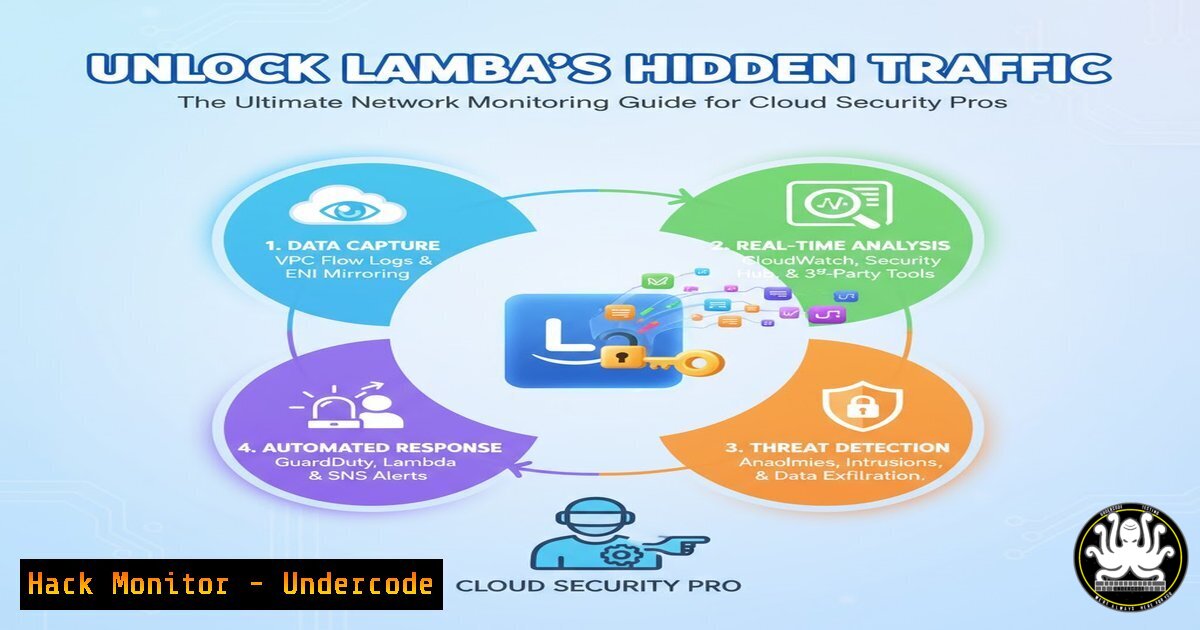
Introduction:
Serverless computing with AWS Lambda introduces unique security and operational challenges, particularly around network visibility. Traditional monitoring tools fall short in ephemeral environments where functions spin up and down dynamically. This guide provides comprehensive techniques to monitor Lambda network traffic for enhanced security, compliance, and troubleshooting.
Learning Objectives:
- Implement multiple network monitoring approaches for AWS Lambda functions
- Configure VPC Flow Logs, Security Groups, and third-party monitoring tools
- Analyze network traffic patterns to detect anomalies and security threats
You Should Know:
1. VPC Flow Logs Configuration for Lambda Monitoring
 Create VPC Flow Logs using AWS CLI
aws logs create-log-group --log-group-name "VPCFlowLogs"
aws ec2 create-flow-logs \
--resource-type VPC \
--resource-ids vpc-12345678 \
--traffic-type ALL \
--log-group-name "VPCFlowLogs" \
--deliver-logs-permission-arn arn:aws:iam::123456789012:role/FlowLogsRole
Step-by-step guide: VPC Flow Logs capture IP traffic flowing through your VPC. First, create a CloudWatch Logs group, then enable flow logs for your Lambda VPC. Configure IAM roles with necessary permissions. The logs provide source/destination IPs, ports, protocol, and accept/reject decisions, crucial for security analysis and compliance auditing.
2. Security Group Monitoring and Alert Configuration
 Create CloudWatch alarm for Security Group denies
aws cloudwatch put-metric-alarm \
--alarm-name "SecurityGroupDenies" \
--alarm-description "Alarm when Security Group denies exceed threshold" \
--metric-name SecurityGroupDenies \
--namespace AWS/EC2 \
--statistic Sum \
--period 300 \
--threshold 10 \
--comparison-operator GreaterThanThreshold \
--evaluation-periods 2
Step-by-step guide: Security Groups act as virtual firewalls for Lambda functions. Monitor Security Group deny events using CloudWatch Metrics. Set up alarms to detect unusual patterns that might indicate security breaches or misconfigurations. Regular review of Security Group rules ensures least privilege access.
3. Network Access Control List (NACL) Monitoring
 Analyze NACL rules via AWS CLI
aws ec2 describe-network-acls \
--filters "Name=vpc-id,Values=vpc-12345678" \
--query 'NetworkAcls[].Entries[]' \
--output table
Step-by-step guide: NACLs provide stateless traffic filtering at the subnet level. Regularly audit NACL rules to ensure they align with security policies. Monitor for overly permissive rules (0.0.0.0/0) and ensure deny rules are appropriately configured for sensitive subnets.
4. AWS X-Ray Integration for Distributed Tracing
 serverless.yml configuration for X-Ray
provider:
name: aws
runtime: python3.8
tracing:
lambda: true
apiGateway: true

functions:
hello:
handler: handler.hello
tracing: Active
Step-by-step guide: Enable AWS X-Ray for your Lambda functions to trace requests across services. X-Ray provides insights into network latency, errors, and dependencies. Analyze trace data to identify performance bottlenecks and suspicious network patterns.
5. Third-Party Monitoring with AWS Lambda Extensions
 Python Lambda function with monitoring extension
import boto3
import requests

def lambda_handler(event, context):
 Install and configure monitoring agent
monitoring_config = {
"api_key": "your_monitoring_key",
"endpoint": "https://monitoring-service.com/logs"
}

Business logic with network calls
response = requests.get('https://api.example.com/data')
return response.json()
Step-by-step guide: Implement third-party monitoring tools using Lambda Extensions. These extensions run alongside your function code and can capture network traffic, metrics, and logs. Choose extensions based on your specific monitoring requirements and integrate them into your deployment process.
6. DNS Query Monitoring with Route 53 Resolver
 Enable Route 53 Resolver Query Logging
aws route53resolver create-resolver-query-log-config \
--name "LambdaDNSQueries" \
--destination-arn "arn:aws:logs:region:account:log-group:ResolverLogs"
Step-by-step guide: Monitor DNS queries made by Lambda functions using Route 53 Resolver Query Logging. This helps detect suspicious domains, data exfiltration attempts, and misconfigured DNS settings. Analyze query patterns for anomalies and integrate with security information and event management (SIEM) systems.
7. Custom Network Metrics with CloudWatch
import boto3
import time

cloudwatch = boto3.client('cloudwatch')

def put_network_metric(metric_name, value, dimensions):
cloudwatch.put_metric_data(
Namespace='Custom/LambdaNetwork',
MetricData=[
{
'MetricName': metric_name,
'Dimensions': dimensions,
'Value': value,
'Timestamp': time.time()
},
]
)
Step-by-step guide: Implement custom network metrics to track specific application-level network behavior. Monitor outbound connection counts, data transfer volumes, and connection durations. Set up dashboards and alarms based on these custom metrics for proactive monitoring.
What Undercode Say:
- Comprehensive network monitoring in Lambda requires multiple layered approaches for complete visibility
- Security-focused monitoring must balance detection capabilities with performance impact and cost
- Future serverless architectures will increasingly rely on AI-driven anomaly detection for real-time threat response
The evolution of serverless computing demands sophisticated monitoring strategies that go beyond traditional approaches. Organizations must implement multi-layered visibility solutions that combine AWS-native tools with third-party monitoring extensions. As Lambda functions handle increasingly sensitive workloads, network monitoring becomes critical for detecting data exfiltration, command-and-control communications, and other security threats. The integration of machine learning for anomaly detection will become standard, enabling proactive security measures rather than reactive responses.
Prediction:
Within two years, AI-powered network monitoring for serverless environments will become standard practice, with real-time threat detection capabilities integrated directly into cloud platforms. The increasing adoption of serverless computing will drive development of more sophisticated monitoring tools that provide deeper insights with lower overhead. Regulatory requirements will mandate more granular network monitoring, making these skills essential for cloud security professionals.
🎯Let’s Practice For Free:
IT/Security Reporter URL:
Reported By: Flahahmad How – Hackers Feeds
Extra Hub: Undercode MoN
Basic Verification: Pass ✅


