Listen to this Post
Introduction:
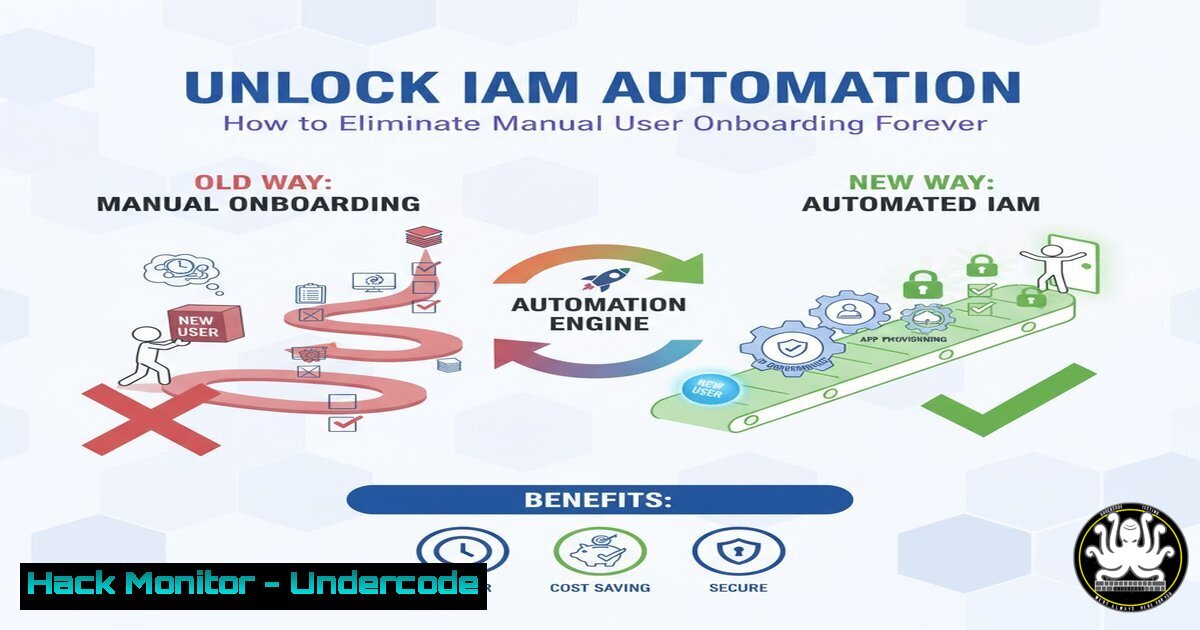
Modern Identity and Access Management (IAM) has evolved beyond manual Active Directory user creation, embracing automated provisioning to enhance security and operational efficiency. Microsoft’s Entra ID suite provides powerful tools to transform cumbersome, error-prone processes into streamlined, policy-driven workflows, significantly reducing the attack surface associated with human error.
Learning Objectives:
- Understand the core components of Microsoft’s automated IAM ecosystem: Entra ID Lifecycle Workflows, Inbound Provisioning, and Access Packages.
- Learn to implement specific PowerShell commands and Entra ID configurations to automate user provisioning.
- Develop a security-first mindset for designing automated onboarding that enforces the principle of least privilege.
You Should Know:
- Automating User Provisioning with Entra ID Connect Cloud Sync
Instead of manual CSV imports, use cloud-driven synchronization to automate user creation from HR systems like Workday or SuccessFactors.
 PowerShell: Verify Entra Connect Cloud Sync agent health
Get-ADSyncAADConnectorHealth -ConnectorName "your-connector-name"

Check provisioning job status for a specific user
Get-MgServicePrincipalSynchronizationJob -ServicePrincipalId $servicePrincipalId -SynchronizationJobId $jobId | Format-List
Step-by-step guide:
This setup connects your HR system directly to Entra ID. The PowerShell commands monitor the health of your synchronization agent and track the status of individual provisioning jobs. First, ensure the Cloud Sync agent is installed and registered with your tenant. Use `Get-ADSyncAADConnectorHealth` to verify the agent can communicate with Azure AD. The `Get-MgServicePrincipalSynchronizationJob` command (using the Microsoft Graph PowerShell module) allows you to audit the provisioning process for specific users, crucial for troubleshooting failed onboarding attempts.
2. Implementing Entra ID Lifecycle Workflows
Lifecycle Workflows automate user joiner-mover-leaver processes based on predefined triggers and tasks.
// Example Lifecycle Workflow definition (JSON template)
{
"displayName": "New Hire Provisioning - Sales",
"description": "Onboard new sales employees",
"trigger": {
"timeBasedAttribute": "employeeHireDate",
"offsetInDays": 1
},
"tasks": [
{
"taskDefinitionId": "6fc5d9c7-64b7-4c9c-bdd1-7c83d76c809e", // Create user
"parameters": [
{"name": "userDisplayName", "values": ["%DisplayName%"]}
]
}
]
}
Step-by-step guide:
Lifecycle Workflows trigger automatically based on employee attributes like hire date. The JSON template defines a workflow that activates one day after an employee’s official hire date. The `taskDefinitionId` corresponds to the built-in “Create user” task in Entra ID. To implement, navigate to Entra ID > Identity Governance > Lifecycle Workflows and create a new workflow using this structure. This eliminates the need for manual intervention when new employees start.
3. Configuring Dynamic Security Groups with PowerShell
Automate group membership based on user attributes to ensure correct access rights.
 Create a dynamic group for all Sales department users
New-MgGroup -DisplayName "Sales-All" -Description "All Sales Department Users" -MailEnabled:$False -SecurityEnabled -MailNickName "salesall" -GroupTypes "DynamicMembership" -MembershipRule "(user.department -eq ""Sales"")" -MembershipRuleProcessingState "On"

Verify group membership
Get-MgGroupMember -GroupId $groupId | Get-MgUser -Property DisplayName, Department | Select-Object DisplayName, Department
Step-by-step guide:
Dynamic groups automatically include users based on defined rules, such as department or location. The `New-MgGroup` command creates a security group with a membership rule that adds any user whose department attribute equals “Sales”. The `MembershipRuleProcessingState “On”` parameter activates the rule immediately. Use `Get-MgGroupMember` to audit which users are currently in the group, ensuring your automation is working correctly.
4. Managing API Access with Microsoft Graph Permissions
Secure your automation scripts by granting least-privilege API permissions.
 Connect to Microsoft Graph with specific scopes
Connect-MgGraph -Scopes "User.ReadWrite.All", "Group.ReadWrite.All", "Directory.ReadWrite.All"

Verify current session context
Get-MgContext | Format-List Scopes, Account, TenantId

List all service principals with high-privilege roles
Get-MgServicePrincipal -Filter "displayName eq 'Your-App-Name'" | Get-MgServicePrincipalAppRoleAssignment | Where-Object {$_.PrincipalType -eq "ServicePrincipal"}
Step-by-step guide:
When automating IAM processes, your applications and scripts require specific Microsoft Graph permissions. The `Connect-MgGraph` command establishes a session with precisely defined scopes, following the principle of least privilege. Always verify your active session with `Get-MgContext` to ensure you’re not operating with excessive permissions. Regularly audit service principals with `Get-MgServicePrincipalAppRoleAssignment` to identify over-privileged applications in your tenant.
5. Implementing Access Packages for Role-Based Entitlement
Access Packages bundle resources (groups, apps, sites) that users need for specific roles or projects.
 Create a new Access Package catalog
New-MgEntitlementManagementAccessPackageCatalog -DisplayName "Sales Department Resources" -Description "All resources required for Sales team" -CatalogType "UserManaged" -State "Published"

Create an Access Package within the catalog
$catalogId = (Get-MgEntitlementManagementAccessPackageCatalog -Filter "displayName eq 'Sales Department Resources'").Id
New-MgEntitlementManagementAccessPackage -DisplayName "Sales Representative" -Description "Standard access for sales representatives" -CatalogId $catalogId -IsHidden:$False
Step-by-step guide:
Access Packages implement governance around resource access requests and assignments. First, create a catalog using `New-MgEntitlementManagementAccessPackageCatalog` to organize related resources. Then, define specific Access Packages within that catalog using New-MgEntitlementManagementAccessPackage. This creates a self-service portal where users can request approved resource bundles, and managers can approve them, eliminating manual access granting.
6. Auditing User Provisioning with Directory Activity Logs
Monitor automated provisioning activities to detect anomalies or failures.
 Retrieve directory audit logs for user creation events
Get-MgAuditLogDirectoryAudit -Filter "activityDisplayName eq 'Add user' and activityDateTime ge 2024-01-01T00:00:00.000Z" -Top 50 | Select-Object ActivityDateTime, LoggedByService, TargetResources, InitiatedBy

Check provisioning errors in the last 24 hours
Get-MgAuditLogDirectoryAudit -Filter "activityDisplayName eq 'Invoke user provisioning' and Result eq 'failure'" -Top 100 | Select-Object ActivityDateTime, TargetResources, AdditionalDetails
Step-by-step guide:
Even with automation, continuous monitoring is essential. These PowerShell commands query the Entra ID audit logs for specific provisioning activities. The first command retrieves successful user creation events, while the second focuses on provisioning failures. Regular review of these logs helps identify misconfigurations, unauthorized access attempts, or system failures in your automated processes.
- Hardening Entra ID Security with Conditional Access Policies
Protect automated processes with context-aware access controls.
// Example Conditional Access policy JSON
{
"displayName": "Require MFA for HR System Access",
"state": "enabled",
"conditions": {
"applications": {
"includeApplications": ["your-hr-app-id"]
},
"users": {
"includeUsers": ["All"]
},
"locations": {
"includeLocations": ["All"]
}
},
"grantControls": {
"operator": "OR",
"builtInControls": ["mfa"]
}
}
Step-by-step guide:
Conditional Access policies add security context to your automated IAM processes. This JSON template creates a policy that requires Multi-Factor Authentication (MFA) when accessing your HR system, which is often the source of truth for user provisioning. Implement this through the Entra ID portal under Security > Conditional Access. Such policies ensure that even if provisioning credentials are compromised, attackers cannot easily modify user data.
What Undercode Say:
- Identity attack surfaces have shifted from password strength to provisioning logic flaws—automation must be designed with the same rigor as application code.
- The business case for IAM automation extends beyond efficiency; it’s fundamentally a security control that eliminates entire categories of human error.
Automated IAM represents the convergence of operational efficiency and security hardening. While manual processes inevitably create security gaps through inconsistency and fatigue, properly implemented automation enforces policies uniformly and creates auditable trails. The critical insight is that automation itself must be secured—service principals used for provisioning require protection similar to highly privileged user accounts. Organizations should approach IAM automation as a security project first and an efficiency project second, with rigorous testing of provisioning logic before production deployment.
Prediction:
The next wave of identity-based attacks will increasingly target automation pipelines and service principals rather than individual user credentials. As organizations continue adopting IAM automation, attackers will shift focus to compromising the provisioning logic itself, potentially creating backdoor accounts or escalating privileges through manipulated workflows. Future security measures will need to include runtime protection for IAM automation systems, anomaly detection for provisioning patterns, and immutable audit trails for all identity lifecycle changes.
🎯Let’s Practice For Free:
IT/Security Reporter URL:
Reported By: Basevision Ag – Hackers Feeds
Extra Hub: Undercode MoN
Basic Verification: Pass ✅


