Listen to this Post
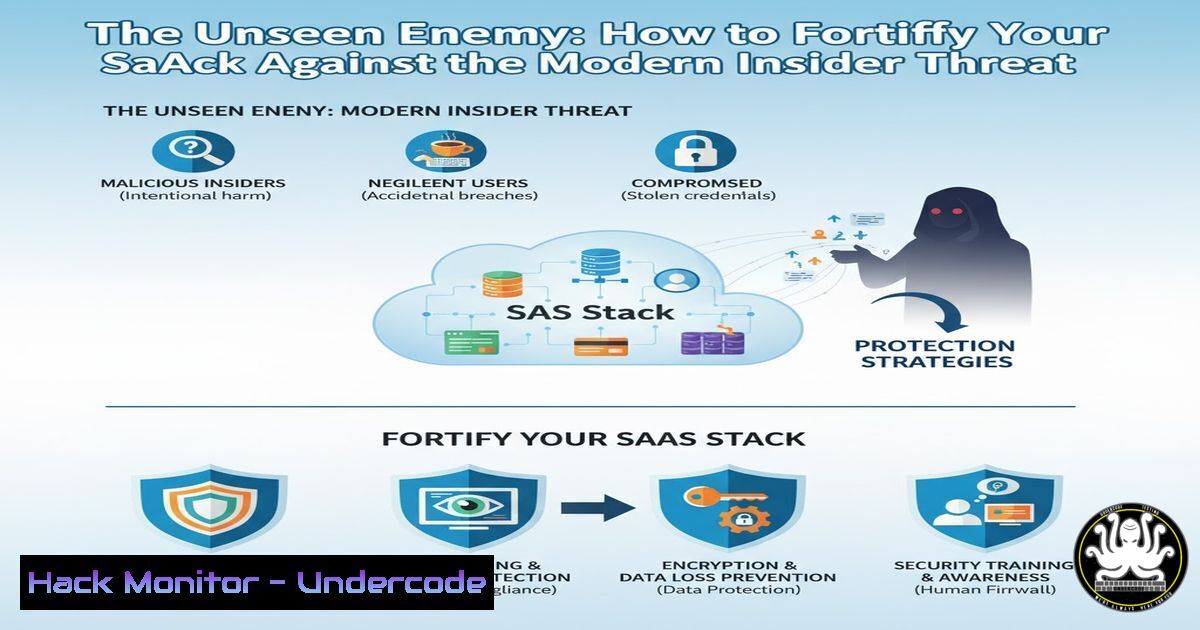
Introduction:
The perimeter of the modern enterprise has dissolved, shifting from corporate firewalls to a complex web of Software-as-a-Service (SaaS) applications. This new landscape presents a formidable challenge: the insider threat, now supercharged with unprecedented data access and exfiltration capabilities. Understanding and mitigating these risks is no longer a niche security concern but a foundational requirement for any cloud-first organization.
Learning Objectives:
- Identify the primary vectors and motivations behind modern insider threats in a SaaS environment.
- Implement technical controls and monitoring strategies across key platforms like Slack, Google Workspace, and Microsoft 365 to detect and prevent data leakage.
- Establish a robust Data Loss Prevention (DLP) framework that balances security with operational productivity.
You Should Know:
1. Slack Audit Logs for Anomalous File Downloads
Slack’s audit logs are a critical resource for detecting suspicious user behavior, particularly around file access and export.
 Example using Slack's audit logs API to look for file downloads
curl -H "Authorization: Bearer xoxp-your-token" \
"https://api.slack.com/audit/v1/logs?action=file_downloaded&limit=100"
Step-by-step guide:
- Obtain an admin-level token with the `auditlogs:read` scope from your Slack workspace.
- The API call above fetches the last 100 log entries where the action was
file_downloaded. - Filter these results for anomalies, such as a user downloading an unusually high volume of files in a single session, or downloading files from channels they are not active in.
- Automate this query and integrate it with your SIEM (Security Information and Event Management) system to generate alerts for real-time detection.
-
Google Workspace Investigation Tool (GAT) for Unusual Data Exports
Google’s GAT Unlimited (for Enterprise licenses) provides deep visibility into user actions, especially dangerous activities like bulk data exports.
 This is a conceptual representation of a GAT query for Google Takeout requests.
 In the GAT UI, you would navigate to: Reports > User Reports > User Security
 Filter for: Event Name = "TAKEOUT_DOWNLOAD"
Step-by-step guide:
- Access your Google Admin console and navigate to the Investigation Tool.
- Create a new report focused on user security events.
- Set a filter for the event name “TAKEOUT_DOWNLOAD” or other high-risk events like “OU_GOOGLE_DOCS_COPY_AND_SHARE_OUTSIDE”.
- Investigate any instances of Google Takeout usage that lack a pre-approved business justification. This is a primary exfiltration method for departing employees.
-
Microsoft 365 Compliance Center: Hunting for Suspicious Email Forwarding
Attackers, both internal and external, often set up automatic email forwarding rules to siphon data.
 PowerShell command to check for inbox forwarding rules across the tenant (requires Exchange Online PowerShell module)
Get-Mailbox | Get-InboxRule | Where-Object {$<em>.ForwardTo -ne $null -or $</em>.ForwardAsAttachmentTo -ne $null -or $_.RedirectTo -ne $null} | Select-Object MailboxOwnerId, Name, ForwardTo, RedirectTo
Step-by-step guide:
1. Connect to Exchange Online PowerShell using `Connect-ExchangeOnline`.
- Run the script above. It will iterate through all mailboxes and list any rules that forward, redirect, or attach-and-forward messages to an external address.
- Pay close attention to rules that forward mail to personal email domains (e.g., @gmail.com, @yahoo.com). This is a classic indicator of data exfiltration.
-
Data Loss Prevention (DLP) Rule for Sensitive Data in SaaS
A proactive DLP policy is essential to block data leakage before it happens.
 Example structure of a DLP policy in a tool like Nightfall or native in Google Drive
Policy: "Block External Sharing of Financial Data"
Rules:
- Detector: "Credit Card Number"
Confidence: >85%
- Detector: "IRS Tax Identification Number"
Confidence: >85%
Action:
- When shared externally: BLOCK
- Log severity: HIGH
Step-by-step guide:
- Identify your most sensitive data types (PII, source code, financial records, IP).
- Within your SaaS security platform (e.g., Google Workspace, Microsoft 365 Purview, or a third-party CASB), create a new DLP policy.
- Define the conditions, such as detecting specific regex patterns for credit card numbers or keywords for “Confidential” documents.
- Set the action to “Block” or “Quarantine” when a user attempts to share this data outside the organization. Start in audit mode to fine-tune the rules before enforcement.
5. Implementing Just-In-Time (JIT) Access with PAM
Privileged Access Management (PAM) reduces the attack surface by ensuring elevated access is temporary and approved.
 Example using a PAM tool's CLI to request temporary admin access
thycotic-cli request --system=prod-database --reason="Emergency patch deployment" --duration=120
Step-by-step guide:
- Integrate your critical systems (e.g., AWS, GCP, databases, SaaS admin consoles) with a PAM solution.
2. Remove standing administrative privileges from user accounts.
- When a user needs elevated access, they must use the PAM system to request it, providing a business reason.
- An approved manager or system workflow grants access for a pre-defined, short duration (e.g., 2 hours), after which privileges are automatically revoked. All actions during the session are logged and monitored.
-
User and Entity Behavior Analytics (UEBA) Query for Anomaly Detection
UEBA platforms use machine learning to establish a baseline of normal user behavior and flag significant deviations.
-- A simplified conceptual UEBA query to find 'impossible traveler' scenarios
SELECT user_id, login_timestamp, city, country, previous_city, previous_country
FROM user_login_events
WHERE country != previous_country
AND ABS(JULIANDAY(login_timestamp) - JULIANDAY(previous_login_timestamp)) < 1;
Step-by-step guide:
- A UEBA system ingests logs from all your corporate applications (VPN, SaaS, SSO).
- It builds a behavioral baseline for each user, including typical login times, locations, and accessed resources.
- The query logic above represents an “Impossible Travel” alert, where a user logs in from two geographically distant locations within an impossibly short time frame, suggesting compromised credentials.
- Security teams should investigate such alerts immediately as they indicate potential account takeover.
-
Hardening SSO and MFA to Prevent Account Compromise
Multi-Factor Authentication (MFA) is critical, but it must be configured correctly to resist phishing attacks.
 Using Okta's API to enforce a MFA policy that blocks suspicious countries (requires Okta Admin API)
curl -X POST \
-H "Authorization: SSWS ${api_token}" \
-H "Content-Type: application/json" \
-d '{
"type": "ACCESS_POLICY",
"name": "Block High-Risk Countries",
"conditions": {
"people": { "groups": { "include": ["EVERYONE"] } },
"network": { "connection": "ZONE", "include": ["YOUR_TRUSTED_NETWORK_ZONE_ID"] }
},
"actions": {
"signon": {
"access": "DENY"
}
}
}' "https://${yourOktaDomain}/api/v1/policies"
Step-by-step guide:
- In your Identity Provider (e.g., Okta, Azure AD), navigate to the security policies.
- Create a new policy that denies access from network zones you have defined as high-risk (e.g., specific countries where you have no employees).
- Enforce phishing-resistant MFA factors (e.g., FIDO2 security keys, Windows Hello) for all users, especially administrators.
- This policy ensures that even with a valid password and MFA code, a login attempt from a blocked country will be automatically denied.
What Undercode Say:
- The modern insider threat is not always a malicious actor; it is often a compromised account, making robust access controls and MFA the first and most critical line of defense.
- Proactive, data-centric monitoring that focuses on user behavior rather than just perimeter alerts is non-negotiable for securing the SaaS ecosystem.
The line between insider and external threat is blurring. A compromised user account becomes a powerful insider threat in the hands of an external attacker. Therefore, the security strategies outlined here are not just about preventing a disgruntled employee from stealing data, but about building a resilient security posture that assumes breach. By focusing on least-privilege access, robust DLP, and sophisticated behavior analytics, organizations can create a defensive mesh that is adaptive, data-aware, and capable of mitigating the most subtle and dangerous of modern threats. The goal is to make data exfiltration so difficult and detectable that the risk outweighs the reward.
Prediction:
The convergence of AI and insider threat will define the next wave of corporate espionage and data breaches. We will see AI-powered “synthetic insiders”—AI agents granted access to corporate systems that can be manipulated to perform data exfiltration at an unprecedented scale and speed. Furthermore, malicious actors will use AI to analyze exfiltrated data in real-time, instantly identifying and monetizing the most valuable intellectual property, making post-breach damage control exponentially more difficult. Proactive, AI-driven defense systems that can predict and neutralize these sophisticated, automated threats will become the standard for any organization wishing to protect its digital assets.
🎯Let’s Practice For Free:
IT/Security Reporter URL:
Reported By: Omriweinberg Insiderthreat – Hackers Feeds
Extra Hub: Undercode MoN
Basic Verification: Pass ✅


