Listen to this Post
Introduction:
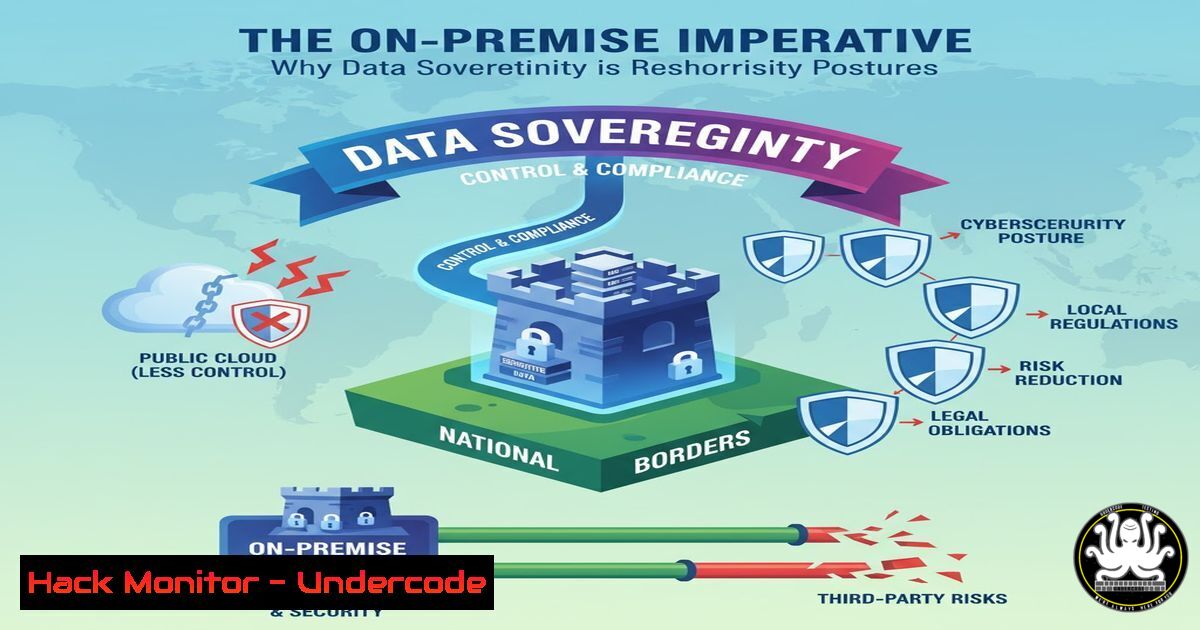
The growing tension between global security vendors and national data sovereignty concerns is forcing a critical reevaluation of cloud-based service models. As highlighted by recent industry discourse, trust in a vendor’s origin can be as significant a factor as their technical capabilities, driving a renewed demand for on-premise and private cloud deployments where data never leaves an organization’s direct control.
Learning Objectives:
- Understand the core security principles and technical architectures that enable robust on-premise data control.
- Learn to implement key access controls, monitoring, and encryption mechanisms to protect sensitive data internally.
- Develop a strategy for hardening on-premise infrastructure against both external and internal threats.
You Should Know:
1. Foundational Infrastructure Hardening with CIS Benchmarks
A critical first step in securing an on-premise environment is system hardening. The Center for Internet Security (CIS) provides benchmark scripts for both Linux and Windows.
For Linux (using a CIS compliance tool like cisecurity):
 1. Update the system
sudo apt update && sudo apt upgrade -y  For Debian/Ubuntu
 sudo yum update -y  For RHEL/CentOS

<ol>
<li>Install and run a CIS benchmark tool (example using a helper script)
git clone https://github.com/ovh/debian-cis
cd debian-cis
sudo ./bin/hardening.sh --audit</p></li>
<li><p>Review the audit report and apply the recommended hardening
sudo ./bin/hardening.sh --apply
Step-by-step guide:
This process involves cloning a CIS benchmark implementation script from a trusted repository. The `–audit` flag performs a compliance check against dozens of security controls without making changes, generating a report. The `–apply` flag then implements the recommended configurations, which may include disabling unnecessary services, enforcing password policies, and configuring kernel parameters. Always test these scripts in a non-production environment first.
2. Implementing Mandatory Access Control with SELinux
Security-Enhanced Linux (SELinux) provides a mandatory access control (MAC) system, enforcing strict security policies that confine user and application access, a cornerstone of on-premise data isolation.
 1. Check SELinux status
sestatus

<ol>
<li>Set SELinux to enforcing mode persistently
sudo sed -i 's/SELINUX=permissive/SELINUX=enforcing/g' /etc/selinux/config</p></li>
<li><p>For a specific service (e.g., Apache), manage its context
Check current context of web files
ls -Z /var/www/html/</p></li>
<li><p>Set the correct context for a new web application directory
sudo semanage fcontext -a -t httpd_sys_content_t "/new/webapp(/.)?"
sudo restorecon -Rv /new/webapp
Step-by-step guide:
After verifying the status, the configuration file is modified to ensure SELinux remains in `enforcing` mode after a reboot. The `semanage` command is used to define the default security context for files and directories related to a service (like Apache), and `restorecon` applies that context. This prevents a compromised web service from accessing files outside its strictly defined policy.
3. Windows Server Hardening via PowerShell
Windows-based on-premise infrastructures require similar rigor. PowerShell is the key tool for automating security configurations.
 1. Enable Windows Defender Firewall for all profiles
Set-NetFirewallProfile -Profile Domain,Public,Private -Enabled True

<ol>
<li>Disable SMBv1 (a vulnerable protocol)
Disable-WindowsOptionalFeature -Online -FeatureName SMB1Protocol</p></li>
<li><p>Harden the Local Security Policy (Audit account logon events)
AuditPol /set /subcategory:"Account Logon" /success:enable /failure:enable</p></li>
<li><p>Verify installed patches
Get-HotFix | Sort-Object -Property InstalledOn -Descending | Select-Object -First 10
Step-by-step guide:
This script snippet strengthens the host firewall, removes an obsolete and insecure network protocol, and enables detailed auditing for account logons. The `Get-HotFix` command provides visibility into the patch status, which is crucial for vulnerability management. These commands should be incorporated into a larger Group Policy Object (GPO) for enterprise-wide deployment.
4. Database Encryption at Rest
Ensuring that data is encrypted while stored on disk is non-negotiable for on-premise data control, protecting it from physical theft or unauthorized disk access.
For PostgreSQL:
-- 1. Enable the pgcrypto extension for column-level encryption
CREATE EXTENSION pgcrypto;

-- 2. Create a table with an encrypted column
CREATE TABLE user_credentials (
id SERIAL PRIMARY KEY,
username VARCHAR(50),
secret_data BYTEA
);

-- 3. Insert encrypted data using a passphrase
INSERT INTO user_credentials (username, secret_data)
VALUES ('johndoe', pgp_sym_encrypt('MySuperSecretData', 'YourStrongEncryptionKey'));

-- 4. Decrypt the data (for authorized applications only)
SELECT pgp_sym_decrypt(secret_data, 'YourStrongEncryptionKey') FROM user_credentials;
Step-by-step guide:
This demonstrates transparent column-level encryption. The `pgp_sym_encrypt` function encrypts the data before it is stored, and `pgp_sym_decrypt` reverses the process. The encryption key must be managed securely, ideally using a dedicated key management service (KMS) rather than being stored in plaintext within application code.
5. Network Segmentation and Firewalling with iptables
Controlling network traffic flow between segments of an on-premise network is vital to limit the blast radius of a breach.
 1. Create a new chain for a specific application tier (e.g., WEB)
sudo iptables -N WEB-TIER

<ol>
<li>Allow established and related outgoing traffic
sudo iptables -A OUTPUT -m state --state ESTABLISHED,RELATED -j ACCEPT</p></li>
<li><p>Allow SSH only from a management subnet
sudo iptables -A INPUT -p tcp --dport 22 -s 10.0.1.0/24 -j ACCEPT</p></li>
<li><p>Drop all other incoming traffic to a sensitive server
sudo iptables -P INPUT DROP
sudo iptables -P FORWARD DROP</p></li>
<li><p>List all rules to verify
sudo iptables -L -v -n
Step-by-step guide:
This creates a custom firewall chain, allows only necessary traffic (SSH from a specific management network), and sets a default policy of `DROP` for all other incoming and forwarding traffic. This ensures that even if an application is compromised, the attacker’s ability to move laterally or exfiltrate data to the internet is severely restricted.
6. Centralized Logging and Intrusion Detection with Auditd
Comprehensive logging and monitoring are the eyes and ears of an on-premise security team.
 1. Install and start auditd
sudo apt install auditd -y && sudo systemctl enable auditd && sudo systemctl start auditd

<ol>
<li>Add a rule to monitor access to a sensitive file (e.g., /etc/passwd)
sudo auditctl -w /etc/passwd -p wa -k user_access</p></li>
<li><p>Add a rule to monitor all commands executed by a specific user
sudo auditctl -a always,exit -F arch=b64 -S execve -F uid=1001 -k user_commands</p></li>
<li><p>Search the audit log for suspicious activity
sudo ausearch -k user_access -i
sudo aureport --summary
Step-by-step guide:
The `auditctl` command adds rules to the kernel’s audit subsystem. The `-w` flag watches a file for write or attribute changes (-p wa), and the `-k` flag tags the events with a key for easy searching. The second rule logs every command (execve syscall) executed by the user with UID 1001. The `ausearch` and `aureport` utilities are then used to analyze the collected logs.
7. Container Security Hardening with Docker
On-premise deployments increasingly use containers, which require their own specific security controls.
 1. Run a container as a non-root user
docker run --user 1000:1000 -d nginx

<ol>
<li>Mount a sensitive file as read-only
docker run -v /host/config.conf:/app/config.conf:ro -d myapp</p></li>
<li><p>Set container security options (no new privileges)
docker run --security-opt=no-new-privileges:true -d myapp</p></li>
<li><p>Scan a local image for vulnerabilities using Trivy (example command)
trivy image your-onprem-registry.com/myapp:latest
Step-by-step guide:
These commands demonstrate fundamental container security practices: running processes without root privileges, preventing the container from modifying critical host files by mounting them as read-only, and disabling privilege escalation within the container. Integrating a vulnerability scanner like Trivy into the CI/CD pipeline ensures that known vulnerable packages are not deployed into the on-premise environment.
What Undercode Say:
- Trust is Engineered, Not Assumed: The shift towards on-premise solutions underscores that data security cannot be based on vendor promises alone. It must be architecturally enforced through stringent access controls, encryption, and network segmentation, as detailed in the technical commands above.
- The Shared Responsibility Model Intensifies: Moving on-premise does not absolve an organization of security responsibilities; it concentrates them. The burden of patching, hardening, and monitoring falls entirely on the internal IT team, requiring a higher level of continuous operational security maturity.
The underlying sentiment in the market is not merely about nationalism but a deeper demand for transparency and control. While a foreign vendor might offer a technically superior product, the perceived opacity of their operations and jurisdiction under foreign laws creates an unacceptable risk for sensitive data. The technical measures required for a secure on-premise deployment are complex and resource-intensive, but they provide the tangible, verifiable control that organizations are increasingly demanding. This trend is a direct response to the nebulous nature of data handling in many cloud-only SaaS offerings.
Prediction:
The “on-premise by demand” movement will catalyze the development of a new hybrid security industry, blending traditional on-premise control with cloud-native agility. We will see the rise of “Sovereign AI” and dedicated national cloud infrastructures, backed by open-source security tooling that provides verifiable compliance. Major cloud providers will respond with “Data Residency as a Service” and fully isolated, locally-staffed regions to regain trust. This will not halt cloud adoption but will force a new era of transparency, verifiable security, and contractual clarity, making data sovereignty a primary feature rather than an afterthought in enterprise procurement.
🎯Let’s Practice For Free:
IT/Security Reporter URL:
Reported By: Raushanrajj Devsecops – Hackers Feeds
Extra Hub: Undercode MoN
Basic Verification: Pass ✅


