Listen to this Post
Introduction:
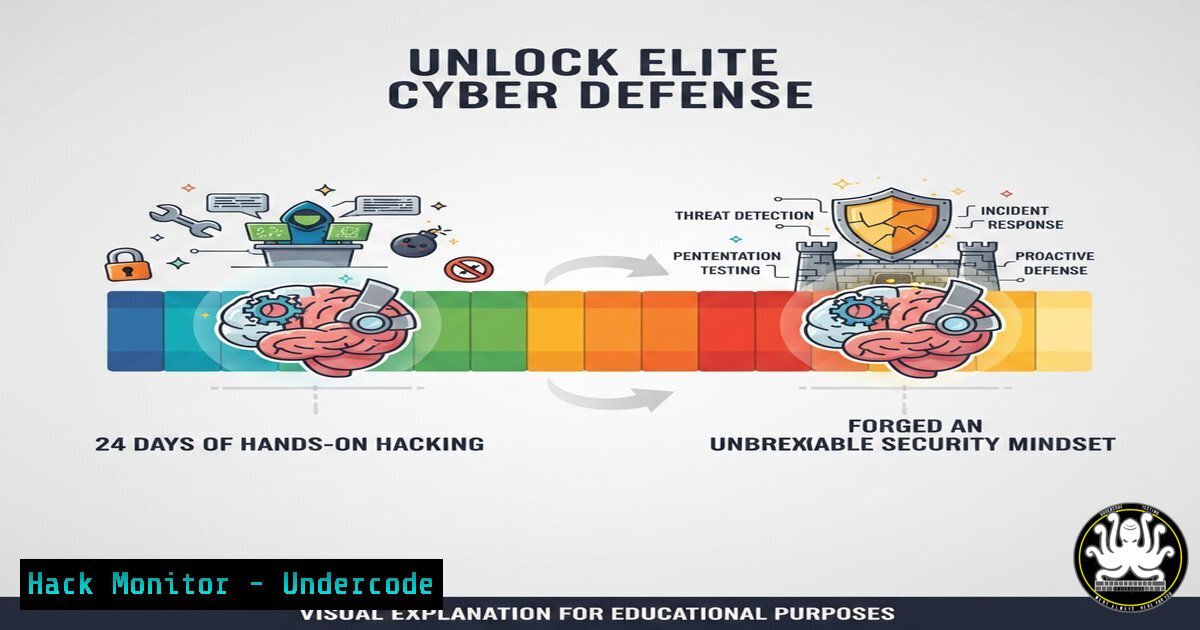
In an era where cyber threats evolve faster than traditional defenses, immersive, hands-on training has become non-negotiable for security professionals. Platforms like TryHackMe’s “Advent of Cyber” challenge this paradigm by providing a structured, gamified journey through real-world attack vectors and defensive countermeasures, transforming theoretical knowledge into practical, muscle-memory skill. Completing such a program, as demonstrated by a recent practitioner, signifies a critical step in building the analytical mindset required to anticipate, identify, and neutralize modern threats.
Learning Objectives:
- Understand the core technical domains covered in advanced cyber ranges and capture-the-flag (CTF) events.
- Apply practical commands and methodologies for log analysis, network reconnaissance, web application testing, and post-exploitation.
- Implement hardening techniques on both Linux and Windows systems to mitigate discovered vulnerabilities.
You Should Know:
1. Forensic Log Analysis & Incident Detection
The foundation of threat detection lies in parsing system artifacts. Advent of Cyber challenges often begin with forensic puzzles, teaching analysts to think like attackers by tracing their steps through logs.
Step‑by‑step guide:
- Access Log Analysis: Use
grep,awk, and `cut` to filter and analyze web server logs for brute-force attacks or directory traversals.Find all failed login attempts (HTTP 401/403) in an Apache log grep " 401 | 403 " /var/log/apache2/access.log | awk '{print $1, $7}' Count unique IPs attempting to access admin pages grep "admin" /var/log/apache2/access.log | awk '{print $1}' | sort -u | wc -l -
Windows Event Log Examination: Utilize PowerShell to extract security events indicative of malicious activity.
Get all failed login events (Event ID 4625) from the Security log
Get-WinEvent -FilterHashtable @{LogName='Security'; ID=4625} -MaxEvents 20 | Select-Object TimeCreated, Message

Query for new service creation (often a persistence mechanism)
Get-WinEvent -FilterHashtable @{LogName='System'; ID=7045} | Format-List Message
2. Open-Source Intelligence (OSINT) & Reconnaissance
Before any attack, recon is key. Challenges simulate this phase, teaching ethical hackers to gather intelligence from public sources without triggering alarms.
Step‑by‑step guide:
- Domain & Subdomain Enumeration: Use tools like `theHarvester` and `subfinder` to map the target’s online footprint.
Using theHarvester to find emails and subdomains
theHarvester -d example.com -b all

Using subfinder for passive subdomain discovery
subfinder -d example.com -o subdomains.txt
- Metadata Extraction: Analyze document metadata for hidden information using
exiftool.exiftool suspect_document.pdf | grep -i 'author|creator|software'
3. Web Application Vulnerability Exploitation & Mitigation
Web apps are a primary attack surface. Challenges cover SQL injection (SQLi), Cross-Site Scripting (XSS), and insecure direct object references (IDOR).
Step‑by‑step guide:
1. Manual SQL Injection Testing:
 Testing for error-based SQLi
curl "http://test.site/view?id=1'"

Using sqlmap for automated testing (for authorized environments only)
sqlmap -u "http://test.site/view?id=1" --batch --dbs
2. Mitigation via Parameterized Queries (Python Example):
 VULNERABLE
query = "SELECT  FROM users WHERE id = " + user_input

SECURE - Using parameterized statements
import sqlite3
conn = sqlite3.connect('db.sqlite')
cursor = conn.cursor()
cursor.execute("SELECT  FROM users WHERE id = ?", (user_input,))
4. Privilege Escalation: Linux & Windows
Gaining initial access is often just the beginning. Challenges delve into privilege escalation to demonstrate how attackers move from a low-level user to system authority.
Step‑by‑step guide:
1. Linux Privilege Escalation Checklist:
 Check for SUID binaries
find / -perm -4000 2>/dev/null

Check for writable cron jobs
ls -la /etc/cron.d/ /etc/cron.

Check for kernel exploits
uname -a
searchsploit <kernel_version>
2. Windows Privilege Escalation via Misconfigured Services:
 Find services with weak permissions (PowerShell as non-admin)
Get-WmiObject win32_service | Select-Object Name, StartName, PathName | Where-Object {$_.PathName -like "C:\Temp"}

Check for AlwaysInstallElevated registry keys
reg query HKCU\SOFTWARE\Policies\Microsoft\Windows\Installer /v AlwaysInstallElevated
reg query HKLM\SOFTWARE\Policies\Microsoft\Windows\Installer /v AlwaysInstallElevated
5. Network Hardening & Firewall Configuration
Defensive techniques are equally critical. Final challenges often focus on locking down systems after identifying vulnerabilities.
Step‑by‑step guide:
- Implementing a Host-Based Firewall (Linux UFW / Windows Firewall):
Linux - UFW basic hardening
sudo ufw default deny incoming
sudo ufw default allow outgoing
sudo ufw allow ssh
sudo ufw enable
Windows - Enable and configure firewall via PowerShell
Set-NetFirewallProfile -Profile Domain,Public,Private -Enabled True
New-NetFirewallRule -DisplayName "Block Inbound Port 445" -Direction Inbound -LocalPort 445 -Protocol TCP -Action Block
2. Auditing and Disabling Unnecessary Services:
 Linux - List all running services
systemctl list-units --type=service --state=running

Disable a potentially risky service (e.g., telnet)
sudo systemctl stop telnet.socket
sudo systemctl disable telnet.socket
What Undercode Say:
- Context is King: Tools and commands are useless without the analytical framework to interpret their output. Programs like Advent of Cyber build the contextual intelligence needed to distinguish malicious activity from benign noise.
- The Defender’s Advantage is Practice: The repetitive, scenario-based practice ingrains a systematic methodology—recon, enumeration, exploitation, post-exploitation, hardening—that is directly transferable to both red and blue team roles.
The true value of this training lies in its simulation of pressure and uncertainty. Facing novel challenges in a constrained environment forges problem-solving pathways that theoretical study cannot. It transitions a professional from simply knowing what a vulnerability is to instinctively knowing where to look for it and how to chain it with other weaknesses—a skill set defining the gap between junior and senior practitioners.
Prediction:
The normalization of immersive, gamified cyber training will lead to a significant shift in hiring and competency standards within 3-5 years. Portfolios of completed CTF events and platform profiles (like TryHackMe) will become as critical as certifications, creating a more meritocratic and skill-verified workforce. Consequently, attackers will also adapt, leading to more sophisticated and automated attack chains, making continuous, hands-on learning not just an advantage but an absolute necessity for maintaining defensive efficacy. The future battlefield is coded, and the soldiers will be those who have spent countless hours in the controlled chaos of cyber ranges.
▶️ Related Video (78% Match):
🎯Let’s Practice For Free:
IT/Security Reporter URL:
Reported By: Jata Shankar – Hackers Feeds
Extra Hub: Undercode MoN
Basic Verification: Pass ✅


