Listen to this Post
Introduction:
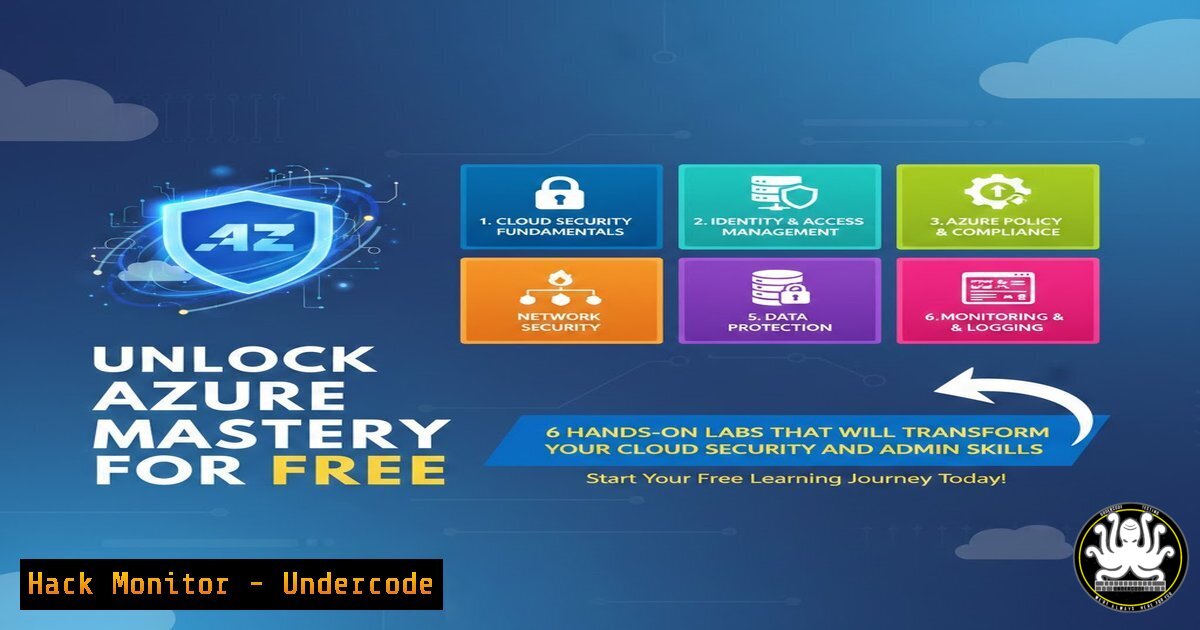
In today’s cloud‑driven world, theoretical knowledge alone won’t land you a job—recruiters demand practical, hands‑on experience. This curated collection of free Microsoft Azure labs gives you direct access to real‑world scenarios across administration, security, networking, and DevOps. By working through these labs, you’ll not only prepare for certifications but also gain the muscle memory needed to secure and manage enterprise Azure environments.
Learning Objectives:
- Deploy and manage Azure resources using CLI and Portal for real‑world administration (AZ‑104, AZ‑305).
- Implement identity governance, conditional access, and security policies to protect cloud assets (SC‑300, AZ‑500).
- Build CI/CD pipelines and automate infrastructure with DevOps practices (AZ‑400).
You Should Know:
1. AZ-104: Azure Administrator – Command Line Mastery
The AZ-104 labs focus on core administrative tasks. To get started, install the Azure CLI and log in:
az login
Step‑by‑step – Create a Virtual Machine with CLI
1. Create a resource group:
az group create --name MyRG --location eastus
2. Create a virtual network and subnet:
az network vnet create --name MyVNet --resource-group MyRG --subnet-name default
3. Deploy an Ubuntu VM:
az vm create --resource-group MyRG --name MyVM --image UbuntuLTS --admin-username azureuser --generate-ssh-keys
This process mirrors what you’ll do in the labs—building resources from scratch, then managing them via Portal, CLI, or PowerShell.
- SC-300: Identity & Access Administrator – Secure Identity Governance
Hands‑on labs for SC-300 teach you to protect identities. Use Azure AD modules in PowerShell for advanced scenarios:Connect-AzureAD New-AzureADUser -DisplayName "Test User" -UserPrincipalName [email protected] -PasswordProfile $pwd -MailNickName "testuser"
Step‑by‑step – Conditional Access Policy
- In the Azure Portal, navigate to Azure Active Directory > Security > Conditional Access.
- Create a new policy named “Require MFA for Admins”.
3. Assign to all users with administrator roles.
- Under Access controls, select “Grant access, require multi‑factor authentication”.
- Enable the policy and test by signing in as a privileged user.
These labs simulate real‑world identity breaches and teach you to lock them down.
- AZ-500: Azure Security Technologies – Hardening Cloud Resources
The AZ‑500 labs dive into security controls. For example, securing secrets with Azure Key Vault:az keyvault create --name MyKeyVault --resource-group MyRG --location eastus az keyvault secret set --vault-name MyKeyVault --name "MySecret" --value "P@ssw0rd1234"
Step‑by‑step – Network Security Group (NSG) Rules
1. Create an NSG:
az network nsg create --resource-group MyRG --name MyNSG
2. Allow only HTTPS inbound:
az network nsg rule create --resource-group MyRG --nsg-name MyNSG --name AllowHTTPS --priority 100 --destination-port-ranges 443 --access Allow --protocol Tcp
3. Associate the NSG with a subnet:
az network vnet subnet update --resource-group MyRG --vnet-name MyVNet --name default --network-security-group MyNSG
These exercises show you how to enforce the principle of least privilege and monitor for threats using Azure Security Center.
- AZ-700: Azure Networking Solutions – Build a Hybrid Network
AZ‑700 labs focus on connectivity. Use the CLI to create a VPN gateway for hybrid cloud:az network vnet-gateway create --name MyVNG --resource-group MyRG --vnet MyVNet --public-ip-address MyGatewayIP --sku VpnGw1 --gateway-type Vpn --vpn-type RouteBased
Step‑by‑step – VNet Peering
1. Create a second virtual network:
az network vnet create --name AnotherVNet --resource-group MyRG --address-prefix 10.1.0.0/16
2. Peer the two VNets:
az network vnet peering create --name MyPeer --resource-group MyRG --vnet-name MyVNet --remote-vnet AnotherVNet --allow-vnet-access
After peering, verify connectivity by pinging a VM in the remote network. These labs teach you to design resilient, low‑latency networks.
- AZ-305: Azure Infrastructure Solutions – Design with Infrastructure as Code
AZ‑305 labs emphasize architecture and automation. Deploy a multi‑tier application using an ARM template:az deployment group create --resource-group MyRG --template-file azuredeploy.json --parameters azuredeploy.parameters.json
Step‑by‑step – Bicep for a Storage Account
1. Create a `main.bicep` file with:
resource sa 'Microsoft.Storage/storageAccounts@2023-01-01' = {
name: 'uniquestoragename'
location: resourceGroup().location
sku: { name: 'Standard_LRS' }
kind: 'StorageV2'
}
2. Deploy with:
az deployment group create --resource-group MyRG --template-file main.bicep
You’ll also configure backup, disaster recovery, and high availability—skills critical for any cloud architect.
6. AZ-400: DevOps Solutions – Automate Everything
The AZ‑400 labs walk you through setting up CI/CD pipelines. Start by creating a new pipeline in Azure DevOps using YAML:
trigger:
- main

pool:
vmImage: 'ubuntu-latest'

steps:
- script: echo "Building the application..."
displayName: 'Build'
Step‑by‑step – Integrate with GitHub
- In Azure DevOps, create a new project and link your GitHub repository.
- Define a pipeline that runs tests and deploys to an Azure App Service.
3. Use the following task to deploy:
- task: AzureWebApp@1
inputs:
azureSubscription: 'Your-Azure-Service-Connection'
appName: 'YourAppName'
package: '$(System.DefaultWorkingDirectory)//.zip'
These labs teach you to treat infrastructure as code, implement continuous delivery, and monitor deployments—core DevOps competencies.
What Undercode Say:
- Hands‑on labs bridge the gap between certification theory and job‑ready skills—practical experience is the real differentiator in today’s cloud market.
- By mastering these free labs, you not only prepare for exams but also build a portfolio that demonstrates your ability to secure, automate, and scale Azure environments.
The labs cover exactly what enterprises need: identity protection, network hardening, infrastructure automation, and DevOps pipelines. Spending time on these exercises will give you confidence to handle real incidents and design robust solutions. Cloud security is not just about knowing concepts; it’s about executing them under pressure—these labs simulate that pressure safely.
Prediction:
As organizations accelerate cloud adoption, the demand for professionals who can both design and secure Azure solutions will skyrocket. Free, high‑quality labs like these will become the primary training ground for the next generation of cloud architects and security engineers. Those who invest time in hands‑on practice now will lead the industry in building resilient, zero‑trust cloud infrastructures.
▶️ Related Video (74% Match):
🎯Let’s Practice For Free:
IT/Security Reporter URL:
Reported By: Abhinav Vashisth – Hackers Feeds
Extra Hub: Undercode MoN
Basic Verification: Pass ✅


