Listen to this Post
Introduction:
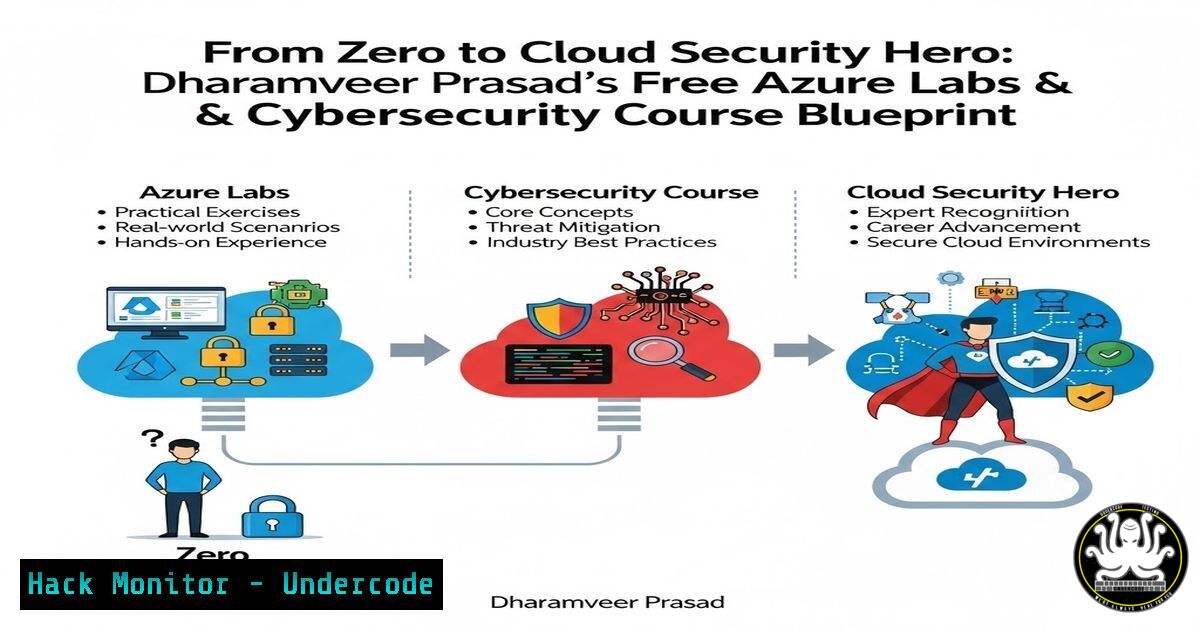
Breaking into cloud security and ethical hacking no longer requires expensive bootcamps or draining your bank account on virtual labs. As highlighted by Application Security Engineer Dharamveer prasad, a wealth of official, free Microsoft Azure labs provides the hands-on infrastructure experience employers demand. These labs cover everything from identity management to threat protection, while a supplementary free cybersecurity course roadmap offers practical tool-based training using Kali Linux. This guide extracts those resources and provides a technical walkthrough to help you transition from theory to job-ready skills.
Learning Objectives:
- Navigate and utilize official Microsoft Learn sandbox environments for key Azure certifications without incurring costs.
- Execute core Azure CLI and PowerShell commands to manage identities, networks, and security policies.
- Understand the relationship between cloud configuration and application security vulnerabilities.
- Perform basic reconnaissance and hardening tasks applicable to both cloud and on-premise environments.
You Should Know:
- Mastering Identity and Access (SC-300 & Microsoft Entra ID)
Dharamveer prasad’s first resource focuses on identity, the new perimeter of security. The SC-300 lab teaches you to manage users, groups, and access reviews. To extend this, you should practice using the Azure CLI to audit sign-in logs for anomalies.
– Step‑by‑step guide:
1. Access the Azure Portal (portal.azure.com) and navigate to “Microsoft Entra ID”.
2. Under “Monitoring”, click “Sign-in logs”.
- To automate this audit, install the Azure CLI on your local machine or use the Azure Cloud Shell.
- Run the following command to pull the last 10 failed sign-in attempts:
az monitor activity-log list --max-events 10 --query "[?status=='Failed']"
- For more granular user analysis, use PowerShell to check for risky users:
Connect-MgGraph -Scopes "IdentityRiskyUser.Read.All"
Get-MgRiskyUser
This process helps you identify potential brute-force attacks against cloud identities before they succeed.
-
Hardening Azure Infrastructure (AZ-500 & Network Security Groups)
The AZ-500 lab is critical for security professionals. It teaches you to implement platform protection. A key task is managing Network Security Groups (NSGs), which act as virtual firewalls for your Azure resources.
– Step‑by‑step guide:
1. In the Azure portal, search for “Network security groups” and create a new NSG.
2. Associate this NSG with a subnet or a virtual machine NIC.
3. Secure your web server by creating an inbound rule that only allows traffic from your specific public IP address on port 443 (HTTPS).
4. Verify the effective rules against a simulated attack using Azure CLI:
 Check the rules applied to a specific NIC
az network nic list-effective-nsg --name [bash] --resource-group [bash]
5. Implement Just-In-Time (JIT) VM access from Microsoft Defender for Cloud to ensure RDP/SSH ports are only open when approved, dramatically reducing the attack surface.
- Building Secure DevOps Pipelines (AZ-400 & Secret Scanning)
Dharamveer prasad’s list includes AZ-400, which is essential for understanding DevSecOps. In modern environments, code repositories are high-value targets. You must learn to scan for hardcoded secrets.
– Step‑by‑step guide:
1. While working through the DevOps labs, simulate a security breach by intentionally committing a dummy API key to a test repository.
2. Use a tool like `truffleHog` (available on Linux/macOS) to scan your Git history for high-entropy strings (potential secrets).
 Install truffleHog via pip
pip install truffleHog
 Scan your local repository for secrets
trufflehog --regex --entropy=False file:///path/to/your/repo
3. Alternatively, utilize GitHub’s native secret scanning capabilities. Go to your repository Settings > Security & analysis and enable “Secret scanning”.
4. Integrate Azure Key Vault into your pipeline so that secrets are retrieved securely at runtime, never stored in code. This demonstrates the shift from reactive to proactive security.
4. Cloud-Native Threat Detection (Azure Monitor & KQL)
Understanding how to query log data is a superpower. Dharamveer prasad’s labs implicitly require you to analyze logs. You can use Kusto Query Language (KQL) in Azure Monitor to hunt for threats.
– Step‑by‑step guide:
1. Navigate to “Azure Monitor” and then “Logs”.
- In the query editor, write a KQL query to find all administrative activities in the last 24 hours:
// Find all write actions by admins
AuditLogs
| where TimeGenerated > ago(1d)
| where OperationName contains "write" or OperationName contains "delete"
| where InitiatedBy.user.userPrincipalName contains "admin"
| project TimeGenerated, OperationName, InitiatedBy.user.userPrincipalName, Result
- Save this query as an alert rule. Now, if any unauthorized admin changes are made, you will receive a security alert, mimicking a real-world SIEM capability within the free lab environment.
5. Tool-Based Hands-On Training (The Kali Linux Connection)
The post explicitly mentions tool-based training using Kali Linux for ethical hacking. To complement the defensive Azure labs, you need to understand the attacker’s perspective.
– Step‑by‑step guide:
1. Set up a free Kali Linux VM in Azure (or locally in VirtualBox if you have resources) as mentioned in the “Cyber Security Course” part of the post.
2. Use `nmap` to scan a target (your own Azure VM or a deliberately vulnerable test machine) to discover open ports that your NSG rules might have missed.
sudo nmap -sS -sV [bash]
3. If you find an open SMB port (445), attempt to enumerate shares using `smbclient` to see if data is exposed due to misconfiguration.
smbclient -L \[bash] -N
This practical exercise shows why proper cloud security (NSGs, JIT access) is vital—it prevents the very scans and enumeration attempts performed in this step.
6. Automation and AI-Driven Security (Python Scripting)
The final item in Dharamveer prasad’s list is AI-driven cyber security and Python scripting. You can combine these by using Python to interact with Azure’s APIs to automate security tasks.
– Step‑by‑step guide:
1. Install the Azure SDK for Python: pip install azure-identity azure-mgmt-network.
2. Write a simple Python script to list all public IP addresses in your subscription (a common attack surface):
from azure.identity import DefaultAzureCredential
from azure.mgmt.network import NetworkManagementClient

credential = DefaultAzureCredential()
subscription_id = 'YOUR_SUBSCRIPTION_ID'
client = NetworkManagementClient(credential, subscription_id)

for ip in client.public_ip_addresses.list_all():
if ip.ip_address:
print(f"Public IP Found: {ip.ip_address} - Attached to: {ip.id}")
3. Expand this script to cross-reference these IPs with threat intelligence feeds to see if any of your public endpoints are known for communicating with malicious actors. This introduces a basic level of AI/automation into your security monitoring workflow.
What Undercode Say:
- Key Takeaway 1: Cloud security is not abstract theory; it is a set of configurable rules, identities, and logs. Dharamveer prasad’s list of free Microsoft labs provides the perfect playground to practice these configurations without financial risk.
- Key Takeaway 2: Defensive skills (Azure security) must be complemented by offensive knowledge (Kali Linux tools). Understanding how to enumerate and exploit misconfigurations makes you a more effective defender.
- The combination of free, official vendor labs with open-source penetration testing tools creates a complete, zero-cost cybersecurity training pipeline. The emphasis on automation and AI signals that the future of the field lies in managing security at scale through code and intelligent data analysis, not just manual portal clicking. Start with identity, move through network hardening, and finish by automating your threat hunts—this sequence builds a resilient and practical skill set.
Prediction:
As cloud adoption accelerates, the skills gap will widen between those who understand abstract compliance and those who can execute specific technical commands. We predict a rise in “portfolio-based” hiring, where candidates present GitHub repositories containing KQL queries and Python automation scripts derived from these free labs, rather than just listing certifications. The integration of AI-driven tools will further commoditize basic security tasks, pushing professionals to master the underlying infrastructure and automation logic demonstrated in these resources.
▶️ Related Video (78% Match):
🎯Let’s Practice For Free:
IT/Security Reporter URL:
Reported By: Dharamveer Prasad – Hackers Feeds
Extra Hub: Undercode MoN
Basic Verification: Pass ✅


