Listen to this Post
Introduction:
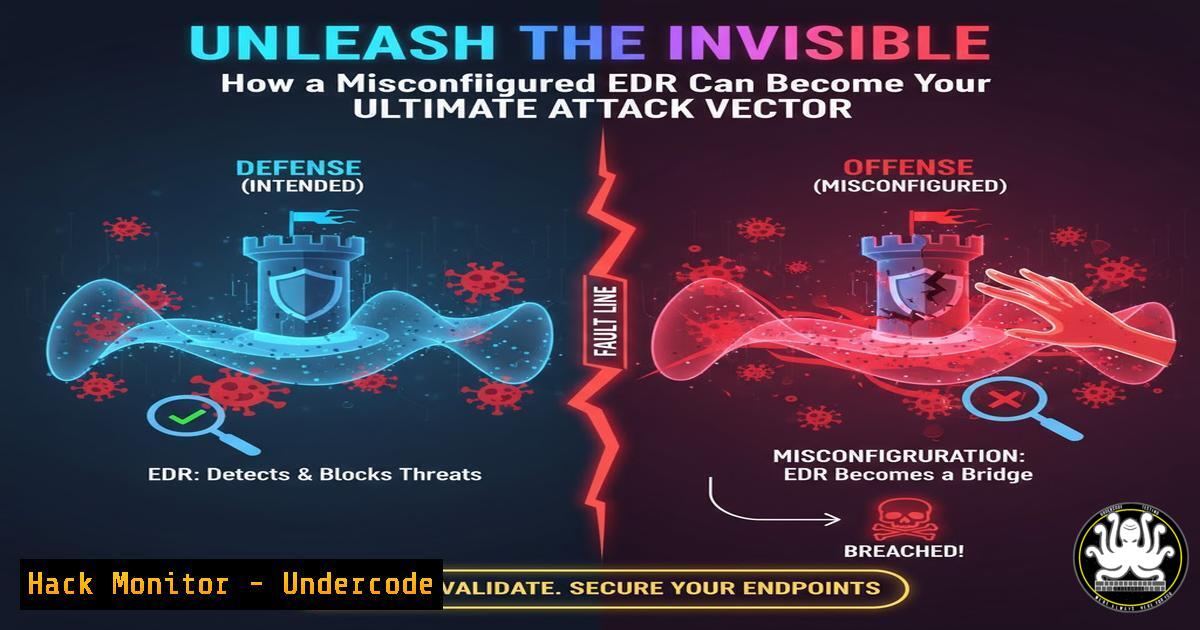
Endpoint Detection and Response (EDR) platforms are the cornerstone of modern cybersecurity defenses, designed to detect and neutralize advanced threats. However, a critical misconfiguration in their agent management can paradoxically turn them into a powerful weapon for attackers. By exploiting the agent repair functionality and inadequate user permissions, adversaries can gain a fleeting but decisive window to execute malicious scripts completely unmonitored.
Learning Objectives:
- Understand the security implications of EDR agent repair mechanisms and common misconfigurations.
- Learn the step-by-step methodology for identifying and exploiting weak EDR permissions to achieve code execution.
- Implement hardening strategies to protect your EDR management console and service accounts from such abuse.
You Should Know:
- The Anatomy of an EDR Repair Function Exploit
The core of this exploit lies in the operational design of many EDR agents. To perform a self-repair or update, the EDR service often needs to temporarily suspend its security monitoring, unload its drivers from memory, and execute a repair script or installer. This process typically runs with high integrity (e.g., SYSTEM or a highly privileged service account). If an attacker can trigger this process and control the source of the repair script, they can execute arbitrary code with elevated privileges during the brief period the EDR is blind.
Step-by-step guide explaining what this does and how to use it.
Step 1: Reconnaissance and Privilege Escalation. The attacker first gains a foothold on the endpoint, often as a standard user. They must then escalate privileges to a level that can interact with the EDR service or its directories. This could be achieved by exploiting a separate local privilege escalation vulnerability or finding that the EDR’s files or service configurations are improperly secured.
Step 2: Identify EDR Repair Triggers. The attacker explores how to trigger a repair. This could be through a dedicated command-line tool provided by the EDR vendor, a Windows Management Instrumentation (WMI) call, or by directly manipulating the EDR’s service or file structure.
Step 3: Hijack the Repair Payload. The attacker locates the directory or network share from which the EDR agent pulls its repair installation files. By replacing the legitimate repair script (e.g., `RepairAgent.ps1` or installer.msi) with a malicious one, they prepare the payload.
Step 4: Trigger and Exploit. The attacker triggers the repair sequence. The EDR service, running with high privileges, stops its sensors, executes the malicious script with SYSTEM-level access, and then resumes normal operation, often none the wiser.
2. Exploiting Weak File and Folder Permissions
A common misconfiguration that enables this attack is weak access control lists (ACLs) on the EDR agent’s installation directory. If a low-privileged user or a group like “Authenticated Users” has “Modify” or “Write” permissions to these critical folders, an attacker can directly replace the repair scripts.
Step-by-step guide explaining what this does and how to use it.
Step 1: Enumerate EDR Directory Permissions. Using built-in OS tools, an attacker can check the permissions on the EDR directory.
Windows Command: `icacls “C:\Program Files\YourEDR Vendor\”`
Linux Command: `ls -la /opt/your_edr_vendor/`
Step 2: Identify Writable Locations. The output will show which users and groups have what permissions. The attacker looks for `(W)` or `(M)` on Windows or `rw` for “others” on Linux.
Step 3: Replace the Repair Script. Once a writable script is found (e.g., repair.bat), the attacker simply overwrites it with their own. A simple proof-of-concept on Windows could be a batch file that adds a local administrator user.
Malicious `repair.bat` example:
@echo off
net user backdooruser P@ssw0rd! /add
net localgroup administrators backdooruser /add
Step 4: Trigger the Repair. The attacker then uses the EDR’s official method to initiate a repair, executing the malicious batch file with high privileges.
3. Compromising Over-Permissioned Service Accounts
Many EDR agents run under a dedicated service account. If this account is over-provisioned—for example, a member of the local Administrators group or having excessive file permissions—it becomes a prime target. An attacker can compromise this account and use its credentials to directly manipulate the EDR service and its components.
Step-by-step guide explaining what this does and how to use it.
Step 1: Identify the EDR Service Account. On Windows, use the Service Control Manager or a command like `sc qc “EDRServiceName”` to see the logon account. On Linux, check the process owner with ps aux | grep edr_agent.
Step 2: Dump Credentials. If the service account is a local administrator, an attacker can use tools like Mimikatz on Windows to dump credentials from memory, potentially capturing the password for the EDR service account itself.
Step 3: Leverage Credentials for Persistence. With the service account credentials, the attacker can now authenticate as that user, stop the EDR service, disable it, or directly plant a malicious script in the repair directory and trigger the repair process with the appropriate permissions.
4. Hardening Your EDR Deployment: A Defender’s Guide
Preventing this attack vector requires a principle of least privilege and strict application control. The EDR agent and its infrastructure must be treated as critical security infrastructure.
Step-by-step guide explaining what this does and how to use it.
Step 1: Audit File and Folder Permissions. Regularly audit the permissions on your EDR installation directories. The EDR service account should have “Read & Execute” and “Write” only to specific log or temp subdirectories, not the main binary folder.
Windows Remediation Command: `icacls “C:\Program Files\EDRVendor\” /reset && icacls “C:\Program Files\EDRVendor” /grant:r “SYSTEM:(OI)(CI)(F)” “EDR-Service-Account:(OI)(CI)(RX)” “Administrators:(OI)(CI)(RX)”`
Step 2: Implement Least Privilege for Service Accounts. The account under which the EDR service runs should never be a member of the local Administrators group. It should be a dedicated, unprivileged account. Consult your EDR vendor’s documentation for the minimum required permissions.
Step 3: Harden the Repair Mechanism. If possible, configure the EDR management console to only allow repair initiation from the central console, not from the local endpoint. Ensure repair packages are downloaded from a secure, internal server over HTTPS and have integrity checks (e.g., digital signatures) that are verified before execution.
5. Detection and Monitoring Strategies
Exploitation of this technique, while stealthy, can leave traces. Proactive monitoring can help detect an attack in progress.
Step-by-step guide explaining what this does and how to use it.
Step 1: Monitor for EDR Service State Changes. Configure your SIEM or security console to alert on EDR service stoppages, especially if followed by immediate restarts, as this is indicative of a repair cycle.
Windows Event Log: Look for Event ID 7036 from the “Service Control Manager” indicating service state change.
Step 2: File Integrity Monitoring (FIM). Deploy FIM on the EDR installation directory. Any unauthorized change to executable files, scripts, or DLLs should trigger a high-severity alert.
Step 3: Script Block Logging and AMSI. Enable PowerShell Script Block Logging and leverage the Anti-Malware Scan Interface (AMSI). Even if the EDR is down for a few seconds, a malicious script might be logged or caught by AMSI-integrated defenses as it is loaded into memory.
What Undercode Say:
- The perimeter of security has shifted inward. The configuration of your defensive tools is now part of your attack surface.
- A tool is only as strong as its configuration. Assuming an EDR is a “set and forget” solution is a catastrophic strategic error.
Analysis: This exploit highlights a fundamental tension in security product design: the need for self-healing functionality versus the risk of creating a privileged execution blind spot. It underscores that security is a process, not a product. The most advanced technology can be rendered useless by a simple misconfiguration. This technique is particularly dangerous because it exploits a trusted, legitimate process, making it inherently difficult to distinguish from normal activity without very specific logging and baseline awareness. Defenders must adopt a zero-trust mindset even towards their own security stack, rigorously applying principles of least privilege and change management.
Prediction:
In the immediate future, EDR vendors will respond by hardening their repair mechanisms by default, likely implementing mandatory code signing for repair scripts and moving towards a model where repairs can only be initiated from a centralized, authenticated management console. We anticipate a rise in automated penetration testing tools and adversary emulation frameworks incorporating checks for this specific misconfiguration. In the long term, this will push the industry towards more immutable endpoint solutions, where agents are deployed as tightly controlled containers or via operating system mechanisms that prevent any modification post-deployment, fundamentally reducing the attack surface of the security tools themselves.
🎯Let’s Practice For Free:
IT/Security Reporter URL:
Reported By: Ivancabrerafresno If – Hackers Feeds
Extra Hub: Undercode MoN
Basic Verification: Pass ✅


