Listen to this Post
Introduction:
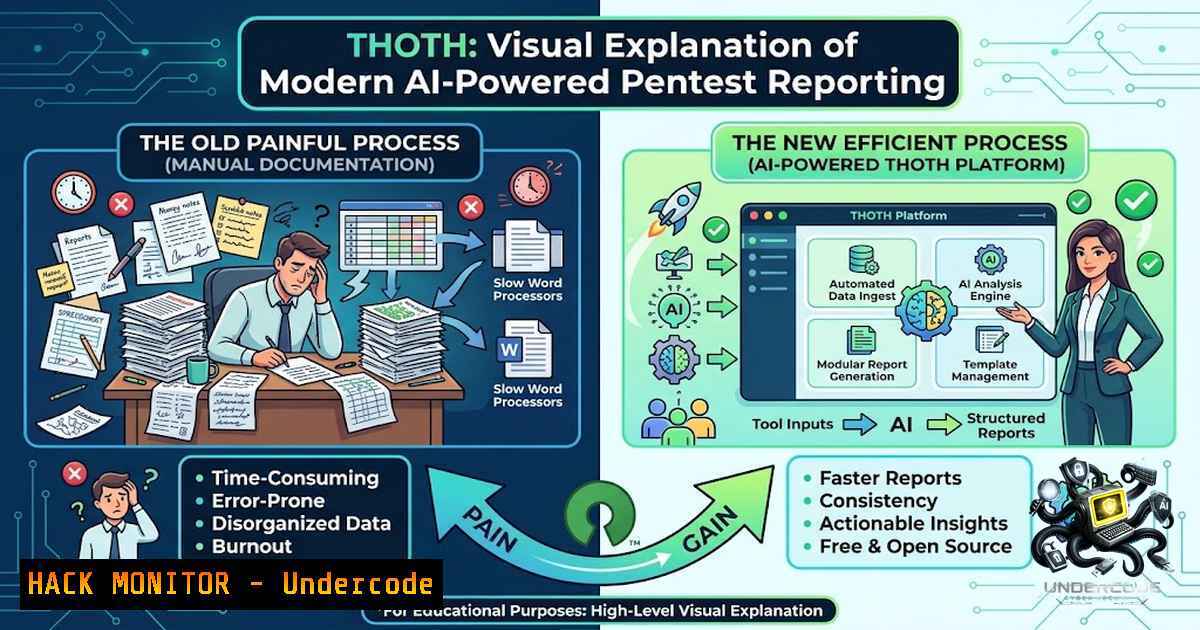
For offensive security professionals, the post-engagement report has long been the least glamorous yet most critical deliverable. The gap between executing a sophisticated penetration test and producing a clear, standardized, and actionable report is where valuable insights are often lost. THOTH, a newly open-sourced, self-hosted platform, directly addresses this bottleneck by providing a secure, AI-enhanced, and fully customizable reporting engine. Named after the Egyptian god of writing and knowledge, THOTH centralizes vulnerability management, automates CVSS scoring, and offers templated outputs based on the OWASP Top 10, effectively bridging the chasm between technical exploitation and executive communication.
Learning Objectives & Secrets:
- Objective 1: Mastering Self-Hosted Reporting Infrastructure. Learn to deploy a complete, production-ready penetration testing reporting platform using a single Docker command, ensuring all sensitive data remains encrypted at rest and under your control.
- Objective 2: Automating Vulnerability Documentation with OWASP Standards. Discover how to leverage 84 built-in OWASP templates for Web, API, and LLM vulnerabilities to standardize findings, accelerate report creation, and ensure compliance with industry-accepted frameworks.
- Objective 3: Integrating AI for Report Generation (Secret Tip). Unlock the platform’s potential by integrating either a cloud-based Anthropic API or a fully offline local Ollama instance to assist with drafting report narratives, summarizing technical findings, and generating executive summaries without exposing sensitive data to external vendors.
You Should Know:
1. Zero-Trust Deployment: The One-Command Install
THOTH is architected for security and simplicity. The entire stack—including a Node.js backend, React frontend, PostgreSQL database, Redis cache, and a Playwright PDF rendering worker—is containerized. The deployment process is designed to be both interactive and secure, generating cryptographic keys locally and never exposing them to the internet.
Step‑by‑step guide explaining what this does and how to use it:
– Prerequisite: Ensure Docker and Docker Compose are installed on your Linux or Windows (WSL2) host.
– Clone and Execute: Clone the repository and run the interactive installer:
git clone https://github.com/akaw4r/THOTH.git
cd THOTH
./install.sh
– Interactive Configuration: The script will prompt for essential configurations: the public URL or local port, optional Google OAuth credentials, and AI provider settings (Anthropic or Ollama).
– Secret Generation: The installer automatically generates SESSION_SECRET, ENCRYPTION_KEY, and POSTGRES_PASSWORD. These are written to a `.env` file with `chmod 600` permissions, ensuring they are gitignored and never accidentally committed to version control.
– Critical Security Practice: Back up your `ENCRYPTION_KEY` immediately. This 32-byte AES-256 key is irreplaceable; if lost, all encrypted data (findings, attachments, MFA secrets) becomes unrecoverable.
– First Login: Access the local admin route at http://localhost:8080/auth/local`. The system will force a password change and offer MFA enrollment via TOTP or WebAuthn, which can be made mandatory by settingMFA_REQUIRED=true`.
2. Secure by Design: Encryption, Auditing, and MFA
Unlike many SaaS solutions that store sensitive client data in the cloud, THOTH is built with a “secure by default” philosophy. All sensitive data, including vulnerability descriptions, attached evidence, and MFA secrets, are encrypted at rest using AES-256-GCM. Every action performed within the platform is logged in a full audit trail, providing non-repudiation and compliance readiness for regulated industries.
Step‑by‑step guide explaining what this does and how to use it:
– Enforcing MFA: To mandate multi-factor authentication for all users, modify your `.env` file:
MFA_REQUIRED=true
This setting ensures that every user, including local break-glass admins, must enroll in MFA upon their first login.
– Configuring Google SSO: For enterprise integration, configure Google OIDC. The exact redirect URI is ${BASE_URL}/api/auth/callback/google. Set the consent screen to Internal and scopes to openid email profile. Restrict access using `ALLOWED_EMAIL_DOMAINS` and designate admins via ADMIN_EMAILS.
– Audit Logging: All actions, from user login to finding creation and report generation, are logged. This audit trail is stored within the database, providing a complete chain of custody for every project.
3. AI Integration: Cloud vs. Local (Ollama)
The AI assistant is a force multiplier for report generation, but it introduces a critical security consideration: data privacy. THOTH offers two distinct paths to leverage AI, allowing practitioners to choose between convenience and complete data sovereignty.
Step‑by‑step guide explaining what this does and how to use it:
– Option 1: Anthropic (Cloud). For teams comfortable with third-party APIs, set the following in your .env:
AI_PROVIDER=anthropic
ANTHROPIC_API_KEY=sk-ant-...
AI_MODEL=claude-3-5-sonnet-20241022
– Option 2: Ollama (Fully Offline). For air-gapped environments or strict data residency requirements, run a local Ollama instance:
 On the host machine
ollama run llama3.1
Then configure THOTH to point to it:
AI_PROVIDER=ollama
OLLAMA_BASE_URL=http://host.docker.internal:11434
AI_MODEL=llama3.1
– Usage: Once configured, the AI assistant can be invoked from the chat interface or used to generate report text, helping to draft technical narratives from raw finding data.
4. Production Hardening: Domain, HTTPS, and Backups
Deploying THOTH to a production environment requires more than just running the container. The platform is designed to be exposed securely using Caddy as a reverse proxy, which automatically provisions TLS certificates from Let’s Encrypt.
Step‑by‑step guide explaining what this does and how to use it:
– Production Deployment: To expose the service with a domain and automatic HTTPS, use the production Docker Compose override:
 In .env
BASE_URL=https://your-domain.com
THOTH_DOMAIN=your-domain.com
[email protected]

docker compose -f docker-compose.yml -f deploy/docker-compose.prod.yml up -d --build
This configuration ensures cookies are marked `Secure` and all traffic is encrypted.
– Backup Strategy: The platform includes dedicated scripts for backing up and restoring the entire encrypted database:
./deploy/backup.sh  Creates backups/thoth-db-<timestamp>.sql.gz
./deploy/restore.sh backups/thoth-db-<timestamp>.sql.gz
Because all sensitive data is encrypted at the application level, a database dump is a complete backup. Remember: the `ENCRYPTION_KEY` is the master key to this backup.
5. Vulnerability Lifecycle Management and Playbooks
Beyond reporting, THOTH functions as a centralized hub for tracking the entire vulnerability lifecycle. Findings are not just reported; they are managed from discovery through remediation, with built-in support for creating standardized playbooks to ensure repeatability and evidence traceability.
Step‑by‑step guide explaining what this does and how to use it:
– Creating a Project: Start by creating a new project, which defines the scope, client, and assigns team members with specific roles (manager, editor, viewer).
– Adding Findings: Utilize the built-in CVSS v3.1 calculator to assign severity scores automatically. Findings can be created manually or populated from the 84 OWASP-based templates, covering Web, API, and the emerging LLM Top 10 threat landscape.
– Lifecycle Tracking: Each finding’s status can be updated (e.g., Open, In Progress, Remediated, Retested). This provides a clear, auditable trail of how vulnerabilities are addressed over time.
– Report Generation: Compile findings into a branded PDF report. The platform renders these using a background worker, allowing you to customize the HTML/CSS design under Settings → Designs.
6. Local Admin and Break-Glass Access
In scenarios where external authentication providers (like Google) are unavailable or compromised, THOTH provides a secure “break-glass” local admin mechanism. This ensures that access to the platform is never permanently locked out, a critical feature for maintaining operational continuity during incidents.
Step‑by‑step guide explaining what this does and how to use it:
– Creating a Break-Glass Admin: If the installer did not create one, you can manually create a local admin user via the command line:
docker compose exec api node apps/api/dist/cli/create-admin.js --username breakglass --email [email protected]
The initial password is either taken from the `LOCAL_ADMIN_INITIAL_PASSWORD` environment variable or generated and displayed in the console.
– Accessing the Login: Navigate to the unlisted route `http://localhost:8080/auth/local` to access the local login page.
– Security Enforcement: On first login, the system forces a password change and offers MFA enrollment, ensuring that even this emergency access path is secured by strong authentication.
What Undercode Say:
- Key Takeaway 1: THOTH is a significant contribution to the offensive security community, solving the painful and often neglected problem of report generation by providing a secure, self-hosted, and extensible platform. Its MIT license ensures it remains a free and open resource for the entire industry.
- Key Takeaway 2: The platform’s architecture—particularly its “secure by default” stance with encryption at rest, mandatory audit logs, and the option for fully offline AI—sets a new standard for how security tools should handle sensitive client data. It empowers organizations to adopt AI without compromising data sovereignty.
Prediction:
- +1 The open-sourcing of THOTH will likely accelerate the adoption of standardized reporting frameworks (like OWASP) across the industry, as it lowers the barrier to entry for generating professional, compliance-ready reports.
- +1 By offering a clear path to integrate local LLMs, THOTH pioneers a model for “private AI” in cybersecurity, where organizations can benefit from generative AI capabilities without exposing sensitive vulnerability data to external vendors.
- -1 The platform’s reliance on Docker and a specific stack (Node.js, PostgreSQL) may present a learning curve for smaller teams or individuals more accustomed to simpler, single-binary tools, potentially limiting its immediate adoption.
- +1 The inclusion of LLM-specific OWASP templates indicates a forward-thinking approach, positioning THOTH as a relevant tool for the emerging field of AI security assessments.
- -1 As with any self-hosted application, the operational burden of managing the infrastructure, performing backups, and ensuring the security of the `ENCRYPTION_KEY` falls entirely on the user, which could be a point of failure if not properly addressed.
▶️ Related Video (80% Match):
🎯Let’s Practice For Free:
🎓 Live Courses & Certifications:
Join Undercode Academy for Verified Certifications
🚀 Request a Custom Project:
Secure, high-velocity infrastructure and disruptive technological engineering. Contact our engineering team for high-tier development and proprietary systems:
[email protected]
💎 Smart Architecture | 🛡️ Secure by Design | ⭐ Trusted by Thousands
IT/Security Reporter URL:
Reported By: https://lnkd.in/p/esWrYdvS – Hackers Feeds
Extra Hub: Undercode MoN
Basic Verification: Pass ✅


