
Listen to this Post
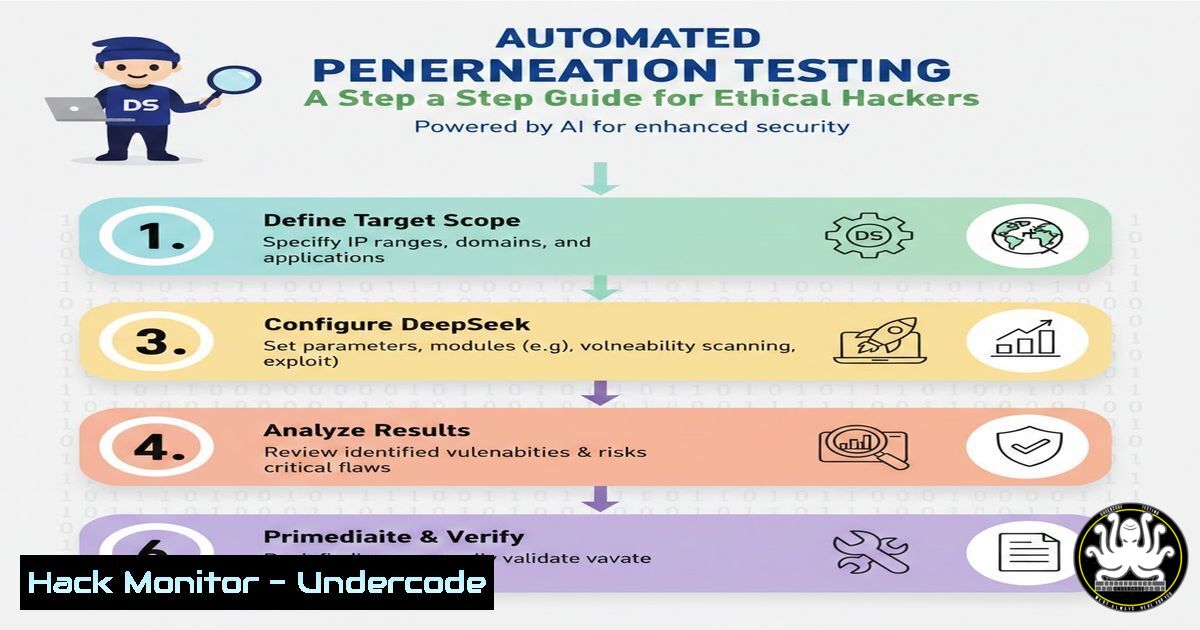
Introduction:
The integration of Artificial Intelligence into cybersecurity is rapidly transforming how professionals conduct penetration testing. By leveraging Large Language Models (LLMs) like DeepSeek, ethical hackers can now automate the reconnaissance phase, generate custom exploit scripts, and analyze complex codebases for vulnerabilities at scale. While AI does not replace human intuition, it acts as a force multiplier, handling repetitive tasks and allowing security experts to focus on complex attack vectors and business logic flaws.
Learning Objectives:
- Understand how to configure a Linux environment for AI-assisted security testing.
- Learn to use DeepSeek to generate and customize Nmap and Nuclei scan commands.
- Master the process of crafting bespoke Python and Bash exploit scripts using LLM prompts.
- Identify the limitations and potential security risks of using public AI models for penetration testing.
You Should Know:
1. Setting Up Your AI-Ready Pentesting Environment
Before engaging with AI, you need a controlled and secure environment. Since you may be handling sensitive exploit code, it is crucial to isolate your activities.
Step 1: Launch a Virtual Machine. Use VirtualBox or VMware to create an isolated Kali Linux instance. This prevents any accidental AI-generated scripts from interfering with your host system.
Step 2: Install Essential Tools. Ensure your tools are updated:
sudo apt update && sudo apt upgrade -y
sudo apt install python3-pip git curl wget -y
Step 3: Establish API Access. Access DeepSeek via its Web UI or API. For automation, obtaining an API key is recommended. Store it as an environment variable for security:
export DEEPSEEK_API_KEY="your_api_key_here"
2. Automating Reconnaissance (Nmap and Nuclei Generation)
Manual reconnaissance is time-consuming. AI can generate complex scanning commands based on simple natural language prompts.
Step 1: The Prompt. Instead of remembering Nmap switches, ask the AI: “Generate an Nmap command that performs a SYN scan, detects service versions, runs default scripts, and is aggressive but times out slow hosts. Target: 192.168.1.0/24.”
Step 2: AI Output & Execution. DeepSeek will provide a command similar to:
sudo nmap -sS -sV -sC -T4 --min-hostgroup 100 --min-parallelism 10 -p- 192.168.1.0/24
Step 3: Vulnerability Scanning. Request a Nuclei template for a specific CVE: “Write a Nuclei template to detect CVE-2023-38545 (SOCKS5 heap overflow).” The AI can generate a YAML template that you save as `cve-2023-38545.yaml` and run:
nuclei -t cve-2023-38545.yaml -l targets.txt
3. Custom Exploit Generation and Modification
Public exploits often fail due to minor changes in target environments. AI can help modify existing code or generate proof-of-concept (PoC) scripts.
Step 1: Base Code. Provide the AI with a rough Python script for a buffer overflow or the description of a vulnerability.
Step 2: Refinement Prompt. “Modify this Python exploit to work on a 64-bit Linux system with ASLR enabled. Add a ROP chain to bypass NX. Use the following shellcode: [insert shellcode].”
Step 3: Execution. Test the generated script on your lab environment:
python3 generated_exploit.py <target_ip> <target_port>
Note: Always review AI-generated code for unintended behavior or syntax errors before execution.
4. AI for Code Review and Static Analysis
You can use AI to audit source code for security flaws.
Step 1: Code Input. Paste a code snippet (e.g., a PHP login script) into the prompt.
Step 2: Analysis Prompt. “Analyze this PHP code for SQL injection vulnerabilities, XSS flaws, and insecure session management. Provide a corrected version.”
Step 3: Verification. The AI will highlight dangerous functions like `mysql_query()` without sanitization or `echo $_GET[‘input’]` without escaping. It will then output a patched version using prepared statements or parameterized queries.
5. Windows Command Generation for Post-Exploitation
During the lateral movement phase, you often need to run specific commands on a compromised Windows host.
Step 1: Objective. Prompt the AI: “List all PowerShell commands to enumerate installed patches, check for local admin users, and dump the ARP table on a Windows 10 machine.”
Step 2: Execution on Target. The AI provides a one-liner:
Get-HotFix | Select-Object HotFixID, InstalledOn; Get-LocalGroupMember -Group "Administrators"; Get-NetNeighbor -AddressFamily IPv4
Step 3: Privilege Escalation. Ask: “What are the Windows commands to check for AlwaysInstallElevated registry key misconfigurations?” The AI will guide you to query:
reg query HKCU\SOFTWARE\Policies\Microsoft\Windows\Installer /v AlwaysInstallElevated
reg query HKLM\SOFTWARE\Policies\Microsoft\Windows\Installer /v AlwaysInstallElevated
6. Cloud Security Hardening with AI Assistance
AI can generate Infrastructure as Code (IaC) scripts with security best practices.
Step 1: Request. “Generate a Terraform script for an AWS S3 bucket that is private, enables encryption at rest (AES-256), and blocks public access.”
Step 2: Output. The AI produces a `main.tf` file with the correct configurations. Review the output to ensure no misconfigurations (like acl = "public-read") exist.
Step 3: Deployment. Deploy to a test AWS account to verify the security posture.
What Undercode Say:
- Context is King: AI-generated commands and exploits are starting points, not final solutions. They often lack the specific offsets or environmental context required for a real-world engagement. Always verify the output in a sandbox before pointing it at production assets.
- The OPSEC Risk: Sending proprietary code or target IPs to a public AI model creates a massive data leak risk. Never paste sensitive data into public chatbots. Always use private, self-hosted models or sanitize data heavily before submission.
DeepSeek and similar LLMs are revolutionizing the speed at which we conduct security assessments. By automating the “grunt work” of syntax recall and basic script generation, they free the penetration tester to think creatively about complex attack chains. However, the technology introduces a new attack surface; we must now guard against prompt injection attacks that could trick the AI into generating malicious code for us. The future of pentesting lies not in AI replacing the hacker, but in the synergy between human ingenuity and machine speed.
Prediction:
Within the next 24 months, we will see the rise of “Autonomous Red Teaming” agents. These AI systems will not just generate commands but will execute them, make decisions based on output, and pivot through a network autonomously. This will dramatically lower the barrier to entry for script kiddies while forcing defensive teams to adopt AI-powered defenses at the same pace. The cat-and-mouse game will accelerate into a new, fully automated arms race.
▶️ Related Video (80% Match):
🎯Let’s Practice For Free:
IT/Security Reporter URL:
Reported By: Shawnfreeman – Hackers Feeds
Extra Hub: Undercode MoN
Basic Verification: Pass ✅


