Listen to this Post
Introduction:
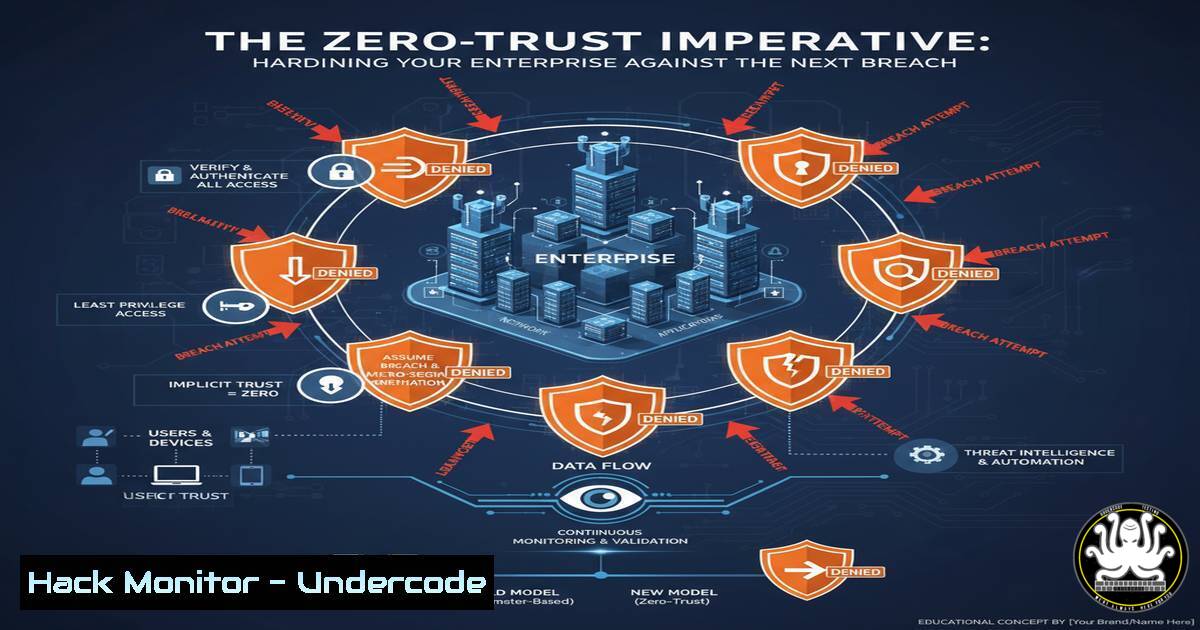
The escalating sophistication of cyber threats demands a paradigm shift from traditional perimeter-based security to a Zero-Trust architecture. This model operates on the principle of “never trust, always verify,” requiring strict identity verification for every person and device attempting to access resources on a private network, regardless of whether they are sitting within the network perimeter or not. This article provides a technical deep dive into the commands and configurations necessary to implement core Zero-Trust principles across your infrastructure.
Learning Objectives:
- Understand and implement core Identity and Access Management (IAM) policies for least-privilege access.
- Harden network security through segmentation and encrypted micro-tunnels.
- Deploy advanced endpoint detection and response (EDR) rules to identify malicious activity.
You Should Know:
1. Enforcing Multi-Factor Authentication (MFA) in Azure AD
`Get-MsolUser -UserPrincipalName [email protected] | Select -Object StrongAuthenticationRequirements` (Azure AD Module)
This PowerShell command, using the legacy MSOL module, checks if a specific user has MFA enabled. To enforce MFA for all users, you would use Conditional Access policies in the Azure AD Portal. Navigate to Azure Active Directory > Security > Conditional Access. Create a new policy that includes all users, targets “All cloud apps,” and under “Access controls,” grants access but requires “Require multi-factor authentication.” This moves you beyond simple passwords, a foundational pillar of Zero-Trust.
2. Implementing Linux Server Hardening with CIS Benchmarks
`sudo apt install aide && sudo aideinit && sudo cp /var/lib/aide/aide.db.new /var/lib/aide/aide.db` (Linux – Debian/Ubuntu)
Advanced Intrusion Detection Environment (AIDE) creates a database of file hashes and attributes. After initial setup, you can run `sudo aide.wrapper –check` to scan for unauthorized file modifications. This is a critical control for ensuring the integrity of your critical systems, detecting changes that could indicate a compromise.
3. Configuring Windows Defender Application Control (WDAC)
`$PolicyPath = “C:\Windows\schemas\CodeIntegrity\ExamplePolicies\AllowMicrosoft.xml” ; Mount-WdacPolicy -FilePath $PolicyPath` (Windows PowerShell)
WDAC, a Microsoft-recommended Zero-Trust feature, allows you to create code integrity policies that define which applications and drivers are allowed to run. The command mounts a base policy that allows all Microsoft-signed software. Policies are created using the WDAC Wizard tool and then deployed via Intune or Group Policy to enforce application whitelisting.
4. Establishing Network Segmentation with Windows Firewall
`New-NetFirewallRule -DisplayName “Block SMB Inbound” -Direction Inbound -Protocol TCP -LocalPort 445 -Action Block` (Windows PowerShell)
This command creates a new Windows Firewall rule to block inbound Server Message Block (SMB) traffic on port 445, a common vector for lateral movement and ransomware attacks. Segmenting your network by creating specific allow rules for necessary traffic, rather than broad allow rules, drastically reduces an attacker’s ability to move laterally after a initial breach.
5. Deploying Encrypted Micro-Tunnels with OpenVPN
`openvpn –config client.ovpn –auth-user-pass auth.txt –daemon` (Linux/Windows)
This command launches an OpenVPN client connection using a configuration file and a separate credentials file, running it as a background daemon. Tools like OpenVPN or WireGuard create secure, encrypted tunnels for remote access, ensuring that all data in transit is protected, which is essential for protecting remote workers and site-to-site connections.
- Querying for Suspicious Processes using Windows Command Line
`wmic process where “name=’svchost.exe'” get processid,commandline` (Windows CMD)
Windows Management Instrumentation Command-line (WMIC) can be used to inspect the full command line of processes. Attackers often hide malicious payloads by spawning them from legitimate processes like svchost.exe. This command helps investigators find anomalous instances of common system processes, a key step in threat hunting.
7. Auditing AWS S3 Bucket Permissions
`aws s3api get-bucket-policy –bucket my-bucket-name –query Policy –output text | jq .` (AWS CLI)
Misconfigured S3 buckets are a leading cause of cloud data breaches. This AWS CLI command fetches the bucket policy for a given S3 bucket and pipes it to `jq` for readable JSON formatting. You must audit these policies to ensure they are not set to `”Effect”: “Allow”` and "Principal": "", which would make the bucket publicly accessible to anyone on the internet.
What Undercode Say:
- Zero-Trust is not a product but a strategy, implemented through continuous configuration and validation.
- The human element remains the weakest link; technical controls must be complemented with ongoing security training.
The analysis of recent major breaches consistently reveals a common pattern: over-permissioned users, a lack of network segmentation, and missing multi-factor authentication. The commands and configurations outlined here are not silver bullets but essential components of a layered defense. Implementing them moves an organization from a reactive security posture to a proactive one, where trust is explicitly earned and continuously validated, not implicitly given. This significantly raises the cost and complexity for an adversary, making your organization a harder target.
Prediction:
The convergence of AI-powered attack automation and the expanding attack surface of IoT/OT devices will make manual security policies untenable. The future of Zero-Trust will be dynamic and adaptive, leveraging AI and Machine Learning to analyze user behavior, device posture, and threat intelligence in real-time. Access decisions will be made contextually, automatically granting, limiting, or revoking access without human intervention, creating a self-defending network that can respond to threats at machine speed.
🎯Let’s Practice For Free:
IT/Security Reporter URL:
Reported By: https://lnkd.in/p/dMRir5Em – Hackers Feeds
Extra Hub: Undercode MoN
Basic Verification: Pass ✅


