Listen to this Post
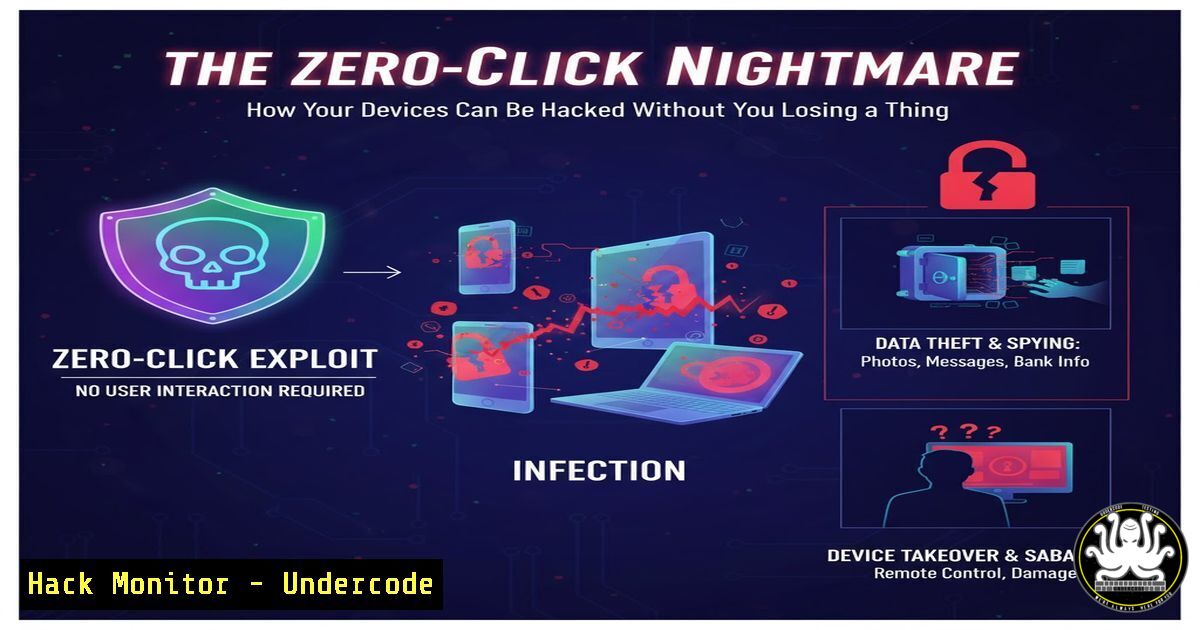
Introduction:
The traditional cybersecurity model has long relied on a critical vulnerability: the user. Phishing emails and malicious downloads require a human to click, open, or install. However, a new era of threats is dawning, defined by zero-click exploits that can silently compromise a device without any user interaction. This article deconstructs the technical reality of these attacks, providing the essential knowledge and commands to understand, detect, and mitigate these advanced threats.
Learning Objectives:
- Understand the fundamental mechanisms of zero-click exploits, including attack surfaces and exploitation techniques.
- Learn practical command-line and network analysis techniques to hunt for indicators of compromise.
- Implement proactive hardening measures for endpoints, networks, and cloud environments.
You Should Know:
1. Network Traffic Analysis for Anomalous Outbound Connections
Zero-click exploits often involve the device beaconing out to a command-and-control (C2) server. Detecting this is paramount.
 Linux: Monitor for established outbound connections on non-standard ports
netstat -tunap | grep ESTABLISHED
 Windows: Use Netstat similarly
netstat -ano | findstr ESTABLISHED
 Deep inspection with tcpdump (Linux)
sudo tcpdump -i any -n 'tcp[bash] & (tcp-syn|tcp-ack) == (tcp-syn|tcp-ack) and dst port not (80 or 443)'
Step-by-step guide: The `netstat` commands provide a snapshot of all active network connections. Look for connections to unfamiliar IP addresses or on unusual ports (not 80/443). The `tcpdump` command is more advanced, capturing packets that show established TCP connections (SYN-ACK flags set) to destinations not using standard web ports, a common signature for C2 traffic. Run these commands regularly to establish a baseline and quickly identify deviations.
2. Process and Service Enumeration for Persistence
Malware from a zero-click attack will run as a process or service. Knowing how to list and inspect them is crucial.
 Linux: List all running processes with full command line
ps aux
 Look for processes with unusual names or high resource usage
top
 Windows: List processes and services
tasklist /svc
Get-WmiObject Win32_Service | Select-Object Name, State, PathName
Step-by-step guide: The `ps aux` command on Linux provides a comprehensive list of all running processes, including the user running them and the full command path. Compare this list against known-good system processes. On Windows, `tasklist /svc` shows which services are hosting which processes, helping you identify malicious services masquerading as legitimate ones.
3. File Integrity Monitoring and Timeline Analysis
An exploit will often drop or modify files. Detecting these changes is key.
 Linux: Use find to look for recently modified files in critical directories
find /etc /usr /var -type f -mtime -1 -ls
 Use stat for detailed file information
stat /suspicious/file/path
 Windows: Using PowerShell to get file creation times
Get-ChildItem C:\ -Recurse -ErrorAction SilentlyContinue | Where-Object {$_.CreationTime -gt (Get-Date).AddDays(-1)} | Select-Object FullName, CreationTime
Step-by-step guide: The `find` command scans key system directories (/etc, /usr, /var) for any files modified in the last day (-mtime -1). Any unexpected files here warrant immediate investigation. The Windows PowerShell command performs a similar recursive search from the C: drive root, listing files created in the last 24 hours. Be cautious of high-traffic directories like Temp.
4. Memory Forensics for In-Memory Exploits
Sophisticated zero-click attacks may reside solely in memory to avoid file-based detection.
 Linux: Create a memory dump using LiME (Linux Memory Extractor)
 First, insmod the LiME kernel module
sudo insmod lime.ko "path=/tmp/memdump.lime format=lime"
 Windows: Use the built-in Windows Task Manager or Sysinternals ProcDump
procdump -ma <PID> C:\dump\process.dmp
Step-by-step guide: Memory analysis is an advanced technique. On Linux, this requires compiling the LiME kernel module beforehand. Loading it (insmod) will dump the system’s physical memory to the specified path. On Windows, tools like ProcDump from Sysinternals can dump the memory of a specific suspicious process (identified by its PID) for later analysis with a tool like Volatility.
5. Cloud Instance Metadata Service Interrogation
Attackers use zero-click exploits to steal cloud credentials from the Instance Metadata Service.
 Linux (AWS EC2): Query the IMDSv1 for the IAM role's security credentials
curl http://169.254.169.254/latest/meta-data/iam/security-credentials/
 Then, get the temporary credentials
curl http://169.254.169.254/latest/meta-data/iam/security-credentials/<role-name>
 Linux (AWS EC2): Using the newer IMDSv2
TOKEN=<code>curl -X PUT "http://169.254.169.254/latest/api/token" -H "X-aws-ec2-metadata-token-ttl-seconds: 21600"</code>
curl -H "X-aws-ec2-metadata-token: $TOKEN" http://169.254.169.254/latest/meta-data/
Step-by-step guide: These commands demonstrate how an attacker (or a security tool) can query the cloud metadata service from within a compromised instance. The first set uses the older IMDSv1, which is vulnerable to SSRF attacks. The second set uses the more secure IMDSv2, which requires a token. Understanding this helps you see how credentials are exfiltrated and why protecting the metadata service is critical.
6. API Security Hardening with Input Validation
Many zero-click attacks target backend APIs. Input validation is the first line of defense.
 Python/Flask Example: Basic input sanitization and validation
from flask import request, abort
import re

@app.route('/api/userinfo', methods=['GET'])
def get_user_info():
user_id = request.args.get('user_id')
 Validate: must be a numeric string between 1 and 10 digits
if not user_id or not re.match(r'^\d{1,10}$', user_id):
abort(400, description="Invalid user_id format.")
 Proceed with sanitized input...
Step-by-step guide: This code snippet shows a simple but effective input validation check in a Python Flask API. It ensures the `user_id` parameter is present and matches a strict regular expression (only digits, 1-10 characters long). This can prevent a wide range of injection attacks. Always validate and sanitize all inputs on the server side, regardless of client-side checks.
7. System Hardening with Auditing and Logging
Enhancing system auditing provides the data needed for post-incident analysis.
 Linux: Use auditd to monitor specific files/directories for changes
sudo auditctl -w /etc/passwd -p wa -k identity_file_change
sudo auditctl -w /usr/bin/ -p x -k binary_execution
 Windows: Enable PowerShell Script Block Logging (via Group Policy)
 Path: Computer Config -> Admin Templates -> Windows Components -> PowerShell
 Set "Turn on PowerShell Script Block Logging" to Enabled
Step-by-step guide: On Linux, the `auditctl` commands watch the `/etc/passwd` file for write or attribute changes (-p wa) and the `/usr/bin/` directory for execution (-p x). The `-k` flag sets a key for searching the logs. On Windows, enabling PowerShell Script Block Logging via Group Policy is essential, as it captures the content of all PowerShell scripts that run, which is invaluable for detecting malicious scripts used in exploitation.
What Undercode Say:
- The Attack Surface is Now the Entire Stack. Zero-click exploits shift the focus from user education to pure software and configuration security. Every network-facing service, every data parsing library, and every API endpoint is a potential entry point.
- Detection is the New Prevention. Since preventing every vulnerability is impossible, the strategy must pivot to rapid detection and response. The commands provided are not just for incident response; they are for continuous hunting and establishing a robust security posture that assumes a breach is possible.
The paradigm of “don’t click the bad link” is obsolete in the face of zero-click attacks. These threats demonstrate a level of sophistication that targets the very core of our interconnected systems. Defending against them requires a fundamental shift from user-centric warnings to a relentless focus on infrastructure hardening, deep system monitoring, and assuming that any component, no matter how trusted, can be compromised. The commands and techniques outlined are the new foundational skills for any security professional operating in this heightened-threat landscape.
Prediction:
The proliferation of zero-click exploits will accelerate, driven by their high value to state-sponsored actors and organized cybercrime. We will see these techniques commoditized and incorporated into mainstream exploit kits, making them accessible to a broader range of threat actors. This will force a fundamental re-architecture of network and endpoint security, moving towards stricter application sandboxing, widespread use of memory-safe languages, and the mandatory adoption of hardware-based security features like Intel CET and ARM MTE. The concept of “implicit trust” in any system process or network service will be completely abandoned in favor of zero-trust architectures at the micro-level, where every action must be continuously verified.
🎯Let’s Practice For Free:
IT/Security Reporter URL:
Reported By: Tzipi Abu – Hackers Feeds
Extra Hub: Undercode MoN
Basic Verification: Pass ✅


