Listen to this Post
Introduction:
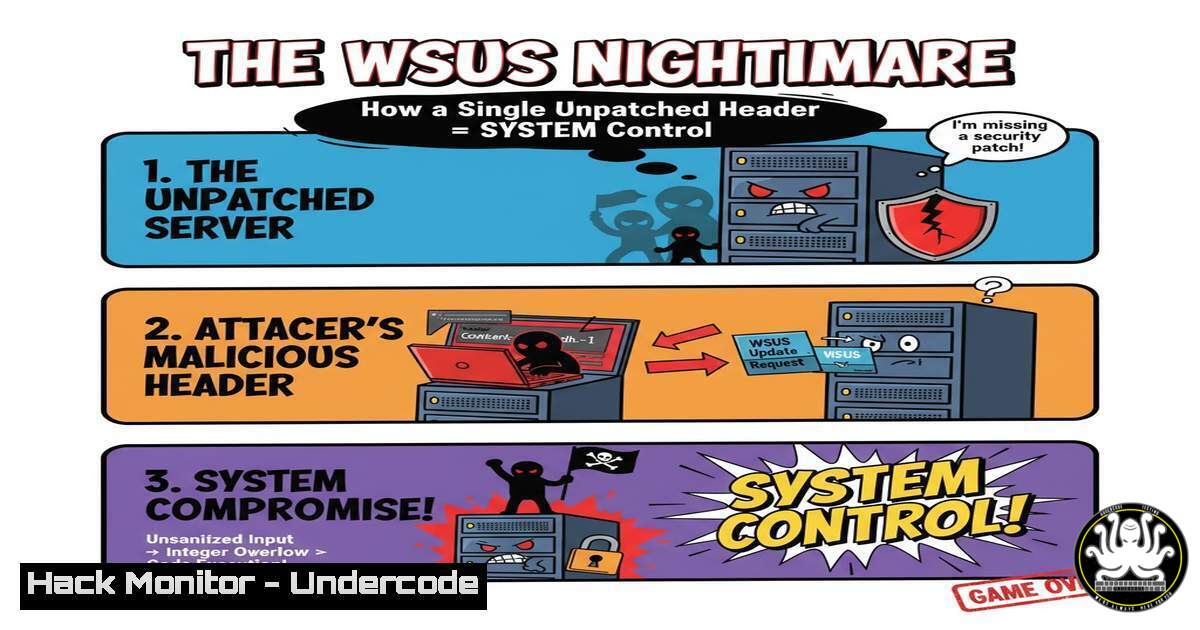
A critical, remotely exploitable vulnerability in Windows Server Update Services (WSUS), CVE-2025-59287, is being actively attacked in the wild. With a CVSS score of 9.8, this flaw allows unauthenticated attackers to execute arbitrary code with SYSTEM privileges by exploiting an insecure deserialization flaw in a deprecated .NET component. This article provides the essential commands and mitigation steps to secure your infrastructure immediately.
Learning Objectives:
- Understand the technical mechanism behind the CVE-2025-59287 WSUS exploit.
- Implement immediate containment and patching strategies using PowerShell and command-line tools.
- Harden your WSUS server configuration to prevent similar future vulnerabilities.
You Should Know:
1. Immediate Firewall Containment
The first line of defense if you cannot patch immediately is to isolate the WSUS server by blocking its communication ports at the firewall. This prevents external attackers from reaching the vulnerable endpoint.
Verified Commands:
 Windows Firewall: Block WSUS Ports using PowerShell
New-NetFirewallRule -DisplayName "BLOCK_WSUS_TCP_8530" -Direction Inbound -Protocol TCP -LocalPort 8530 -Action Block
New-NetFirewallRule -DisplayName "BLOCK_WSUS_TCP_8531" -Direction Inbound -Protocol TCP -LocalPort 8531 -Action Block
 Linux iptables (if WSUS is behind a Linux gateway)
sudo iptables -A INPUT -p tcp --dport 8530 -j DROP
sudo iptables -A INPUT -p tcp --dport 8531 -j DROP
Step-by-step guide:
These commands create new firewall rules that drop all incoming traffic on TCP ports 8530 and 8531, the default ports used by WSUS. Execute the PowerShell commands as an Administrator on the WSUS server itself. The iptables commands should be run on any Linux-based gateway or firewall protecting the server. This is a temporary containment measure until patching can be completed.
2. Verify WSUS Patch Installation
Ensuring the out-of-band patch KB5070883 is correctly installed is paramount. The following commands allow you to query the system for the patch status.
Verified Commands:
 PowerShell: Check for specific KB installation
Get-HotFix -Id KB5070883
:: Windows Command Check for KB
wmic qfe list | find "KB5070883"
Step-by-step guide:
Run the `Get-HotFix` cmdlet in PowerShell. If the patch is installed, it will return details about the update. If it returns no results, the patch is missing. The WMIC command is a legacy alternative that searches the list of installed Quick Fix Engineering (QFE) updates. A system administrator should run these checks on every WSUS server in their environment.
3. Emergency WSUS Service Disablement
If patching is not feasible and the server must remain on the network, disabling the WSUS service entirely will prevent exploitation.
Verified Commands:
 PowerShell: Stop and Disable WSUS Services
Stop-Service -Name "UpdateService" -Force
Set-Service -Name "UpdateService" -StartupType Disabled
:: Windows Command Stop and Disable WSUS Service
sc stop UpdateService
sc config UpdateService start= disabled
Step-by-step guide:
These commands forcefully stop the “UpdateService” (the core WSUS service) and change its startup configuration to “Disabled,” ensuring it does not restart upon a server reboot. This is a destructive action that will halt all update distribution until the service is re-enabled and should only be used as a last resort.
4. Network Detection for Exploitation Attempts
Detecting exploitation attempts can be achieved by analyzing web server logs for the malicious HTTP header. The exploit uses a custom header “aaaa” to trigger the deserialization flaw.
Verified Commands:
 Linux/Mac: Search IIS logs for the exploit signature
grep -r "aaaa:" /var/log/iis/
 PowerShell: Search for the exploit header in recent IIS logs
Get-ChildItem "C:\inetpub\logs\LogFiles\" -Recurse | Select-String -Pattern "aaaa:"
Step-by-step guide:
These commands scan through web server log files for the tell-tale “aaaa:” header associated with the public exploit. Security teams should run these queries on their WSUS servers and any SIEM or log aggregation tools. A positive match indicates a probable exploitation attempt.
- Audit for Compromise with Process and Network Analysis
After an exploitation attempt, attackers may establish a reverse shell or deploy payloads. Monitoring for suspicious child processes of the WSUS application pool and anomalous network connections is critical.
Verified Commands:
 PowerShell: Monitor for cmd.exe as a child of w3wp.exe (IIS Worker Process)
Get-WmiObject Win32_Process | Where-Object { $<em>.ParentProcessId -eq (Get-Process w3wp).Id -and $</em>.Name -eq "cmd.exe" }
:: Windows Command Line: Check for established connections on common reverse shell ports
netstat -ano | findstr "ESTABLISHED" | findstr ":443 :8443 :1337"
Step-by-step guide:
The first PowerShell command queries for any instances of `cmd.exe` that have been spawned by the IIS worker process (w3wp.exe), which is a strong indicator of successful exploitation. The second command uses `netstat` to look for established outbound connections on common reverse shell ports, which could signify an active attacker presence.
6. System Hardening: Disabling Legacy .NET Components
The root cause of this vulnerability is the use of the obsolete BinaryFormatter. While the patch addresses the immediate issue, hardening the system by disabling this component system-wide can prevent similar future flaws.
Verified Commands:
<!-- .NET Framework Configuration: Disable BinaryFormatter -->
<configuration>
<runtime>
<enableBinaryFormatter enabled="false"/>
</runtime>
</configuration>
Step-by-step guide:
This configuration should be added to the `machine.config` file or the relevant application configuration file (e.g., `web.config` for a web application). This setting instructs the .NET runtime to refuse all deserialization attempts using the `BinaryFormatter` class, effectively neutralizing a whole class of deserialization vulnerabilities. A server restart may be required for this change to take full effect.
- Cloud Hardening for AWS and Azure WSUS Instances
For WSUS servers hosted in cloud environments, security groups and Network Security Groups (NSGs) provide an additional layer of defense.
Verified Commands:
 AWS CLI: Revoke inbound rule for WSUS ports in a Security Group
aws ec2 revoke-security-group-ingress --group-id sg-xxxxxxxxx --protocol tcp --port 8530 --cidr 0.0.0.0/0
aws ec2 revoke-security-group-ingress --group-id sg-xxxxxxxxx --protocol tcp --port 8531 --cidr 0.0.0.0/0
 Azure PowerShell: Remove NSG rule allowing WSUS ports
Remove-AzNetworkSecurityRuleConfig -Name "Allow-WSUS-8530" -NetworkSecurityGroup $nsg
Remove-AzNetworkSecurityRuleConfig -Name "Allow-WSUS-8531" -NetworkSecurityGroup $nsg
Set-AzNetworkSecurityGroup -NetworkSecurityGroup $nsg
Step-by-step guide:
The AWS CLI commands remove any security group rules that openly allow inbound traffic on ports 8530/8531 from the entire internet (0.0.0.0/0). The Azure PowerShell commands locate and remove specific rules in an NSG that allow this traffic. Cloud administrators should ensure that access to these ports is restricted to only necessary management subnets.
What Undercode Say:
- The public availability of an exploit for a vulnerability with this high a severity and low an attack complexity creates a massive, global race between defenders and attackers.
- This incident serves as a stark reminder that deprecated components, like BinaryFormatter, represent a severe technical debt and a tangible security risk that must be proactively eliminated from critical infrastructure.
The exploitation of CVE-2025-59287 is a textbook example of why deprecated features must be ruthlessly removed from production systems. Microsoft had already flagged `BinaryFormatter` as obsolete, yet its presence in a core service like WSUS created a catastrophic vulnerability. The fact that the exploit is trivial, requiring only a single crafted HTTP header, means that the attacker barrier to entry is virtually zero. Defenders are now in a reactionary scramble, highlighting a systemic failure in proactive security hardening. This event should trigger enterprise-wide audits for other deprecated components and libraries across all IT assets, not just Microsoft products. The focus must shift from merely applying patches to proactively eliminating the root causes of entire vulnerability classes.
Prediction:
The successful exploitation of CVE-2025-59287 will catalyze a two-pronged future trend. Offensively, threat actors will intensify their code analysis of other services utilizing deprecated .NET components, particularly those marked for removal, leading to a wave of similar deserialization attacks against less-maintained enterprise software. Defensively, this event will accelerate the adoption of strict software bills of materials (SBOMs) and automated security tools capable of flagging and blocking the use of known-obsolete libraries in both development and production environments, fundamentally changing how organizations manage their technical debt and software lifecycle.
🎯Let’s Practice For Free:
IT/Security Reporter URL:
Reported By: Ocoi Alerte – Hackers Feeds
Extra Hub: Undercode MoN
Basic Verification: Pass ✅


