
Listen to this Post
Introduction:
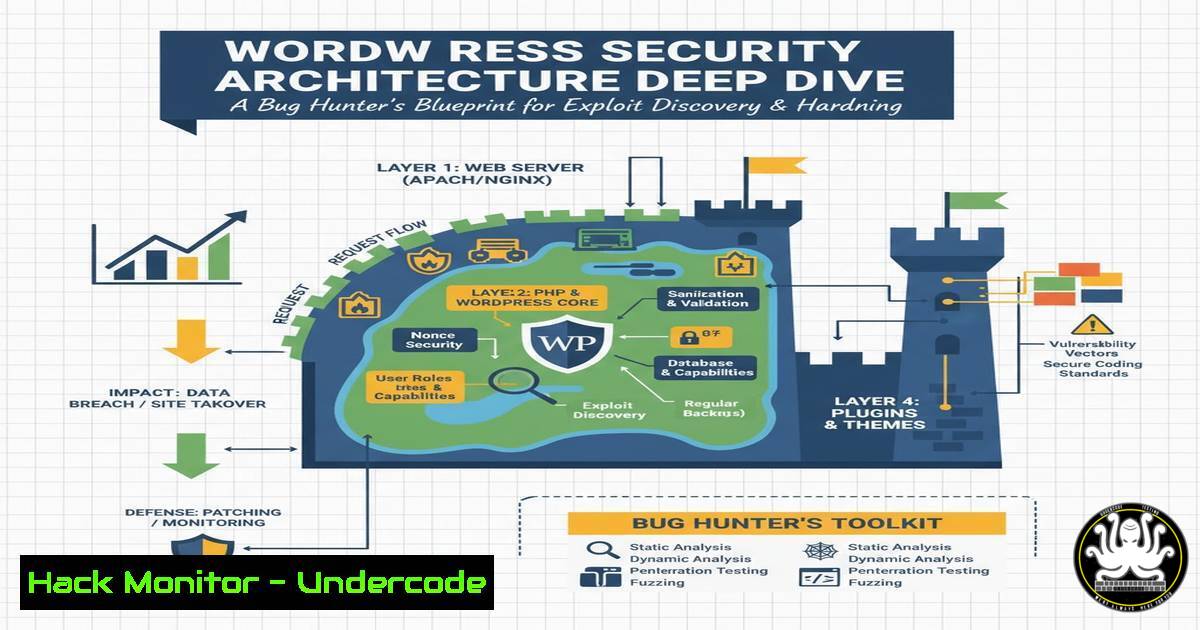
WordPress powers over 40% of the web, making its core architecture a prime target for bug bounty hunters and red team operators. Understanding how WordPress handles requests, authenticates users, and interacts with its database is crucial for identifying vulnerabilities before malicious actors do. This guide, inspired by Wordfence’s security research series, breaks down the monolithic architecture of WordPress, providing you with the technical roadmap to audit its security controls effectively. We will dissect the request lifecycle, explore privilege escalation vectors, and provide command-line techniques to map attack surfaces.
Learning Objectives:
- Understand the WordPress core request lifecycle and identify common security checkpoints.
- Learn to enumerate vulnerable plugin and theme configurations using command-line tools.
- Master techniques for auditing authentication mechanisms and database interactions for SQL injection points.
- Analyze the WordPress REST API for broken access control vulnerabilities.
- Implement hardening commands for Linux/Windows servers running WordPress.
You Should Know:
1. Deconstructing the WordPress Bootstrap: The wp-load.php Core
Every request to a WordPress site passes through the `index.php` file, which loads `wp-blog-header.php` and subsequently wp-load.php. This file initializes the core constants and database connections. For a bug hunter, this is the first place to check for improper direct access or path traversal issues.
To understand how the system loads, you can simulate the WordPress environment from the command line to test functions without a browser.
Linux Command for Testing Core Functionality:
 Navigate to your WordPress installation
cd /var/www/html

Use WP-CLI to check the core version and path constants
wp core version
wp eval 'echo ABSPATH;'

Check if critical files are readable by unauthorized users (should be 644 or 644)
find . -name "wp-load.php" -exec ls -la {} \;
What this does: This ensures the core bootstrap files are not writable by the web server user (which would allow code execution) and verifies the integrity of the base path.
- The .htaccess and Web Server Configuration: The First Line of Defense
WordPress relies heavily on `.htaccess` (Apache) or `nginx.conf` (Nginx) to handle URL rewriting and security headers. Misconfigurations here can lead to information disclosure or remote code execution. A common bug is the exposure of backup files or the `.git` directory.
Step‑by‑step guide for auditing web server configs:
1. Check for Sensitive File Exposure (Linux):
Use `curl` to test for exposed files that should be blocked by the web server.
curl -I https://targetsite.com/.git/config
curl -I https://targetsite.com/wp-content/debug.log
If you get a `200 OK` instead of a `403` or 404, the server is misconfigured.
2. Apache Hardening Command:
Edit the `.htaccess` file to block access to sensitive PHP files.
 Block access to wp-config.php
<Files wp-config.php>
Order Allow,Deny
Deny from all
</Files>

Disable directory browsing
Options -Indexes
What this does: It prevents attackers from viewing directory structures or downloading the critical configuration file.
- User Authentication and `wp_salt` Keys: Cracking the Cookie Jar
WordPress authentication relies on cookies generated via the `wp_salt` function, which uses keys defined inwp-config.php. If an attacker gains access to these salts (via Local File Inclusion or database leaks), they can forge authentication cookies.
Command-line method to verify secure key generation:
1. Check for Default or Weak Salts (Linux):
If you have local access to the server, grep for the salts.
grep -A 5 "AUTH_KEY" wp-config.php
Look for: If the keys are blank or look like “put your unique phrase here”, the site is critically vulnerable.
2. Simulating Cookie Forgery (Educational):
If you have the salts, you can generate a valid authentication cookie using a script. Understanding this helps in defending against it.
Python snippet for understanding (do not use maliciously):
import hashlib
import hmac
 This is a simplified representation of WordPress' cookie generation
 username = 'admin'
 expiration = time.time() + 3600
 hash = hmac.new(SECRET_KEY, username + '|' + str(expiration), hashlib.sha256).hexdigest()
 print(f'wordpress_logged_in_{COOKIEHASH}={username}|{expiration}|{hash}')
Mitigation: Ensure salts are long, random, and stored outside the web root if possible.
4. Database Interaction and MySQL Query Auditing
WordPress uses the `wpdb` class for all database interactions. Vulnerabilities like SQL injection often arise from poorly constructed `$wpdb->prepare()` statements or from plugins using direct `query()` calls without sanitization.
Commands to audit database security:
1. Enable MySQL General Log (Linux Server):
To see exactly what queries are being run (useful for debugging SQLi attempts), enable logging temporarily.
sudo mysql -e "SET GLOBAL general_log = 'ON';"
sudo mysql -e "SET GLOBAL general_log_file = '/var/log/mysql/mysql.log';"
tail -f /var/log/mysql/mysql.log
What this does: It shows you every query hitting the database. Look for unsanitized `$_GET` or `$_POST` variables appearing directly in the query string.
2. Check User Privileges (Security):
Ensure the MySQL user for WordPress has the least privileges required.
SHOW GRANTS FOR 'wordpressuser'@'localhost';
Look for: The user should only have SELECT, INSERT, UPDATE, `DELETE` on the WordPress database. It should never have `FILE` privileges or `GRANT` options.
5. REST API Endpoint Enumeration and IDOR Hunting
The WordPress REST API is a goldmine for bug hunters. Endpoints like `/wp/v2/users` or `/wp/v2/posts` often suffer from Insecure Direct Object References (IDOR), allowing attackers to view private posts or user data.
Step‑by‑step guide to enumerating REST API with cURL:
1. Basic User Enumeration:
 Check if user IDs are exposed
curl -s https://targetsite.com/wp-json/wp/v2/users | jq '.[].slug'
If this returns a list of usernames, the site leaks sensitive information.
2. Testing for Privilege Escalation:
Try to access a private post by ID while logged out.
curl -I https://targetsite.com/wp-json/wp/v2/posts/123
If you get a `200 OK` on a private/draft post, the permission check is broken.
3. API Hardening (Windows Command for IIS):
If the site runs on Windows IIS, you can block API access to specific IPs via URL Rewrite rules in web.config.
<rule name="Block REST API" stopProcessing="true">
<match url="^wp-json" />
<conditions>
<add input="{REMOTE_ADDR}" pattern="123.456.789.0" negate="true" />
</conditions>
<action type="AbortRequest" />
</rule>
6. File Permission Auditing Across Linux/Windows
Incorrect file permissions are the most common root cause of WordPress takeovers. The web server user should not be able to write to core files unless necessary (e.g., during auto-updates, which should be handled by FTP/SSH credentials).
Linux Hardening Commands:
 Set correct ownership (User: your user, Group: web server group)
sudo chown -R youruser:www-data /var/www/html/

Set directory permissions to 755
find /var/www/html/ -type d -exec chmod 755 {} \;

Set file permissions to 644
find /var/www/html/ -type f -exec chmod 644 {} \;

Make wp-config.php read-only
chmod 600 /var/www/html/wp-config.php
Windows (PowerShell) Hardening Commands:
 Remove 'Everyone' and 'Users' write access from the wp-content folder
$path = "C:\inetpub\wwwroot\wordpress\wp-content"
$acl = Get-Acl $path
$acl.Access | Where-Object {$<em>.IdentityReference -eq "Everyone"} | ForEach-Object { $acl.RemoveAccessRule($</em>) }
Set-Acl $path $acl

Ensure IIS_IUSRS only has Read & Execute
icacls $path /grant "IIS_IUSRS:RX"
What this does: These commands strip write permissions from unauthorized users, preventing malicious file uploads or code injections via compromised plugins.
What Undercode Say:
- The Monolith is Complex: WordPress’s legacy codebase means security relies heavily on the “last mile” configuration—the `.htaccess` and `wp-config.php` files. Bugs are often found where the core interacts with third-party code, not in the core itself.
- The API is the New Frontier: As developers move away from traditional page loads to headless setups, the REST API becomes the primary attack vector. IDOR and broken object level authorization are rampant.
- Visibility is Protection: You cannot secure what you cannot see. Using command-line tools like
wp-cli,grep, and `curl` to map your environment is the first step in building a threat-informed defense.
Prediction:
As WordPress continues to evolve as an application framework rather than just a blogging platform, we will see a shift in attack patterns. The era of simple file inclusion vulnerabilities is waning; the future of WordPress hacking lies in AI-generated plugin code introducing logic flaws and in supply chain attacks targeting the massive plugin repository. Security researchers must focus on dependency analysis and dynamic application security testing (DAST) to catch zero-days in the sprawling ecosystem of third-party components.
▶️ Related Video (78% Match):
🎯Let’s Practice For Free:
IT/Security Reporter URL:
Reported By: Abhirup Konwar – Hackers Feeds
Extra Hub: Undercode MoN
Basic Verification: Pass ✅


